Management
●
June 22, 2026
●
8 minuti di lettura
Gli 8 migliori connettori MCP per ChatGPT
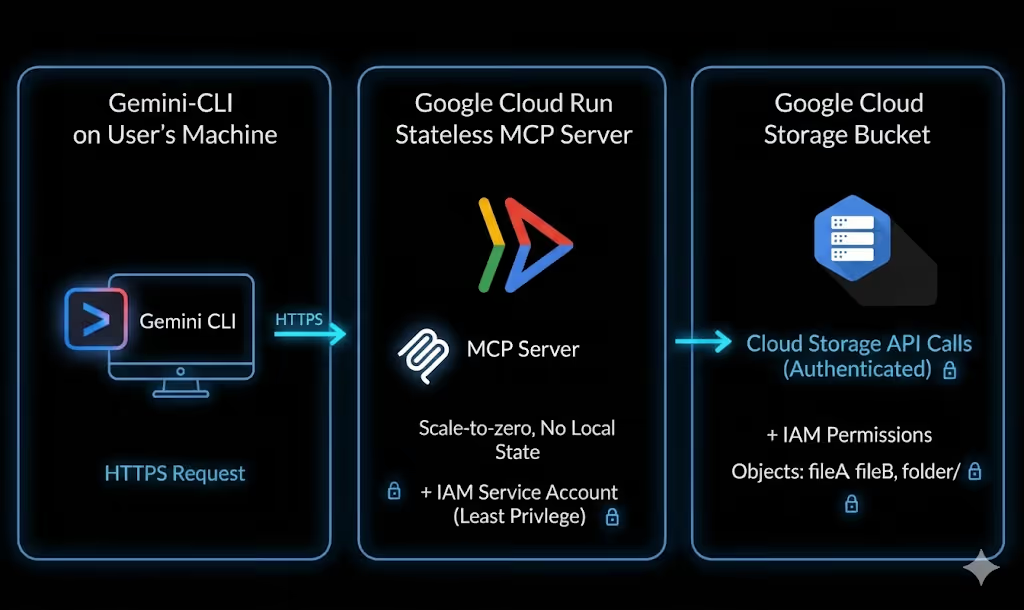
L'MCP, acronimo di Model Context Protocol, fornisce a ChatGPT un modo standard per connettersi con strumenti esterni, app, fonti di dati e flussi di lavoro.
Con l'MCP giusto, ChatGPT può cercare nella cronologia delle tue riunioni, riassumere conversazioni Slack, esaminare i problemi di GitHub, leggere pagine Notion, ecc...
In questo articolo, esamineremo i migliori MCP per ChatGPT da provare.
Consigli di sicurezza prima di connettere un MCP di ChatGPT
Le app MCP possono essere potenti, ma possono anche accedere a strumenti e dati sensibili.
Prima di connetterne uno:
- usa solo server MCP da fornitori di cui ti fidi;
- esamina attentamente i permessi;
- inizia con l'accesso in sola lettura quando possibile;
- fai attenzione agli strumenti che possono inviare messaggi, aggiornare record o eliminare informazioni;
- testa l'app prima con prompt a basso rischio;
- chiedi agli amministratori di approvare le app a livello di team;
- disconnetti gli strumenti che non usi più.
Vediamo ora i migliori connettori per ChatGPT.
a. Noota MCP
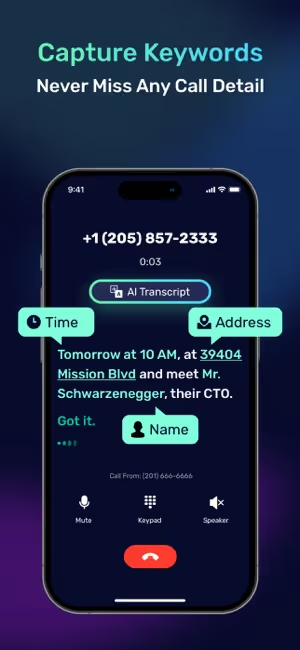
Noota MCP connette ChatGPT ai dati delle tue riunioni Noota, così puoi fare domande sulle tue chiamate senza copiare e incollare manualmente le trascrizioni.
Con Noota MCP, puoi:
- connettere ChatGPT alla cronologia delle tue riunioni Noota;
- cercare riunioni per titolo, data, durata, partecipante, cartella o spazio di lavoro;
- cercare all'interno delle trascrizioni argomenti o frasi specifici;
- trova chiamate in cui è stata discussa una parola chiave;
- cerca contatti per nome, email o azienda;
- sfoglia cartelle e spazi di lavoro Noota;
- recupera trascrizioni complete delle riunioni;
- riassumi chiamate, decisioni e prossimi passi;
- estrai i punti d'azione dalle riunioni del team;
- prepara email di follow-up basate su conversazioni reali.
Tipo di MCP
Connettore MCP personalizzato remoto con OAuth
Indirizzo server
https://mcp.noota.io/mcp
Come configurarlo
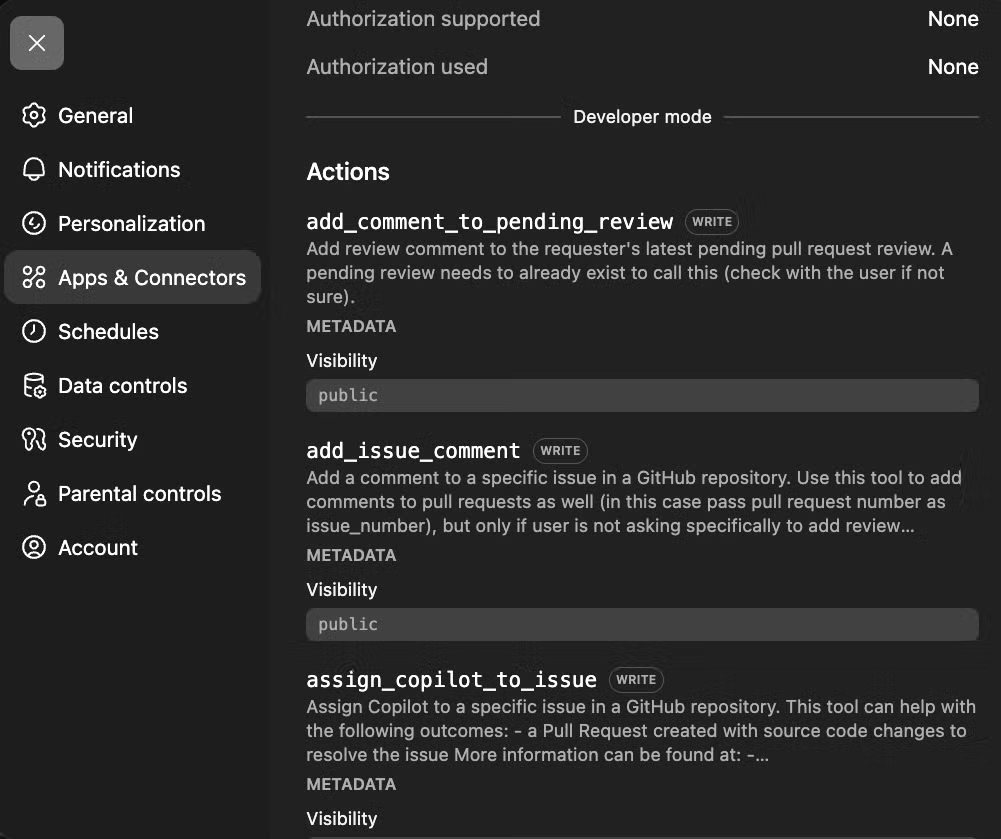
In ChatGPT, vai su Impostazioni → App → Impostazioni avanzate, abilita la modalità Sviluppatore, quindi crea un'app o un connettore personalizzato. Aggiungi l'URL del server Noota MCP, scegli OAuth, quindi accedi al tuo account Noota per autorizzare l'accesso.
Esempi di prompt
- “Riassumi la mia ultima chiamata con Acme Corp.”
- “Quali punti d'azione sono emersi dallo stand-up di ieri?”
- “Trova ogni chiamata in cui abbiamo discusso i prezzi questo trimestre.”
- “Quali candidati hanno menzionato l'esperienza con React?”
- “Prepara un'email di follow-up basata sulla mia ultima riunione con il cliente.”
- “Quali decisioni sono state prese nelle mie ultime tre chiamate di progetto?”
- “Elenca le obiezioni sollevate dai potenziali clienti questo mese.”
- “Crea un elenco di attività dalle riunioni del team di questa settimana.”
- “Trova l'ultima conversazione in cui abbiamo discusso il rinnovo del contratto.”
- “Riassumi tutte le chiamate relative a questo account cliente.”
Scopri come configurare Noota ChatGPT MCP qui
b. Zapier MCP
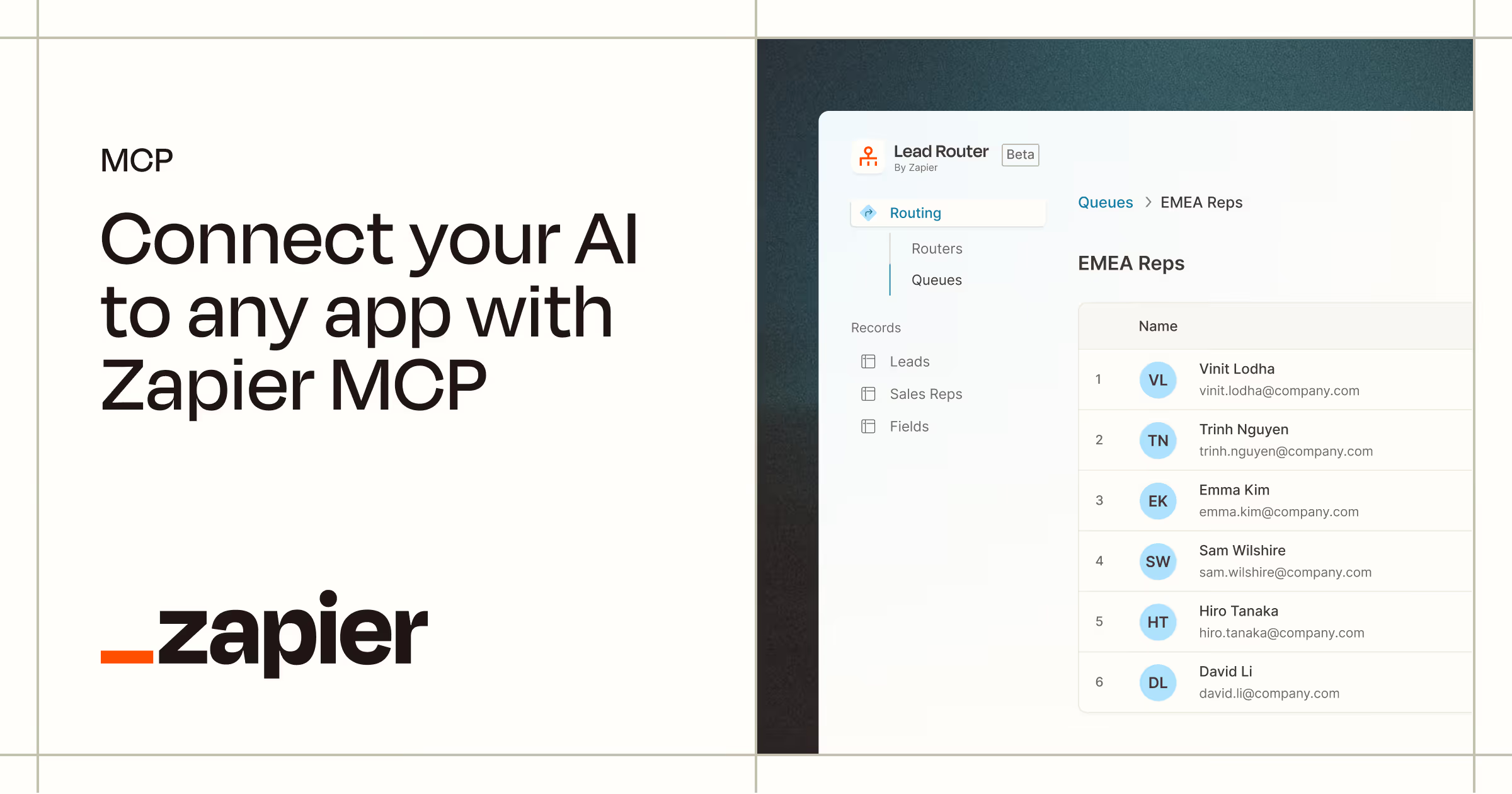
Zapier MCP connette ChatGPT a migliaia di app, così puoi trasformare una semplice richiesta di chat in un'azione concreta.
Con Zapier MCP, puoi:
- connettere ChatGPT a migliaia di app tramite Zapier;
- inviare email da Gmail;
- pubblicare messaggi su Slack;
- creare attività in Asana, Trello, ClickUp o Monday;
- aggiornare lead, contatti e trattative in HubSpot o Salesforce;
- aggiungere righe a Fogli Google;
- creare eventi in Google Calendar;
- aprire ticket di supporto in Zendesk o altri strumenti di help desk;
- spostare dati tra app senza scrivere codice;
- automatizzare il lavoro amministrativo ripetitivo dall'interno di una conversazione ChatGPT.
Tipo di MCP
Server MCP remoto con un URL unico per utente
Indirizzo server
Generato all'interno di Zapier MCP
Come configurarlo
Vai a mcp.zapier.com, crea un nuovo server MCP, seleziona ChatGPT o “Altro” come client, scegli gli strumenti che desideri esporre, quindi copia l'URL o il token del server generato. In ChatGPT, crea un'app MCP personalizzata e incolla i dettagli del server Zapier.
Esempi di prompt
- “Crea un'attività Asana da questo riepilogo della riunione.”
- “Aggiungi questo lead a HubSpot e taggalo come inbound.”
- “Invia un messaggio Slack al canale di vendita con questo aggiornamento.”
- “Aggiungi queste informazioni sul candidato a Fogli Google.”
- “Crea una scheda Trello con questi prossimi passi.”
- “Prepara un follow-up Gmail da questo riepilogo della chiamata.”
- “Aggiorna questa opportunità Salesforce con le ultime note.”
- “Crea un evento Google Calendar per questo check-in del cliente.”
- “Apri un ticket Zendesk da questa richiesta di supporto.”
- “Invia un promemoria al canale del progetto domani mattina.”
Prezzo
Zapier MCP è disponibile per gli utenti Zapier. Zapier offre un piano gratuito, mentre i piani a pagamento dipendono dal volume di attività, dalle esigenze dell'app e dalle funzionalità del team.
Un dettaglio importante: l'utilizzo di Zapier MCP può essere conteggiato nella tua quota di attività Zapier. Quindi, se il tuo team prevede di utilizzare ChatGPT per automazioni frequenti, controlla i limiti del tuo piano prima di implementarlo su larga scala.
c. GitHub MCP
GitHub MCP collega ChatGPT a GitHub, in modo che gli sviluppatori possano lavorare con il codice e il contesto del progetto senza dover copiare manualmente tutto nella chat.
Con GitHub MCP, puoi:
- consentire a ChatGPT di sfogliare e interrogare i file del repository;
- cercare codice tra i repository a cui hai accesso;
- riassumere le pull request;
- rivedere le modifiche al codice e segnalare possibili rischi;
- creare, aggiornare e gestire le issue di GitHub;
- aiutare a classificare i bug e le richieste di funzionalità;
- analizzare i commit e la struttura del progetto;
- monitorare le esecuzioni dei workflow di GitHub Actions;
- indagare sui fallimenti delle build;
- redigere le note di rilascio dalle pull request unite;
- supportare attività di ingegneria ripetitive dall'interno di ChatGPT.
Tipo di MCP
Server MCP HTTP remoto, con possibilità di configurazione locale
Indirizzo del server
https://api.githubcopilot.com/mcp/
Come configurarlo
Use the remote GitHub MCP server if your ChatGPT setup supports remote MCP connections. Authenticate with GitHub OAuth or a personal access token if required. For more control, you can also run the GitHub MCP server locally with Docker and expose it through a supported endpoint.
Examples of prompts
- “Summarize the main changes in this pull request.”
- “Find the file that handles user authentication.”
- “Create a GitHub issue from this bug report.”
- “Review this PR and flag potential risks.”
- “Explain how this repository is structured.”
- “Find recent issues related to API errors.”
- “Draft release notes based on merged pull requests.”
- “Suggest tests for the changes in this branch.”
- “Find where billing logic is implemented.”
- “Summarize the open bugs assigned to me.”
Price
The official GitHub MCP server is available to GitHub users. The MCP server itself does not have separate pricing, but access depends on your GitHub plan and permissions.
GitHub offers a free plan, while GitHub Team starts at $4 per user per month and GitHub Enterprise starts at $21 per user per month. Some advanced MCP actions may also require access to the matching paid GitHub or Copilot feature.
d. Notion MCP
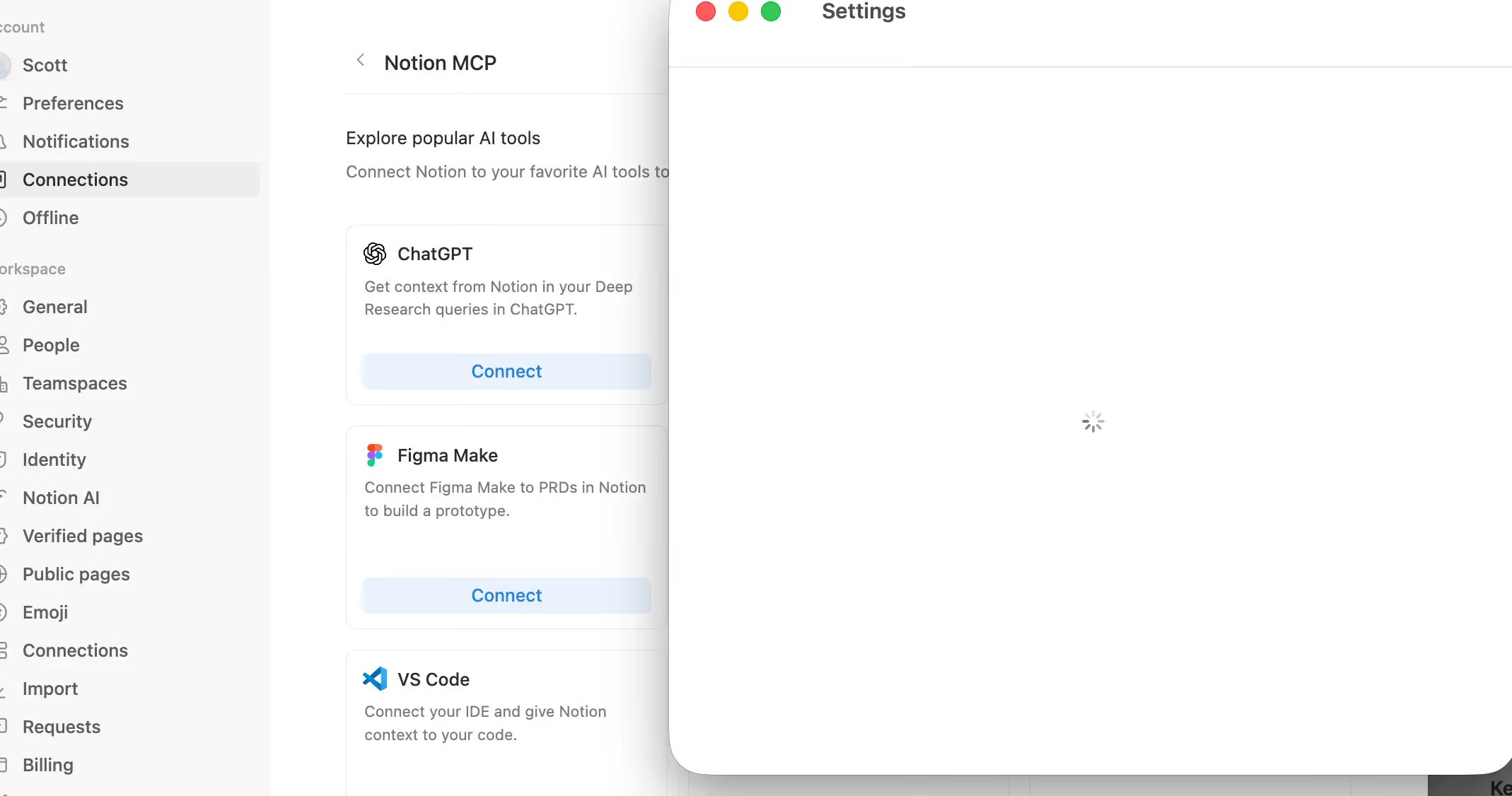
Notion MCP connects ChatGPT to your Notion workspace, so you can search, read, and manage workspace content directly from a conversation.
With Notion MCP, you can:
- search across your Notion workspace;
- find pages, databases, and project documents;
- fetch content from a Notion page or database;
- summarize product specs, meeting notes, and internal docs;
- create new pages from research or project data;
- update tasks, statuses, and page properties;
- turn messy notes into structured documentation;
- prepare release notes, reports, and project updates;
- generate campaign briefs and content plans;
- manage knowledge base content from inside ChatGPT.
Type of MCP
Hosted remote MCP server with OAuth
Server adress
https://mcp.notion.com/mcp
How to Set it up
In ChatGPT, create a custom MCP app and add the Notion MCP server URL. Complete the OAuth flow to connect your Notion workspace. Once connected, ChatGPT can read and write Notion content based on your Notion permissions.
Examples of prompts
- “Find our onboarding checklist and summarize it.”
- “Search Notion for all docs related to the website redesign.”
- “Turn this project page into a weekly update.”
- “Find the content calendar and suggest gaps.”
- “Summarize the product requirements document.”
- “Create a launch plan based on our Notion docs.”
- “Find all pages mentioning customer churn.”
- “Update this task page with the latest status.”
- “Turn these meeting notes into a clean internal brief.”
- “Create a campaign brief from our research notes.”
Price
Notion MCP itself does not have separate public pricing. You need a Notion account and a ChatGPT setup that supports MCP apps or custom connectors.
Notion offers a free plan. Paid plans are charged per member, with Plus, Business, and Enterprise options available depending on your workspace size, collaboration needs, admin controls, and AI features.
e. Google Drive MCP
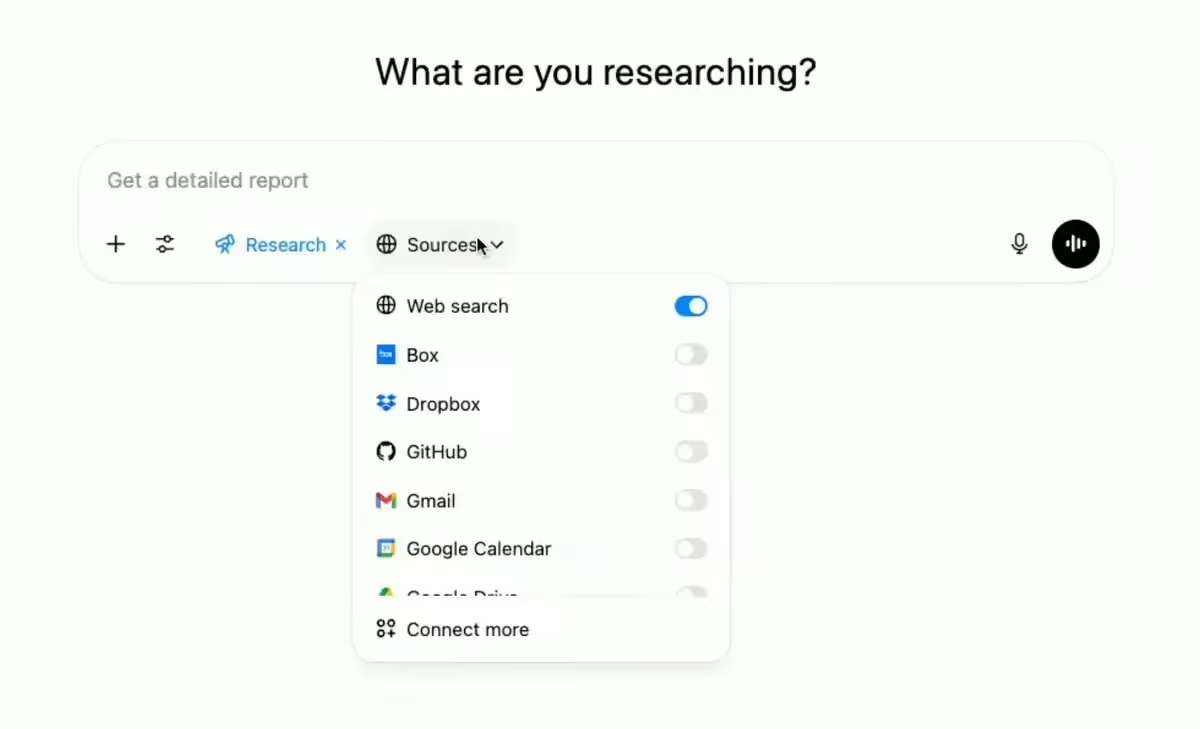
Google Drive MCP connects ChatGPT to the files your team already keeps in Google Drive.
With Google Drive MCP, you can:
- search files stored in Google Drive;
- retrieve file metadata and permissions;
- read content from documents and files;
- summarize Google Docs, reports, briefs, and PDFs;
- pull useful information from spreadsheets;
- find the latest version of a project plan;
- compare information across several files;
- create new files when needed;
- download file content;
- work with Drive data while keeping user permissions in place.
Type of MCP
Remote HTTP MCP server, currently in Developer Preview
Server adress
https://drivemcp.googleapis.com/mcp/v1
How to Set it up
Create a Google OAuth client if required, then add the Google Drive MCP server URL in your MCP client or ChatGPT custom app setup. Authorize access with your Google account. ChatGPT can then search, read, and work with Drive files based on your existing permissions.
Examples of prompts
- “Find the latest marketing plan and summarize it.”
- “Search Drive for documents mentioning our Q3 hiring goals.”
- “Summarize the customer proposal for Acme Corp.”
- “Find all files related to the website redesign.”
- “Pull the action items from this project brief.”
- “Compare these two versions of the sales deck.”
- “Find the spreadsheet with customer feedback.”
- “Summarize the PDF about our product roadmap.”
- “Create a short internal update from this Drive document.”
- “Find documents where we discussed pricing changes.”
Price
Google Drive MCP itself does not have separate public pricing. You need access to Google Drive or Google Workspace, plus a ChatGPT setup that supports MCP apps or custom connectors.
Google Workspace offers a free personal Google Drive account. Business plans start at $7 per user per month on an annual plan for Business Starter. Business Standard costs $14 per user per month on an annual plan, and Business Plus costs $22 per user per month on an annual plan.
f. Slack MCP
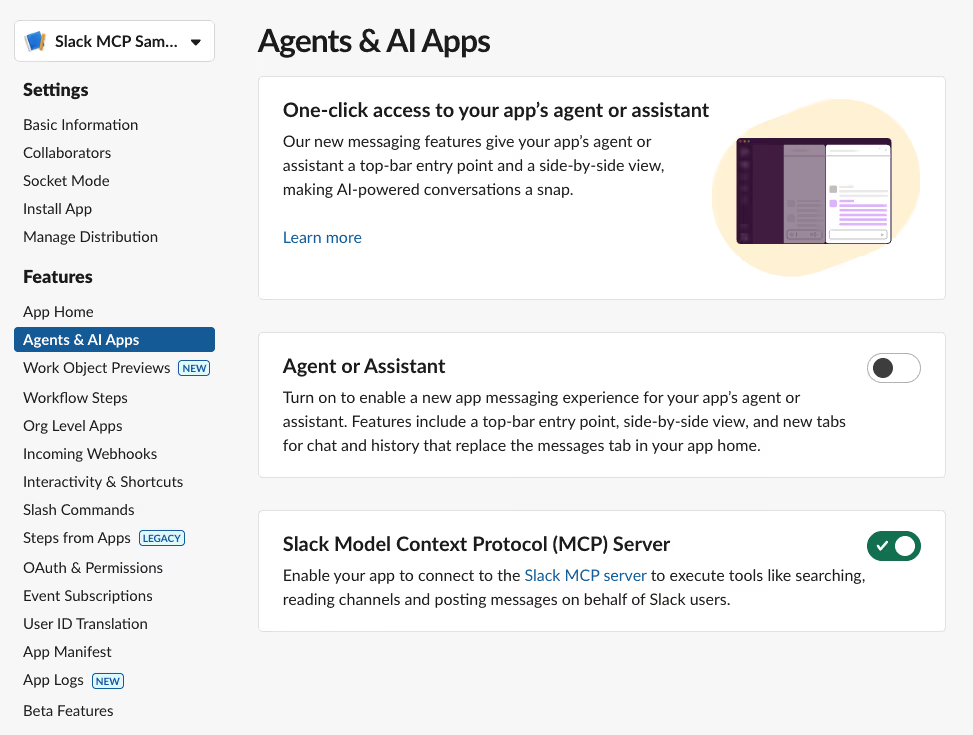
Slack MCP connects ChatGPT to your Slack workspace, so it can search messages, summarize conversations, retrieve threads, and help you take action inside Slack.
With Slack MCP, you can:
- search Slack messages, channels, files, and users;
- retrieve recent channel activity;
- read full thread conversations;
- summarize long Slack discussions;
- find decisions, blockers, owners, and next steps;
- draft Slack messages and project updates;
- send messages when permissions allow it;
- manage or create Slack canvases;
- look up teammate information;
- help new teammates catch up on past context faster.
Type of MCP
Remote HTTP MCP server with OAuth
Server adress
https://mcp.slack.com/mcp
How to Set it up
Connect through a supported AI partner app or create an approved Slack app that can use MCP. Slack admins may need to approve the integration. Once connected, ChatGPT can search Slack, retrieve threads, send messages, and manage canvases depending on scopes and permissions.
Examples of prompts
- “Summarize what happened in the product channel this week.”
- “Find the latest decision about the pricing page.”
- “What blockers were mentioned in the engineering channel?”
- “Summarize this thread and list the next steps.”
- “Draft a Slack update for the marketing team.”
- “Find messages where we discussed the launch delay.”
- “Create a canvas from this project discussion.”
- “Show me the thread related to this customer escalation.”
- “Find the teammate with this email address.”
- “Send a message to #general saying the deployment is complete.”
Price
Slack MCP does not have separate public pricing. You need access to a Slack workspace, and your workspace admin may need to approve the MCP connection.
Slack offers a free plan. The Pro plan costs $7.25 per active user per month when billed annually, or $8.75 per active user per month when billed monthly. Larger teams can use Business+ or Enterprise+ depending on their security, admin, compliance, and AI needs.
g. Playwright MCP
Playwright MCP connects ChatGPT to a real browser, so it can interact with websites and web apps instead of only talking about them.
With Playwright MCP, you can:
- let ChatGPT open and navigate web pages;
- click buttons, links, menus, and form fields;
- type text and fill forms;
- inspect page structure through accessibility snapshots;
- test signup, login, checkout, and onboarding flows;
- generate ideas for end-to-end tests;
- check whether UI elements behave correctly;
- capture screenshots and browser state;
- debug frontend issues;
- automate repetitive browser checks.
Type of MCP
Local studio MCP server
Server adress
No remote server URL. Use npx @playwright/mcp@latest
How to Set it up
Install Node.js, then run Playwright MCP with npx @playwright/mcp@latest. For ChatGPT, you usually need a remote-accessible MCP endpoint, so run it as an HTTP server and expose it securely if needed. Use this mainly for testing, browser automation, and developer workflows.
Examples of prompts
- “Open our pricing page and check if the CTA buttons work.”
- “Test the signup flow and report any friction.”
- “Fill out this contact form with test data and tell me if it submits.”
- “Generate a Playwright test for this checkout flow.”
- “Inspect this page and find accessibility issues.”
- “Click through the onboarding flow and summarize each step.”
- “Check whether the mobile menu opens correctly.”
- “Find broken links on this landing page.”
- “Take a screenshot after completing the login flow.”
- “Reproduce this bug and suggest where it might come from.”
Price
Playwright MCP is open source and free to use. The official server is available through the @playwright/mcp package.
However, the full cost depends on your setup. You may still need a ChatGPT plan that supports custom MCP apps, plus hosting, developer tools, CI/CD infrastructure, or other services if you use it at scale.
h. Context7 MCP
Best for: up-to-date coding documentation, API references, framework examples, and reducing hallucinated code
Context7 MCP connects ChatGPT to current developer documentation, so it can answer coding questions with fresher, version-specific information.
This is especially useful because software documentation changes quickly. A framework method that worked six months ago may be deprecated today. A new version of Next.js, React, Supabase, Stripe, Tailwind, or Prisma can introduce new APIs, new setup steps, and new best practices. Without current documentation, ChatGPT may suggest outdated code or functions that no longer exist.
Context7 MCP helps solve that problem. Instead of opening documentation, searching for the right page, copying examples, and pasting them into ChatGPT, you can ask ChatGPT to use Context7 and bring the relevant documentation into the conversation.
For developers, this makes ChatGPT much more reliable when working with fast-moving libraries and frameworks.
With Context7 MCP, you can:
- fetch up-to-date documentation for libraries and frameworks;
- retrieve version-specific code examples;
- reduce outdated API suggestions;
- avoid hallucinated methods and incorrect syntax;
- search documentation without leaving ChatGPT;
- improve code generation with real documentation context;
- get setup steps based on current docs;
- work with specific library IDs when needed;
- support tools like Next.js, Supabase, Stripe, Tailwind, Prisma, React, and more;
- make technical answers more grounded and easier to verify.
What does it do?
Context7 MCP works by giving ChatGPT access to fresh documentation sources through an MCP server.
Instead of answering only from training data, ChatGPT can retrieve relevant docs before generating code. For example, if you ask how to implement middleware in the latest version of Next.js, Context7 can help ChatGPT pull the current documentation first. If you ask for a Stripe webhook handler, it can look for the latest API examples instead of guessing from memory.
This is especially helpful for developers who work with tools that change often. It can save time, reduce tab switching, and help avoid common AI coding mistakes like outdated imports, wrong method names, or old configuration patterns.
Context7 is also simple to use once connected. In many coding tools, developers can add “use Context7” to the prompt, specify a library when needed, or configure the assistant to use Context7 automatically for documentation-heavy questions.
That said, Context7 should not replace normal engineering checks. It gives ChatGPT better documentation context, but you should still review the generated code, run tests, and check security-sensitive changes before shipping.
Type of MCP
Remote HTTP MCP server, with CLI setup available
Server adress
https://mcp.context7.com/mcp
How to Set it up
Create a Context7 account and API key if needed. Add the Context7 server URL to your MCP client or ChatGPT custom app setup, and pass the API key using the CONTEXT7_API_KEY header when required. Once connected, ask ChatGPT to “use Context7” when you need current documentation.
Examples of prompts
- “Use Context7 to show the latest Next.js middleware example.”
- “Find the current Supabase auth API for email sign-up.”
- “Use current Stripe docs to create a webhook handler.”
- “Show me the latest Cloudflare Workers caching example.”
- “Check the current React Router API before answering.”
- “Find the correct setup steps for Tailwind CSS 4.”
- “Explain this library using its latest documentation.”
- “Generate a code example based on the current MongoDB docs.”
- “Use library /vercel/next.js and explain how routing works.”
- “Check the latest Prisma documentation before writing the query.”
Price
Context7 offers a free plan for individuals. The Pro plan costs $10 per seat per month and includes private repositories, team collaboration, and higher API usage. Enterprise pricing is custom for teams that need SOC 2, SSO, self-hosting, dedicated support, and volume-based pricing.
FAQ
What is ChatGPT MCP?
ChatGPT MCP is a way to connect ChatGPT to external tools, apps, and data sources.
MCP stands for Model Context Protocol. It gives ChatGPT a standard way to work with tools outside the chat, such as meeting platforms, CRMs, project management tools, developer tools, document systems, and internal databases.
In parole semplici, l'MCP aiuta ChatGPT a passare dal "rispondere a domande" al "lavorare con i tuoi strumenti".
ChatGPT supporta l'MCP?
Sì. ChatGPT supporta l'MCP tramite app e connettori personalizzati basati su MCP.
Alcune app possono essere connesse dalla directory delle app di ChatGPT. App MCP più avanzate possono essere create con l'SDK per app di OpenAI, che utilizza server MCP per definire a cosa ChatGPT può accedere o cosa può fare.
Per i team, il supporto completo per l'MCP può dipendere dal piano ChatGPT, dalle impostazioni dello spazio di lavoro, dai permessi di amministratore e dall'abilitazione della modalità sviluppatore.
Qual è il miglior MCP per ChatGPT?
Il miglior MCP per ChatGPT dipende dal tuo flusso di lavoro.
Se le tue informazioni più preziose si trovano in riunioni e chiamate, Noota MCP è un'ottima scelta. Se vuoi che ChatGPT agisca su molte app, Zapier MCP è una delle opzioni più flessibili. Se sei uno sviluppatore, GitHub MCP, Playwright MCP e Context7 MCP sono scelte solide.
Per la conoscenza aziendale, Notion MCP, Google Drive MCP e Slack MCP sono utili perché connettono ChatGPT ai luoghi in cui i team archiviano già il contesto di lavoro.
Gli MCP per ChatGPT sono gratuiti?
Alcuni MCP per ChatGPT sono gratuiti o open source, ma questo non significa sempre che l'intera configurazione sia gratuita.
Ad esempio, Playwright MCP è open source. Ma potresti comunque aver bisogno di un piano ChatGPT che supporti app MCP personalizzate, hosting, strumenti per sviluppatori o infrastrutture aggiuntive.
Per gli strumenti SaaS come Noota, Zapier, Notion, Slack o Google Drive, il prezzo di solito dipende dall'abbonamento della piattaforma connessa.
Devo avere competenze tecniche per usare l'MCP per ChatGPT?
Non sempre.
Se l'app è disponibile nella directory delle app di ChatGPT, la configurazione può essere semplice. Apri Impostazioni, vai su App, scegli l'app, connetti il tuo account e inizia a usarla in una chat.
Le app MCP personalizzate sono più tecniche. Possono richiedere un server MCP, un endpoint HTTPS, OAuth, definizioni di strumenti, test e approvazione dell'amministratore.
L'MCP per ChatGPT può accedere a dati privati?
Sì, ma solo dopo aver connesso uno strumento e autorizzato l'accesso.
ChatGPT non accede automaticamente ai tuoi messaggi Slack, pagine Notion, file Google Drive, repository GitHub o dati delle riunioni. Devi prima connettere l'app e approvare i permessi.
Per i team, gli amministratori dovrebbero verificare quali app MCP sono consentite e a quali dati possono accedere.
ChatGPT MCP è sicuro?
ChatGPT MCP può essere sicuro se usato con attenzione.
Il rischio principale riguarda le autorizzazioni. Alcuni MCP leggono solo i dati, mentre altri possono inviare messaggi, aggiornare file, creare record o attivare flussi di lavoro. Prima di connettere un MCP, verifica chi l'ha sviluppato, quali autorizzazioni richiede e se può eseguire azioni nei tuoi strumenti.
Una buona regola è semplice: usa MCP affidabili, inizia con attività a basso rischio e rivedi le azioni importanti prima di approvarle.
Posso creare il mio MCP per ChatGPT?
Sì. Gli sviluppatori possono creare il proprio server MCP e connetterlo a ChatGPT tramite l'SDK delle app.
Questo è utile per le aziende che desiderano che ChatGPT funzioni con strumenti privati, database interni, flussi di lavoro personalizzati o prodotti SaaS che non sono ancora disponibili nella directory delle app.
Conosci l'autore

Jean-marc è un esperto di IA che aiuta i recruiter e i professionisti a sfruttare questi strumenti nei loro processi di lavoro quotidiani.