Integrations
Noota maakt verbinding metNotion


.svg)
Verbind Noota met één klik
Ga naar de integratie-interface van Noota en maak verbinding met je Notion-account.
Definieer uw aangepaste samenvattingsstructuur als u dat nog niet hebt gedaan, zodat alleen de belangrijke details van uw vergadering bewaard blijven.
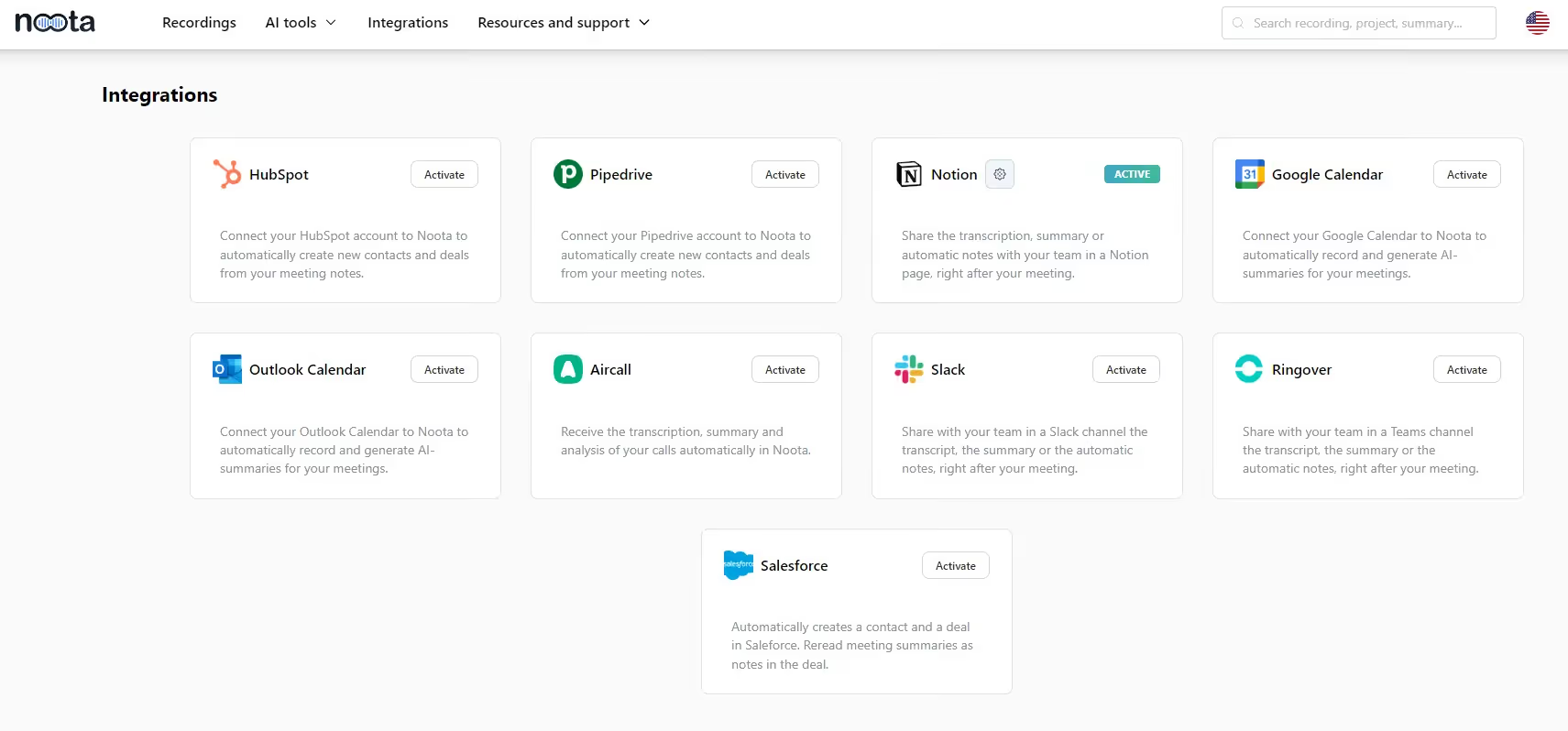
Kies de pagina's die moeten worden ingevuld
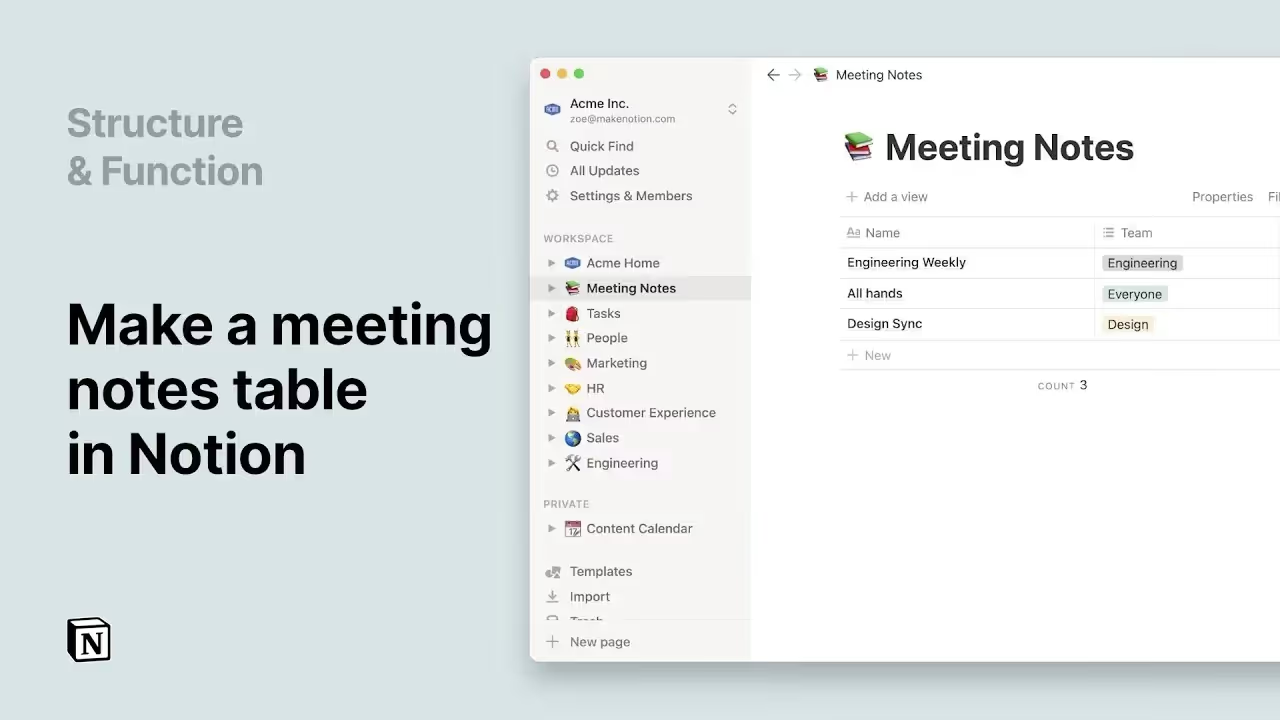
Geef Noota toestemming om inhoud toe te voegen aan de pagina's van je keuze.
Maak indien nodig een pagina gewijd aan uw wekelijkse teamvergaderingen, één-op-één...
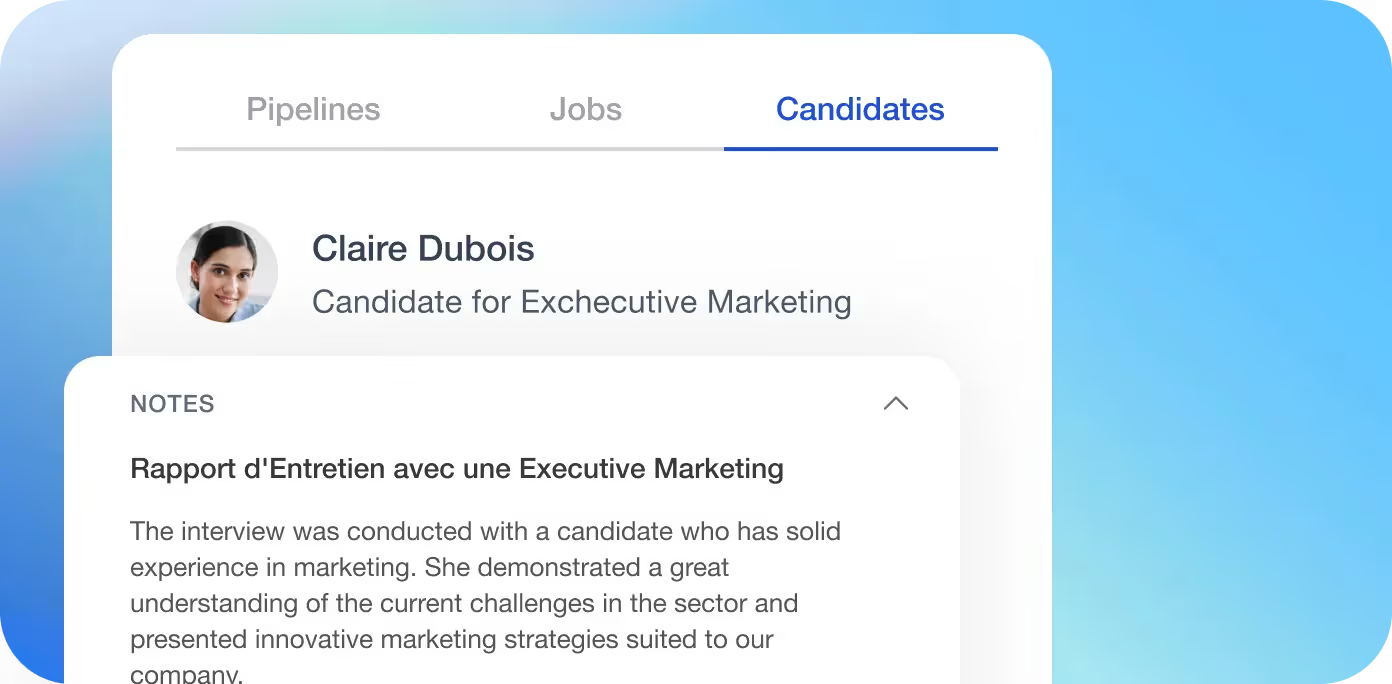
Open de notitie en aangepaste notulen in Notion
Wanneer de vergadering voorbij is, transcribeert en vat Noota uw vergadering automatisch samen.
Vervolgens kunt u de aangepaste samenvatting exporteren naar Notion met of zonder een openbare link naar de Noota-opname.
.svg.avif)
.svg.avif)
.svg.avif)
Veelgestelde vragen
Hoe helpt Noota wervingsteams tijd te besparen?
Het automatiseert transcripties van interviews, genereert gestructureerde kandidatenrapporten en actualiseert ATS-records, waardoor uren handmatig werk overbodig wordt
Kan Noota de vaardigheden en soft skills van kandidaten analyseren?
Ja! Het verzamelt en organiseert de reacties van kandidaten en biedt inzicht in kwalificaties, communicatiestijl en vertrouwensniveaus.
Hoe ondersteunt Noota verkoopteams?
Het registreert verkoopgesprekken, volgt belangrijke bezwaren, identificeert koopsignalen en integreert met CRM's voor geautomatiseerde follow-ups.
Kan Noota helpen bij projectmanagement en besluitvorming?
Ja, het legt de discussies van vergaderingen vast, belicht belangrijke punten en zorgt voor afstemming door eerdere vergaderingen gemakkelijk doorzoekbaar te maken.
Welke platforms ondersteunt Noota voor opname en transcriptie?
Het werkt met Google Meet, Zoom, Teams, Webex en zelfs persoonlijke vergaderingen en biedt zeer nauwkeurige transcriptie in meer dan 50 talen.
Kan Noota worden geïntegreerd met CRM, ATS en productiviteitstools?
Ja! Het maakt verbinding met Salesforce, HubSpot, BullHorn, Notion, Slack en nog veel meer, wat zorgt voor een soepele gegevensoverdracht.
Kan Noota automatisch vervolgmails en -rapporten genereren?
Ja, het stelt e-mails op op basis van de inhoud van de vergadering en creëert gestructureerde rapporten, zodat u nooit een actiepunt mist.
Hoe zorgt Noota voor beveiliging en compliance?
Alle gegevens zijn versleuteld, opgeslagen in datacenters in de EU en voldoen aan strenge nalevingsnormen, waaronder GDPR, SOC2 en ISO 27001.
Wat is de aangepaste samenvatting en waar dient deze voor?
De aangepaste samenvatting is een sjabloon waarmee u uw vergaderminuut kunt structureren. Je kunt zoveel aangepaste samenvattingen maken als je wilt!
Kan ik een audio- of videobestand transcriberen dat ik al heb opgenomen?
Ja, u kunt een document transcriberen dat al is opgenomen. Upload het eenvoudig naar de Noota-interface.
Hoe werkt de opname, met of zonder bot?
Je kunt op twee manieren opnemen: met de Noota-extensie of door je agenda te koppelen.
In het eerste geval kunt u de opname direct activeren zodra u deelneemt aan een videoconferentie.
In het tweede geval kunt u een bot aan uw videoconferentie toevoegen, die alles opneemt.
In het eerste geval kunt u de opname direct activeren zodra u deelneemt aan een videoconferentie.
In het tweede geval kunt u een bot aan uw videoconferentie toevoegen, die alles opneemt.
Kan ik transcriberen en vertalen naar een andere taal?
Er zijn meer dan 80 talen en dialecten beschikbaar voor transcriptie.
Met Noota kunt u ook uw bestanden in meer dan 30 talen vertalen.
Met Noota kunt u ook uw bestanden in meer dan 30 talen vertalen.
Is de gegevensintegratie in mijn ATS veilig?
Ja, uw interviewgegevens worden veilig naar uw ATS verzonden.
Hoe werkt conversational intelligence?
Conversationele intelligentie is gebaseerd op NLP-analyse van de woorden en intonatie die door elke deelnemer worden gebruikt om emoties en gedragsinzichten te identificeren.
Waarom is het belangrijk om gestructureerde interviews te houden?
Talrijke onderzoeken hebben de nauwkeurigheid, efficiëntie en objectiviteit van gestructureerde interviews aangetoond. Door elke kandidaat dezelfde vragen op dezelfde manier te stellen, stroomlijnt u uw interviewproces en vermindert u de invloed van cognitieve vooroordelen.
Waarom zou ik een interviewverslag genereren?
Een interviewverslag helpt om gestandaardiseerde informatie over uw kandidaten te bundelen, deze met alle belanghebbenden te delen en uw beoordeling te objectiveren. Duidelijke, gestructureerde gegevens stellen u in staat beter onderbouwde rekruteringsbeslissingen te nemen.
Hoe worden vacatureadvertenties gegenereerd?
Onze generator voor vacatures maakt gebruik van de nieuwste LLM's om de gegevens van uw vergadering of briefing om te zetten in een opvallende en gemakkelijk te lezen functiebeschrijving.
Moet ik de manier waarop ik interviews geef veranderen?
Nee, Noota is gewoon een assistent bij je werk. U kunt doorgaan met het afnemen van interviews zoals u dat vandaag doet. Om de nauwkeurigheid van het rapport te verbeteren, moet u de interviewsjablonen aanpassen op basis van uw bestaande lijst met vragen.
Kan ik mijn gegevens verwijderen uit Noota?
Ja, gebruik gewoon de verwijderfunctie op onze interface en binnen 24 uur hebben we deze gegevens uit onze database verwijderd.
Kan ik mijn vergaderingen telefonisch of persoonlijk opnemen?
Ja, Noota bevat een ingebouwde recorder om geluid van je computer en binnenkort van je telefoon op te nemen.
Hebben de kandidaten toegang tot de AI-notities?
Nee, u beheert de toegankelijkheid van de gegevens die u vastlegt. Als je het met hen wilt delen als feedback, dan kan dat. Anders is het voor hen niet toegankelijk.
Evalueert Noota kandidaten?
Nee, Noota neemt uw interviews op, transcribeert en vat ze samen. Het helpt u weloverwogen beslissingen te nemen met duidelijke informatie over de kandidaat. Maar het is geen vervanging voor je eigen beoordelings- en beoordelingsvaardigheden.
doe het werk voor elke vergadering
Gratis proberen
.svg)
TOOLS
Werving
Opname