Gestione delle Riunioni
8 min di lettura
Aggiornato il:
Aug 4, 2025
Audit delle riunioni: una guida esperta con modello
Vuoi ricevere un modello di audit per le riunioni? Ecco una tabella interattiva.
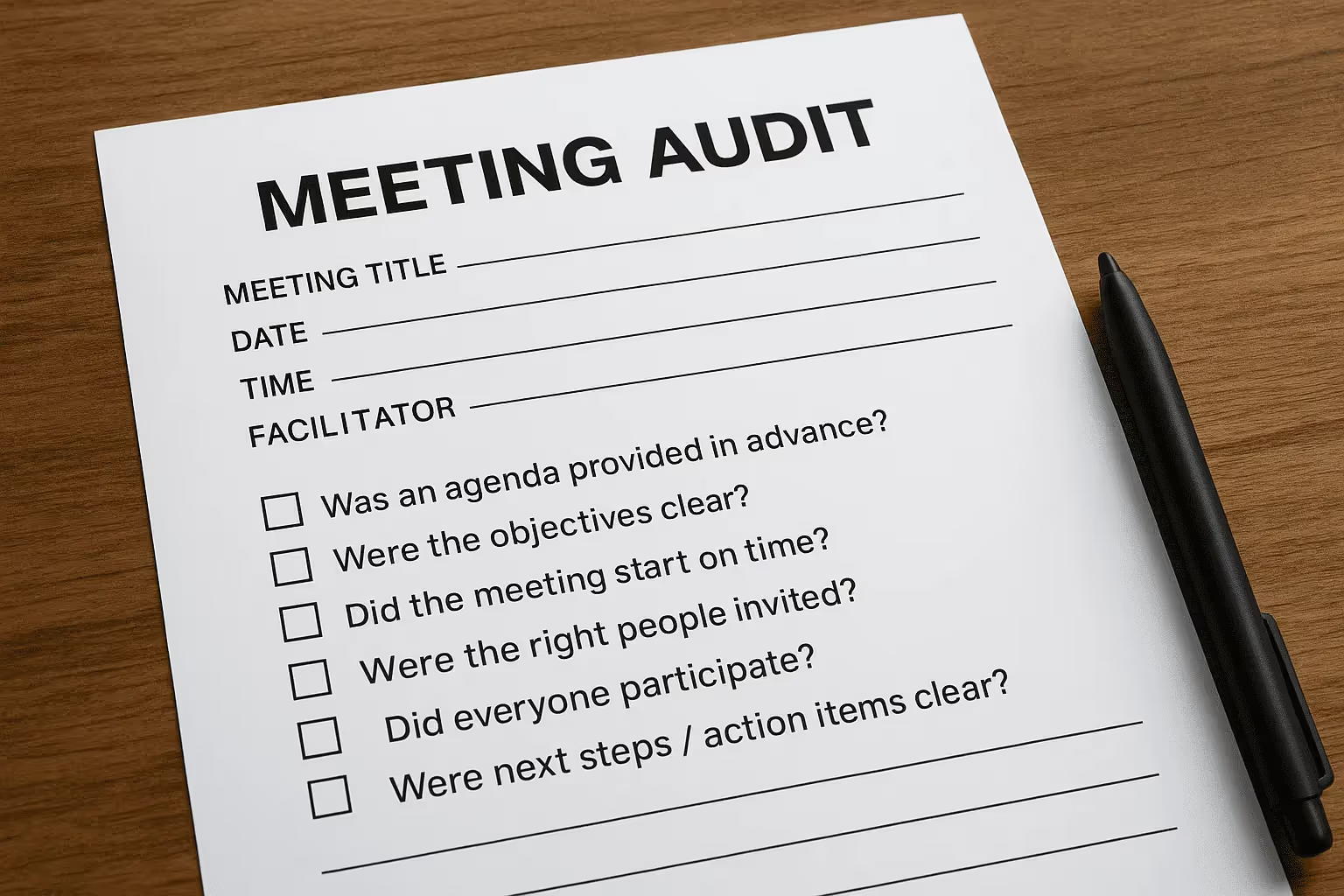
Il tuo calendario è pieno, ma le tue riunioni ne valgono davvero la pena?
I team più efficienti eseguono audit delle riunioni per rispondere a questa domanda.
In questa guida scoprirai in cosa consiste concretamente un audit delle riunioni, grazie a un semplice modello.
Com'è fatto esattamente un audit delle riunioni?
Un audit delle riunioni è una revisione di ogni incontro presente nel tuo programma. Analizzi la frequenza, la durata, i partecipanti e, soprattutto, il motivo di ogni riunione.
Cosa devi esaminare nello specifico?
Inizia dai tuoi dati del calendario. Recupera tutte le riunioni degli ultimi 30-90 giorni.
Per ogni riunione, annota:
- Nome della riunione
- Organizzatore e partecipanti
- Frequenza (ricorrente o singola)
- Durata media
- Tempo totale impiegato (settimanale o mensile)
Questo ti fornirà un quadro generale: quanto tempo stai dedicando alle riunioni e su cosa.
Dopodiché, chiediti: questa riunione è utile?
Successivamente, aggiungi un punteggio di valorePuoi chiedere ai partecipanti di valutare ogni riunione da 1 a 5:
- Aveva un ordine del giorno chiaro?
- Sono state prese decisioni?
- Il follow-up è stato chiaro e operativo?
I punteggi bassi indicano riunioni che devono essere annullate, accorciate o modificate.
Cerca i segnali di allarme
Alcuni schemi indicano problemi. Fai attenzione a:
- Riunioni ricorrenti senza un responsabile chiaro
- Riunioni con troppi partecipanti (e pochi che intervengono)
- Slot orari con doppia prenotazione
- Riunioni che sforano sempre i tempi
- Sessioni senza risultati o passi successivi
Puoi anche calcolare il costo di ogni riunione. Moltiplica la durata della riunione per la tariffa oraria dei partecipanti. Costo elevato, valore basso? È una riunione da eliminare.
Modello di audit delle riunioni dettagliato e operativo

Ti serve uno strumento semplice per capire dove va il tuo tempo.
Ecco un foglio interattivo per l'audit delle riunioni, pronto da scaricare, che fa al caso tuo.
I veri KPI da monitorare in un audit delle riunioni
Per rendere utile il tuo audit delle riunioni, devi monitorare i numeri giusti:KPI reali che mostrino cosa funziona e cosa fa perdere tempo.
Analizziamoli nel dettaglio.
1. Tempo totale dedicato alle riunioni
Parti dalle basi. Quante ore a settimana passi in riunione?
Somma il tempo di ogni riunione. Poi calcola:
- Tempo per persona (media settimanale)
- Tempo per team (totale settimanale o mensile)
Numeri alti non sono sempre un male, ma possono indicare un sovraccarico.
Fai attenzione ai membri del team che passano più di 12-15 ore a settimana in chiamate. È la soglia critica oltre la quale subentrano stanchezza e calo di concentrazione.
2. Frequenza delle riunioni
Successivamente, osserva la frequenza delle riunioni ricorrenti.
Standup giornalieri? Revisioni settimanali? Riunioni plenarie mensili?
Troppe chiamate ricorrenti creano confusione. Verifica se la frequenza è ancora in linea con i tuoi obiettivi.
Consiglio: se una riunione settimanale finisce sempre in 10 minuti, prova a passare a una cadenza quindicinale.
3. Partecipazione e coinvolgimento
Chi partecipa e quanto è coinvolto?
Monitora:
- Tasso di partecipazione – Le persone si presentano?
- Interventi attivi – Quanti partecipanti intervengono o contribuiscono?
Uno scarso coinvolgimento indica troppi partecipanti o uno scopo poco chiaro.
Punta a riunioni snelle con le persone giuste, non a chiamate affollate con ascoltatori passivi.
4. Risultati delle riunioni
Ogni riunione dovrebbe generare valore.
Monitora questi KPI di risultato:
- Decisioni prese – Conta le scelte chiare o le direzioni intraprese.
- Azioni assegnate – Quante attività sono emerse dalla chiamata?
- Follow-up completati – Le attività sono state completate nei tempi previsti?
Se una riunione si conclude senza decisioni o attività, chiediti: era davvero necessaria?
5. Chiarezza dell'ordine del giorno
La riunione aveva un ordine del giorno chiaro?
Puoi sottoporre a un breve sondaggio i partecipanti dopo la riunione con una valutazione da 1 a 5:
- L'ordine del giorno è stato condiviso in anticipo?
- La riunione è rimasta focalizzata sull'argomento?
- Le aspettative erano chiare?
Punteggi bassi in questo ambito indicano spesso confusione, perdita di tempo o assenza di risultati concreti.
6. Costo per riunione
Il tempo è denaro. Stima il costo di ogni riunione:
(Numero di partecipanti) × (tariffa oraria) × (durata)
Usa stipendi medi se necessario. Le riunioni ad alto costo e basso valore sono le prime candidate da eliminare.
Come valutare e agire dopo l'audit delle riunioni

Hai compilato il foglio e contrassegnato in rosso le righe critiche. Ora è il momento di trasformare i dati in spazio libero sul tuo calendario.
1. Classifica i problemi
Ordina la tabella per Costo totale e Punteggio di risultato basso.Costi elevati e basso valore indicano le inefficienze peggiori.
2. Elimina, combina o mantieni
Esamina innanzitutto il 20% delle riunioni meno efficaci.
Se una riunione non porta a decisioni né ad attività, cancellala o uniscila a un altro slot. Un'azienda ha ridotto il 27% delle riunioni con questa semplice regola.
3. Riprogetta ciò che resta
Alcune riunioni sono necessarie, ma raramente devono mantenere la stessa forma. Riduci gli slot da 60 minuti a 30.
Escludi gli osservatori passivi e mantieni solo chi prende le decisioni.
4. Rivedi la frequenza
Gli stand-up settimanali che si concludono in dieci minuti possono diventare quindicinali. La pianificazione trimestrale può ridursi a due sprint mirati invece di quattro revisioni di un'ora.
5. Sposta gli aggiornamenti in modalità asincrona
Qualsiasi riunione che serve solo a comunicare aggiornamenti dovrebbe avvenire via email, Slack o tramite un video registrato su Loom.
6. Proteggi i blocchi di concentrazione
Inserisci intervalli da 5 a 15 minuti prima e dopo le chiamate più impegnative.
Utilizza le opzioni "Termina le riunioni in anticipo" di Outlook o "Riunioni rapide" di Google.
Meno riunioni, più approfondimenti – Noota

Un audit delle riunioni ti mostra dove viene sprecato il tempo.
Ma come evitare che le riunioni inutili si ripresentino?
È qui che Noota ti dà una mano:
- Riunioni più intelligenti, meno riunioni: con Noota, ogni incontro viene registrato, trascritto e riassunto.
Non serve fissare un'altra riunione per rivedere quanto è stato detto. - Monitora automaticamente la qualità delle riunioni: Noota tiene traccia della durata, della partecipazione dei relatori e dell'uso delle parole chiave.
Vedi chi parla, chi contribuisce e come viene impiegato il tempo. - Riduci le riunioni ricorrenti: grazie ai riassunti di Noota, puoi evitare i check-in settimanali e sostituirli con rapidi recap. Devi aggiornarti? Leggi il riassunto: nessuna chiamata necessaria.
- Condividi i risultati con un clic: dopo ogni riunione, Noota sincronizza il riassunto su Slack, Notion o sul tuo CRM.
Niente copia-incolla. Niente lavoro amministrativo post-riunione.
Vuoi sfruttare al meglio le riunioni del tuo team? Prova Noota gratis ora.
Chi è l'autore
.webp)
Alexandre scrive di assistenti AI per le riunioni, MCP e integrazioni AI, privacy dei dati e conformità, e produttività, come ingegnere, fondatore e CEO di Noota.
FAQ
Raccogli dati dai tuoi ultimi 30-90 giorni di calendario: nome, organizzatore, frequenza, durata. Poi valuta ogni riunione con score 1-5 su agenda, decisioni e follow-up chiari.
- Estrai dati calendario ultimi 90 giorni
- Assegna punteggio valore 1-5 per riunione
- Identifica riunioni ricorrenti senza proprietario
La soglia critica è 12-15 ore settimanali per persona. Oltre questo limite aumentano stanchezza e perdita di focus. Monitora tempo totale per team e individuo.
- Massimo 12-15 ore settimanali per persona
- Calcola media tempo per team mensile
- Riduci se superato il tipping point
Noota registra e trascrive automaticamente ogni riunione in 80+ lingue, risparmia 6,4 ore/settimana di admin (-80%), e fornisce insights con rating 4,9/5 su G2. Usato da 5000+ team globali.
- Trascrizione automatica in 80+ lingue
- Risparmia 6,4 ore settimanali di lavoro admin
- Rating 4,9/5 da 5000+ team verificati
Noota è la soluzione ideale: registra, trascrive, estrae decisioni e azioni automaticamente. Perfetto per team che vogliono ridurre riunioni inutili e aumentare produttività. Prova Noota gratis — nessuna carta di credito richiesta.
- Registrazione e trascrizione automatica riunioni
- Estrazione decisioni e action items in tempo reale
- Integrazione con 80+ lingue e calendari principali