Comparativas de Asistentes de Notas con IA
8 min de lectura
Updated on:
Oct 27, 2025
Análisis y alternativas a HappyScribe
¿Quieres saber si Happyscribe sigue valiendo la pena? Aquí tienes tu guía.
HappyScribe se ha convertido en una de las herramientas de transcripción más conocidas.
¿Pero sigue valiendo la pena hoy en día?
En este artículo, encontrarás una reseña clara y práctica sobre HappyScribe y sus mejores alternativas.
¿Cuáles son las funciones únicas de HappyScribe?
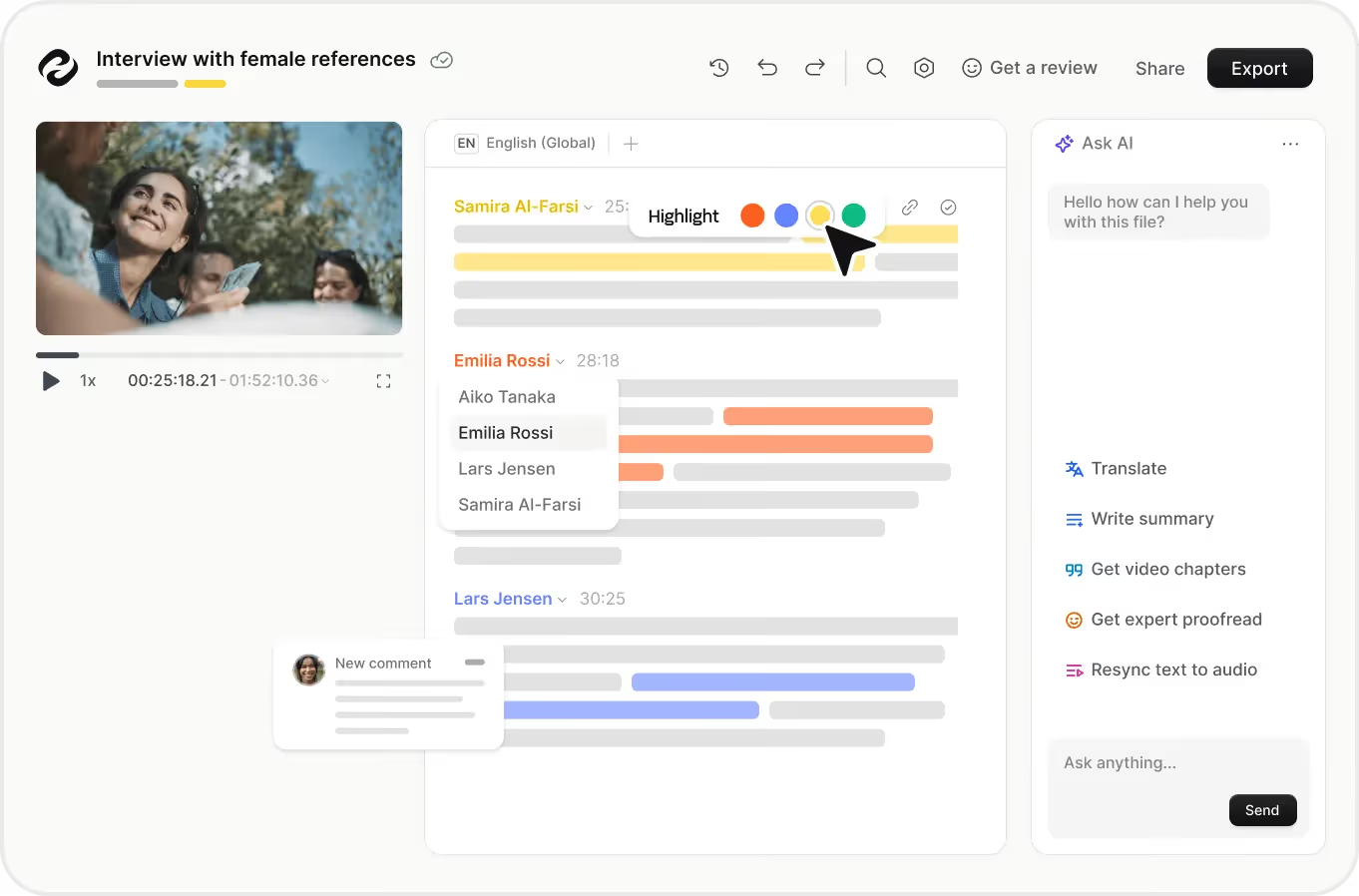
Funcionalidades principales
HappyScribe te facilita la carga de archivos de audio o video para obtener su transcripción. Puedes trabajar con múltiples formatos (MP3, MP4, WAV, etc.) y más de 120 idiomas y dialectos.
Además, HappyScribe permite el subtitulado: puedes generar archivos de subtítulos como SRT o VTT, o incluso incrustar subtítulos en el video directamente.
Funciones avanzadas
Más allá de la simple conversión de voz a texto, HappyScribe ofrece una serie de herramientas avanzadas para mejorar el uso de ese texto.
- Transcripción literal: Puedes elegir la opción literal para que se capture cada expresión, pausa o muletilla. Esto es fundamental cuando la precisión y los matices son importantes.
- Detección e identificación de hablantes: El sistema identifica a los distintos hablantes en tu audio y los etiqueta, para que no obtengas un caos de "Hablante 1 / Hablante 2", sino algo organizado.
- Traducción y localización: Una vez generada la transcripción, puedes traducirla (o subtitularla) automáticamente a varios idiomas, lo que te permite publicar contenido a nivel global o atender a audiencias multilingües.
- Glosarios y guías de estilo: Si utilizas terminología específica, lenguaje de marca o frases recurrentes (por ejemplo, en entrevistas, contextos legales o médicos), puedes crear entradas de glosario para mejorar la coherencia.
Flujo de trabajo y colaboración
HappyScribe está diseñado para integrarse en tu forma de trabajar, sin necesidad de cambiar de plataforma por completo. Aspectos clave:
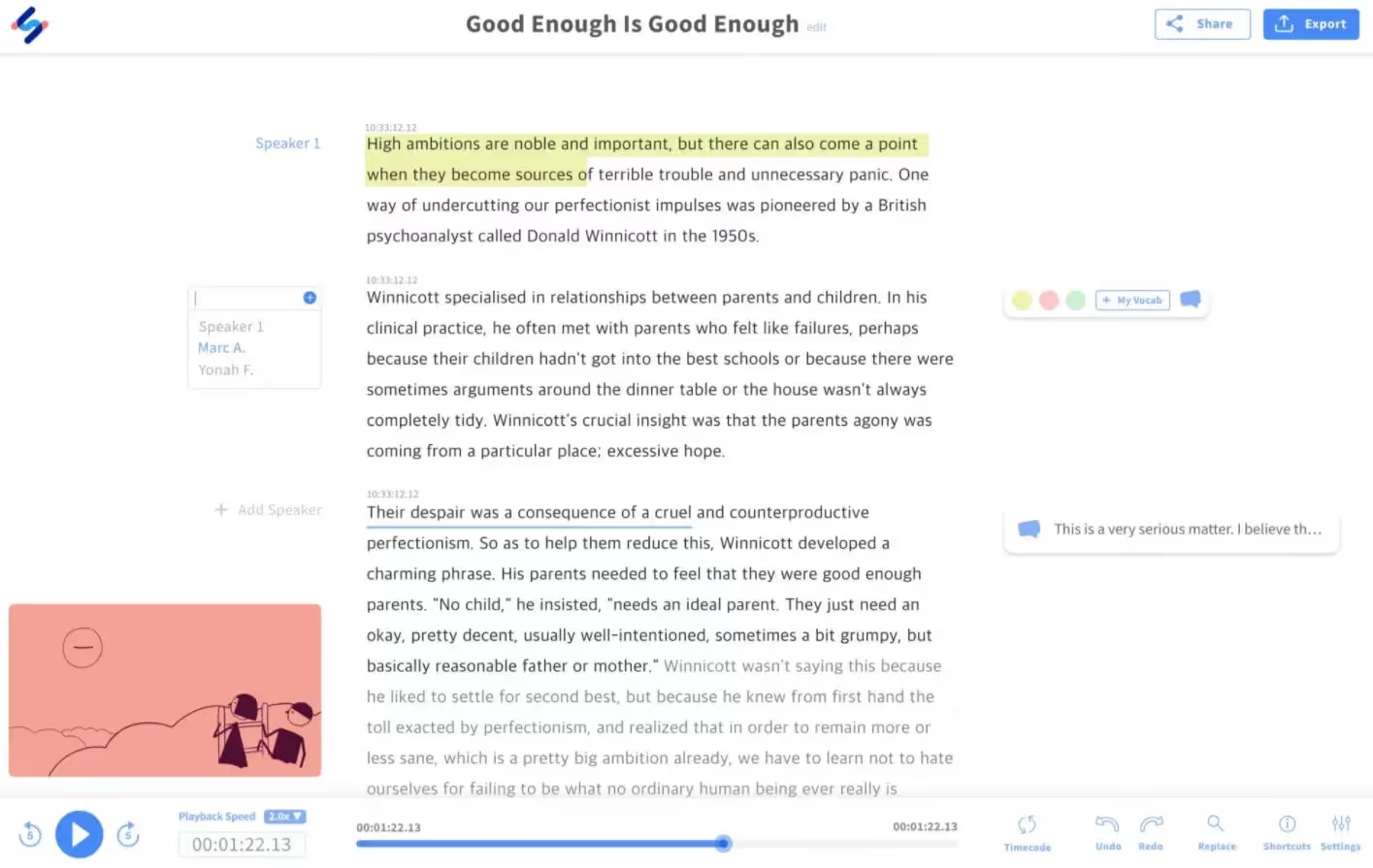
- Editor interactivo: Tras la transcripción, puedes revisar y editar desde la interfaz del navegador. La reproducción palabra por palabra te ayuda a corregir errores con mayor facilidad.
- Múltiples formatos de exportación: No estás limitado a un solo formato. Puedes exportar a DOCX, PDF, TXT, SRT, VTT y más, dependiendo de tu plan.
- Colaboración y uso compartido en equipo: Puedes compartir transcripciones o archivos de subtítulos con los miembros de tu equipo, decidir quién puede editar o ver, y organizar proyectos en espacios de trabajo compartidos.
- Integraciones y API: Sube archivos directamente desde herramientas como Google Drive, YouTube o Dropbox, y utiliza la API de HappyScribe para integrarla en la automatización de tu flujo de trabajo.
Funciones especializadas
Si trabajas en sectores donde la precisión, el cumplimiento normativo o la localización son fundamentales, HappyScribe ofrece credenciales adicionales:
- Soporte de accesibilidad (subtítulos SDH): Ofrecen subtitulado para personas sordas o con dificultades auditivas (SDH), para que tu contenido no solo esté transcrito, sino que sea accesible.
- Localización de flujos de trabajo multimedia y e-learning: Se posicionan como una solución para equipos que gestionan grandes volúmenes de vídeo o audio multilingüe, agilizando la localización y la edición.
- Seguridad y confidencialidad: Garantizan cifrado de nivel empresarial, cumplimiento del RGPD y certificación SOC 2 Tipo 2, aspectos esenciales si tus transcripciones contienen información confidencial de tu empresa o clientes.
Precios de HappyScribe
HappyScribe ofrece varios planes diseñados tanto para transcripción y subtitulado mediante IA como para servicios de revisión humana.
- El plan Starter (pago por uso) : comienza en unos 12 USD por 60 minutos de transcripción por IA.
- El plan Lite : aproximadamente 9 USD al mes por 60 minutos de transcripción por IA al mes.
- El plan Pro : alrededor de 29 USD al mes por 600 minutos de transcripción por IA al mes (además de otras funciones).
- El plan Business : aproximadamente 89 USD/mes, que incluye 6000 minutos al mes de transcripción por IA y funciones para equipos.
- Por otro lado, HappyScribe ofrece transcripciones y subtítulos realizados por personas, a un coste por minuto considerablemente mayor (para cuando necesites una precisión cercana al 100 %). Por ejemplo, la transcripción humana en inglés comienza en unos 2,00 USD por minuto.
Qué es lo que realmente estás pagando
- Minutos de transcripción por IA: En los niveles inferiores, compras o te suscribes a una cantidad determinada de minutos en los que el sistema convertirá el audio a texto automáticamente.
- Cuota de suscripción: Para planes como Lite, Pro o Business, pagas una cuota mensual (por ejemplo, 9, 29 u 89 USD) que incluye una cantidad fija de minutos y otras funciones.
- Modelo de crédito de pago por uso: Con el plan Starter, pagas según el uso en lugar de una cantidad mensual fija.
- Servicios realizados por personas: Para las versiones en las que personas revisan o transcriben el contenido por completo, pagas mucho más por minuto, ya que se trata de un coste de mano de obra.
- Complementos y funciones: Algunos planes permiten exportar en múltiples formatos, eliminar marcas de agua, acceder a funciones de equipo/colaboración, guías de estilo/glosarios, etc. (A menudo solo en los niveles superiores).
Calidad y reseñas de la transcripción de HappyScribe
Precisión en el mundo real
HappyScribe ofrece tanto un modo de transcripción solo con IA como un modo revisado por humanos. Se dice que la versión solo con IA tiene alrededor de un 85% de precisión en condiciones ideales, mientras que la opción revisada por humanos apunta a una precisión de hasta ~99%.
Una reseña de un usuario resumió este equilibrio:
“Me pareció que Otter era el más preciso… HappyScribe fue un desastre porque el hablante tenía un marcado acento australiano”.
Ese comentario señala una verdad más amplia: HappyScribe funciona muy bien cuando el audio es claro, los hablantes son distintos y los acentos son más estándar. Pero cuando las condiciones empeoran (diálogos superpuestos, acentos marcados, ruido), la precisión puede disminuir.
Velocidad y usabilidad
Los usuarios elogian constantemente la velocidad y la facilidad de uso de HappyScribe para el proceso de transcripción. Como señaló un usuario:
“Es tan fácil como subir un archivo de audio y esperar un minuto. Luego solo tienes que corregir ese 10% que no se pudo transcribir automáticamente”.
El editor interactivo te permite reproducir el audio mientras editas el texto, corregir fácilmente las etiquetas de los hablantes, las marcas de tiempo y exportar en múltiples formatos.
Para ti y tu equipo, esto suele significar obtener un borrador útil rápidamente, que luego puedes perfeccionar hasta su forma final en lugar de construir todo desde cero.
Lo que más gusta a los usuarios
- Soporte multilingüe y subtitulado: Muchos usuarios destacan la fortaleza de HappyScribe al admitir más de 100 idiomas y gestionar subtítulos.
- Facilidad de colaboración y edición: Los usuarios aprecian la interfaz de edición y la capacidad de compartir/colaborar con los miembros del equipo dentro de la plataforma.
- Flujos de trabajo de medios/contenidoSi publicas contenido de vídeo o podcasts, las opciones de exportación y las herramientas de subtitulado de HappyScribe obtienen una calificación alta. Por ejemplo:
Limitaciones que debes conocer
- La precisión disminuye en condiciones difíciles: Si varios interlocutores hablan a la vez, hay acentos marcados o el audio es deficiente, los usuarios reportan más errores y la necesidad de realizar más ediciones manuales.
- La versión solo con IA puede requerir más edición de la que esperabas: Aunque HappyScribe promociona la rapidez de su IA, algunos usuarios consideran que su tasa de precisión del 85% sigue implicando una carga de edición considerable.
- Limitaciones de la prueba gratuita: Algunos usuarios señalan que el plan gratuito es muy limitado (por ejemplo, solo 10 minutos), lo que dificulta probar la herramienta a fondo en condiciones reales.
Las mejores alternativas a HappyScribe: Noota

Los usuarios de HappyScribe siguen encontrando limitaciones en cuanto a la captura de reuniones en directo, la extracción de tareas pendienteso la integración fluida en equipos orientados a la colaboración.
Noota se posiciona como un asistente de reuniones con IA que captura, transcribe y hace que tus reuniones sean accionables. Diferenciadores clave:
- Captura de reuniones en tiempo real en diversas plataformas, para que obtengas las transcripciones a medida que avanza la conversación.
- Extracción automatizada de decisiones, próximos pasos, tareas pendientes, no solo texto plano.
- Integración perfecta con las herramientas que tu equipo ya utiliza: calendarios, plataformas de videoconferencia, CRM y sistemas de gestión documental.
- Un archivo de reuniones con buscador para que encuentres qué se dijo, quién lo dijo y cuándo, en lugar de revisar manualmente transcripciones interminables.
¿Quieres sacar más provecho a tus transcripciones? Prueba Noota gratis ahora.
Conoce al autor
.webp)
Preguntas frecuentes
HappyScribe transcribe en más de 120 idiomas y dialectos, permitiendo trabajar con audiencias globales y contenido multilingüe sin limitaciones.
- Soporta 120+ idiomas y dialectos
- Traducción automática de transcripciones
- Generación de subtítulos en múltiples idiomas
HappyScribe ofrece transcripción de audio/video, detección de hablantes, subtítulos SDH, editor interactivo y exportación en múltiples formatos para profesionales.
- Transcripción verbatim con pausas y rellenos
- Detección automática de múltiples hablantes
- Subtítulos para sordos e hipoacúsicos (SDH)
Noota supera a HappyScribe ahorrando 6,4h/semana, reduciendo 80% tareas administrativas y ofreciendo 4,9/5 en G2 con soporte en 80+ idiomas.
- Noota ahorra 6,4 horas semanales de trabajo
- Reduce administración en 80% versus competencia
- Calificación 4,9/5 en G2 de 5000+ equipos
Noota es ideal para equipos que requieren transcripción eficiente con máxima automatización, ahorrando tiempo administrativo significativamente. Prueba Noota gratis sin tarjeta de crédito.
- Automatiza transcripción y edición de contenido
- Integración fluida con flujos de trabajo existentes
- Soporte multiidioma en 80+ lenguajes disponibles