Integrations
Noota se connecte à OneNote
.svg.avif)

.svg)
Connectez Noota en un seul clic
Accédez à l'interface d'intégration de Noota et activez la connexion à votre compte OneNote.
Définissez votre structure récapitulative personnalisée si ce n'est pas déjà fait, afin de ne conserver que les détails importants de votre réunion.

Enregistrez la réunion avec Noota
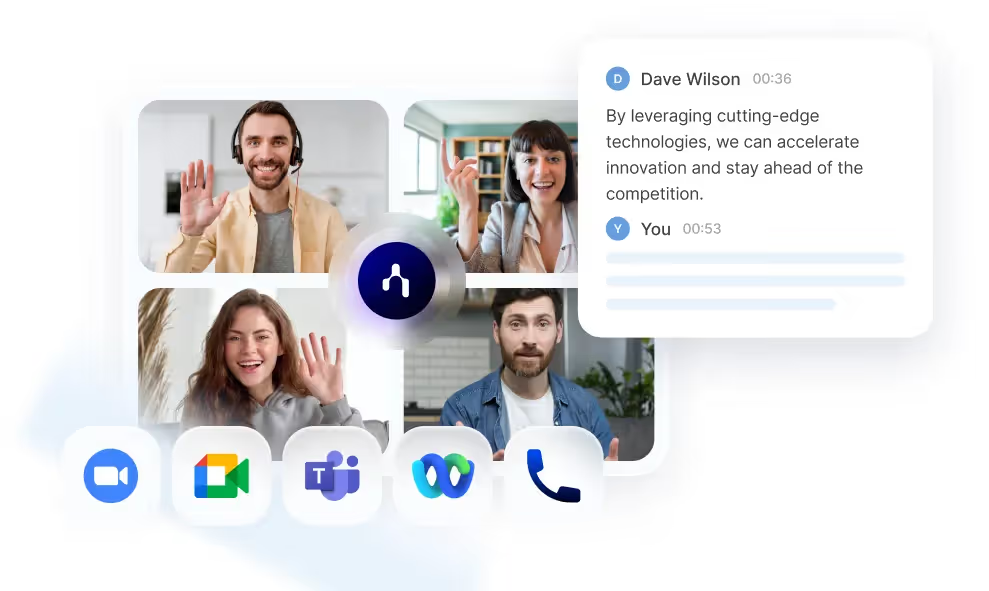
Utilisez Noota pour enregistrer votre réunion sur n'importe quel type de plateforme d'appel.
Utilisez notre application mobile ou notre enregistreur intégré pour enregistrer des réunions ou des appels en face à face.
Accédez à la note et aux minutes personnalisées dans OneNote
Une fois la réunion terminée, Noota transcrit et résume automatiquement votre réunion.
Vous pouvez ensuite exporter le résumé personnalisé vers OneNote avec ou sans lien public vers l'enregistrement Noota.

.svg.avif)
.svg.avif)
FAQ
Comment Noota aide-t-elle les équipes de recrutement à gagner du temps ?
Il automatise les transcriptions des entretiens, génère des rapports structurés sur les candidats et met à jour les dossiers ATS, éliminant ainsi les heures de travail manuel
Noota peut-elle analyser les compétences et les compétences générales des candidats ?
Oui ! Il extrait et organise les réponses des candidats, fournissant des informations sur les qualifications, le style de communication et les niveaux de confiance.
Comment Noota soutient-elle les équipes commerciales ?
Il enregistre les appels de vente, suit les principales objections, identifie les signaux d'achat et s'intègre aux CRM pour des suivis automatisés.
Noota peut-elle aider à la gestion de projet et à la prise de décisions ?
Oui, il capture les discussions des réunions, met en évidence les principaux points à retenir et garantit l'alignement en rendant les réunions passées facilement consultables.
Quelles sont les plateformes prises en charge par Noota pour l'enregistrement et la transcription ?
Il fonctionne avec Google Meet, Zoom, Teams, Webex et même les réunions en personne, offrant une transcription de haute précision dans plus de 50 langues.
Est-ce que Noota s'intègre aux outils CRM, ATS et de productivité ?
Oui ! Il se connecte à Salesforce, HubSpot, BullHorn, Notion, Slack et bien d'autres, garantissant un transfert de données fluide.
Est-ce que Noota peut générer automatiquement des e-mails de suivi et des rapports ?
Oui, il rédige des e-mails en fonction du contenu des réunions et crée des rapports structurés, afin que vous ne manquiez jamais une action.
Comment Noota garantit-elle la sécurité et la conformité ?
Toutes les données sont cryptées, stockées dans des centres de données de l'UE et répondent à des normes de conformité strictes, notamment le RGPD, la SOC2 et la norme ISO 27001.
Qu'est-ce que le résumé personnalisé et à quoi sert-il ?
Le résumé personnalisé est un modèle qui vous permet de structurer le compte rendu de votre réunion. Vous pouvez créer autant de résumés personnalisés que vous le souhaitez !
Puis-je transcrire un fichier audio ou vidéo que j'ai déjà enregistré ?
Oui, vous pouvez transcrire un document qui a déjà été enregistré. Il suffit de le télécharger sur l'interface de Noota.
Comment fonctionne l'enregistrement, avec ou sans robot ?
Vous pouvez enregistrer de deux manières : en utilisant l'extension Noota ou en connectant votre calendrier.
Dans le premier cas, vous pouvez activer directement l'enregistrement dès que vous participez à une visioconférence.
Dans le second cas, vous pouvez ajouter un bot à votre visioconférence, qui enregistrera le tout.
Dans le premier cas, vous pouvez activer directement l'enregistrement dès que vous participez à une visioconférence.
Dans le second cas, vous pouvez ajouter un bot à votre visioconférence, qui enregistrera le tout.
Puis-je transcrire et traduire dans une autre langue ?
Plus de 80 langues et dialectes sont disponibles pour la transcription.
Noota vous permet également de traduire vos fichiers dans plus de 30 langues.
Noota vous permet également de traduire vos fichiers dans plus de 30 langues.
L'intégration des données dans mon ATS est-elle sécurisée ?
Oui, les données de votre entretien sont transmises en toute sécurité à votre ATS.
Comment fonctionne l'intelligence conversationnelle ?
L'intelligence conversationnelle est basée sur l'analyse PNL des mots et de l'intonation utilisés par chaque participant pour identifier les émotions et les idées comportementales.
Pourquoi est-il important de mener des entretiens structurés ?
De nombreuses études ont prouvé la précision, l'efficacité et l'objectivité des entretiens structurés. En posant les mêmes questions à chaque candidat de la même manière, vous rationalisez votre processus d'entretien et réduisez l'influence des biais cognitifs.
Pourquoi dois-je générer un rapport d'entretien ?
Un rapport d'entretien permet de mettre en commun des informations standardisées sur vos candidats, de les partager avec toutes les parties prenantes et d'objectiver votre évaluation. Des données claires et structurées vous permettent de prendre des décisions de recrutement plus éclairées.
Comment sont générées les offres d'emploi ?
Notre générateur d'offres d'emploi exploite les derniers LLM pour transformer les données de votre réunion ou de votre briefing en une description de poste accrocheuse et facile à lire.
Dois-je modifier la façon dont je mène les entretiens ?
Non, Noota n'est qu'une assistante de votre travail. Vous pouvez continuer à mener des entretiens comme vous le faites aujourd'hui. Pour améliorer la précision du rapport, vous devez personnaliser les modèles d'entretien en fonction de votre liste de questions existante.
Puis-je supprimer mes données de Noota ?
Oui, utilisez simplement la fonction de suppression de notre interface et dans les 24 heures, nous supprimerons ces données de notre base de données.
Puis-je enregistrer mes réunions par téléphone ou en personne ?
Oui, Noota intègre un enregistreur permettant de capturer le son depuis votre ordinateur, et bientôt depuis votre téléphone.
Les candidats ont-ils accès aux notes de l'IA ?
Non, vous gérez l'accessibilité des données que vous enregistrez. Si vous souhaitez le partager avec eux en tant que commentaire, c'est possible. Sinon, il ne leur sera pas accessible.
Est-ce que Noota évalue les candidats ?
Non, Noota enregistre, transcrit et résume vos entretiens. Il vous aide à prendre des décisions éclairées grâce à des informations claires sur le candidat. Mais cela ne remplace pas votre propre jugement et vos capacités d'évaluation.
accomplissez le travail pour toute réunion
Commencez gratuitement
.svg)
OUTILS
Recrutement
Enregistrement
IA
Automatisation