Produkt-Updates
8 Min. Lesezeit
Aktualisiert am:
Jun 1, 2026
Noota Produkt-Update Juni 2026: Ask-Noota-Agenten, Suche und Automatisierung
Entdecken Sie die Noota-Neuerungen vom Juni 2026: Ask-Noota-Agenten, Konversationssuche, Aktionspläne, interaktive Berichte und Automatisierung wiederkehrender Aufgaben.
Was im Juni neu ist: wiederverwendbare KI-Agenten, tiefere Suchen in Ihren Gesprächen, automatische Aktionspläne, interaktive Berichte und geplante Analysen mit Ask Noota.
Das Update im Juni konzentriert sich auf Ask Noota, den KI-Arbeitsbereich von Noota für Informationen aus Ihren E-Mails, Meetings und Anrufen. Sie können Ihre Daten durchsuchen, Anfragen in Aktionspläne verwandeln und wiederkehrende Berichte planen, anstatt dieselben Fragen immer wieder manuell zu stellen.
Hier ist die Übersicht.
Ask-Noota-Agenten erstellen und wiederverwenden
Ask Noota enthält jetzt einsatzbereite Agenten für häufige Aufgaben. Wählen Sie einen Agenten aus, führen Sie ihn aus und erhalten Sie das Ergebnis mit einem Klick.
Sie können auch eigene Agenten erstellen, speichern und jederzeit wiederverwenden. Das ist nützlich für wiederkehrende Aufgaben wie das Erstellen von Berichten, die Durchsicht von Gesprächen oder das Verfassen von Follow-up-E-Mails.
E-Mails, Meetings und Anrufe durchsuchen
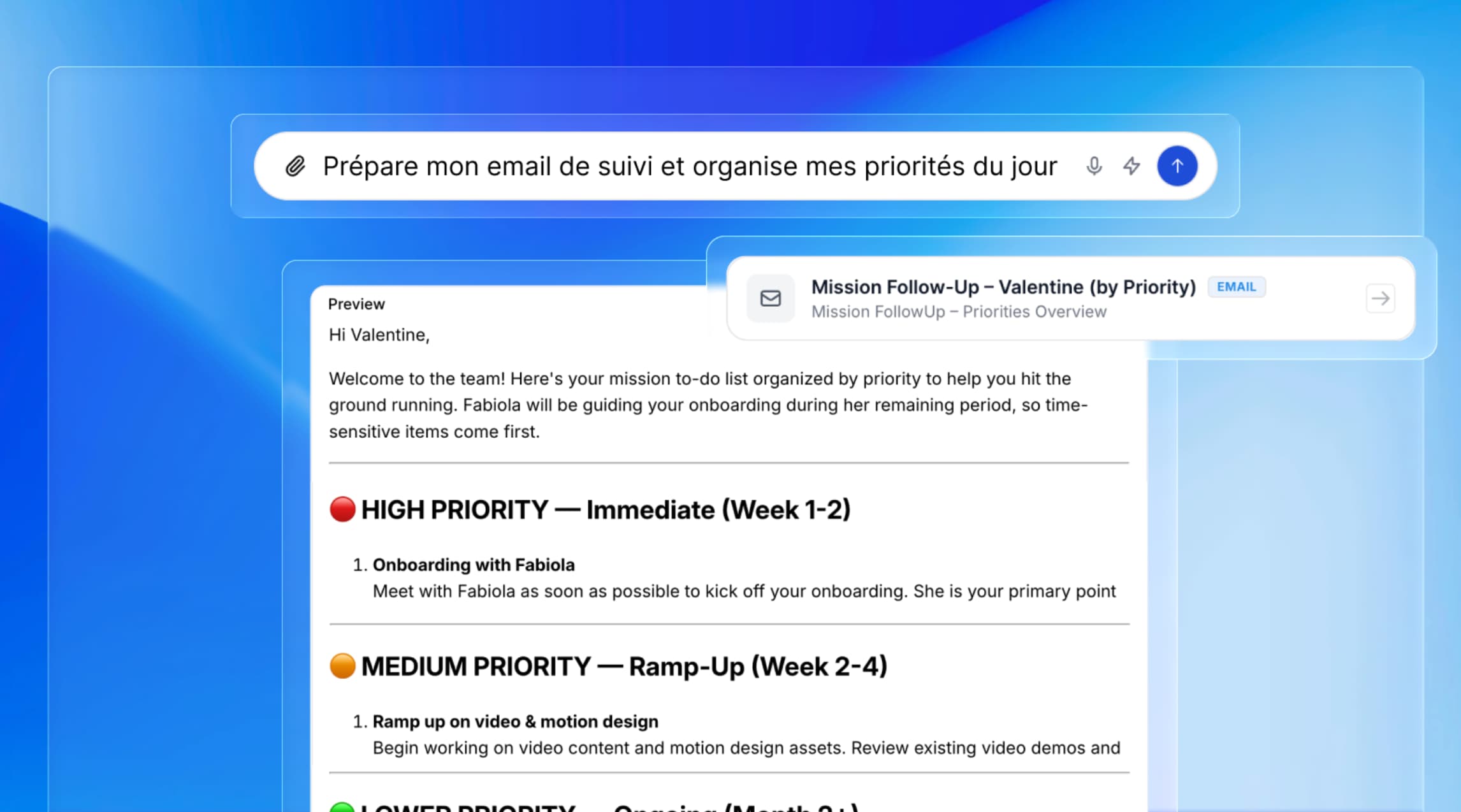
Ask Noota kann Ihre E-Mails, Meetings und früheren Gespräche durchsuchen. Sie können Fragen in natürlicher Sprache stellen, ohne mit @ auf ein bestimmtes Gespräch zu verweisen.
Zum Beispiel:
•„Fasse meine Aufgaben aus dieser Woche zusammen.“
•„Finde alle Gespräche mit Kunde X.“
•„Was sind meine wichtigsten Follow-ups?“
Ask Noota liefert eine strukturierte Antwort auf Basis der Informationen in Ihren eigenen Daten.
Aktionspläne und Follow-up-E-Mails erstellen
Sie können jetzt beschreiben, was Sie erreichen möchten, und Ask Noota bitten, einen Plan zu erstellen. Die Anfrage wird in Aufgaben aufgeteilt und die dazugehörige Arbeit ausgeführt.
So lassen sich zum Beispiel Follow-up-E-Mails aus Ihren früheren Gesprächen entwerfen, personalisieren und vor dem Versand zur Prüfung bereitstellen.
Wichtige Erkenntnisse aus Gesprächen gewinnen
Ask Noota kann Ihre Gespräche analysieren und zusammengehörige Informationen in einer einzigen Antwort bündeln.
Sie können nach der Leistung Ihres Teams in den letzten sieben Tagen fragen, einen Recruiting-Bericht mit Kandidatenranking erstellen oder eine wöchentliche Zusammenfassung der wichtigsten Themen und Blocker in Ihren Gesprächen generieren.
Interaktive Ressourcen erstellen
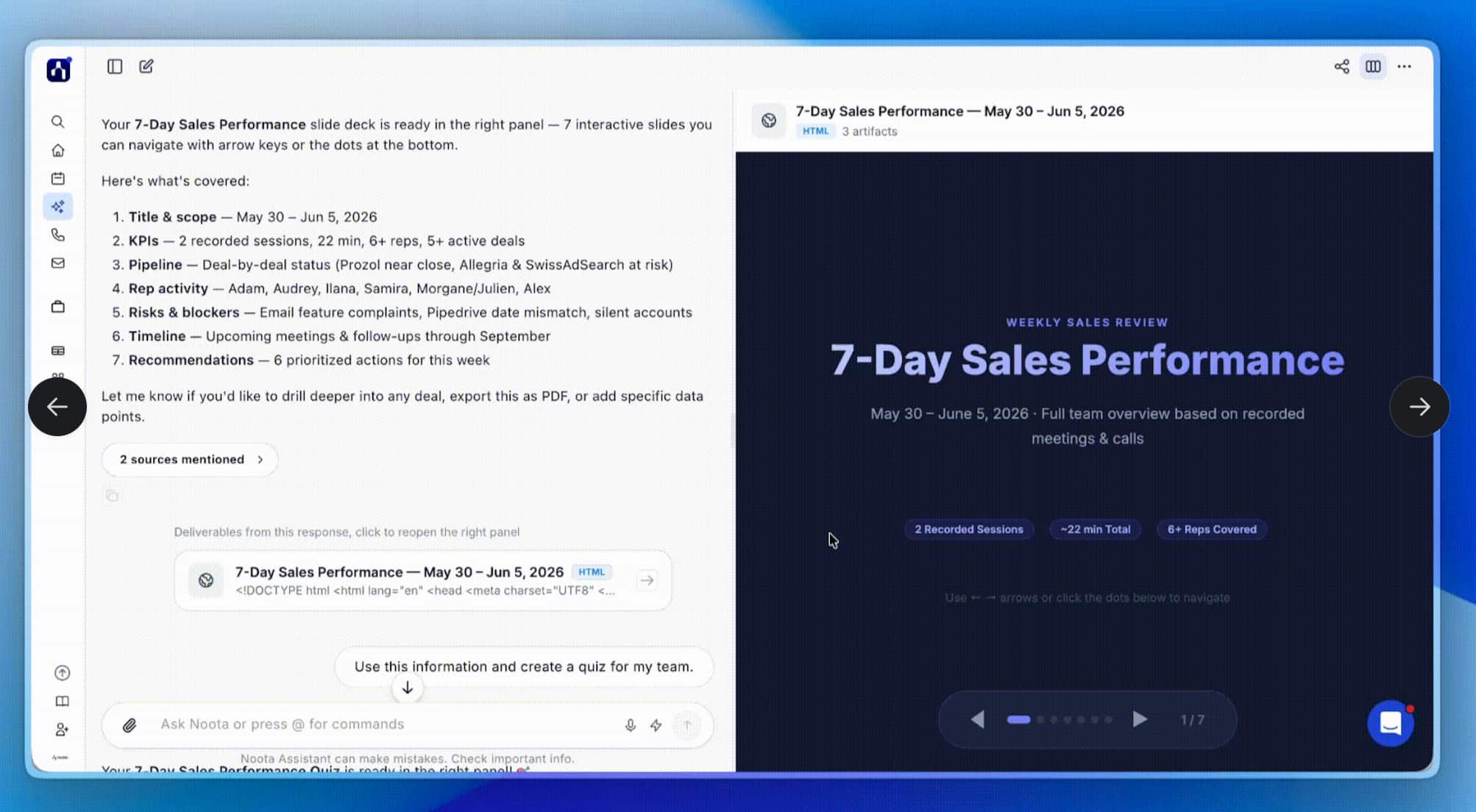
Ask Noota kann Informationen aus Ihren Gesprächen in verschiedene Arten von Berichten und Ressourcen verwandeln, darunter:
•Dashboards und Datenvisualisierungen
•Vergleichstabellen
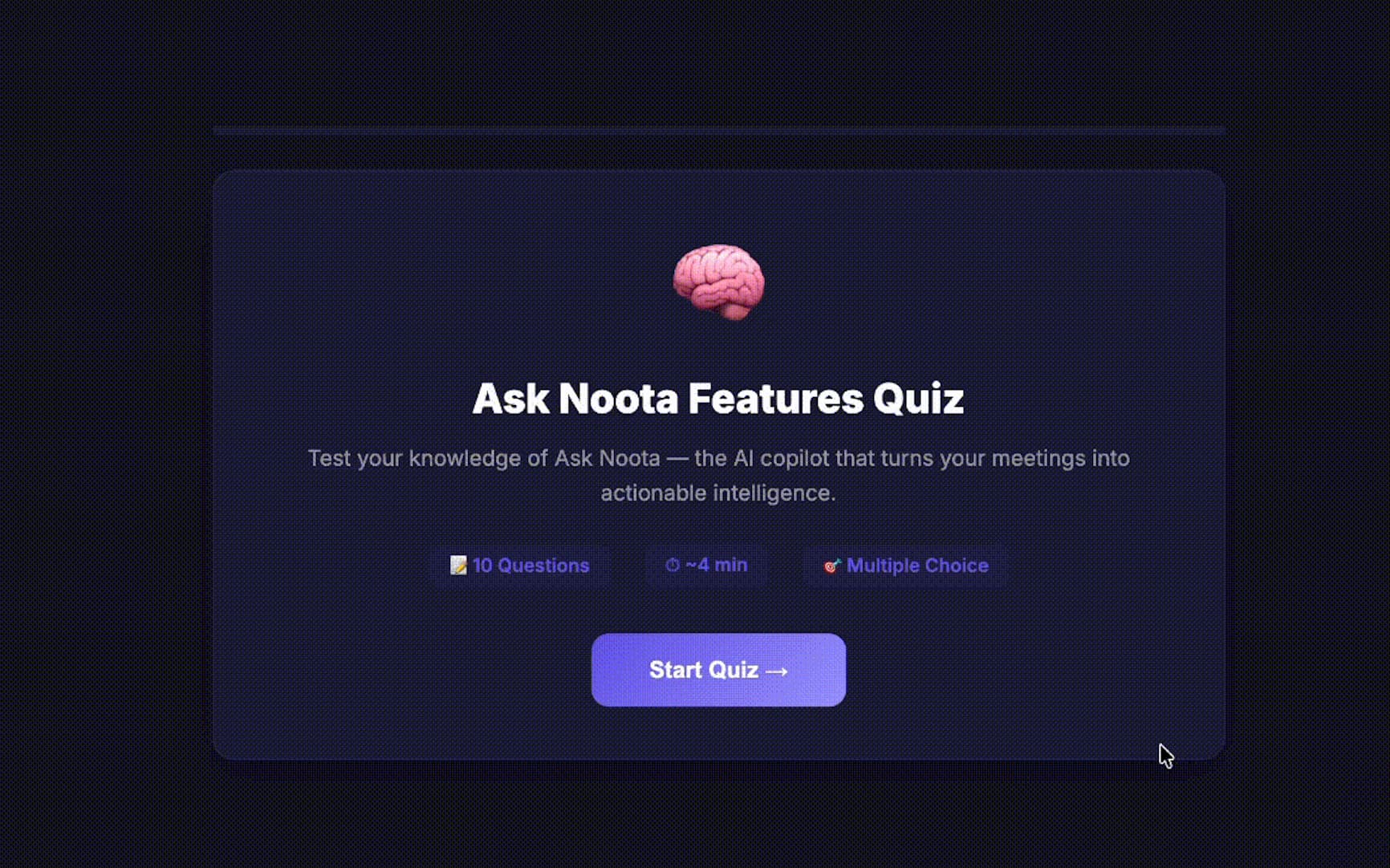
•Interaktive Quizze
•Visuelle Zusammenfassungen
•Analyseberichte
Sie können die Ergebnisse als Word-, Excel- oder PDF-Datei herunterladen oder über einen privaten oder öffentlichen Link teilen.
Wiederkehrende Analysen automatisieren
Sie können einen Agenten einmal konfigurieren und festlegen, wie oft er laufen soll. So planen Sie Berichte und Zusammenfassungen, anstatt sie jedes Mal manuell anzufordern.
Ask Noota kann zum Beispiel jeden Morgen einen Vertriebsbericht, jede Woche eine Kandidatenzusammenfassung oder jeden Monat eine Leistungsanalyse erstellen. Die Ergebnisse landen in Ihrem Posteingang und sind bereit zur Durchsicht.
Ihre Daten bleiben in Ihrem Workspace
Ask Noota arbeitet mit Ihren eigenen E-Mails, Meetings und Anrufen. Die Daten werden in Europa gehostet und gemäß den DSGVO-Anforderungen verarbeitet.
Das war der Juni. Wenn Sie sehen möchten, wie die neuen Ask-Noota-Funktionen funktionieren, nehmen Sie an unserer nächsten Demo am Donnerstag, 18. Juni, um 13:00 Uhr MESZ teil.
Sie können Ask Noota auch direkt ausprobieren.
Über den Autor
.avif)
Adesh schreibt über KI-Notetaker, Meeting-Aufzeichnung, strukturierte Interviews und Recruiting, aus seiner Arbeit in KI-gestütztem Wachstum und Recruiting-Operations.
FAQ
Ask Noota ist der KI-Arbeitsbereich von Noota, um Ihre eigenen Gesprächsdaten abzufragen, statt auf die Trainingsdaten eines allgemeinen Modells zuzugreifen. Sie stellen eine Frage in natürlicher Sprache, und die Antwort stammt aus Ihren tatsächlichen E-Mails, Meetings und Anrufen.
Was durchsucht werden kann:
- Vergangene Meetings, aufgezeichnet über Zoom, Google Meet und Microsoft Teams
- E-Mails, die über Outlook verbunden sind
- Frühere Anruf-Transkripte und Zusammenfassungen
Alles läuft mit Daten, die in EU-Rechenzentren (Frankreich, Belgien, Niederlande) gemäß DSGVO gehostet werden – auf der Sicherheitsseite sehen Sie, was wo gespeichert wird.
Wählen Sie einen vorgefertigten Agenten oder erstellen Sie Ihren eigenen und legen Sie fest, wie oft er laufen soll – täglich, wöchentlich oder monatlich.
Sobald er geplant ist:
- Der Agent läuft automatisch im gewählten Intervall
- Die Ergebnisse landen in Ihrem Posteingang und sind bereit zur Durchsicht
- Sie müssen nicht jede Woche dieselbe Frage erneut stellen
Teams nutzen das zum Beispiel für eine Vertriebspipeline-Übersicht am Montag oder einen wöchentlichen Kandidaten-Ranking-Bericht, ohne jedes Mal die Ask-Anything-KI-Oberfläche zu öffnen.
ChatGPT antwortet auf Basis allgemeiner Trainingsdaten. Ask Noota antwortet auf Basis Ihrer eigenen aufgezeichneten Meetings, E-Mails und Anrufe – das Transkript ist die Quelle, nicht eine Vermutung.
Dieser Unterschied ist wichtig für Teams, die mit Kunden- oder Bewerberdaten arbeiten:
- Noota ist DSGVO-konform und SOC-2-Type-II-zertifiziert
- Die Daten bleiben in EU-Rechenzentren und werden nicht zum Training externer Modelle verwendet
- Antworten verweisen auf das tatsächliche Gespräch statt auf eine plausibel klingende Zusammenfassung
Über 5.000 Kunden, darunter Deloitte und Capgemini, nutzen dies mit echten Meeting- und Anrufdaten statt mit einem allgemeinen Chatbot.
Ja – Ask Noota kann Dashboards, Vergleichstabellen, interaktive Quizze und Analyseberichte direkt aus Ihrem Gesprächsverlauf erstellen und dann als Word, Excel oder PDF exportieren oder per Link teilen.
Woher die Daten stammen:
- Meetings über Zoom, Google Meet, Microsoft Teams und Webex
- Anrufe und E-Mails, verbunden über Outlook und über 80 ATS- und CRM-Plattformen, darunter Salesforce und HubSpot
- Persönliche Gespräche, aufgenommen über das Mobil-Mikrofon
Es sind dieselben Daten, die Noota bereits nutzt, um CRM- und ATS-Einträge nach jedem Meeting automatisch zu aktualisieren – ganz ohne manuelle Neueingabe.