Vergelijkingen van AI-notulisten
8 min leestijd
Updated on:
Oct 20, 2025
Plaud AI Review & Alternatief
Wil je weten of de notitietools van Plaud AI de moeite waard zijn? Hier is je gids.
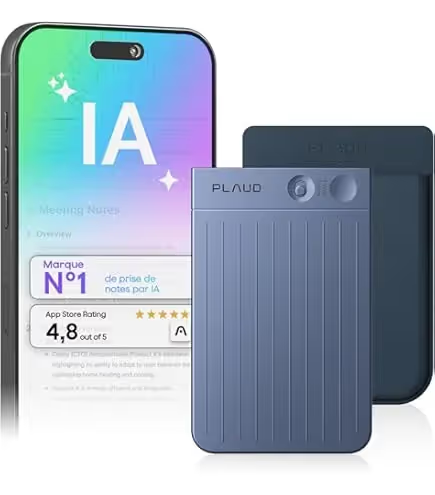
Het afgelopen jaar is Plaud AI enorm populair geworden omdat het makkelijker dan ooit is om gesprekken vast te leggen.
Maar past het bij jouw workflow? Moet je investeren in het hardware-systeem van Plaud, of kun je beter kijken naar een alternatief dat alleen uit software bestaat?
In dit artikel lees je wat Plaud AI is en voor wie het bedoeld is.
Wat is Plaud AI?
In tegenstelling tot traditionele notitie-apps combineert Plaud AI hardware en software. Het belangrijkste product van het bedrijf, de Plaud Note, is een compacte voicerecorder die verbinding maakt met je telefoon en naadloos synchroniseert met de Plaud AI-app.
Samen nemen ze fysieke of virtuele vergaderingen op, transcriberen ze in realtime en genereren ze slimme samenvattingen die je kunt delen of opslaan voor later.
De voornaamste klanten van Plaud AI zijn professionals, studenten, journalisten en makers die tijd willen besparen en de nauwkeurigheid willen verbeteren.
De technologie van Plaud AI wordt aangedreven door geavanceerde taalmodellen zoals GPT en Claude, die zorgen voor transcripties van hoge kwaliteit en een goed begrip van de context.
Functies & productaanbod van Plaud AI
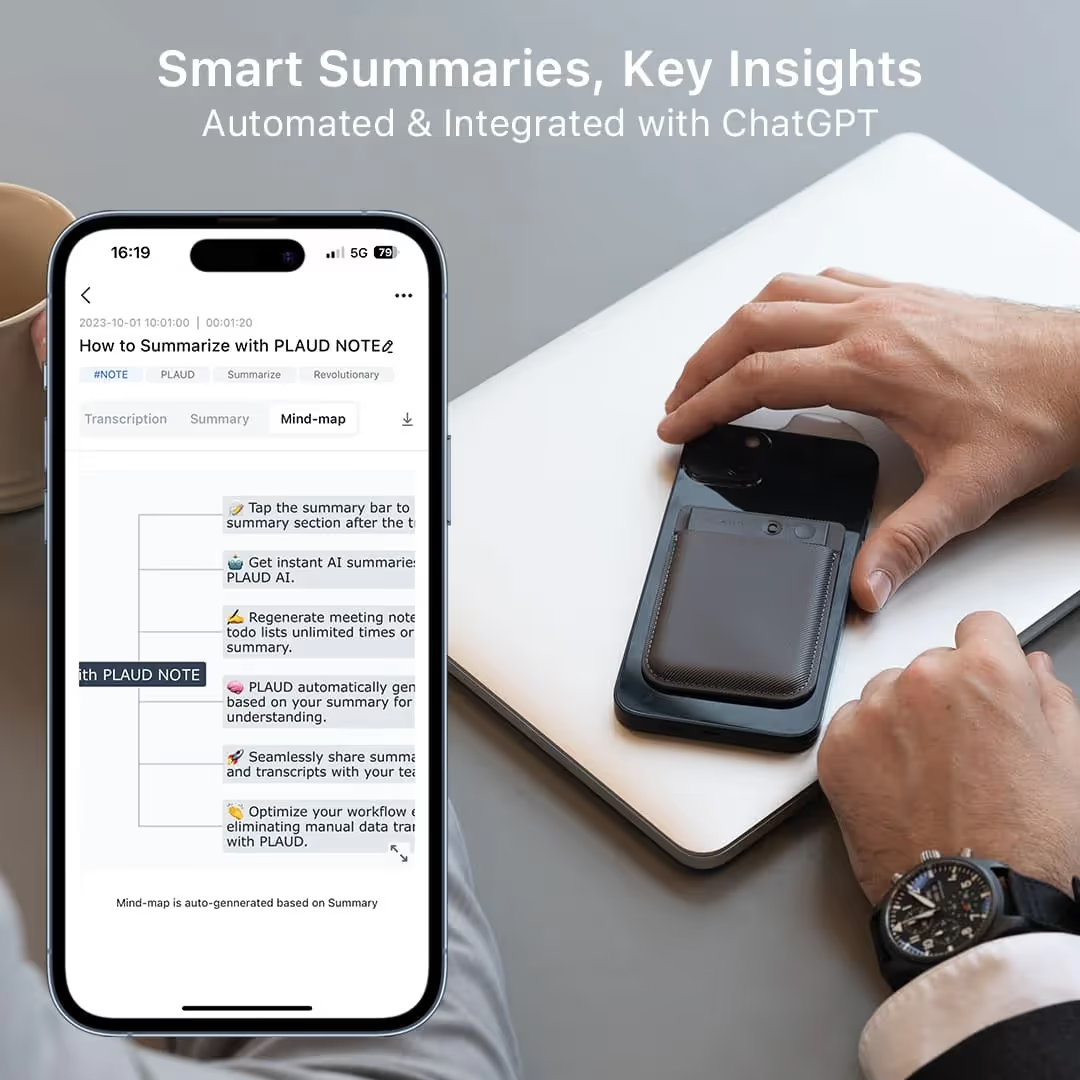
In de kern is Plaud AI opgebouwd rond drie gecombineerde functies: opnemen, transcriberen, en slimme samenvattingen.
- Wat opname betreft, zijn Plaud-apparaten ontworpen om vergaderingen of gesprekken met een hogere kwaliteit vast te leggen dan een standaard spraakmemo op een mobiele telefoon — reviewers merkten bijvoorbeeld op dat het apparaat stemmen zelfs duidelijk oppikte wanneer sprekers op een paar meter afstand van de microfoon stonden.
- Zodra de audio is vastgelegd, verzorgt de Plaud-app (en cloudservice) de transcriptie in meerdere talen. Volgens een review ondersteunt Plaud “112 talen”.
- Daarna volgt de samenvatting: op basis van de transcriptie gebruikt het systeem sjablonen (bijv. notulen met actiepunten, besluiten, namen van aanwezigen) en visuele formats zoals mindmaps om je te helpen snel de essentie eruit te halen.
- Plaud ondersteunt telefoongesprekopnames (via een schakelaar of modus), dus als je vaak met klanten of externe deelnemers spreekt of interviews afneemt, is dit een pluspunt. Een reviewer schreef bijvoorbeeld: “Schuif de schakelaar om… boem, hij gaat in de modus voor telefoongesprekken” tijdens het testen van zakelijke gespreksopnames.
- Functies zoals “Mijn branchewoordenlijst”, waarmee je branchespecifieke termen kunt invoeren zodat de transcriptie en samenvattingen jouw jargon herkennen (hoewel dit mogelijk achter hogere abonnementsniveaus zit).
Productassortiment
Plaud biedt momenteel een reeks hardware-apparaten aan, plus bijbehorende abonnementsvormen. Dit zijn de belangrijkste die je zult tegenkomen:
- Plaud Note – Dit is de vlaggenschip AI-spraakrecorder. Het is een slank apparaat van metaallegering dat magnetisch aan je telefoon kan worden bevestigd (via MagSafe of een accessoire). Volgens PCWorld heeft de Plaud Note het formaat van een creditcard, weegt hij ongeveer 30 gram en is hij uiterst draagbaar.
- Plaud NotePin – Een compacter model (vaak omschreven als een “capsule” of “pin”) dat bedoeld is om discreter of draagbaar te zijn (clip, koord, badge) voor gebruik tijdens vergaderingen, lessen of interviews.
- Hardware- en abonnementsbundels – Plaud biedt bijvoorbeeld de “Plaud Note & AI Annual Pro Plan” aan, met het apparaat plus een vastgesteld transcriptiequotum per maand.
Plaud AI-prijzen
Het is belangrijk dat je kijkt naar zowel de eenmalige hardwarekosten als het doorlopende abonnements-/transcriptiemodel.
Eenmalige hardwarekosten
Je moet eerst een Plaud-apparaat aanschaffen. Bijvoorbeeld:
- De standaard Plaud Note kost ongeveer US $159.
- Sommige bundels (apparaat + abonnement) kosten ongeveer US $258,99 voor de Note inclusief het “AI Annual Pro Plan”.
- Er zijn ook accessoires (magnetische hoesjes, kits) vanaf ongeveer US $19,99.
Beschouw de hardwarekosten dus als je instapkosten voordat de AI-service van start gaat.
Abonnement & model voor transcriptieminuten
Zodra je het apparaat bezit, heb je een abonnement nodig om alle functies voor transcriptie en samenvattingen te ontgrendelen. Hier is een handig overzicht voor je:
- Het Starter Plan is elke maand gratis en bevat 300 minuten aan transcriptie.
- Het AI Jaarlijkse Pro-abonnement biedt ongeveer 1.200 minuten per maand (bij jaarlijkse facturering) voor een prijs van circa US $99,99 per jaar.
- Voor intensiever gebruik is er het Unlimited-abonnement (of een vergelijkbare “device+unlimited”-bundel) — de Plaud Note & AI Jaarlijks Unlimited-abonnement staat bijvoorbeeld voor circa $398,99 in een aanbieding.
- Daarnaast kun je, als je de inbegrepen minuten overschrijdt, extra transcriptietegoed (bijv. 3.000 minuten, 6.000 minuten) als add-on aanschaffen.
Plaud AI-reviews
Hier is een overzicht van waar mensen enthousiast over zijn en waar ze kanttekeningen bij plaatsen.
✅ Wat gebruikers waarderen
- Veel reviewers benadrukken hoe goed de transcriptie- en samenvattingsfuncties van Plaud werken. Zo merkte iemand op: “de AI is verrassend goed in het structureren van je gedachten, het schrappen van overbodige informatie en het behouden van de kern (zelfs met mijn Franse accent).”
- Ook het ontwerp en de audiokwaliteit krijgen positieve vermeldingen. Volgens een tester: “De twee MEM-microfoons pikten mijn stem moeiteloos op… en ook een volledige vergadering die ik met mijn team via Google Meet hield, werd probleemloos opgenomen.”
- Gebruikers waarderen dat de app naast transcripties ook gestructureerde output levert: samenvattingen, mindmaps, besluitenlijsten en actiepunten. Een review vermeldt: “de samenvatting is bewerkbaar… de transcriptie stelt je in staat om alles na te lopen… de mindmap geeft een mooie visuele weergave van wat er is besproken.”
- Klantfeedback bevestigt deze sterke punten: op de pagina van een retailer schreef een gebruiker: “Deze reviewer heeft promotionele vergoedingen ontvangen… De PLAUD AI Voice Recorder is mijn beste aankoop van 2025. Het helpt me georganiseerder te blijven en verhoogt mijn productiviteit.”
⚠️ Waar je op moet letten
- Een recensie op The Verge merkte op dat hoewel “de transcripties goed zijn en de samenvattingen nuttig … de app correct opmerkte dat een van mijn opnames een herinnering was om retinol te kopen; het herinnerde me nergens aan.” Dit suggereert dat hoewel het vastleggen en samenvatten sterk is, de opvolging (taakintegratie, herinneringen) mogelijk niet volledig aan de verwachtingen van sommige gebruikers voldoet.
- Er zijn kanttekeningen bij de opnameomstandigheden: in één test had de microfoon in de gespreksmodus moeite met zachte sprekers in het “fluisterbereik”, of wanneer het omgevingsgeluid toenam.
- Het abonnementsniveau is van invloed op de toegang tot functies: zo is het volledige gebruik van de functie “Mijn branchewoordenlijst” vergrendeld achter een duurder abonnement.
🔍 Wat dit betekent voor jouw vergaderworkflow
- Als je vaak fysieke vergaderingen leidt of bijwoont waarbij je volledig betrokken wilt blijven in plaats van notities te typen, kan de automatisering van Plaud (opname → transcriptie → samenvatting) je aanzienlijk veel tijd en mentale energie besparen.
- Als je vergaderruimtes akoestisch uitdagend zijn (veel deelnemers, ver van de microfoon, omgevingsgeluid), dan kunnen de hardwarebeperkingen (microfoonafstand, achtergrondgeluid) de nauwkeurigheid beïnvloeden. Een recensent behaalde goede resultaten in een gecontroleerde vergadering met de microfoon dicht bij de laptop, maar erkende de beperkingen in “drukke omgevingen”.
- De kwaliteit van de output (samenvattingen, mindmaps) wordt als zeer goed omschreven — voor jou betekent dit dat je het tijdrovende werk na de vergadering, zoals het uitwerken van notities en het extraheren van actiepunten, kunt verminderen.
- De waarde hangt echter af van het aantal vergaderingen en je bel- of datagebruik, aangezien abonnementsniveaus en minuten van belang zijn. Gebruikers die de inbegrepen minuten overschrijden, zullen moeten upgraden.
- Onthoud: een model met een apparaat plus app betekent een extra stuk hardware om te beheren (opladen, plaatsen, back-up) in vergelijking met puur softwarematige oplossingen. Sommige gebruikers vroegen zich af of smartphone-apps vergelijkbare functies zouden kunnen bieden zonder extra hardware.
Beste Plaud-alternatief: Noota
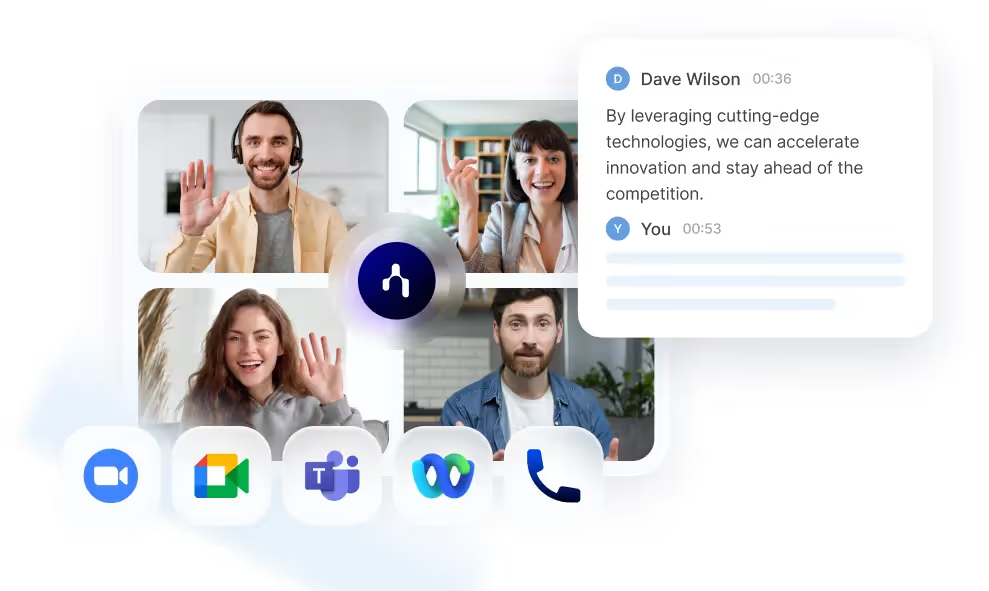
als je de voorkeur geeft aan een puur softwarematige vergaderassistent die direct integreert met je digitale workflows. Noota is een overtuigende optie.
- Geen extra hardware nodig: Omdat Noota software-first is, hoef je geen apart opnameapparaat te kopen en geen extra gadget mee te dragen. Dat betekent minder installatie, minder opladen en één ding minder om kwijt te raken.
- Focus op vergadertranscriptie & samenvattingen: Als je vergaderingen grotendeels op afstand of digitaal zijn, of als je al werkt binnen platforms zoals Zoom/Teams, dan is software alleen logischer dan het kopen van speciale hardware.
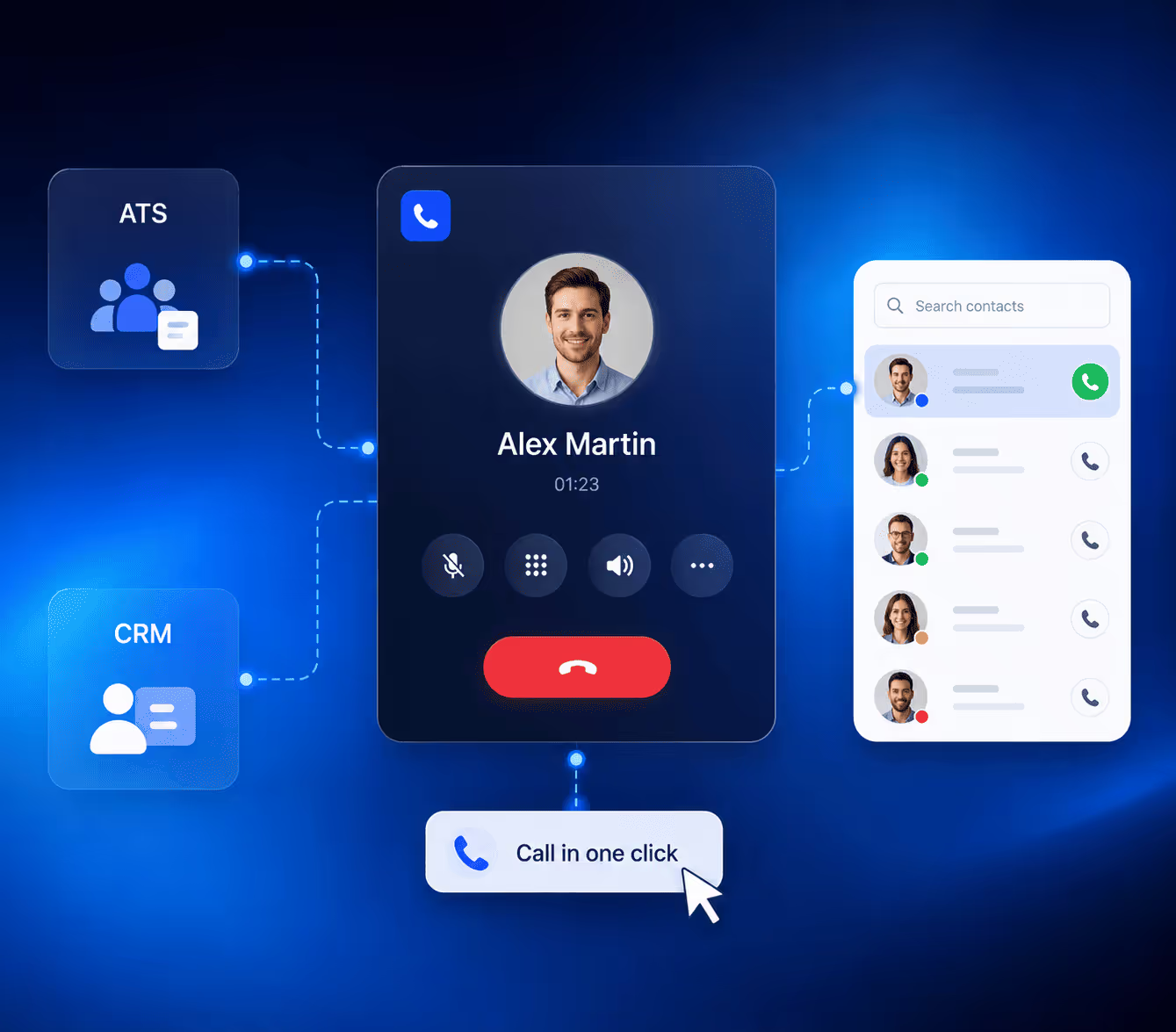
- Sterke integraties en teamsamenwerking: Noota ondersteunt teamwerkruimtes, exporteren/downloaden en koppelingen met CRM/ATS — zodat je vergaderresultaten onderdeel worden van je bedrijfssysteem, in plaats van losse bestanden.
- Gratis abonnement beschikbaarJe kunt Noota gratis gaan gebruiken (met een beperkt aantal minuten), zodat je direct resultaat ziet voordat je een volledig abonnement afsluit.
TEST NOOTA HIER GRATIS
Maak kennis met de auteur

Jean-marc is an AI expert helping recruiters & professionnals leverage these tools in the everyday.
Veelgestelde vragen
Plaud AI combineert hardware (voice recorder) met software, terwijl software-only tools zoals Noota direct via je apparaat werken zonder extra apparaten nodig te hebben.
- Plaud vereist aparte hardware-aankoop
- Noota werkt direct op je bestaande apparaten
- Beide transcriberen en samenvatten automatisch
Plaud's hardware biedt betere audio-kwaliteit op afstand en discrete opname-opties zoals de NotePin voor interviews en vergaderingen.
- Superieure microfoonkwaliteit op enkele meters afstand
- Draagbare vorm-factoren voor discrete opname
- Dedicated apparaat zonder telefoon-batterij-drain
Noota bespaard 6,4 uur per week admin-werk (-80%), werkt op alle apparaten zonder hardware-aankoop, en heeft 4,9/5 rating van 5000+ teams wereldwijd.
- Geen extra hardware-investering nodig
- Bespaard 80% administratief werk automatisch
- Werkt in 80+ talen voor globale teams
Voor remote meetings en interviews is Noota ideaal: het werkt direct op je apparaat, genereert instant samenvattingen met actiepunten, en integreert naadloos in je workflow zonder extra hardware.
- Instant transcriptie en samenvattingen met actiepunten
- Werkt op alle apparaten zonder extra aankopen
- Bespaar tijd met geautomatiseerde meeting-notes
Probeer Noota gratis — geen creditcard vereist.