Registrazione e Trascrizione delle Riunioni
8 min di lettura
Updated on:
Sep 15, 2026
Come registrare una riunione senza bot
Il modo migliore per registrare chiamate Zoom, Teams e Meet senza bot. Scopri come la registrazione discreta senza bot acquisisce l'audio localmente con Noota.
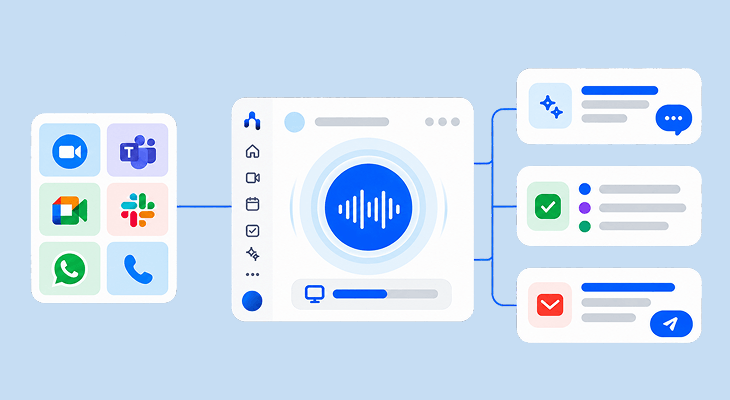
Il modo migliore per registrare le riunioni senza bot è utilizzare un registratore senza bot che catturi l'audio del sistema desktop e l'input del microfono direttamente tramite un driver audio virtuale su macOS o Windows. A differenza dei bot di registrazione cloud che si uniscono alle videochiamate come partecipanti visibili, un registratore di riunioni senza bot viene eseguito localmente, catturando audio ad alta fedeltà su Zoom, Microsoft Teams e Google Meet senza apparire nell'elenco dei partecipanti o attivare i firewall di sicurezza IT aziendali. Il nuovo Noota offre una registrazione discreta e senza bot con risposte in tempo reale durante la chiamata, email di follow-up automatizzate ed esecuzione di attività. Prendere appunti era solo l'inizio.
Cos'è un registratore senza bot?
Un registratore senza bot è un software che cattura l'audio della riunione direttamente dalla pipeline audio del tuo sistema operativo, invece di inviare un partecipante virtuale a unirsi alla sala riunioni.
Quando utilizzi i classici assistenti AI per prendere appunti come Otter o Fireflies, un utente ospite, solitamente chiamato "Notetaker Bot", bussa al tuo invito sul calendario, entra nell'elenco dei partecipanti e registra la sessione tramite WebRTC. Sebbene funzionali nelle riunioni interne informali, i bot visibili creano un attrito immediato in contesti professionali:
- Riservatezza dei partecipanti: Quando un bot di registrazione esterno entra in una trattativa di vendita, una revisione con un cliente o una riunione esecutiva, i partecipanti esitano, filtrano i propri commenti e parlano in modo difensivo.
- Blocchi IT aziendali sui bot: Gli amministratori IT configurano regolarmente le regole di sicurezza dei tenant Microsoft 365 e Zoom per bloccare i bot di terze parti non autenticati. Se al tuo bot viene negato l'accesso nella sala d'attesa, non otterrai alcuna registrazione.
- Latenza audio nel cloud: I bot tradizionali registrano nel cloud e caricano file audio pesanti dopo la chiamata, costringendo i team ad attendere dai 15 ai 30 minuti per le note.
La registrazione discreta e senza bot elimina questi punti di errore. Il software viene eseguito silenziosamente in background sul tuo computer, catturando l'audio mentre avviene senza alcuna presenza visibile nell'elenco dei partecipanti alla chiamata.
Come funziona la registrazione delle riunioni senza bot
Invece di instradare la chiamata attraverso un server esterno o aggiungere un partecipante, la moderna registrazione senza bot opera direttamente attraverso il livello audio della tua workstation.
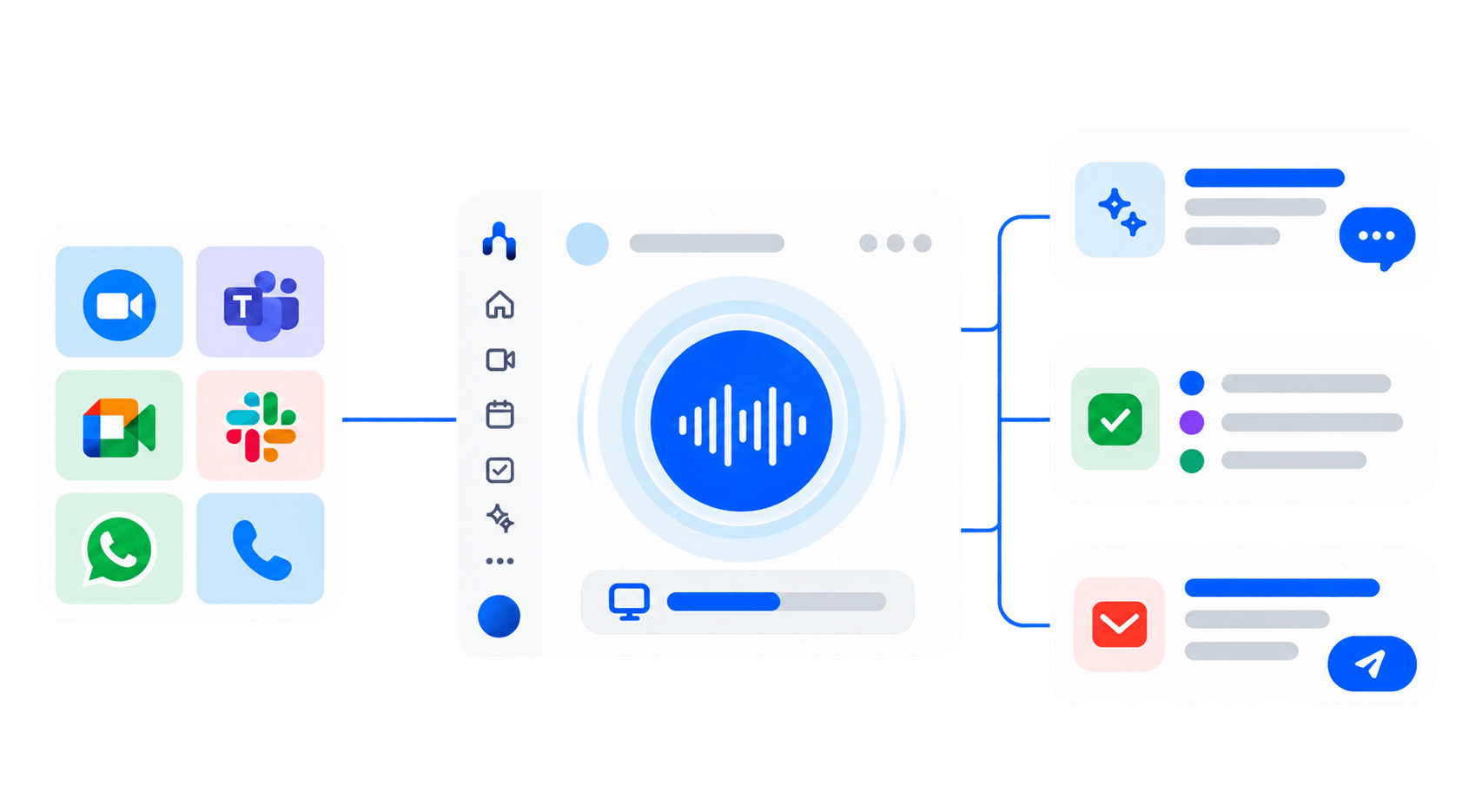
- Loopback audio virtuale: Noota intercetta l'output audio del sistema (ciò che senti attraverso le cuffie) e lo unisce al flusso del tuo microfono locale (ciò che dici).
- Nessuna traccia nel tenant: Poiché nessun partecipante si unisce alla sala riunioni, i firewall aziendali e i blocchi dei bot sui tenant di Microsoft Teams e Zoom non ha nulla da intercettare.
- Supporto per app universali: Poiché la registrazione avviene a livello di driver del sistema operativo, è possibile acquisire qualsiasi sorgente audio, incluse quelle basate su browser come Google Meet, Slack Huddles, chiamate WhatsApp Web e telefonate.
- Streaming istantaneo in tempo reale: L'audio viene trascritto in modo incrementale sul dispositivo, consentendo suggerimenti in tempo reale e note immediate al termine della chiamata, senza tempi di attesa del server.
Dietro le quinte: come creare un assistente alle riunioni on-device senza bot
Per creare un assistente alle riunioni veramente privato e senza bot, abbiamo evitato completamente la registrazione su cloud e gli invadenti bot per riunioni. Abbiamo invece sfruttato il routing audio a livello di sistema di macOS per acquisire e trascrivere le riunioni direttamente sul dispositivo.
Come creare un assistente per riunioni senza bot, direttamente sul dispositivo
Per dimostrare concretamente come funziona una cattura delle riunioni realmente privata e senza bot, abbiamo rilasciato come open source un’implementazione di riferimento chiamata PolyMeetAI. Evita completamente la registrazione sul cloud e i bot di riunione invasivi, sfruttando il routing audio a livello di sistema di macOS per acquisire e trascrivere le riunioni direttamente sul dispositivo in meno di 2 secondi.
Puoi consultare l’intero codice open source ed eseguirlo localmente qui. PolyMeetAI
Ecco come funziona nel codice l’architettura in quattro fasi:
.png)
1. Intercettazione dell'audio di sistema
Per acquisire l'audio della riunione localmente senza che un bot esterno si unisca alle stanze WebRTC, è necessario installare BlackHole (un driver di loopback audio virtuale) e configurare un dispositivo a uscita multipla in Configurazione Audio MIDI di macOS. Lo script audio_capture.py utilizza la libreria sounddevice di Python per leggere passivamente i frame audio da questo input virtuale. In questo modo si acquisiscono sia l'output della riunione che il microfono locale, senza perdere frame audio o interferire con le cuffie.
2. Suddivisione intelligente dell'audio
Invece di trasmettere un flusso audio continuo a un modello di trascrizione — il che spreca cicli di CPU e causa allucinazioni nei modelli linguistici durante le pause —vad.py integra Silero VAD (Voice Activity Detection). Memorizza i frame audio e avvia la trascrizione solo quando l'interlocutore fa una pausa, garantendo segmenti vocali puliti ed efficienti dal punto di vista computazionale.
3. Trascrizione on-device
Il transcriber.py modulo invia questi blocchi memorizzati a pywhispercpp (un'implementazione C++ ad alte prestazioni del modello Whisper di OpenAI). Grazie alla compilazione con il framework Metal di Apple, sfrutta l'accelerazione GPU per generare trascrizioni accurate localmente in meno di 2 secondi, senza inviare audio non crittografato su internet.
4. Interfaccia utente e archiviazione local-first
L' main.py orchestrator coordina la pipeline. Trasmette testo in tempo reale a un HUD desktop PySide6 leggero, trasparente e sempre in primo piano, indicizzando contemporaneamente le trascrizioni con timestamp in un database SQLite locale per una ricerca semantica istantanea.
Dallo script locale alla produzione: perché i team di ingegneria scelgono Noota
Costruire un prototipo Python locale con BlackHole, Silero VAD e pywhispercpp è un'ottima prova di concetto. Tuttavia, mantenere un'infrastruttura di routing audio personalizzata in tutta l'organizzazione comporta un notevole debito tecnico:
Se il tuo team di ingegneria ha bisogno del contesto delle riunioni all'interno dell'ambiente di sviluppo, non è necessario creare e mantenere un demone audio personalizzato. Puoi utilizzare il server nativo Model Context Protocol di Noota. Leggi la nostra guida completa su Come il server MCP di Noota collega il contesto vocale ai flussi di lavoro AI per interrogare le decisioni vocali direttamente all'interno di Cursor e Claude Desktop.
Oltre la registrazione: il nuovo flusso di lavoro Noota
Acquisire audio senza un bot risolve il problema della conformità e della privacy. Ma la sola registrazione è una commodity. Il vero valore risiede in ciò che accade prima, durante e dopo la chiamata:
- Prima della chiamata: Noota analizza lo storico delle tue riunioni passate e mostra istantaneamente un dossier informativo sullo schermo, così saprai sempre quali accordi sono stati presi in precedenza.
- Durante la chiamata: Quando un cliente pone una domanda complessa su prezzi, specifiche tecniche o conformità, Noota visualizza risposte verificate in tempo reale sullo schermo, senza che tu debba distogliere lo sguardo.
- Dopo la chiamata: Invece di lasciarti con una trascrizione non formattata, Noota redige l'email di riepilogo, la prepara nella tua cartella posta in uscita e sincronizza le schede attività in Notion e Linear automaticamente.
Sicurezza, privacy e consenso
La registrazione discreta e senza bot deve sempre essere in linea con i quadri normativi e la conformità aziendale:
- Conformità al consenso: Nelle giurisdizioni che richiedono il consenso di una sola parte, il consenso di un partecipante è legalmente sufficiente. Nelle giurisdizioni che richiedono il consenso di entrambe le parti e in quelle soggette al GDPR, tutti i partecipanti devono essere informati. Noota elimina i bot invasivi, consentendo agli utenti di fornire una comunicazione verbale trasparente ogni volta che è opportuno.
- Sovranità dei dati e crittografia: Tutti i flussi audio sono protetti con TLS 1.3 durante il transito e AES-256 a riposo. Noota aderisce ai rigorosi protocolli GDPR e SOC 2 Type II e non utilizza mai l'audio delle riunioni dei clienti per addestrare modelli di base esterni. Consulta il nostro Whitepaper su sicurezza e affidabilità.
Registra senza complicazioni
Smetti di scusarti per la presenza di bot indesiderati, di lottare contro i blocchi IT o di passare le serate a scrivere email di riepilogo.
Scopri La nuova Noota o confronta i nostri piani tariffari per iniziare subito a registrare in modo discreto.
Chi è l'autore

FAQ
Il modo migliore per registrare riunioni senza bot è utilizzare un'applicazione desktop nativa come Noota, che acquisisce l'audio di sistema tramite un driver virtuale su macOS e Windows. Questo approccio funziona perfettamente su Zoom, Teams e Google Meet senza inviare un bot partecipante esterno, preservando il rapporto con gli interlocutori e superando le restrizioni dei firewall aziendali.
Un registratore senza bot è un software per riunioni che acquisisce l'audio della conversazione localmente tramite il sistema operativo, invece di inserire un bot di registrazione non invitato tramite WebRTC. Offre una trascrizione audio silenziosa e discreta e la presa di appunti automatizzata, mantenendo l'elenco dei partecipanti alla riunione completamente pulito.
Sebbene gli sviluppatori possano creare registratori senza bot personalizzati utilizzando driver di loopback virtuali (come CoreAudio o WASAPI) e modelli vocali locali, la manutenzione dei daemon audio di sistema a seguito degli aggiornamenti del sistema operativo comporta un notevole debito tecnico. Noota fornisce un motore di registrazione senza bot pronto all'uso e offre il supporto per il Model Context Protocol (MCP), consentendo agli sviluppatori di interrogare il contesto della riunione direttamente all'interno di Cursor e Claude Desktop senza dover costruire un'infrastruttura personalizzata.
Sì, a condizione che sia conforme alle leggi vigenti in materia di consenso alla registrazione. Nelle giurisdizioni che richiedono il consenso di una sola parte, la registrazione è legale purché un partecipante sia consenziente. Nelle giurisdizioni che richiedono il consenso di tutte le parti o regolate dal GDPR, tutti i partecipanti devono essere informati. La registrazione senza bot elimina l'intrusione tecnica dei bot esterni, consentendo ai professionisti di fornire un chiaro avviso verbale ai partecipanti.