Bronnen & Productiviteit
8 min leestijd
Updated on:
Sep 23, 2025
15 alledaagse professionele e-mailvoorbeelden
Wil je de beste professionele e-mailsjablonen om te kopiëren en plakken? Hier is je gids.
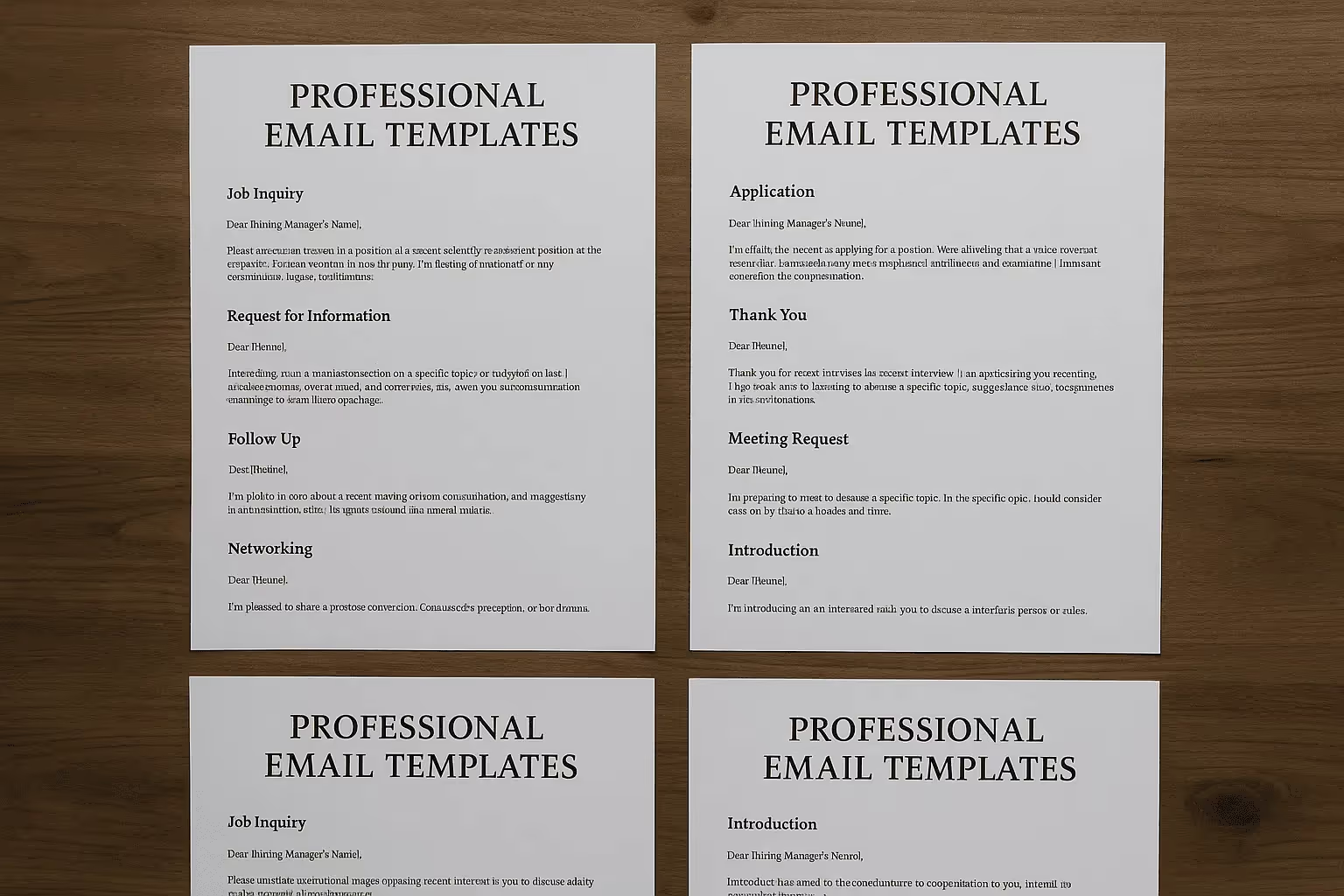
Je schrijft de hele dag e-mails, waardoor je makkelijk tijd verliest en toch algemeen blijft klinken.
Je wilt berichten die helder en professioneel zijn.
Deze gids biedt je 15 kant-en-klare e-mailvoorbeelden.
1) Introductie-e-mail naar een nieuw contact
Wanneer te gebruiken:
Je hebt net iemand ontmoet op een evenement, bent voorgesteld door een collega of hebt een potentiële partner gevonden. Je wilt jezelf voorstellen, context bieden en de deur openhouden voor samenwerking.
Voorbeeld:
Onderwerp: Leuk je ontmoet te hebben op [Event Name]
Hallo [First Name],
Het was fijn om je te spreken op [event/location]. Ik vond ons gesprek over [topic] erg interessant.
Ik ben [Your Name] en ik werk als [your role] bij [your company]. Wij helpen [one-line about your company’s focus]. Het leek me nuttig om contact te houden.
Als je wilt, vertel ik je graag meer over hoe wij [solve X / help with Y] of kunnen we simpelweg ideeën uitwisselen.
Hoe dan ook, ik kijk ernaar uit om in contact te blijven.
Met vriendelijke groet,
[Your Name]
[Your Signature]
2) Follow-up na een vergadering of sollicitatiegesprek
Wanneer te gebruiken:
Je hebt net een sollicitatiegesprek, klantpresentatie of projectvergadering gehad. Je wilt professionaliteit tonen, de ander bedanken en de volgende stappen bevestigen.
Voorbeeld (sollicitatiegesprek):
Onderwerp: Bedankt voor het gesprek van vandaag
Hallo [Voornaam],
Nogmaals bedankt voor de tijd die je vandaag hebt genomen om met mij te spreken over de functie van [Functietitel] bij [Bedrijfsnaam]. Ik vond het erg interessant om meer te horen over je team en de projecten die je leidt.
Ons gesprek heeft mijn sterke interesse om bij [Bedrijfsnaam] aan de slag te gaan alleen maar bevestigd. Ik ben vooral enthousiast over de mogelijkheid om [specifiek onderdeel van de rol dat opviel, bijv. “trainingen voor nieuwe medewerkers te ontwikkelen” of “met jullie internationale klanten te werken”].
Aarzel niet om contact met me op te nemen als je nog aanvullende informatie van mij nodig hebt. Ik kijk uit naar de volgende stappen.
Met vriendelijke groet,
[Jouw naam]
Voorbeeld (klantgesprek):
Onderwerp: Fijn om je vandaag gesproken te hebben
Hoi [Voornaam],
Bedankt voor de tijd die je vandaag hebt genomen voor ons gesprek. Ik vond het prettig om van gedachten te wisselen over je plannen voor [specifiek project of doel].
Zoals besproken stuur ik je voor [dag] het [voorstel/document] toe. Laat het me gerust weten als er specifieke punten zijn waar ik extra aandacht aan moet besteden.
Ik kijk ernaar uit om ons gesprek voort te zetten en te verkennen hoe we kunnen bijdragen aan het behalen van je doelen.
Met vriendelijke groet,
[Jouw naam]
3) Bedankmail
Wanneer te gebruiken:
Wanneer iemand je helpt, feedback geeft, je doorverwijst of je werk ondersteunt. Dankbaarheid versterkt professionele relaties en getuigt van respect.
Voorbeeld (ondersteuning door een collega):
Onderwerp: Bedankt voor je hulp bij het project
Hoi [Voornaam],
Ik wilde je even bedanken voor je hulp bij [projectnaam] deze week. Je input over [specifiek detail, bijv. "de slides voor de klantpresentatie"] heeft echt het verschil gemaakt.
Je ideeën hielpen ons de boodschap te vereenvoudigen en de klant reageerde positief. Ik waardeer het enorm dat je de tijd hebt genomen om in te springen.
Als ik ooit iets voor jou kan betekenen, laat het me dan weten.
Groeten,
[Jouw naam]
Voorbeeld (aan een klant):
Onderwerp: Bedankt voor het vertrouwen
Hallo [Voornaam],
Nogmaals bedankt dat je voor ons hebt gekozen voor [project/dienst]. We waarderen het vertrouwen dat je in ons team stelt enorm.
We zijn vastbesloten om resultaten te leveren die aan je doelen voldoen en we houden je bij elke stap op de hoogte.
Aarzel niet om contact op te nemen als je in de tussentijd vragen hebt.
Met vriendelijke groet,
[Jouw naam]
4) E-mail met verzoek om informatie
Wanneer gebruiken:
Wanneer je details, documenten of input van iemand nodig hebt. Professionele verzoeken moeten beleefd en gestructureerd zijn, zodat de ontvanger er gemakkelijk mee aan de slag kan.
Voorbeeld (intern verzoek):
Onderwerp: Verzoek om verkoopcijfers Q4
Beste [Voornaam],
Ik ben bezig met de voorbereiding van onze Q4-evaluatie en heb het bijgewerkte verkooprapport voor [regio/productlijn] nodig.
Zou je het bestand vóór [specifieke datum] kunnen sturen, zodat we het kunnen opnemen in de definitieve presentatie?
Alvast bedankt voor je hulp. Laat het me weten als je meer informatie nodig hebt over wat er precies wordt verwacht.
Met vriendelijke groet,
[Jouw naam]
Voorbeeld (extern verzoek):
Onderwerp: Verzoek om aanvullende informatie over jullie diensten
Beste [Voornaam],
Ik kwam jullie bedrijf tegen tijdens mijn onderzoek naar [onderwerp/sector] en ben benieuwd naar jullie diensten.
Zouden jullie mij informatie kunnen sturen over [prijspakketten / casestudy's / technische specificaties]? Dit helpt ons om te beoordelen hoe we eventueel kunnen samenwerken.
Alvast bedankt voor de tijd en informatie. Ik zie jullie reactie graag tegemoet.
Met vriendelijke groet,
[Jouw naam]
5) Een document of bron delen
Wanneer te gebruiken:
Wanneer je een bestand, rapport of artikel verstuurt naar een collega, klant of manager. Het doel is om duidelijk te maken wat je deelt, waarom het relevant is en hoe de ontvanger het moet gebruiken.
Voorbeeld (intern, projectbestand):
Onderwerp: Bijgevoegd: Budgetrapport Q3
Beste [First Name],
Zoals besproken tijdens de vergadering van gisteren, heb ik het budgetrapport voor Q3 bijgevoegd. Het bevat de bijgewerkte cijfers per afdeling, evenals een overzicht van de uitgaven ten opzichte van de prognose.
Wil je het document bekijken vóór de bespreking van vrijdag? Laat het me weten als je wilt dat ik bepaalde onderdelen alvast toelicht.
Met vriendelijke groet,
[Your Name]
Voorbeeld (extern, artikel delen):
Onderwerp: Informatie over best practices voor sollicitatiegesprekken
Beste [First Name],
Naar aanleiding van ons gesprek over de structuur van sollicitatiegesprekken stuur ik je hierbij een artikel met 10 bewezen best practices voor het beoordelen van kandidaten. Ik denk dat dit waardevol kan zijn voor je team.
Ik heb een pdf-kopie bijgevoegd en hier is ook de link: [insert link].
Als je wilt, kan ik ook een korte samenvatting maken met voorbeelden die zijn toegespitst op jullie huidige proces.
Met vriendelijke groet,
[Your Name]
6) Een vergadering inplannen
Wanneer te gebruiken:
Wanneer je een afspraak moet maken met een collega, kandidaat of klant. Een professionele e-mail voor het inplannen van een afspraak moet beleefd en concreet zijn, en het de ander gemakkelijk maken om te bevestigen.
Voorbeeld (intern, teamvergadering):
Onderwerp: Vergadering inplannen voor de planning van Q4
Beste [First Name],
Ik wil graag een vergadering inplannen om onze prioriteiten voor Q4 door te nemen. Het doel is om op één lijn te komen wat betreft de doelstellingen en de verdeling van middelen te bepalen.
Schikt het je op:
- Dinsdag om 14:00 uur
- Woensdag om 10:00 uur
Beide opties duren 45 minuten. Laat me weten wat het beste uitkomt, of stel een ander moment voor.
Alvast bedankt,
[Your Name]
Voorbeeld (extern, klantvergadering):
Onderwerp: Bespreking van het voorstel
Beste [First Name],
Ik wil graag een afspraak maken om ons voorstel met je door te nemen en je vragen te beantwoorden.
Schikt [dag/tijdstip optie 1] of [dag/tijdstip optie 2] je? De bespreking duurt niet langer dan 30 minuten en we kunnen deze via Zoom houden of via het platform van jouw voorkeur.
Laat me weten welke optie voor jou het beste uitkomt, dan stuur ik een uitnodiging voor de agenda.
[Je Naam]
7) Een afspraak of vergadering bevestigen
Wanneer gebruiken:
Na het plannen wil je de details bevestigen. Dit voorkomt verwarring, zorgt dat iedereen op één lijn zit en getuigt van professionaliteit.
Voorbeeld (intern):
Onderwerp: Bevestiging planningsvergadering Q4
Hoi [Voornaam],
Hierbij bevestig ik onze planningsvergadering voor Q4 op woensdag 18 oktober om 10:00 uur, in vergaderruimte B.
De sessie duurt 45 minuten. Agenda: prioriteiten doornemen, doelstellingen afstemmen en verantwoordelijken toewijzen.
Laat het me weten als je beschikbaarheid wijzigt.
[Je Naam]
Voorbeeld (extern, klant):
Onderwerp: Bevestiging afspraak – Bespreking voorstel
[First Name],
Ik wil graag onze afspraak voor de bespreking van het voorstel bevestigen op donderdag 19 oktober om 14:00 uur EST.
We spreken af via Zoom; hier is de link: [Insert Link]. De bespreking duurt ongeveer 30 minuten.
Ik kijk ernaar uit om het voorstel met je door te nemen en je vragen te beantwoorden. Laat het me weten als we de afspraak moeten verzetten.
Met vriendelijke groet,
[Your Name]
8) E-mail met excuses
Wanneer te gebruiken:
Fouten maken is menselijk: gemiste afspraken, vertraagde reacties of fouten in documenten. Een professionele verontschuldiging herstelt het vertrouwen.
Voorbeeld (intern, gemiste deadline):
Onderwerp: Excuses voor de vertraging van het Q3-rapport
[First Name],
Mijn excuses dat ik het Q3-rapport niet voor de afgesproken deadline heb verstuurd. De laatste controle duurde langer dan verwacht, wat tot deze vertraging heeft geleid.
Ik heb het rapport inmiddels afgerond en hierbij gevoegd. Ik heb mijn werkwijze aangepast om ervoor te zorgen dat de controle volgend kwartaal eerder start.
Bedankt voor je geduld en begrip.
Met vriendelijke groet,
[Your Name]
Voorbeeld (extern, gemiste afspraak):
Onderwerp: Excuses voor het missen van onze afspraak van vandaag
Beste [First Name],
Mijn oprechte excuses dat ik onze afspraak van eerder vandaag heb gemist. Door een onvoorziene omstandigheid kon ik niet deelnemen en ik vind het vervelend dat ik je niet op tijd heb kunnen informeren.
Ik zou graag een nieuwe afspraak met je inplannen wanneer het jou uitkomt. Zou je beschikbaar zijn op [insert two options]? Ik zal ook een herinnering instellen om te zorgen dat dit niet nog eens gebeurt.
Bedankt voor je begrip; ik waardeer de kans om opnieuw contact te hebben.
Met vriendelijke groet,
[Your Name]
9) Feedback geven
Wanneer te gebruiken:
Wanneer een collega, teamlid of kandidaat om je mening vraagt. Feedback per e-mail moet respectvol, helder en constructief zijn.
Voorbeeld (intern, aan een collega):
Onderwerp: Feedback op je conceptpresentatie
Hoi [First Name],
Bedankt voor het delen van je conceptpresentatie. De structuur is helder en de visuals ondersteunen de kernpunten goed.
Eén suggestie: de data op slide 5 zou duidelijker kunnen met een eenvoudigere grafiek, zodat het publiek de boodschap sneller begrijpt. Je zou ook het slotgedeelte iets kunnen inkorten om binnen de tijd te blijven.
Al met al een sterk resultaat. Ik kijk er graag nog eens naar zodra je de wijzigingen hebt doorgevoerd, als je dat prettig vindt.
Met vriendelijke groet,
[Jouw Naam]
Voorbeeld (aan een kandidaat):
Onderwerp: Feedback op je sollicitatiegesprek
Beste [Voornaam],
Bedankt voor het gesprek voor de functie van [Functie]. We waarderen de tijd die je hebt genomen om je ervaring en vaardigheden met ons te delen.
Hoewel we onder de indruk waren van je achtergrond, hadden we het gevoel dat je antwoorden sterker hadden kunnen zijn met meer specifieke voorbeelden. Dit zou helpen om aan te tonen hoe je vaardigheden in de praktijk worden toegepast.
We raden je aan om te blijven oefenen met de STAR-methode (Situatie, Taak, Actie, Resultaat). Je hebt duidelijk veel potentieel en we wensen je veel succes met je volgende stappen.
Met vriendelijke groet,
[Jouw Naam]
10) Project- of statusupdate
Wanneer te gebruiken:
Je wilt je manager, team of klant op de hoogte houden van de voortgang. Een professionele update-e-mail moet helder, beknopt en gestructureerd zijn.
Voorbeeld (interne teamupdate):
Onderwerp: Statusupdate – Lancering marketingcampagne
Hoi team,
Hierbij een korte update over de lancering van de marketingcampagne:
Voortgang tot nu toe:
- Advertentie-uitingen voltooid en goedgekeurd.
- Concept voor de landingspagina is klaar voor beoordeling.
- Planning voor social media is opgesteld.
Huidige knelpunten:
- Wachten op de definitieve productfoto's van design (verwacht op vrijdag).
- Wachten op juridische goedkeuring voor de advertentieteksten.
Volgende stappen:
- Ontwerp van de landingspagina afronden voor maandag.
- Advertenties uploaden en testen voor woensdag.
- Lancering bevestigen voor vrijdag.
Laat het me weten als er nog vragen of opmerkingen zijn. Bedankt voor de fijne samenwerking.
[Jouw Naam]
Voorbeeld (extern, naar klant):
Onderwerp: Projectupdate – Website redesign
Beste [Voornaam],
Hierbij een update over de status van het redesign van je website:
Afgerond:
- Wireframe voor de homepage goedgekeurd.
- Concepttekst voor de Over ons-pagina aangeleverd.
In uitvoering:
- Ontwerp productpagina (verwachte afronding aanstaande dinsdag).
- Mobiele tests op de huidige lay-outs.
Volgende stappen:
- Definitief ontwerp van de productpagina aanleveren voor beoordeling.
- Starten met QA-testen in de staging-omgeving.
- Feedbacksessie inplannen met jouw team.
Alles loopt volgens de afgesproken planning. Laat het me weten als je meer details wilt of een toelichting op de voortgang wenst.
[Jouw Naam]
11) Een taak delegeren
Wanneer te gebruiken:
Wanneer je werk toewijst aan een collega of teamlid. Een goede delegatiemail moet duidelijk, beleefd en specifiek zijn wat betreft verantwoordelijkheden en deadlines.
Voorbeeld (intern, projectwerk):
Onderwerp: Taaktoewijzing – Concept klantvoorstel
Hoi [Voornaam],
Ik wil graag dat jij het voortouw neemt bij het opstellen van het klantvoorstel voor [Klantnaam]. Het doel is om hen een volledig concept te sturen voor dinsdag 24 oktober.
Dit moet erin worden opgenomen:
- Samenvatting van de behoeften van de klant.
- Voorgestelde oplossing met tijdlijn en prijsopgave.
- Voorbeeld van een case study voor geloofwaardigheid.
Ik stuur je vandaag de achtergrondinformatie en ik kijk graag met je mee naar het concept voordat het wordt ingediend.
Dit voorstel is cruciaal voor de volgende fase van het project, dus ik reken op je nauwkeurigheid. Kun je bevestigen of de deadline haalbaar is voor je?
[Je Naam]
Voorbeeld (manager delegeert routinematige taak):
Onderwerp: Update verkoopdashboard Q4
[Voornaam],
Zou je het verkoopdashboard voor Q4 kunnen bijwerken met de meest recente gegevens voor vrijdagochtend? Dit omvat het toevoegen van de cijfers van oktober en het verversen van de grafieken.
Mocht je tegen problemen aanlopen bij het ophalen van de data, laat het me dan weten, dan help ik je even.
Bedankt voor het oppakken hiervan; dit helpt ons bij de voorbereiding voor de vergadering met het management.
[Je Naam]
12) Herinneringsmail
Wanneer te gebruiken:
Wanneer een deadline of afspraak nadert en je iemand een subtiel zetje wilt geven. De toon moet beleefd, kort en respectvol zijn ten aanzien van hun tijd.
Voorbeeld (interne deadline):
Onderwerp: Herinnering – Budgetrapport moet vrijdag klaar zijn
Hoi [First Name],
Even een korte herinnering dat het budgetrapport voor Q3 aanstaande vrijdag 20 oktobermoet worden ingeleverd.
We moeten dit afronden zodat we de cijfers kunnen meenemen in de planningssessie van volgende week.
Laat het me weten als je ergens tegenaan loopt; ik help je graag als dat nodig is.
Bedankt,
[Your Name]
Voorbeeld (externe afspraak):
Onderwerp: Herinnering – Interview gepland voor morgen
Hallo [First Name],
Dit is een vriendelijke herinnering aan je sollicitatiegesprek voor de functie [Role] bij [Company], gepland op dinsdag 17 oktober om 15:00 uur EST.
We spreken af via Zoom, hier is de link: [Insert Link]. Het gesprek duurt ongeveer 45 minuten met [Interviewer Name].
Laat het me weten als je voorafgaand aan het gesprek nog vragen hebt.
[Your Name]
13) Goedkeuringsverzoek
Wanneer te gebruiken:
Wanneer je toestemming nodig hebt van een manager, klant of stakeholder om verder te kunnen gaan.
Voorbeeld (intern, manager):
Onderwerp: Goedkeuringsverzoek – Marketingbudget voor Q4
Beste [First Name],
Hierbij vraag ik je goedkeuring voor het marketingbudget van Q4. Het totale bedrag is $45.000, bestemd voor campagnes, contentproductie en evenementen.
In de bijlage vind je het overzicht met de verwachte ROI per activiteit. We willen dit graag afronden voor vrijdag 20 oktober, zodat we op schema blijven voor de lancering van de campagnes.
Laat het me weten als je meer informatie nodig hebt of als er aanpassingen gewenst zijn.
[Your Name]
Voorbeeld (goedkeuring door klant):
Onderwerp: Goedkeuringsverzoek – Definitief ontwerp
Beste [First Name],
Hierbij stuur ik je het definitieve ontwerp ter beoordeling. De wijzigingen die we vorige week hebben besproken, zoals het aangepaste kleurenschema en de vereenvoudigde navigatie, zijn hierin verwerkt.
Kun je dit voor dinsdag 17 oktobergoedkeuren, zodat we kunnen starten met de ontwikkeling?
Bedankt voor je tijd en feedback.
Met vriendelijke groet,
[Your Name]
14) Reactie naar klant of opdrachtgever
Wanneer te gebruiken:
Bij het beantwoorden van een vraag, klacht of verzoek van een klant. De reactie moet beleefd, helder en oplossingsgericht zijn.
Voorbeeld (beantwoorden van een klantvraag):
Onderwerp: Reactie op je vraag over de planning
Beste [First Name],
Bedankt voor je bericht over de projectplanning.
We liggen op schema om de eerste fase op 3 novemberop te leveren; de testfase begint de week daarna. Je ontvangt wekelijks een update zodat je de voortgang kunt volgen.
Laat het me weten als je een gedetailleerder overzicht van de mijlpalen wilt ontvangen.
[Jouw Naam]
Voorbeeld (klachtafhandeling):
Onderwerp: Onze excuses voor het probleem met je bestelling
Beste [Voornaam],
Bedankt dat je ons hebt laten weten dat er iets mis is gegaan met je recente bestelling. Mijn excuses voor het ongemak.
We hebben inmiddels een vervangend exemplaar geregeld, dat morgen wordt verzonden. Zodra het ons magazijn verlaat, ontvang je een track-and-tracecode.
Laat het gerust weten als we nog iets anders voor je kunnen doen om dit op te lossen.
[Jouw Naam]
15) Afscheidsmail
Wanneer te gebruiken:
Wanneer je een bedrijf verlaat, een project afrondt of een contract beëindigt. Het is een professionele manier om mensen te bedanken en op een goede manier afscheid te nemen.
Voorbeeld (bedrijf verlaten):
Onderwerp: Bedankt en tot ziens
Hallo team,
Zoals sommigen van jullie weten, is dit mijn laatste week bij [Bedrijf]. Ik wil jullie bedanken voor de steun en de fijne samenwerking van de afgelopen [X jaar/maanden].
De samenwerking met jullie was een hoogtepunt en ik heb enorm veel van jullie geleerd.
Ik ga aan de slag met [nieuwe kans/algemene beschrijving], maar ik blijf graag in contact. Je kunt me bereiken via [persoonlijk e-mailadres] of op LinkedIn.
Ik wens jullie veel succes in de toekomst.
[Jouw naam]
Voorbeeld (afronding project met klant):
Onderwerp: Bedankt – Afronding project
Beste [Voornaam],
Nu we [Projectnaam] afronden, wil ik je bedanken voor het vertrouwen en de fijne samenwerking.
Het was een genoegen om jullie team te ondersteunen en ik hoop dat de resultaten goed van pas komen.
Mocht je in de toekomst nog ondersteuning nodig hebben, dan bespreek ik de mogelijkheden graag met je.
[Jouw naam]
Noota — Genereer e-mails op basis van je vergaderingen

Je verlaat een vergadering met duidelijke vervolgstappen. Noota zet deze binnen enkele minuten om in een e-mail die klaar is voor verzending. Je controleert de tekst, past de toon aan en drukt op verzenden.
- Stel direct follow-ups op. Zet de samenvatting van je vergadering om in een professionele e-mail met heldere vervolgstappen. Nooit meer vanaf nul beginnen.
- Leg elk detail vast. Neem vergaderingen in realtime op en transcribeer ze, waarna besluiten en verantwoordelijken automatisch worden samengevat.
- Gebruik kant-en-klare sjablonen. Gebruik interview- en debriefingformats zodat je e-mails en rapporten consistent blijven.
- Werk overal. Neem deel aan gesprekken via Meet/Zoom/Teams/Webex of bel direct met Noota VoIP. Ook geschikt voor fysieke vergaderingen.
- Synchroniseer met je stack. Verstuur notities, taken en links naar HubSpot, Salesforce, Bullhorn, Slack en Notion. Houd je gegevens op één lijn.
- Doorzoek eerdere gesprekken. Hergebruik feiten en afspraken wanneer je follow-ups personaliseert. Je kennisbank groeit met elk gesprek.
PROBEER NOOTA NU GRATIS.
Maak kennis met de auteur

Veelgestelde vragen
Een goede introductie-email vermeldt waar je elkaar ontmoette, wat je doet en waarom contact waardevol is.
- Noem het moment en de context van ontmoeting
- Beschrijf je rol en bedrijfsfocus kort
- Stel een duidelijke volgende stap voor
Een vervolgmail bevestigt interesse, bedankt de ander en maakt afspraken concreet voor vervolgstappen.
- Dank uitspreken voor tijd en aandacht
- Specifieke onderwerpen uit gesprek herhalen
- Duidelijke volgende acties en deadlines stellen
Noota bespaart 6,4 uur per week en reduceert administratie met 80% door automatische transcriptie en samenvatting van gesprekken.
- Automatische opname en transcriptie van calls
- AI-gegenereerde samenvattingen en actie-items
- Integratie met 80+ talen en 5000+ teams vertrouwen erop
Noota genereert automatisch email-samenvattingen en follow-up punten uit gesprekken, zodat je sneller professioneel kunt communiceren.
- Bespaar tijd op het schrijven van vervolgmails
- Geen details vergeten uit je gesprekken
- Probeer Noota gratis — geen creditcard vereist