Vergelijkingen van AI-notulisten
8 min leestijd
Updated on:
Jun 23, 2025
Beste Zoom-alternatieven in 2026
Ben je benieuwd wat de beste alternatieven voor Zoom zijn? Hier is een zorgvuldig samengestelde lijst.

Zoom verhoogt voortdurend de prijzen en moet steeds nieuwe beveiligingslekken dichten.
Het goede nieuws? Er zijn uitstekende, budgetvriendelijke alternatieven.
Deze gids zet de zeven beste alternatieven voor Zoom op een rij.
Tool #1 – Google Meet Het beste videoplatform voor in de browser
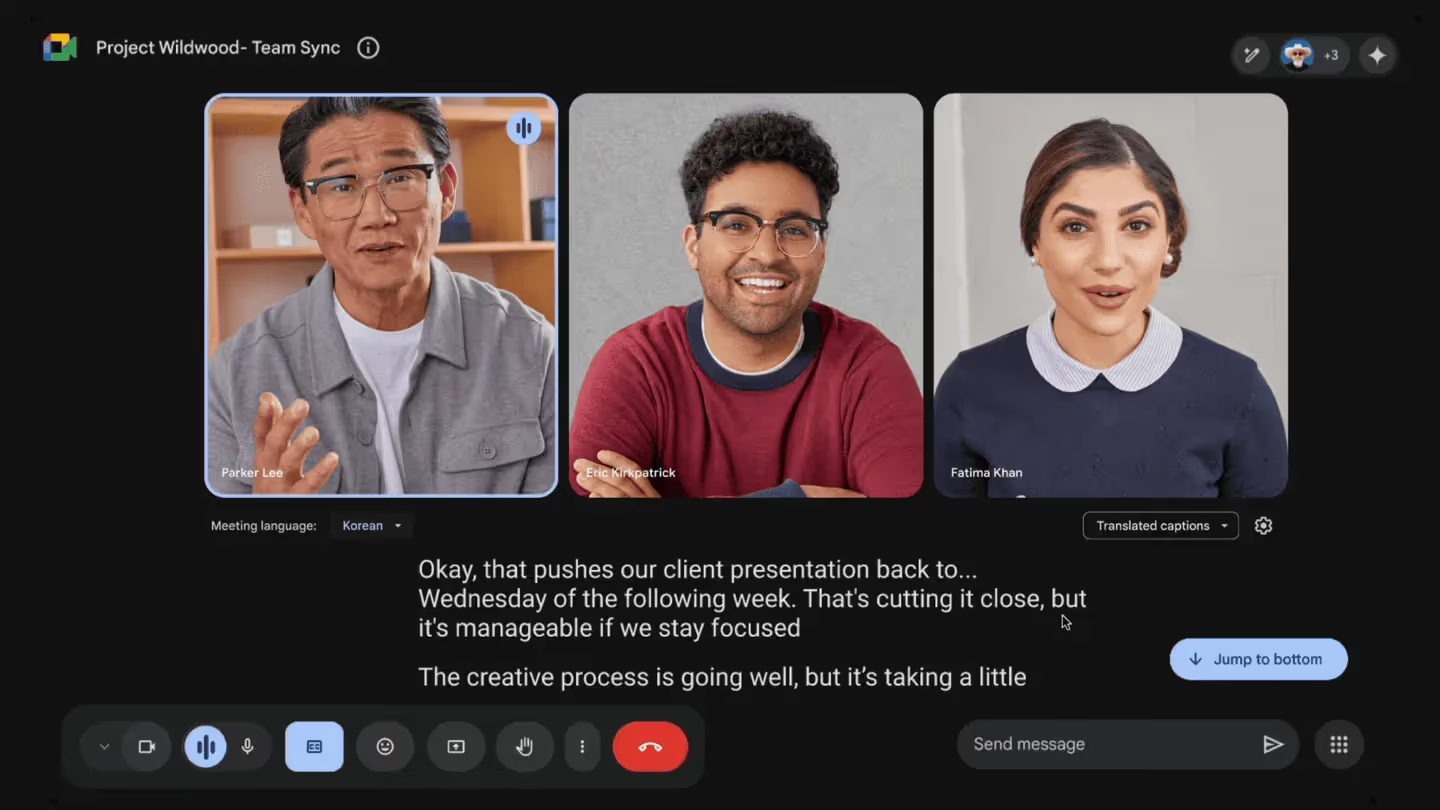
Google Meet werkt volledig in je browser. Je neemt met één klik deel—geen installaties of plug-ins nodig.
De belangrijkste functies
- HD tot 1080p voor scherpere interviews en demo's.
- AI-ruisonderdrukking en automatische belichting zorgen dat je in elke ruimte goed in beeld bent.
- Live bijschriften en ondertiteling in meer dan 18 talen voor directe toegankelijkheid.
- Gemini AI live spraakvertaling vertaalt Engels naar Spaans (en binnenkort meer) met behoud van de juiste toon.
- Companion-modus en polls maken het mogelijk dat laptops en schermen in de ruimte samenwerken, stemmen en chatten zonder echo.
- Jamboard/Whiteboard integratie voor snelle schetsen tijdens het gesprek.
Voordelen die voor jou tellen
Je gebruikt al Gmail en Agenda, dus uitnodigingen bevatten automatisch links.
Gasten nemen deel via Chrome, Edge, Safari of mobiel—geen downloads nodig.
AI-extra's zoals achtergrondvervaging en live vertaling zijn nu standaard inbegrepen bij Workspace.
Het wereldwijde netwerk van Google zorgt voor een betrouwbare uptime en sterke standaardversleuteling.
Aandachtspunten
Groepsvergaderingen in de gratis persoonlijke versie stoppen na 60 minuten.
Break-out rooms, opnames en aanwezigheidsrapporten zijn alleen beschikbaar in betaalde abonnementen.
Grote evenementen zijn beperkt tot 500 deelnemers, tenzij je kiest voor Enterprise-tarieven.
Prijzen in begrijpelijke taal*
- Gratis Google-account – €0. Groepsgesprekken van 60 min, ondertiteling van 1 uur, 100 deelnemers.
- Workspace Business Starter – €7 / gebruiker / mnd. Gesprekken van 24 uur, 100 zitplaatsen, 30 GB gedeelde opslag.
- Business Standard – €14 / gebruiker / mnd. 150 zitplaatsen, opname, ruisonderdrukking.
- Business Plus – $22 / gebruiker / mnd. 500 zitplaatsen, aanwezigheidsregistratie, eDiscovery.
- Enterprise – Offerte op maat. 1.000 zitplaatsen, livestreaming, geavanceerde beveiliging.
*De prijzen voor Workspace zijn in 2025 met ongeveer $2 gestegen om gratis AI-functies te financieren.
Ideaal voor
Je voert gesprekken via Google Workspace en wilt videobellen zonder installatie.
Je hebt ondertiteling, vertaling of standaard sterke privacy nodig.
Snelle start
- Open meet.google.com of klik op “Meet” in Gmail.
- Klik op Nieuwe vergadering → Uitnodiging versturen; Agenda maakt de link aan.
- Schakel Instellingen → Video → 1080 p in als je webcam dit ondersteunt.
- Inschakelen Ondertiteling of Vertalen via de onderste balk wanneer dat nodig is.
Tool #2 – Microsoft Teams De beste alles-in-één werkplek
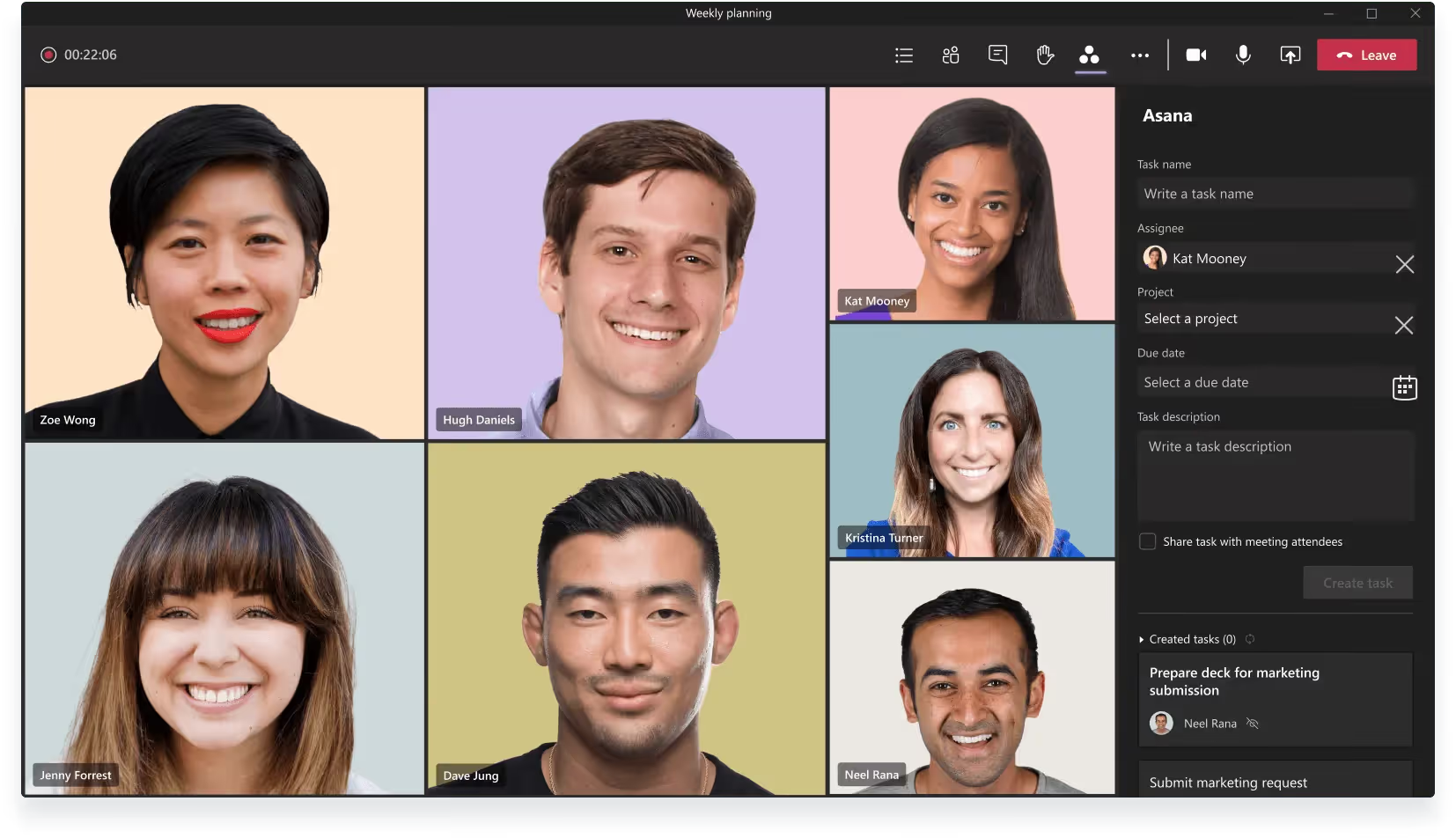
Microsoft Teams combineert vergaderingen, chat, documenten en telefonie in één hub.
De belangrijkste functies
- HD-video tot 1080p met AI-gestuurde superresolutie voor zwakke verbindingen.
- Copilot & intelligente samenvatting maakt live samenvattingen, taken en tijdlijnen van sprekers in de chat.
- Realtime spraakvertaling toont ondertiteling in 40 talen; een preview van de voice-to-voice tolk verschijnt in 2025.
- Together-modus, polls en whiteboard houden grote groepen betrokken.
- Naadloze Office 365-synchronisatie stelt je in staat om direct tijdens de vergadering samen te werken in Word, Excel of PowerPoint.
- PSTN-bellen & voicemail verander Teams in je bureautelefoon door een bellenplan toe te voegen.
- 1 TB OneDrive-opslag per licentie voor opnames en gedeelde bestanden bij zakelijke abonnementen.
Voordelen die voor jou tellen
Alles — van agenda tot follow-up — staat op één plek, zodat de context nooit verloren gaat.
Laatkomers klikken op Samenvatting en lezen wat ze hebben gemist zonder te storen.
Live vertaling verbindt wereldwijde teams zonder extra software.
Teams Essentials is goedkoper dan de meeste concurrenten voor slechts vier dollar per maand.
Aandachtspunten
De interface kan druk aanvoelen totdat je ongebruikte apps verbergt.
Opnames, webinar-bediening en geavanceerde beveiliging zijn alleen beschikbaar in duurdere abonnementen.
Voor Copilot AI is een aparte Microsoft 365 Copilot-licentie vereist — $30 extra per gebruiker. (Nog geen publieke korting beschikbaar).
Prijzen in begrijpelijke taal — 2025*
- Gratis abonnement – $0. Groepsgesprekken van 60 minuten, 100 deelnemers, 5 GB cloudopslag.
- Teams Essentials – $4 / gebruiker / mnd jaarlijks gefactureerd. Vergaderingen van 30 uur, 300 deelnemers, 10 GB opslag.
- Microsoft 365 Business Basic – $6 / gebruiker / mnd. Voegt webversies van Office-apps, 1 TB opslag en transcripties toe.
- Business Standard – $12,50 / gebruiker / mnd. Volledige desktopversies van Office, webinar-tools.
- Teams Premium-add-on – $7 / gebruiker / mnd. Live vertalingen, gepersonaliseerde lobby's, geavanceerde analyses.
- Enterprise – Offerte op maat. Tot 1000 deelnemers, eDiscovery, telefoonsysteem, Copilot-bundel.
*Prijzen zijn per gebruiker per maand, worden jaarlijks gefactureerd en zijn inclusief de aanpassingen van februari 2025.
Ideaal voor
Je betaalt al voor Office 365 en wilt vergaderingen, documenten en chat onder één dak.
Je organisatie heeft behoefte aan veilige wereldwijde gesprekken met ingebouwde vertaling en AI-samenvattingen.
Snelle installatie
- Meld je aan voor Teams Essentials of activeer Teams in de Microsoft 365-beheeromgeving.
- Installeer de desktop-app of neem deel via Edge/Chrome – er is geen plug-in nodig.
- Ga in Instellingen → Opname & Transcriptienaar Intelligente samenvatting en zet deze op Aan.
- Plan een vergadering vanuit Outlook; de uitnodiging bevat automatisch de Teams-link.
Tool #3 – Cisco Webex Beste beveiliging op bedrijfsniveau
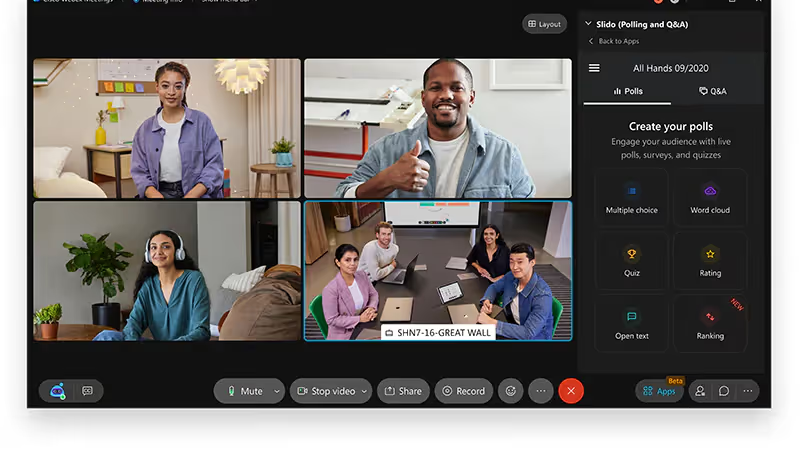
Webex is het videoplatform van Cisco, ontwikkeld voor teams in gereguleerde sectoren. Je krijgt ijzersterke encryptie, AI-samenvattingen en hardware voor hybride werken in één pakket.
Belangrijkste functies die je krijgt
- Zero-trust end-to-end encryptie houdt audio, video en gedeelde bestanden afgeschermd voor buitenstaanders.
- Webex AI Assistant transcribeert live, identificeert sprekers en mailt een samenvatting met notities, actiepunten en hoofdstukken.
- Realtime vertaling zet 15 gesproken talen om in ondertiteling in meer dan 100 andere talen, zodat wereldwijde teams elk woord kunnen volgen.
- Adaptieve audio & video gebruikt AI-codecs om ruis te onderdrukken en videostreams met lage bandbreedte te verbeteren.
- Slido-polls en Q&A integreert interactieve tools direct in het vergadervenster.
- Suite voor bellen & webinars voegt cloud-telefoonnummers en evenementen voor maximaal 1000 deelnemers toe op één licentie.
Voordelen die voor jou tellen
Je securityteam kan opgelucht ademhalen—Webex voldoet aan FedRAMP, HIPAA en meer.
AI-samenvattingen worden automatisch verstuurd, dus handmatig notuleren is verleden tijd.
Vertaling en ruisonderdrukking zorgen voor soepele gesprekken in meerdere talen, zelfs vanuit rumoerige thuiswerkplekken.
Nadelen om rekening mee te houden
Het Business-abonnement is met $26,95 per host aan de prijzige kant, wat voor kleine teams een flinke uitgave kan zijn.
Gratis gebruikers zijn beperkt tot vergaderingen van 40 minuten en maximaal 100 deelnemers.
Het beheerportaal biedt uitgebreide instellingen die voor nieuwe beheerders overweldigend kunnen zijn.
Prijzen in begrijpelijke taal
- Gratis – €0. Vergaderingen van 40 minuten, 100 deelnemers, lokale opname.
- Webex Meet – €14,50 / host / mnd. Gesprekken van 24 uur, 200 licenties, 10 GB cloudopslag.
- Webex Suite (Business) – €25 / host / mnd. Voegt cloudtelefonie, onbeperkt bellen binnen de regio en geavanceerde ruisonderdrukking toe.
- Enterprise – Offerte op maat. Tot 1.000 deelnemers, onbeperkte opname, FedRAMP-beveiliging.
(Prijzen zijn per maand, jaarlijks gefactureerd; geldig per mei 2025.)
Ideaal voor
Je voert interviews of klantgesprekken met strikte compliance-eisen die geverifieerde encryptie vereisen.
Je wilt ook ingebouwde AI-notulen zonder extra tools te hoeven koppelen.
Snelle installatie
- Maak een gratis Webex-account aan of start een zakelijke proefperiode.
- In Control Hub → Organisatie-instellingen → Beveiliging, schakel End-to-end-versleutelingin.
- Schakel Webex AI Assistant in onder Vergaderingen → Instellingen om automatisch samenvattingen te genereren.
- Plan je eerste gesprek; de uitnodiging bevat al inbelnummers en Slido.
Tool #4 – GoTo Meeting Beste prijs-kwaliteitverhouding voor het middensegment
GoTo Meeting biedt HD-gesprekken, cloudopnames en AI-transcripties in één lichtgewicht app. Je zet in seconden een ruimte op, verstuurt een link en vergadert op elk apparaat.
Kernfuncties die je krijgt
- Smart Meeting Assistant neemt het gesprek op, transcribeert alles en markeert automatisch belangrijke actiepunten.
- Tot 250 deelnemers op het Business-abonnement; vergaderingen verlopen soepel dankzij adaptieve bandbreedte.
- Vergadervergrendeling & wachtruimte laten je laatkomers controleren voordat ze deelnemen.
- Co-organisatoren & overdracht betekenen dat een teamgenoot je sessie kan starten of leiden als je vertraging hebt.
- Slide capture & deellink bundelen presentaties en transcripties in één URL voor eenvoudige evaluatie.
- Slack / Outlook-launcher start of plant een vergadering vanuit de tools die je al gebruikt.
Voordelen die voor jou tellen
Onbeperkt vergaderen—geen verborgen kosten per minuut.
AI-transcriptie bespaart je het koortsachtig maken van notities.
Vergadervergrendeling en uitbellen voegen een beveiligingslaag toe zonder extra software.
Aandachtspunten
Het gratis abonnement is slechts een proefversie; na 14 dagen moet je betalen.
Video is beperkt tot 250 deelnemers, tenzij je overstapt op Enterprise-tarieven.
De beheerconsole biedt veel instellingen—geweldig voor controle, maar in het begin overweldigend.
Prijzen in begrijpelijke taal (jaarlijkse facturering)
AbonnementDeelnemersPrijs / host / maandExtra'sProfessional150$12Onbeperkt vergaderen, scherm delenBusiness250$16Slimme assistent, vergadervergrendeling, Slack-launcherEnterprise3 000 +CustomWebinars in uitzendstijl, toegewijde ondersteuning
(Alle prijzen gecontroleerd in mei 2025.)
Ideaal voor
Je geeft verkoopdemo's of klantgesprekken waarvoor transcripties nodig zijn, maar geen webinars voor 1 000 deelnemers.
Je beveiligingsteam wil standaard wachtruimtes en vergadervergrendelingen.
Snelle installatie
- Start een Business-proefperiode van 14 dagen—geen creditcard nodig.
- Ga in Instellingen → Opnamenaar Slimme vergaderassistent voor automatische transcriptie.
- Installeer de GoTo-app voor Slack of Outlook zodat je met één klik kunt plannen.
- Vergrendel je vergadering zodra iedereen aanwezig is; laat laatkomers toe vanuit de wachtruimte.
Tool #5 – Jitsi Meet Beste gratis en open-source platform
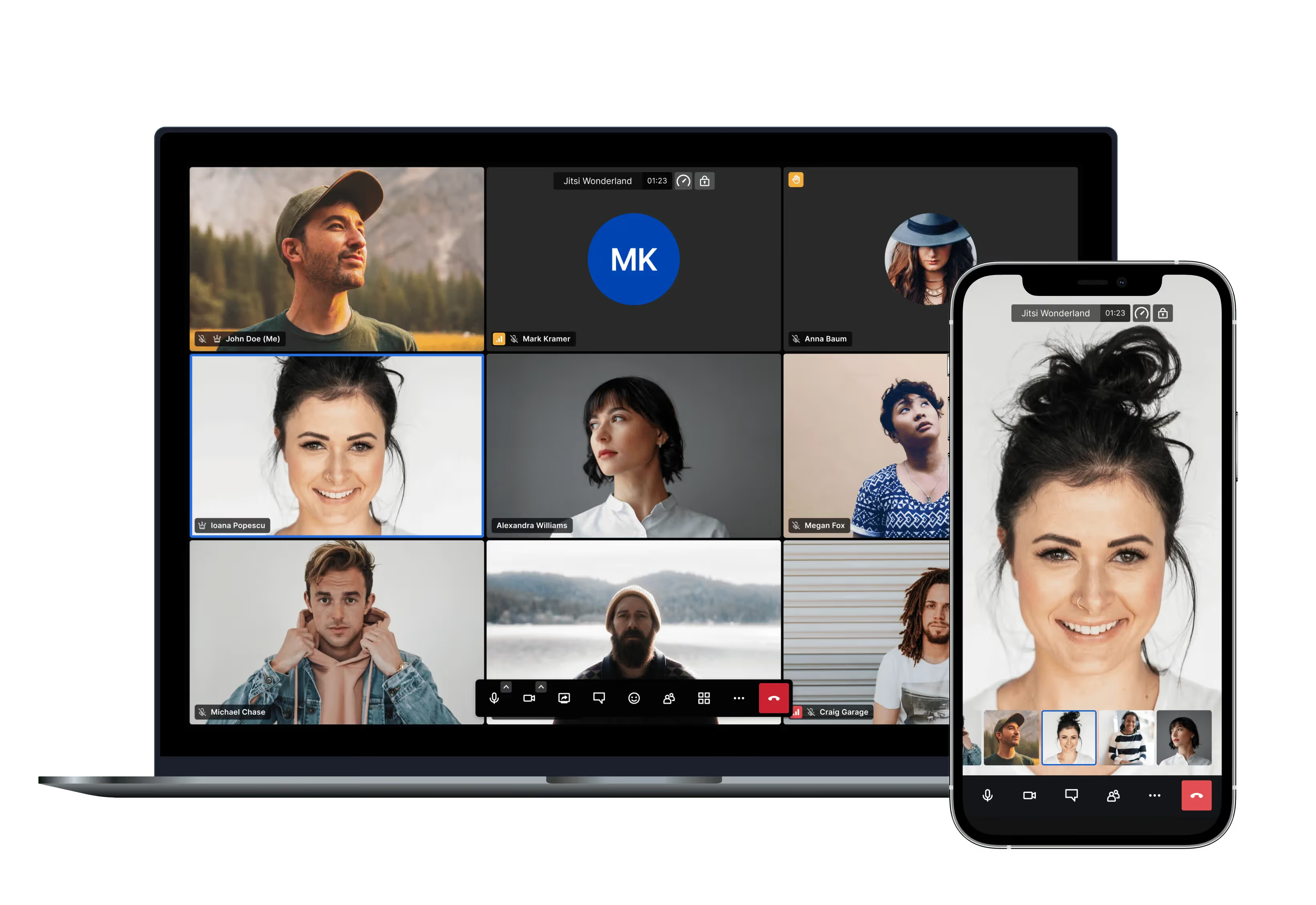
Jitsi Meet is een 100% open-source videodienst die je in elke browser kunt starten. Je neemt deel via één URL—geen account, plug-in of betaling vereist.
Belangrijkste functies
- Onbeperkte vergadertijd op de openbare instantie of je eigen server.
- End-to-end encryptie (E2EE) plus volledige codetransparantie voor auditors.
- Scherm delen, chat, emoji-reacties en YouTube livestreaming / opname.
- Gasttoegang met één klik—typ een kamernaam, druk op Go, en je bent live.
- Mobiele apps & embed API waarmee je gesprekken kunt hosten op iOS, Android of binnen je eigen product.
- Zelf-host optie geeft je volledige controle over je data en eigen branding. Organisaties besparen $39.000 tot $48.000 over drie jaar door hun eigen instantie te draaien.
Voordelen die voor jou tellen
De dienst is echt gratis—geen tijdslimieten van 40 minuten of limieten op het aantal gebruikers.
Je houdt alle video on-premise als compliance dat vereist.
Omdat het open source is, kunnen ontwikkelaars de interface aanpassen, functies toevoegen of SIP-inbelmogelijkheden integreren.
Nadelen om rekening mee te houden
De publieke server verwerkt ongeveer 75-100 deelnemers zonder problemen; grotere ruimtes vereisen krachtige hardware voor zelf-hosting.
Standaardinstallaties missen premium extra's zoals wachtkamers of telefoonnummers (hiervoor zijn extra modules nodig).
Enkele gebruikers melden audiovertraging of kwaliteitsverlies bij lange gesprekken in vergelijking met commerciële SaaS-oplossingen.
Prijzen in begrijpelijke taal
OptieKostenWat je krijgtmeet.jit.si cloudGratisOnbeperkt bellen, basisfunctiesSelf-hostedAlleen serverkosten. Jij levert de VM en bandbreedte.Jitsi as a Service (8×8)Vanaf $171 / gebruiker / jaarSLA, wereldwijd edge-netwerk, beheerconsole
Geen kosten per minuut. Je schaalt je uitgaven alleen wanneer je enterprise-ondersteuning nodig hebt.
Ideaal voor
Je hecht waarde aan privacy, wilt SaaS-kosten vermijden of hebt een aanpasbaar platform nodig voor je eigen app.
Je vergaderingen blijven onder de ~100 personen of je bent klaar om servers toe te voegen voor meer capaciteit.
Snelle installatie
- Ga naar meet.jit.si, geef je ruimte een naam en deel de link.
- Klik op Beveiliging → E2EE inschakelen voor extra bescherming.
- Gebruik ••• → Livestream starten als je een opname nodig hebt.
- Voor self-hosting volg je het Docker-script op GitHub; je bent binnen 15 minuten live.
Tool #6 – Noota De beste AI-notitietool voor elk platform
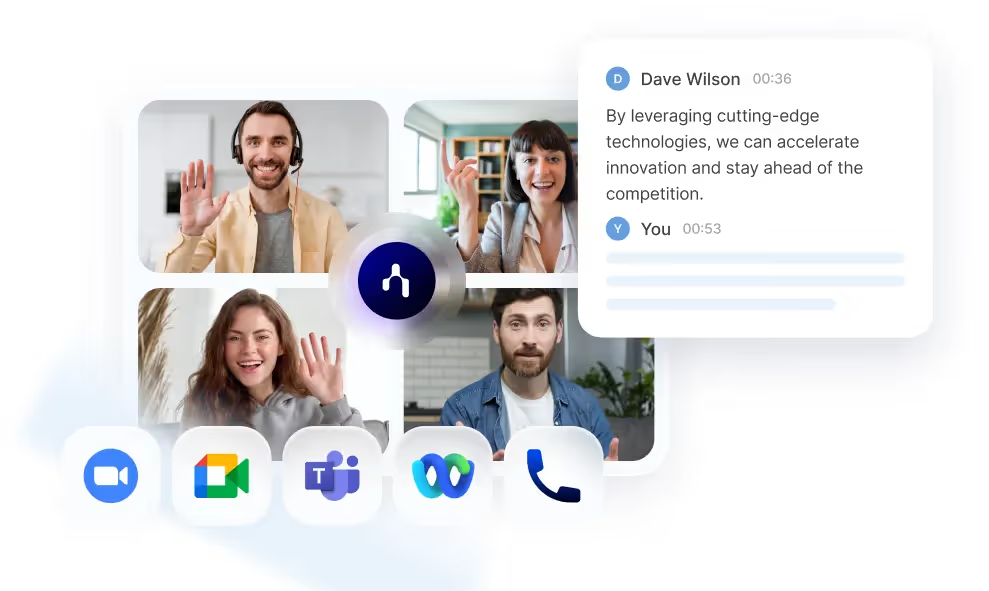
Noota plaatst een slimme bot in elke vergadering en schrijft alles voor je uit. Je ontvangt transcripties, AI-rapporten en taken direct na elk gesprek—ongeacht welke tool je hebt gebruikt. Probeer Noota hier gratis.
Belangrijkste functies
- Bot sluit overal aan – Zoom, Meet, Teams, Webex, telefoon, zelfs fysieke gesprekken; één workflow voor alles.
- Uiterst nauwkeurige transcriptie in 50+ talen ( < 6% WER) met duidelijke sprekerherkenning.
- Directe AI-rapporten vatten besluiten, vervolgstappen en deadlines samen die je direct kunt kopiëren en plakken.
- CRM / ATS-synchronisatie verstuurt notities naar Salesforce, HubSpot, Bullhorn, Notion, Slack en meer.
- Noota-chatfunctie laat je eerdere gesprekken doorzoeken en follow-up e-mails opstellen in ChatGPT-stijl.
- AI-coaching & clipgenerator analyseer de spreektijdverdeling en maak automatisch deelbare videofragmenten.
Voordelen die voor jou tellen
Eén licentie dekt elk type vergadering—video, telefoon, hybride—dus je hebt geen dubbele tools meer nodig.
Dankzij onbeperkte kijkerslinks kunnen hiring managers gratis rapporten inzien, wat licenties bespaart.
Diepe integraties vullen automatisch je CRM of ATS in, waardoor handmatige gegevensinvoer tot nul wordt gereduceerd.
Aandachtspunten
Het gratis abonnement biedt je 300 minuten per maand; actieve recruiters groeien hier snel uit.
De bot verschijnt als deelnemer, dus waarschuw gasten de eerste keer.
Geavanceerde coaching, aangepaste branding en onbeperkt gebruik zijn beschikbaar in de hogere pakketten.
Prijzen in begrijpelijke taal*
- Gratis – €0. Onbeperkt aantal vergaderingen, 300 min/maand, 50+ AI-rapporten, werkruimte voor 3 personen, 10 AI-credits.
- Pro – €19 / gebruiker / maand (jaarlijks). 1.000 min, onbeperkt Ask Noota, werkruimte voor 10 personen, standaard integraties.
- Business – €39 / gebruiker / maand (jaarlijks). Onbeperkt gebruik, aangepaste AI-samenvatting, onbeperkte werkruimtes & integraties.
- Enterprise – Offerte. Voegt SSO, toegewijde ondersteuning en op maat gemaakte integraties toe.
*Maandelijkse facturering stijgt naar €29 Pro / €49 Business.
Ideaal voor
Je voert de hele dag door interviews of verkoopgesprekken op verschillende platforms en hebt behoefte aan één doorzoekbaar geheugen.
Je team wil AI-samenvattingen die direct in de tools verschijnen waar jullie al in werken.
Snelle installatie
- Maak een gratis werkruimte aan op noota.io.
- Koppel je Google- of Outlook-agenda zodat NooBot automatisch deelneemt aan toekomstige vergaderingen.
- Installeer de Chrome-extensie om handmatig te starten of stoppen op elke webpagina.
- Open na het gesprek het dashboard, bekijk het AI-rapport en verstuur het met één klik naar je CRM.
Maak kennis met de auteur
.avif)
Adesh explores how teams can better capture knowledge and collaborate more effectively with AI.
Veelgestelde vragen
Google Meet en Microsoft Teams bieden gratis groepsvideobellen, maar Google Meet beperkt groepsgesprekken tot 60 minuten. Teams biedt langer bellen zonder strikte limiet op persoonlijke accounts.
- Google Meet: 60 minuten groepslimiet op gratis tier
- Microsoft Teams: geen strikte groepslimiet op gratis versie
- Beide platforms bieden HD-video en basisfeatures
Microsoft Teams integreert naadloos met Office 365 en biedt Copilot-samenvattingen, terwijl Google Meet zich richt op eenvoud en AI-vertaling in 40+ talen voor globale teams.
- Teams: Office-integratie, Copilot-recaps, PSTN-bellen
- Meet: Browser-native, één klik toetreden, 18+ talen
- Teams beter voor Office-gebruikers, Meet voor snelle setup
Noota bespaart 6,4 uur per week met automatische transcriptie en AI-samenvattingen, terwijl Google Meet alleen live captions biedt zonder post-call analyse en actie-items.
- Noota: -80% administratie, automatische transcriptie, AI-actiepunten
- Meet: Live captions, geen automatische samenvattingen of follow-up
- Noota's 4,9/5 G2-rating bewijst productiviteitswinst voor 5000+ teams
Noota is ideaal voor documentatie-intensieve teams: automatische transcriptie in 80+ talen, AI-samenvattingen en actie-items besparen 6,4 uur per week administratie.
- Noota: Volledige transcriptie, AI-samenvattingen, actie-tracking
- Google Meet: Alleen live captions, geen automatische documentatie
- Probeer Noota gratis — geen creditcard vereist