Vergelijkingen van AI-notulisten
8 min leestijd
Updated on:
Nov 24, 2025
Fyxer AI-review & alternatieven
Wil je weten of de Fyxer AI-e-mailassistent de moeite waard is? Dit zeggen gebruikers erover.
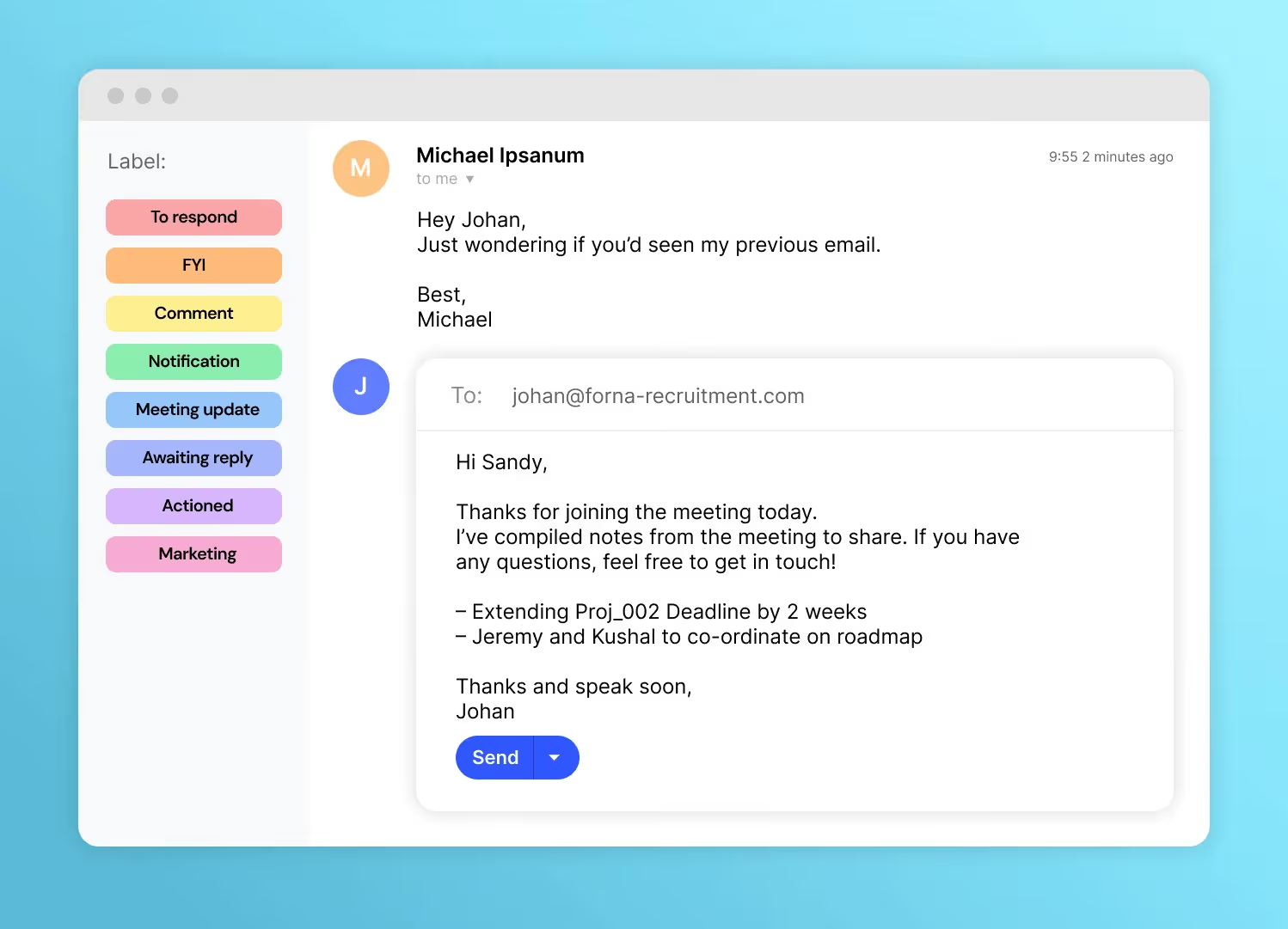
Fyxer AI fungeert als een virtuele executive assistant die je inbox beheert, antwoorden opstelt, deelneemt aan je vergaderingen en heldere notulen uitwerkt.
Maar is Fyxer het echt waard, of zijn er betere tools die beter aansluiten bij mijn manier van werken?
In dit artikel zetten we alles voor je op een rij.
Fyxer AI: functies en prijzen
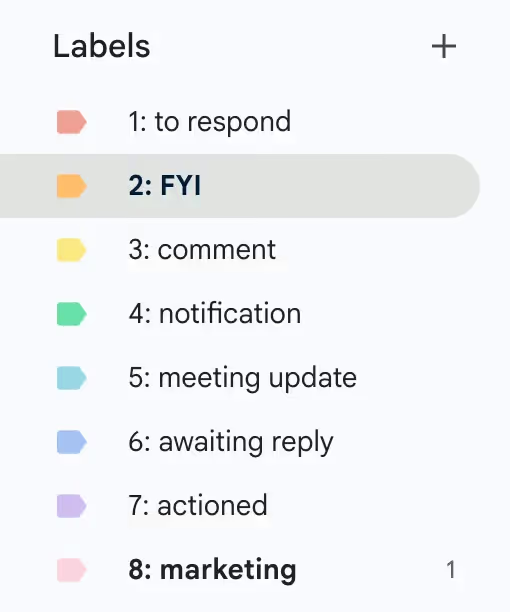
Fyxer AI profileert zich als een "AI executive assistant" die boven op Gmail en Outlook draait. Het biedt:
- Slim inboxbeheer (automatisch sorteren en prioriteren van e-mails).
- Het opstellen van antwoorden in jouw eigen schrijfstijl, zodat je sneller kunt reageren.
- Een notitiebot voor vergaderingen die deelneemt aan je videogesprekken, deze opneemt of transcribeert en concepten voor vervolgacties aanlevert.
- Agendaplanning voor verschillende inboxen en tijdzones (in de uitgebreidere abonnementen).
- Enkele integraties (bijv. HubSpot) en functies voor teams in de professional- en enterprise-abonnementen.
Prijsopbouw
- Starter-abonnement: ~$30/gebruiker/maand (bij jaarlijkse betaling ~$22,50) voor individuen. Inclusief 1 inbox + agenda, concepten in jouw schrijfstijl en notitiebot voor vergaderingen.
- Professional-abonnement: ~$50/gebruiker/maand (bij jaarlijkse betaling ~$37,50). Voor teams: meerdere inboxen/agenda's, notulen, planningsfuncties, CRM-integratie en het uploaden van trainingsmateriaal.
- Enterprise-abonnement: ~$66,67/gebruiker/maand (bij jaarlijkse betaling ~$50) of maatwerkprijzen. Voor 50+ gebruikers; inclusief toegewijde accountmanager, geavanceerde beveiliging, persoonlijke onboarding en SSO/SCIM.
Gebruikerservaringen met Fyxer AI
Hieronder vind je gedetailleerde inzichten uit echte gebruikerservaringen: wat mensen waarderen, waar ze tegenaan lopen en hoe deze punten zich verhouden tot jouw workflow.
✅ Belangrijkste sterke punten volgens gebruikers
- Veel gebruikers geven aan dat Fyxer de tijd die ze in hun inbox doorbrengen aanzienlijk vermindert. Een gebruiker op Trustpilot zei: “De applicatie is een game-changer… Mijn Gmail-inbox staat zo vol met ongewenste e-mail dat ik de belangrijke zaken niet meer zie… Fyxer lost dat in één keer op.”
- De functie voor notulen bij vergaderingen wordt geprezen: in een G2-review schreef een gebruiker dat Fyxer “uitgebreide notities maakt en me een samenvatting stuurt… Mijn team hoeft na elk gesprek niet meer te haasten om alles op te schrijven.”
- Het automatisch opstellen van e-mailantwoorden is een ander hoogtepunt: gebruikers geven aan dat Fyxer hun toon binnen korte tijd leert kennen (“…het schrijft e-mails in mijn eigen stijl en heeft nauwelijks correcties nodig”).
- De onboarding en installatie krijgen positieve feedback: een reviewer merkte op dat “binnen 24 uur prioriteitsberichten werden gemarkeerd, ik herinneringen kreeg voor follow-ups en er suggesties voor vergaderingen werden gedaan op basis van gaten in mijn agenda.”
⚠️ Veelvoorkomende pijnpunten en kritiek
- Een terugkerend punt van kritiek is beperkte integratiemogelijkheden. Sommige reviewers vinden de tool sterk voor e-mail en agenda, maar merken op dat deze niet naadloos aansluit op bredere workflow- of projectmanagementtools. Bijvoorbeeld: “Nog geen mobiele app… beperkte integraties buiten e-mail- en agendatools.”
- Gebruikers noemen zorgen over de prijs-kwaliteitverhouding bij opschaling: Op Reddit schreef een gebruiker: “Ik gebruik Fyxer.ai nu een maand… 2 weekenden waarin de e-mails niet meer werden gecategoriseerd… Ik heb het Pro-abonnement en dit begint belachelijk te worden.”
- Het “autopiloot”-aspect is niet volledig handsfree. Sommige gebruikers geven aan dat ze concepten, labels en samenvattingen nog steeds handmatig moeten controleren om de nauwkeurigheid te garanderen. Een review merkte op: “Het concept wijst meestal een verantwoordelijkheid aan mij toe, waardoor ik het concept moet aanpassen.”
- Sommige critici stellen dat Fyxer “rijk aan functies is, maar nog steeds een laag over bestaande tools”—oftewel: “Fyxer voelt als iemand die ChatGPT boven op Gmail heeft geplakt zonder diepere workflow-architectuur.”
Beste alternatieven voor Fyxer AI
Hoewel Fyxer AI slimme automatisering biedt voor e-mail, inboxbeheer en notulen, kun je tegen de volgende pijnpunten aanlopen:
- Smalle focus en beperkte integraties: Fyxer is sterk voor individuele leidinggevenden die hun inbox en agenda beheren, maar veel gebruikers melden dat het ontbreekt aan diepere teamworkflows of brede integraties.
- Prijs-kwaliteitverhouding bij opschalingNaarmate je team of je content- of adviesbureau groeit, kunnen de kosten per gebruiker en de beperkingen in functionaliteit (zoals gedeelde inboxen en workflows voor assets) het minder aantrekkelijk maken.
Dit zijn betere alternatieven:
Alternatief A: Noota

Noota is een platform voor meeting-intelligence, ontworpen om vergaderingen via Zoom, Google Meet of Teams vast te leggen, te transcriberen, samen te vatten en om te zetten in actiepunten.
Belangrijkste functies:
- Realtime transcriptie en sprekerherkenning.
- Gestructureerde samenvattingen met besluiten, actiepunten en vervolgstappen.
- Doorzoekbaar archief van eerdere notulen en inzichten.
- Integraties met productiviteitstools (Slack, Google Drive, projectmanagement).
Waarom het bij je past: Voor wie contentcreatie of adviesdiensten aanbiedt, zit de waarde in het omzetten van gesprekken naar resultaten: contentbriefings, follow-ups voor klanten en projectomschrijvingen. Noota ondersteunt dit directer dan een pure e-mailassistent.
Prijzen: Noota biedt verschillende prijsniveaus (inclusief gratis of instapplannen) die gebaseerd zijn op transcriptieminuten, teamlicenties en integraties, waardoor het beter schaalbaar is naarmate je meer vergadert.
Probeer Noota nu gratis
Alternatief B: Andere sterke opties
Hoewel Noota een uitstekende keuze is, is het goed om ook andere serieuze alternatieven te kennen:
- Gmelius: Gericht op workflows voor team-inboxen, gedeelde inboxen en automatiseringsregels die verder gaan dan individuele assistenten.
- InboxPilot / Auto Gmail: Voordeligere AI-e-mailassistenten voor wie voornamelijk Gmail gebruikt en op zoek is naar lichtere automatisering.
- Superhuman Mail: razendsnelle e-mailclient met AI-functies — ideaal voor wie zich volledig wil focussen op een efficiënte inbox.
Maak kennis met de auteur

Veelgestelde vragen
Fyxer AI sorteert automatisch e-mails, prioriteert belangrijke berichten en stelt antwoorden voor in jouw schrijfstijl.
- Intelligente inbox-triage voor betere organisatie
- Automatische antwoordvoorstellen in jouw toon
- Herinnering voor vervolgacties en prioriteiten
Fyxer heeft beperkte integraties buiten e-mail, geen mobiele app en vereist handmatige controle van concepten.
- Geen naadloze verbinding met projectmanagement-tools
- Gebruikers melden storingen in e-mailcategorisering
- Hoge kosten bij schaling naar teams
Noota bespaart 6,4 uur/week, reduceert admin met 80% en werkt in 80+ talen met 4,9/5 G2-rating van 5000+ teams.
- Automatische transcriptie en samenvattingen in je taal
- Naadloze integratie met je volledige workflow
- Bewezen resultaten: 5000+ teams vertrouwen Noota
Noota is ideaal: het bespaard 6,4 uur/week en reduceert administratie met 80% voor executives met volle agenda's.
- Automatische meeting-notes en vervolgacties
- Werkt in 80+ talen voor globale teams
- Probeer Noota gratis — geen creditcard vereist