AI Note Taker Comparisons
8 min reading
Updated on:
Apr 22, 2025
Best Call Monitors Software by Features & Pricing
You want to know what are the best call monitoring tools ? Here's your top.
When your team is juggling dozens of calls a day, it’s easy to lose track of what was said, what went well, and what needs work.
That’s where call monitoring tools come in.
In this article, you'll find the best call monitoring tools for managers.
1. Noota: Click, Talk, Capture!
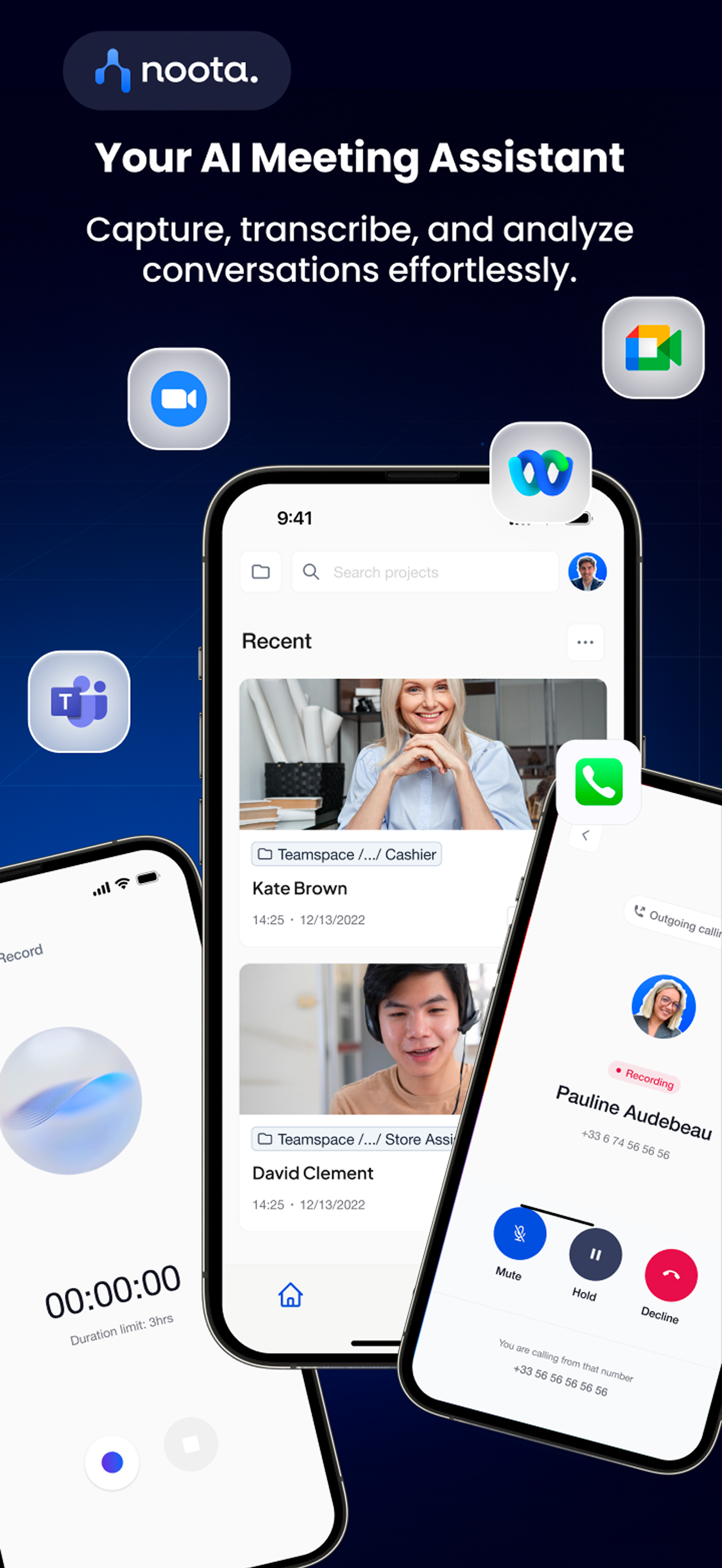
Noota is an AI-powered meeting assistant that helps you stay focused during calls. It records, transcribes, and summarizes every conversation—so you never miss a detail.
Main Features
- Record Every Call
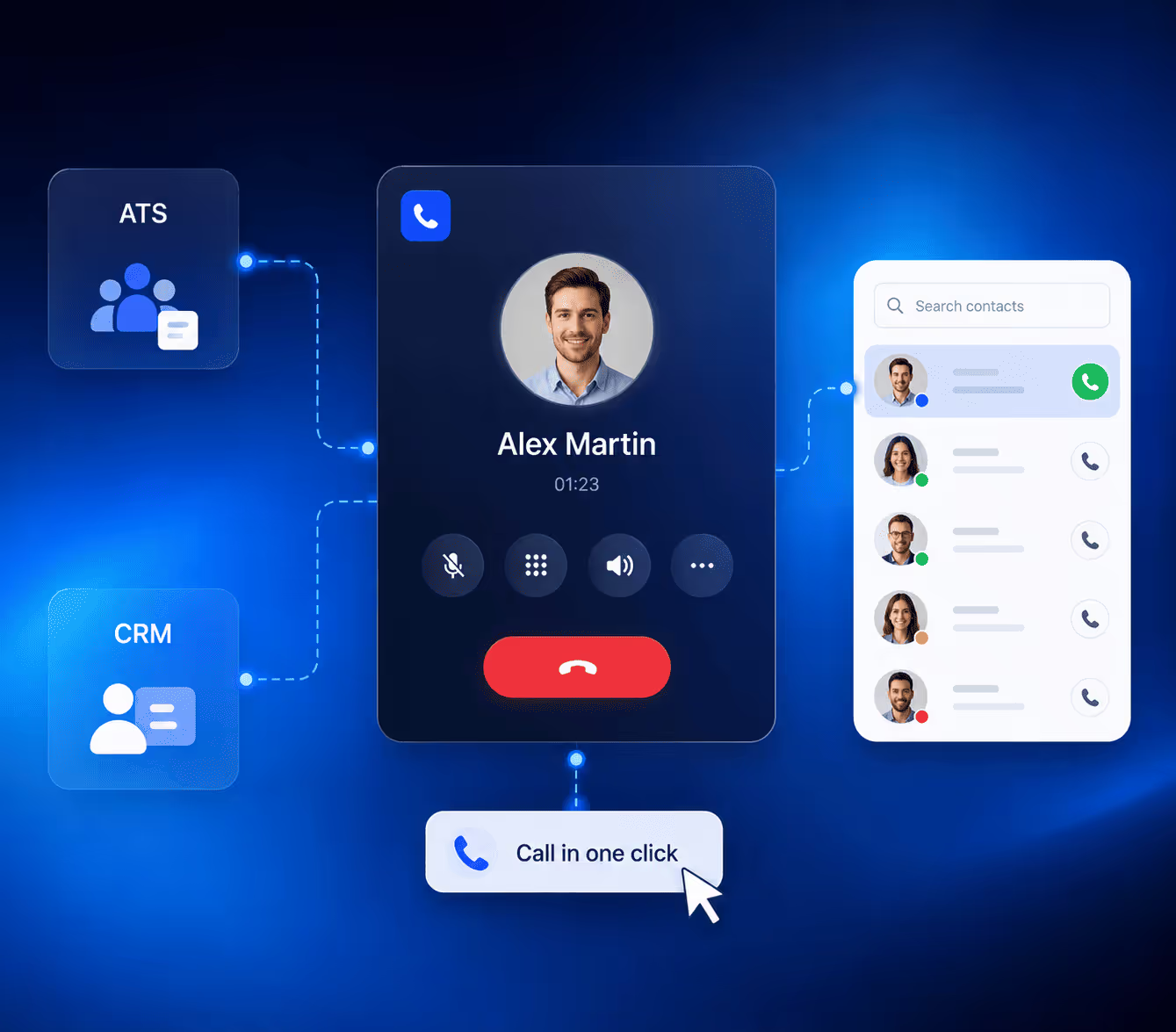
Make calls directly from your browser or mobile app. Noota records and transcribes everything in real time. - One-Click Dialing
See a number online? Just click it. Noota detects phone numbers on any web page and lets you call in one click. - Instant Summaries
After every call, get a clean summary with insights, action items, and highlights. No need to write anything down. - Smart Number Detection
Whether it’s on LinkedIn or your CRM, Noota spots contact details and helps you connect in seconds. - Auto CRM Updates
The moment your call ends, Noota updates your CRM or ATS with notes and key points. It saves you time and keeps your records accurate. - Multi-Tool Integration
Noota connects with tools like HubSpot, Salesforce, Notion, and more. It fits right into your workflow. - AI-Powered Search
You can search your past calls by keyword, speaker, or topic. It’s fast and incredibly useful for follow-ups.
Pros
- Very accurate transcriptions with less than 1% error rate
- Easy to use—even for first-timers
- Real-time coaching and sentiment tracking during live calls
- Customizable summary formats for different types of meetings
- Works for both calls and video meetings (Zoom, Meet, Teams)
- Great for recruiters, sales teams, and customer success
Cons
- Some advanced features take time to master
- Mobile app is still improving
- Real-time support not available 24/7
Pricing
- Starter: Free, includes basic recording and transcription
- Pro: €15/month, adds summaries, CRM integration, and unlimited transcripts
- Team: Custom pricing, includes team dashboards, analytics, and priority support
You can try Noota for free. No credit card needed.
Want to see it in action? Book a demo.
2. Talkdesk: Enterprise-Level Call Monitoring

Talkdesk is a cloud-based contact center solution built for teams that need advanced control. It’s ideal if you manage a large recruiting or sales operation and want to track every call at scale.
Main Features
- Live Call Monitoring
Listen to live calls in real time. You can whisper tips to agents without the caller hearing. - Call Recording and Playback
Every call is recorded and stored securely. You can replay any conversation to coach, review, or audit. - Custom Scorecards
Create call evaluation forms to score your team’s performance and maintain high quality. - Automated Workflows
Set up triggers to automate tasks post-call—like logging notes or alerting managers to low ratings. - AI-Powered Insights
Talkdesk uses AI to detect trends in conversations. It highlights common questions, objections, or issues. - CRM and App Integrations
Connects with Salesforce, Zendesk, Microsoft Teams, and over 60 more tools. - Role-Based Access
You can limit access to recordings or features based on roles. It keeps your data secure and your team focused.
Pros
- Real-time monitoring helps improve agent performance fast
- Strong call quality and reliable uptime
- Deep reporting with customizable dashboards
- Useful for large, distributed teams
- Works across phone, email, chat, and social channels
Cons
- More suited for large teams than small startups
- Setup can be complex if you don’t have IT support
- Pricing isn't transparent—you need to talk to sales
- Some features hidden behind higher-tier plans
Pricing
- CX Cloud Essentials: Starts around $75/user/month
- CX Cloud Elevate & Elite: Custom pricing for advanced AI tools, more integrations, and analytics
- Enterprise Add-ons: Available for workforce management, security, and compliance
You’ll need to request a quote for exact pricing.
They offer guided demos if you want to see the platform in action.
3. CloudTalk: Smart Calling for Modern Teams

CloudTalk is a user-friendly call center solution made for sales and support teams. It gives you full control over your calling process, with powerful features that improve team efficiency.
Main Features
- Call Recording
Automatically record all inbound and outbound calls. Use them for training, reviews, or quality control. - Interactive Voice Response (IVR)
Build custom call menus to route calls to the right person, fast. - Smart Dialer
Upload contact lists and let CloudTalk dial numbers automatically. No more manual dialing. - Call Queuing
When lines are busy, incoming calls are placed in a queue. Callers stay informed and wait time is reduced. - Call Routing and Transfer
Route calls based on business hours, agent availability, or skill level. Transfer calls with a single click. - Real-Time Dashboard
Track agent performance, call volume, and response times on a live dashboard. - CRM Integrations
Easily integrates with Pipedrive, HubSpot, Salesforce, and more. Keep everything in sync.
Pros
- Very easy to set up—no IT team required
- Clean interface, great for remote teams
- Smart Dialer helps boost outbound calling productivity
- Excellent customer support with fast response times
- Call quality is consistently strong
Cons
- IVR customization could be more flexible
- Mobile app lacks some features available on desktop
- Analytics tools are less advanced than enterprise platforms
- Some integrations only available in higher plans
Pricing
- Starter: $25/user/month, includes basic calling, IVR, and integrations
- Essential: $30/user/month, adds real-time dashboard and more routing options
- Expert: $50/user/month, includes call monitoring, analytics, and reporting tools
- Custom: For large teams with tailored needs
14-day free trial available—no credit card required.
4. Aircall: Call Smarter, Sell Faster

Aircall is a cloud-based phone system made for modern teams. It’s a go-to choice for sales and support teams that rely on fast, reliable, and integrated calling.
Main Features
- Click-to-Dial
Call any number from your CRM, helpdesk, or browser. Save time and avoid manual dialing. - Shared Call Inbox
Your team can see missed calls, voicemails, and follow-ups in one place. Nothing slips through the cracks. - Call Tagging and Comments
Add context to every call with tags and notes. Great for collaboration between recruiters or account managers. - Live Call Monitoring
Managers can listen in, whisper coaching tips, or take over calls when needed. - Real-Time Analytics
Track call volume, response times, and team performance from one dashboard. - CRM and Tool Integrations
Works smoothly with Salesforce, HubSpot, Zoho, Slack, and 100+ other apps. - Number Management
Get international numbers or port your own. Assign lines to users in seconds.
Pros
- Super quick to set up—be ready in under a day
- Intuitive interface that your team will love using
- Strong collaboration features for remote or hybrid teams
- Works on desktop and mobile, with synced history
- Excellent integration library for recruiting and sales stacks
Cons
- Lacks advanced AI or transcription features
- Basic plan doesn’t include live monitoring
- Limited customization on analytics dashboards
- Call recording only available in higher-tier plans
Pricing
- Essentials: $30/user/month—basic calling, shared inbox, and integrations
- Professional: $50/user/month—adds call monitoring, analytics, and CRM syncing
- Custom: Tailored pricing for large teams or unique workflows
All plans come with unlimited inbound calls and call queuing.
Aircall offers a 7-day free trial. No setup fees, no hidden costs.
5. CallHippo: Flexible Calling for Growing Teams

CallHippo is a cloud-based VoIP system designed for startups and mid-sized teams. It helps you manage calls, monitor performance, and scale your outreach without heavy infrastructure.
Main Features
- Call Recording
Record inbound and outbound calls automatically. Use them for training, compliance, or quality checks. - Call Monitoring
Listen to live calls, whisper coaching tips, or barge in when needed. Great for onboarding new team members. - Smart Call Routing
Route calls based on time zones, agent availability, or skill level. Ensure every caller reaches the right person. - Power Dialer
Upload a list of numbers and let CallHippo dial them automatically. Boosts outbound calling efficiency. - Analytics Dashboard
Track call volume, duration, and agent performance. Identify trends and areas for improvement. - CRM Integrations
Connects with tools like HubSpot, Zoho, Salesforce, and more. Keep your data synchronized across platforms. - Virtual Phone Numbers
Get local or toll-free numbers in over 50 countries. Expand your global presence effortlessly.
Pros
- Quick setup—start making calls in minutes
- User-friendly interface suitable for non-technical teams
- Affordable pricing plans for small to medium businesses
- Comprehensive call monitoring features
- Scalable as your team grows
Cons
- Advanced analytics may require higher-tier plans
- Occasional call quality issues in regions with poor internet connectivity
- Limited customization options for call flows
- Customer support response times can vary
Pricing
- Bronze Plan: $16/user/month—basic features including call recording and analytics
- Silver Plan: $24/user/month—adds call monitoring, smart call routing, and integrations
- Platinum Plan: $40/user/month—includes power dialer, advanced analytics, and priority support
- Enterprise Plan: Custom pricing for large teams with specific needs
CallHippo offers a 10-day free trial with no credit card required.
Meet the Writer

Jean-marc is an AI expert helping recruiters & professionnals leverage these tools in the everyday.
FAQ
Call monitoring software records, transcribes, and analyzes conversations to help managers track performance and coaching opportunities.
- Captures every detail without manual note-taking during calls
- Identifies trends, objections, and coaching opportunities automatically
- Integrates with CRM tools to keep records accurate and updated
Real-time transcription lets managers coach agents live, review conversations instantly, and identify improvement areas without memory gaps.
- Enables live whisper coaching without caller awareness
- Provides instant summaries with action items and key highlights
- Reduces admin time by 80% compared to manual note-taking
Noota wins for ease-of-use and affordability with 99%+ transcription accuracy, while Talkdesk suits large enterprise contact centers needing advanced controls.
- Noota: €15/month, one-click dialing, AI summaries, 5000+ teams trust it
- Talkdesk: Enterprise pricing, live monitoring, custom scorecards for scale
- Noota's 4.9/5 G2 rating reflects superior user experience and accessibility
Noota is ideal for sales and recruiting teams—it saves 6.4 hours weekly per user with AI-powered summaries and one-click CRM updates.
- Auto-detects contact numbers on LinkedIn and CRM platforms instantly
- Summarizes calls with action items, eliminating manual follow-up notes
- Supports 80+ languages for global teams and diverse candidate pools
Try Noota free — no credit card needed.