AI Note Taker Comparisons
8 min reading
Updated on:
Feb 11, 2026
Ribbon Review & Alternatives
You want to know if Ribbon is worth it and good substitutes ? Here's your guide.
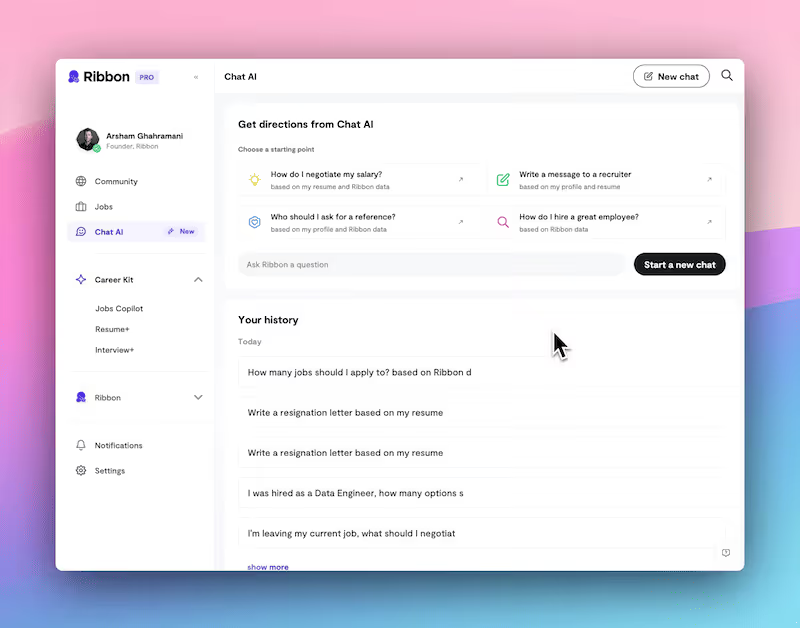
Ribbon get so much attention by promising faster screening and interview time.
But Ribbon isn’t the only option.
In this article, you’ll get a clear, practical review of Ribbon + the best alternatives.
Ribbon features & pricing
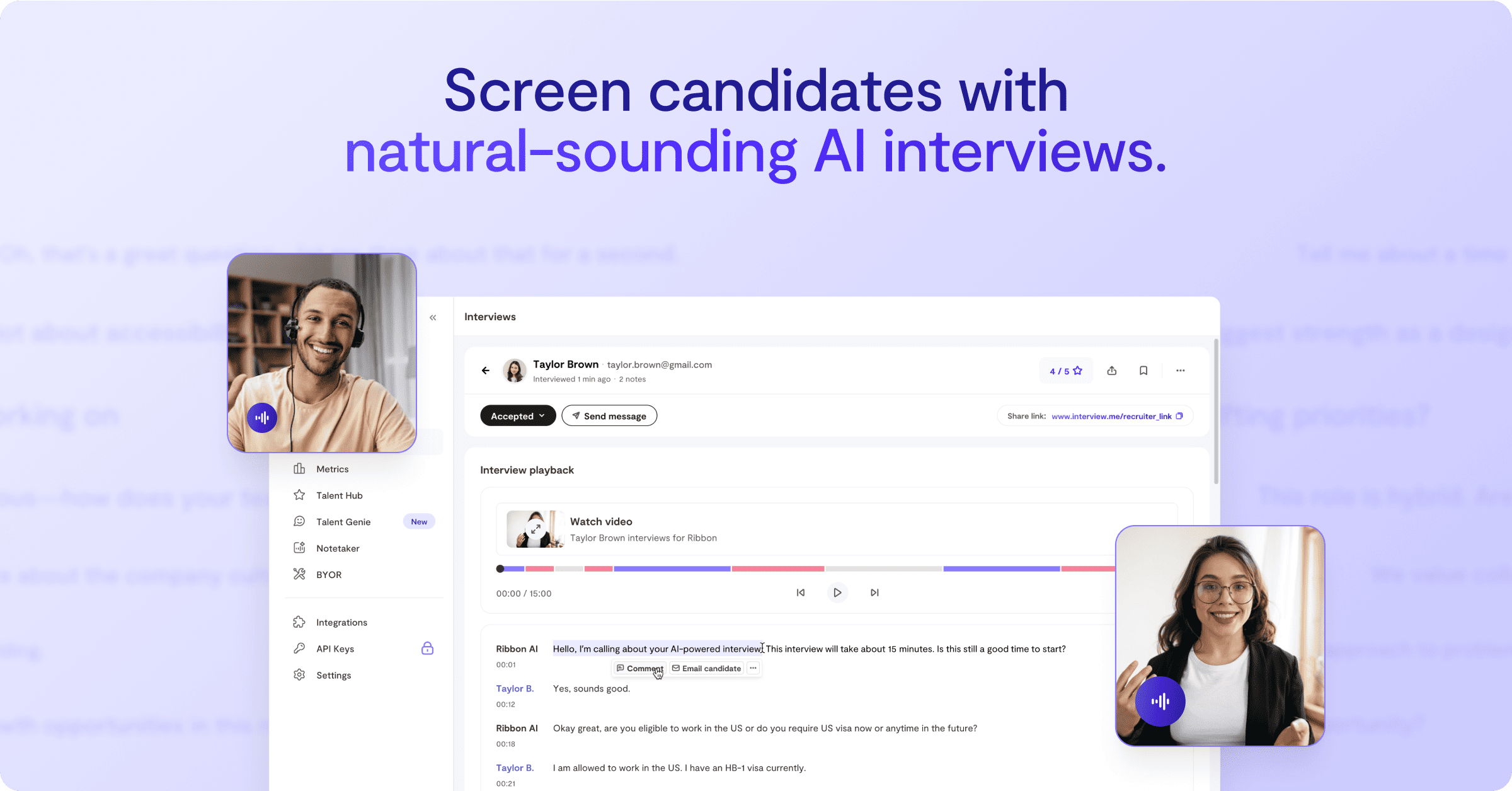
At its core, Ribbon is an AI-powered interviewing and screening platform. Instead of having your recruiters spend hours on first-round phone screens, Ribbon uses conversational voice AI to interview candidates 24/7, in multiple languages, and on demand. It asks preconfigured questions, captures responses, and generates structured insights you can use to compare talent quickly.
Here’s what the platform helps you automate:
- AI-driven voice and video interviews that feel natural and human-like.
- Instant interview summaries and transcripts so reviewers don’t have to sift through recordings manually.
- Candidate scoring and analytics based on your evaluation criteria.
- Seamless integration with applicant tracking systems (ATS) such as Workable and Factorial, where interview outcomes sync back to candidate records.
- Multilingual support (7+ languages) so you can hire globally without scheduling hassles.
Ribbon also offers personalized candidate outreach and response tracking, letting you view threads and jump into conversations only when needed — a real time-saver for busy teams.
Ribbon’s pricing is tiered to suit different team sizes and usage levels:
Starter — $199/month
- For independent recruiters
- 1 interview flow
- 50 included interviews
- Advanced analysis and scoring
Growth — $499/month
- 3 interview flows
- 250 included interviews
- Video interview support
- 4 seats included
Business — $999/month
- 10 interview flows
- 750 included interviews
- 8 seats
- ATS integration and early access to features
Enterprise — Custom pricing
- Unlimited interviews and seats
- Dedicated support and custom options
All plans typically include a trial period to test the platform before full commitment.
Ribbon reviews
🗣 What recruiters like about Ribbon
Many teams that adopt Ribbon highlight its ability to save recruiter time and accelerate early screening.
Typical positive feedback themes include:
- Reduced screening workload: Recruiters note that having Ribbon’s AI interviewer run first-round conversations lets them focus only on qualified candidates instead of manually scheduling and conducting repetitive calls.
- 24/7 candidate access: Because Ribbon’s voice and video interviews can be completed anytime, candidates complete screenings even outside regular business hours — which boosts participation rates and helps recruiters keep momentum.
- Structured outcomes: Ribbon returns summaries, transcripts, and scored insights to your ATS, giving reviewers consistent data rather than unstructured notes. This can help teams make faster decisions.
- Candidate experience appears decent: User-generated stories suggest that some candidates find the AI interview calm, responsive, and surprisingly “human-like.” A LinkedIn user described the experience as natural and well-paced, though they wondered how much nuance it could capture beyond verbal content.
⚠️ Areas where Ribbon gets mixed feedback
Not all feedback is uniformly positive, and candidates as well as recruiters have raised a few points worth weighing before you commit:
- Experience can feel rigid: In comparisons with some competitors like HelloMilo, reviewers mention that Ribbon’s interview interactions can feel more “guided and structured” than deeply conversational or adaptive, which may affect candidate engagement for some roles.
- Customization depth: Some teams find that you can customize question flows and scoring, but not as flexibly as other tools that let you build complex branching logic or role-specific evaluation rubrics.
- Candidate perception: From a candidate’s perspective, AI interviews can feel unfamiliar or stressful if they’re not prepared — which may impact quality of responses. While this isn’t unique to Ribbon, it’s a nuance often mentioned in community discussions about AI screening tools.
Best Ribbon alternatives
AI recruiting has matured quickly, and 2026 brings a wide range of platforms Below, you’ll find the best alternatives to Ribbon
🚀 Noota Talent — next-gen recruiting automation with voice agents
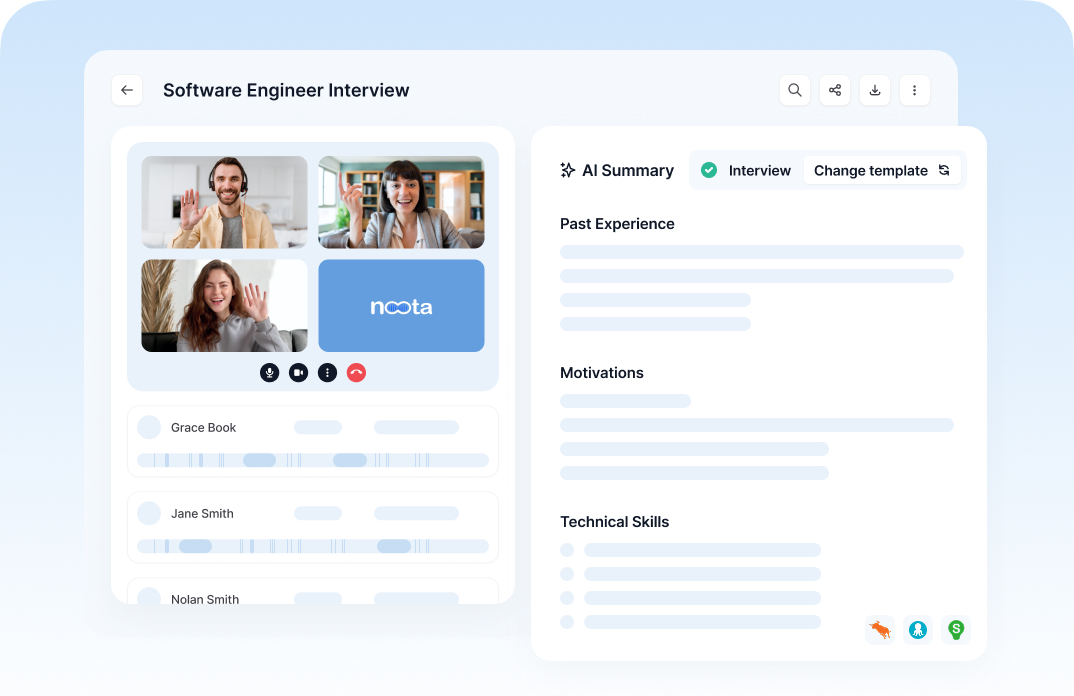
Unlike point solutions that focus mainly on early interviews, Noota Talent is designed as a full recruitment automation platform that helps you go from need to interview faster. You can write or speak your hiring need in plain language and let the system:
- Generate a structured job description and scorecard
- Search for relevant candidates
- Attach profiles to roles in your ATS
- Deploy AI voice agents to call and pre-qualify candidates
- Generate transcripts, summaries, and candidate scoring
What makes Noota stand out as a Ribbon alternative is that it doesn’t stop at early screening — it captures interview intelligence and ties insights back into your ATS, helping you compare candidates objectively and make better hiring decisions. (internal knowledge)
Choose this if: you want a broader automated workflow that goes far beyond point-in-time interview automation.
TRY NOOTA FOR FREE HERE
🤖 HeyMilo — structured interviews + deep rubrics
Best for: teams that need flexible, role-tailored interviewing and evaluation logic.
HeyMilo is one of the platforms highlighted as an AI recruitment platform with structured interviewing at its core — complete with interview rubrics, cheat detection, and deep evaluation templates. It covers not just screening, but conversational AI interviewing with a focus on consistent scoring and fairness.
Where Ribbon is strong with voice-first interviews, HeyMilo aims for deeper evaluation structures and integration into hiring workflows that require more custom scoring and logic.
Choose this if: your team needs tailor-made interview flows across roles and wants structured scorecards that match internal criteria.
🤝 Paradox (Olivia) — conversational AI recruiting at scale
Best for: teams focused on candidate engagement, scheduling, and initial screening through conversational chat.
Paradox’s AI assistant (“Olivia”) uses natural language to engage candidates via SMS or chat, handle early questions, and schedule interviewing automatically without recruiter intervention. It’s ideal if your team wants to automate the front end of candidate interaction — from interest to booking interviews — and handle high-volume or hourly roles effectively.
Choose this if: your bottleneck is candidate engagement and scheduling, especially for large or hourly hiring.
📹 HireVue — video-centric assessment & interviewing
Best for: enterprise teams or compliance-focused hiring.
HireVue is one of the established leaders in AI interview and assessment platforms. It supports structured evaluations, on-demand video interviews, and candidate assessments including game-based and skills scenarios — and is often used where standardized, fair evaluation and reporting are critical.
Where Ribbon focuses on voice conversations and early screening, HireVue goes further into skills assessment and structured evaluation with enterprise-grade analytics.
Choose this if: you need rigorous, compliant evaluation processes with strong reporting and candidate fairness features.
🧪 TestGorilla & assessment-focused alternatives
Best for: teams that want skills testing + interview screening combined.
While Ribbon automates conversation-based screening, tools like TestGorilla focus on pre-employment assessments — from cognitive tests to domain-specific evaluations — that go beyond conversational feedback, giving you structured, score-based insights.
Choose this if: you need objective performance data alongside interview insights — especially for technical, analytical, or specialized roles.
Ribbon FAQ
1. What exactly is Ribbon Recruit AI?
Ribbon Recruit AI gives you an AI-powered interviewer that can screen candidates 24/7 with natural voice conversations.
It’s designed to automate early-stage screening interviews so your recruiters can focus on deeper evaluation with human candidates.
Every session ends with a summary you can review, speeding up decision-making.
2. What kinds of interviews does Ribbon support?
Ribbon focuses on initial phone or voice interviews that assess core qualifications and fit before human teams get involved.
Candidates can take these interviews at their convenience — which increases participation compared to traditional scheduled screens.
3. Does Ribbon integrate with my ATS?
Yes — Ribbon supports 45+ ATS integrations and continues expanding its ecosystem.
This means transcripts, summaries, and screening outcomes can flow back into your recruitment pipeline instead of living in a separate tool.
If you don’t see your ATS listed, Ribbon’s support team can help you evaluate integration options.
4. Can my hiring team collaborate inside Ribbon?
Absolutely. You can invite teammates to:
- share and standardize interview flows
- review summaries together
- manage pipeline stages without juggling email threads or separate platforms
Ribbon’s collaborative features are designed to keep your team aligned on candidate decisions.
5. How many languages does Ribbon support?
Ribbon’s AI voice interviews work in 10 languages, including English, French, Spanish, Chinese, Korean, and more — great if you hire globally.
Multilingual support helps ensure candidates can express themselves comfortably, which increases the quality of screening responses.
6. Are Ribbon interviews fair and unbiased?
Ribbon has passed compliance audits for fairness and bias, meaning its interview engine delivers a consistent, structured screening experience across all candidates.
While no AI system is perfect, this compliance gives you a foundation for consistent evaluation without introducing arbitrary bias from human interviewers.
7. Do candidates like AI interviews?
Many candidates appreciate the flexibility of AI interviews because they can complete them anytime, anywhere.
Ribbon tracks high satisfaction scores — often with majority positive feedback on convenience and clarity.
That said, employer branding and experience still matter: clear instructions and communication help candidates perform their best.
8. Is there a trial or way to test Ribbon before you commit?
Yes — Ribbon offers a free trial or demo experience that lets you walk through an example interview flow without signing up.
This hands-on look gives you a feel for timing, candidate experience, and output quality before you choose a plan.
9. How does Ribbon prevent candidates from “gaming” the AI?
Ribbon includes cheat detection features that flag unusual activity (like pauses or off-screen assistance) in interviews.
These safeguards help ensure the responses you assess are authentic and meaningful.
10. Do AI interview tools replace human judgment?
No — tools like Ribbon are meant to support recruiters, not replace them.
Automated interviews can handle volume and consistency early on, but human interviewers remain essential for nuance, culture fit, and final evaluation.
ATS integration and data flow help make that handoff seamless.
11. What pricing models does Ribbon use?
Ribbon offers flexible pricing, including usage-based plans where you pay per completed screening.
For example, a Pro plan may charge a few dollars per screened candidate, which can be cost-effective if you’re screening large volumes.
You can also talk to Ribbon sales for custom enterprise pricing if you have high interview volumes or additional needs.
12. What’s the biggest limitation of Ribbon?
Ribbon excels as a voice-first screening tool, but its focus on phone interviews means it may not cover deeper evaluation formats like rich video, skills assessments, or structured assessments that some teams require.
Many organizations pair tools like Ribbon with other assessment platforms for a full hiring pipeline.
Meet the Writer

FAQ
Ribbon uses conversational voice and video AI to conduct 24/7 interviews with preconfigured questions, capturing responses and generating structured insights for candidate comparison.
- Automates first-round phone screens without recruiter involvement
- Supports 7+ languages for global hiring without scheduling
- Returns instant summaries, transcripts, and candidate scores
While Ribbon excels at automation, it focuses narrowly on initial screening and lacks comprehensive interview management and note-taking capabilities that modern recruiters need.
- Limited to voice/video interviews without broader hiring workflow support
- Higher pricing starts at $199/month for basic features
- Doesn't capture nuanced recruiter insights during conversations
Noota outperforms Ribbon by automating entire interview processes—not just screening—with AI-generated summaries, transcripts, and action items. Teams save 6.4 hours weekly with 80% less admin work, rated 4.9/5 on G2 by 5000+ teams.
- Records and transcribes all interviews automatically in 80+ languages
- Generates structured notes without manual effort or templates
- Integrates seamlessly with your existing ATS and hiring tools
Noota is the ideal choice for teams prioritizing efficiency across the entire hiring process, not just initial screening. Save 6.4 hours weekly per recruiter while improving consistency and candidate experience.
- Automates note-taking, summaries, and follow-up tasks instantly
- Works with any interview format—phone, video, panel, or in-person
- Trusted by 5000+ teams globally with 4.9/5 rating