Meeting Management
8 min reading
Updated on:
Apr 8, 2025
This Meeting Could Have Been an Email : The Truth About the Meme
You want to know what this meeting could have been an email mean for the workplace ? Here's your guide.

You’re sitting in yet another meeting. And the phrase pops into your head: This meeting could have been an email.
What started as a meme is now a rallying cry for professionals who are tired of wasted time and calendar overload.
In this article, we’ll break it down when the meme is valid, and when meetings can’t be replaced.
The Meaning of the Meme “This Meeting Could Have Been an Email”

You’ve probably seen the meme. A frustrated employee sits through a long meeting, eyes glazed over, silently thinking: this could have been an email.
This meme has become a shorthand for workplace inefficiency. It’s used when a meeting feels unnecessary, too long, or painfully one-sided. And it’s not just a joke anymore. It reflects a real problem in how teams communicate.
The meme grew popular as remote work surged. With more meetings than ever on the calendar, people began to question how many of them were truly needed. Spoiler: not many.
At its core, this meme is a reaction to time-wasting. Meetings with no agenda. Updates that don’t need discussion. Sessions where everyone’s thinking, Why are we even here?
Cases Where the Meme Is Legitimate

Some meetings truly could have been an email. And when that happens, people feel it right away—bored faces, multitasking attendees, and no clear reason to be there.
Here are the most common situations where the meme applies—and skipping the meeting would save everyone time.
1. There’s No Agenda
If you’re invited to a meeting without an agenda, that’s a red flag.
Without a clear plan, conversations drift, time gets wasted, and people leave wondering what the point was. A well-written email with bullet points and key updates would have worked better—and taken less time.
2. It’s Just One-Way Information
If no discussion or input is expected, there’s no need to block off everyone’s calendar.
For example, if you’re sharing a new company policy or a quarterly update that doesn’t require feedback, send it in writing. People can read it on their own schedule—and refer back to it when needed.
3. It’s a Routine Status Update
Weekly syncs, progress reports, or check-ins can often be replaced with a shared doc or email.
Unless something major needs to be discussed, most of these meetings are just verbal versions of things that could’ve been typed out and shared. Use async tools instead, and save meeting time for actual collaboration.
4. You Just Need to Share Results
Finished a report? Wrapped up a project? Closed a sale? Congrats! But if your goal is just to announce it, you don’t need a live meeting.
Send a summary via email or Slack. Add graphs, bullet points, or links for context. Let people review it when they’re ready—no need to gather everyone to hear you say what they could easily read.
5. Only One Person Is Talking
If one person is doing 95% of the talking and everyone else is just listening, you’ve probably drifted into “email territory.” Meetings should involve interaction. If they don’t, they’re better handled asynchronously.
Cases Where It’s Less Legitimate
Not every meeting deserves the meme. In fact, some meetings are essential—and trying to replace them with an email can actually create more confusion, not less.
Here are the times when a meeting isn’t just legitimate—it’s the best option.
1. Complex Discussions Need Real-Time Input
If the topic is layered, unclear, or has multiple possible outcomes, it’s better discussed live.
Think product strategy, cross-functional planning, or prioritization decisions. These conversations need nuance, questions, and back-and-forth. Email chains can drag on for days and still not reach a decision. A 30-minute meeting can solve it in real time.
2. You’re Brainstorming Ideas
Creativity doesn’t always thrive in silence.
When you need to generate ideas, bounce suggestions, or explore new directions, meetings can be energizing. People think differently together. You’ll get fresh input, challenge assumptions, and often land on better solutions than you would solo.
An email with “Any ideas?” won’t spark the same momentum.
3. The Topic Is Sensitive
Delivering tough news, giving feedback, or resolving team tension—these aren’t email moments.
Tone matters. So does being able to respond to emotions, clarify misunderstandings, and show empathy. These situations need human connection. A real-time conversation builds trust in a way no typed message can.
4. Team Building and Culture
Sometimes, the goal isn’t just information—it’s connection.
Quick check-ins, end-of-week wrap-ups, or informal all-hands help teams feel human. They build rapport, surface blockers, and keep people aligned. Especially in remote teams, these moments create the social glue that emails can’t replace.
5. You’re Aligning on Action
If several people are involved in the next step of a project, a live meeting ensures everyone leaves on the same page.
It cuts down on back-and-forth, avoids misinterpretations, and accelerates progress. You can clarify expectations, assign responsibilities, and make sure nothing falls through the cracks.
Make the Most of Your Meetings with Noota
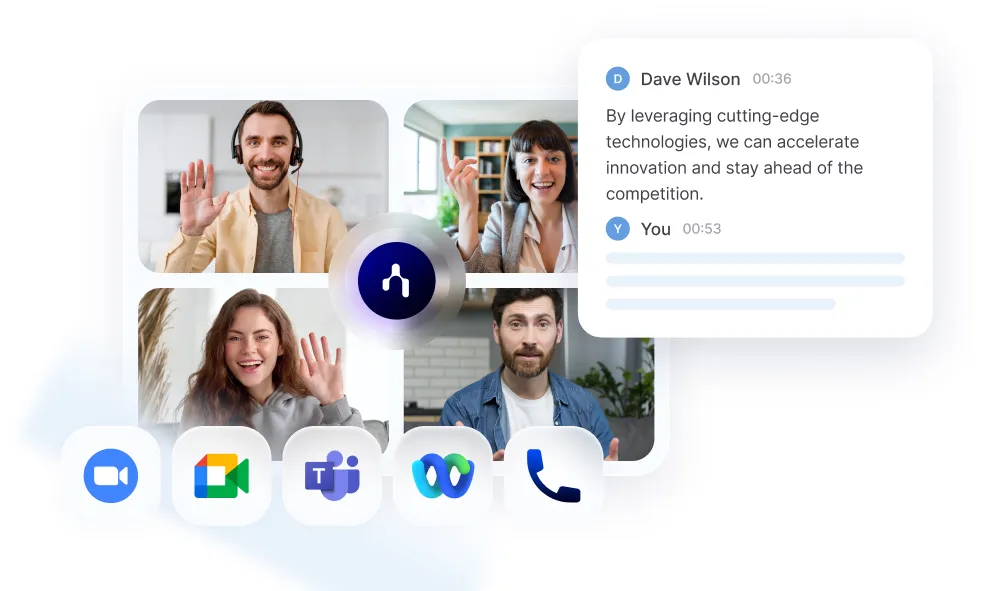
Some meetings are necessary. But even the best meetings fall flat if nothing gets captured, remembered, or followed up. That’s where Noota comes in :
- Automated Note-Taking and Action Item Capture : Forget typing during the call. Noota records and transcribes your meeting in real time—accurately and automatically. As people speak, Noota captures the key points and pulls out action items, decisions, and tasks. No more guessing what was agreed or who owns what. Everyone leaves the meeting with the same understanding.
- Instant Summaries for Clarity and Accountability : One of the biggest complaints about meetings? No one remembers what was said—or follows through. With Noota, that problem disappears. As soon as your meeting ends, it delivers a clean, structured summary.
- Custom Templates for Every Type of Meeting : Not all meetings are the same—and your notes shouldn’t be either. With Noota, you can apply different templates based on the purpose of your meeting.
- Seamless Integration with Your Tools : The meeting shouldn’t be the end of the workflow. With Noota, it’s just the beginning. Noota integrates with tools like Slack, Notion, OneNote, Salesforce, and HubSpot.
You want to get the most output of your meetings ? Try Noota for free now.
Meet the Writer
.avif)
Adesh explores how teams can better capture knowledge and collaborate more effectively with AI.
FAQ
A meeting should be an email if it lacks an agenda, involves one-way information sharing, is a routine status update, only announces results, or has minimal interaction from attendees.
- No clear agenda or discussion points planned
- Only one person speaking while others listen passively
- Information could be shared asynchronously in writing
Meetings require everyone's synchronous time, interrupt deep work, and often lack clear outcomes. Emails let people consume information at their own pace and create searchable records for future reference.
- Calendar blocking disrupts focus and productivity flow
- Attendees multitask when content doesn't require live discussion
- Written communication is referenceable and doesn't require note-taking
Yes. Noota automatically transcribes, summarizes, and distributes meeting notes across 80+ languages, eliminating the need for status update meetings. Teams save 6.4 hours weekly while reducing admin by 80%—letting you keep only truly collaborative meetings.
- Auto-generated summaries replace verbal status updates instantly
- Async access means attendees skip redundant sync meetings
- 5000+ teams trust Noota's 4.9/5 G2 rating for efficiency
Noota is the best solution for eliminating wasteful meetings. It captures everything automatically, creates searchable records, and enables async communication—so teams only meet when collaboration truly matters.
- Automatic transcription and AI summaries reduce meeting dependency
- Supports 80+ languages for global team alignment
- Start free today at Try Noota free — no credit card needed