Meeting Management
8 min reading
Updated on:
Dec 2, 2025
Daily Meetings : an Actionable Guide
You want to know what a daily meeting is and how to run it efficiently ? Here's your guide.

Your day can go off-track fast. One unclear priority, one hidden blocker, or one missed handoff is enough to slow your whole team down.
That’s exactly why your daily meeting matters.
In this article, you’ll learn how to run daily meetings that do what they’re meant to do.
What are daily meetings?
A daily meeting (often called a “daily stand-up” or “daily check-in”) is a short, focused gathering of your team at the start (or during) the workday.
Unlike lengthier weekly or monthly meetings, a daily meeting is designed to be brief: typically between 5 and 15 minutes. Keeping it short forces clarity: you only touch on what’s essential, avoid unnecessary detours, and keep momentum high.
What happens in a daily meeting? Each team member shares three things: what they accomplished since the last meeting, what they plan to do today, and whether they face any obstacles.
Even though the concept comes from software development and agile frameworks such as Scrum or Kanban, daily meetings aren’t limited to IT teams. Many teams across industries now use daily check-ins — marketing, operations, product, etc. — whenever their work involves frequent collaboration and tight rhythms.
What to talk about in a daily meeting

A daily meeting (or “stand-up”) works best when it focuses on essentials.
✅ Your three core questions
Every participant should briefly answer three simple questions:–
- What did you accomplish since the last meeting?
Share what got done since yesterday — completed tasks, progress on projects, anything noteworthy. This gives everyone visibility on accomplishments and makes it easier to coordinate deliveries. - What are you working on today? State your focus for the day: key tasks, priorities, or goals. This helps align efforts across the team so everyone knows who’s doing what and can avoid overlaps or confusion
- Do you face any obstacles or blockers?
Highlight anything that might prevent you from progressing — dependencies, missing resources, uncertainties, or unexpected roadblocks. This surfaces problems early so the team can help or adjust quickly.
🔄 Optional, but helpful — additional quick sync topics
Depending on your team and daily rhythm, you might expand to include a few extra items when relevant:
- Team or cross-team dependencies — If tasks depend on others’ work, check who’s waiting for what. This helps avoid surprises later. Good especially when multiple teams or functions interact.
- Immediate updates or changes — New information, urgent requests, or sudden changes in priorities. Daily stand-ups are perfect to adapt fast.
- Urgent risks or time-sensitive issues — If there's a risk to delivery, a critical bug, or anything time-sensitive, flag it now rather than later. The meeting should surface what needs urgent attention.
- Short alignment on sprint or team goal (if applicable) — In agile teams, you may link daily work to sprint objectives. A quick note on whether you're moving toward or away from the goal can keep the team focused.
Daily meeting biggest mistakes and what to do instead
When you run daily meetings, it’s easy to fall into routines that kill their purpose. Many of the most common mistakes are subtle — but they slowly turn a potentially powerful daily check-in into a time-draining, demotivating habit. Below are those traps, and what you should do instead to keep stand-ups effective.
🚩 Mistake: letting the meeting drag on or exceed its timebox
One of the most common pitfalls is losing control of time: a daily meant for 5–15 minutes ends up taking 20, 30 minutes or more. That makes the meeting feel heavy, wastes time, and reduces energy for the day.
What to do instead: Keep the timebox strict. Remind participants at the outset that updates should be brief. If a blocker or discussion needs more time, note it — but schedule a separate follow-up. Treat the daily as a “sync & surface issues” moment, not a deep dive.
🚩 Mistake: turning the daily into a long status-report meeting or “what I did yesterday” log
Many teams misuse the daily stand-up as a detailed status-report ritual: each member reviews a long list of tasks done yesterday, often with too many details. That turns the meeting into a monologue, kills engagement, and loses sight of what matters.
What to do instead: Frame updates around progress toward shared goals — not a laundry list of tasks. Encourage concise summaries. Focus on what moves the team forward and what might block that progress, instead of minute-by-minute task disclosures.
🚩 Mistake: trying to solve problems / plan detailed work during the stand-up
A classic trap: someone spots a blocker, and suddenly the team dives into a long problem-solving discussion — right in the stand-up. That expands the scope far beyond what a daily is meant for.
What to do instead: Use the stand-up strictly for surfacing issues. If something needs real discussion — scheduling, architecture debate, dependencies — plan a separate meeting. That way, the stand-up stays short and to the point.
🚩 Mistake: excluding voices or letting some people dominate
If only a few team members speak up — or some stay silent — you lose vital visibility. Some problems or blockers remain hidden. Others feel disengaged.
What to do instead: Make sure everyone speaks, ideally in a fixed order or round-robin. Encourage quieter team members explicitly. Keep updates short so everyone gets their say. Respect the rule: each person, every time.
🚩 Mistake: inconsistent schedule, skipped days, or lack of routine
When daily meetings happen at irregular times — or get canceled when someone is absent — the rhythm breaks. Team alignment suffers. Momentum slows. Key issues go unnoticed until too late.
What to do instead: Fix a recurring time and make it a commitment. Even if someone is out, others keep the rhythm going. Consistency builds trust and ensures daily awareness across the team.
🚩 Mistake: losing focus — being distracted, using tools mid-meeting, turning it into a traditional sit-down meeting
Sometimes, daily stand-ups lose their energy because people sit instead of stand, bring laptops or phones, or treat it like a normal meeting. That kills focus, momentum, and the “quick pulse-check” spirit.
Daily meeting Best agenda & structure
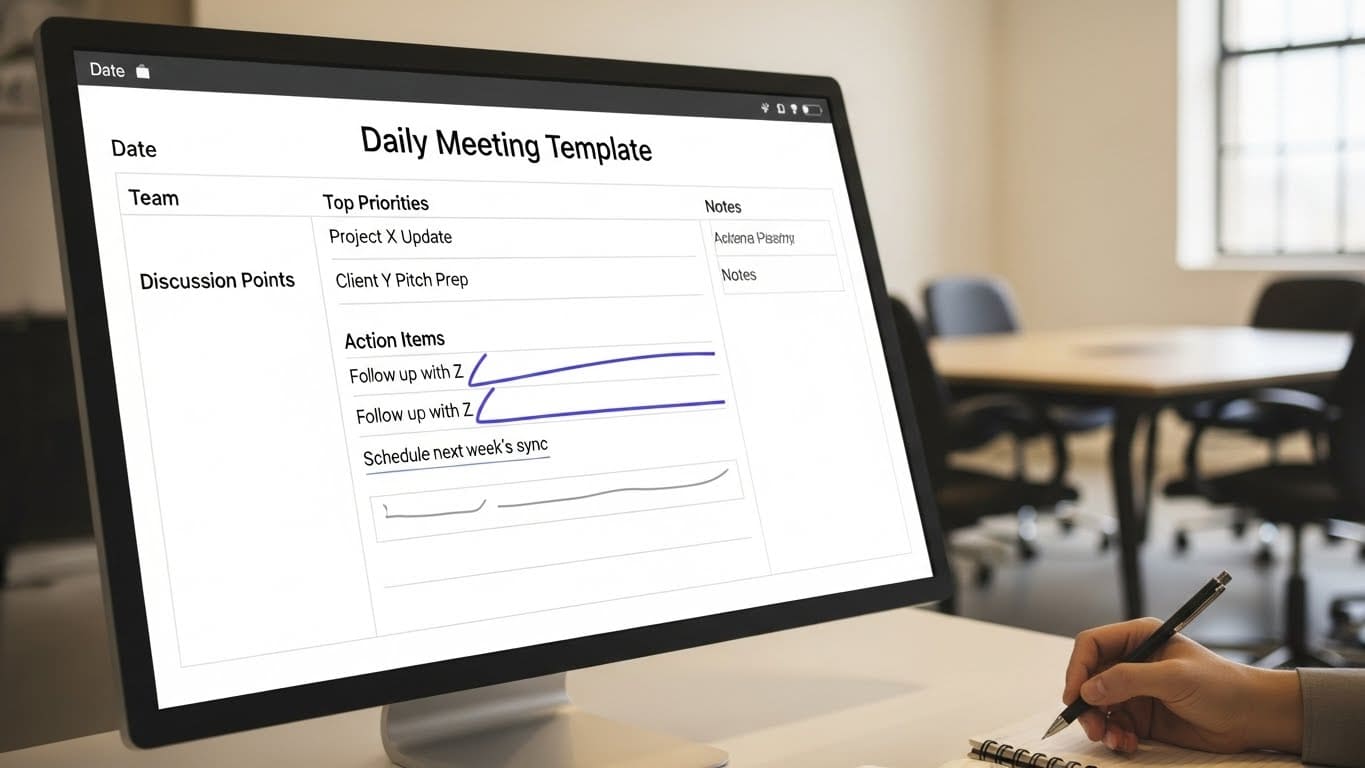
Meeting Basics
- Meeting name / Purpose: Daily Stand-Up / Daily Check-in / Daily Sync
- Date: [fill in date] — Time: [e.g. 09:30] — Duration: 5–15 min (max)
- Participants: [list team members] — Facilitator / Time-keeper: [name]
- Preparation (for each participant): be ready to answer 3 short questions; update your task board or to-do list before the meeting.
Agenda & Flow
1. Opening (≈ 1 min)
- Quick greeting, reminder of purpose: “We’re here to sync quickly, surface blockers, and align for the day.”
- (Optional) Very brief team mood check or quick “one-word” check-in to gauge energy — but don’t extend time.
2. Round-Robin Updates (each person ~30–60 sec)
Each participant briefly answers:
- What did you complete since the last stand-up?
- What are you working on today?
- Are there any blockers or impediments slowing you down?
This is the core of the stand-up — focus on progress, plans, and obstacles.
3. Blocker flagging (if any blockers)
- If someone reports a blocker: note it — but don’t resolve it now.
- Agree who will follow up or schedule a separate “deep-dive / problem-solving” session if needed.
4. (Optional) Quick Cross-Team / Dependency Check
If your project involves multiple people or teams:
- Are there any dependencies or handoffs to coordinate today?
- Does someone need input, review, or resources from another team?
Keep this very brief; avoid detailed discussions.
5. Wrap-up & Action Reminder (≈ 1 min)
- Confirm any action items from blocker flags or dependencies, with owners and rough follow-up timing.
- Remind the team of the next stand-up (same time tomorrow).
- Close: quick “Thanks everyone — let’s get to it.”
Daily meetings AI notes & follow up: Noota

In 5–15 minutes, important blockers, context, decisions or action items easily get lost — especially if no one writes them down. That’s where Noota becomes a real advantage :
- Automatic recording & transcription — Noota listens, transcribes, and logs what everyone says, in real time or from recordings — so you no longer rely on someone taking notes manually. This keeps the meeting fast and your attention where it belongs: on the discussion.
- Instant, structured summaries — After the stand-up ends, Noota can immediately provide a concise recap: who said what, what tasks were committed, what blockers remain, and any follow-up needed. That keeps clarity high even for no-shows or later reference.
- Action-item tracking & follow-up readiness — Instead of vague “I’ll fix that later”, Noota surfaces real action items tied to people, dates or issues. That prevents blockers from being forgotten and ensures accountability.
- Searchable, long-term archive — As daily meetings accumulate, Noota builds a searchable history of what was done, discussed, or flagged. You can refer back to past blockers, past decisions, or historical context — valuable when you revisit projects or onboard new team members.
Want to automate your daily follow up ? Try Noota for free now.
Meet the Writer
.webp)
Alexandre writes on AI meeting assistants, MCP and AI integrations, data privacy and compliance, and productivity, as Noota's engineer-founder and CEO.
FAQ
Daily meetings work best when kept brief and focused on essentials only.
- Ideal duration is 5 to 15 minutes maximum for full team participation.
- Short timeframes force clarity and prevent unnecessary tangents or discussions.
- Longer meetings lose momentum and reduce team engagement significantly.
These three questions ensure everyone shares critical information quickly and clearly.
- What did you accomplish since the last meeting or yesterday's work?
- What are your key priorities and focus areas for today ahead?
- Do you face any obstacles, blockers, or dependencies right now?
Noota automates meeting capture and saves teams 6.4 hours weekly on admin work.
- AI transcribes and summarizes meetings automatically in 80+ languages instantly.
- Manual notes create 80% more administrative burden and miss key details.
- Noota's 4.9/5 G2 rating proves 5000+ teams trust it for daily stand-ups.
Noota is the ideal solution for product teams managing frequent daily collaboration.
- Automatically records, transcribes, and summarizes all daily meeting discussions.
- Eliminates manual note-taking so teams focus on priorities and blockers instead.
- Saves 6.4 hours weekly per team while maintaining 100% meeting accuracy always.
Try Noota free — no credit card needed.