AI Note Taker Comparisons
8 min reading
Updated on:
Feb 4, 2026
Best Copilot Alternatives
You want to know what are sovereign and better value for money substitutes of Copilot ? Here's your guide.
If you use Copilot today, you may already feel the gap.
Some want better control over their data and compliance. Others are simply looking for better value for money.
In this guide, you’ll discover the best alternatives.
Why Consider Alternatives to Copilot ?

In real usage, some of Copilot’s limitations can impact how much value it actually brings to your workflows.
First, Copilot isn’t always the best fit for sensitive data workflows. It deeply integrates with your Microsoft 365 ecosystem, which means it has access to emails, calendars, documents, chats, and more to generate summaries and suggestions. While this access can make it powerful, it also raises legitimate concerns about how your data is used and protected. If permissions aren’t carefully set up or governance isn’t tight, Copilot can surface confidential data in ways you didn’t intend, introducing compliance risks.
Second, security and privacy aren’t as straightforward as they might seem. Even though Microsoft builds Copilot on enterprise-grade infrastructure with industry-standard protections, the nature of AI means it still processes and interprets your data to generate output. And that processing can feel opaque: you might not know exactly what parts of your meeting content are being used to train models or to inform other outputs.
Third, Copilot’s value for money isn’t a clear winner for every team. At a baseline of around $30 per user per month — on top of your existing Microsoft 365 subscription — the total cost can balloon quickly for larger teams or entire departments. For some companies, the return on that investment is strong. But for others, especially smaller teams or ones focused on niche tasks like meeting intelligence rather than broad content generation, Copilot’s broad set of features might not feel like a perfect match for what you actually use every day. S
Best Alternatives to Copilot
Noota — More value, more sovereign
What it is.
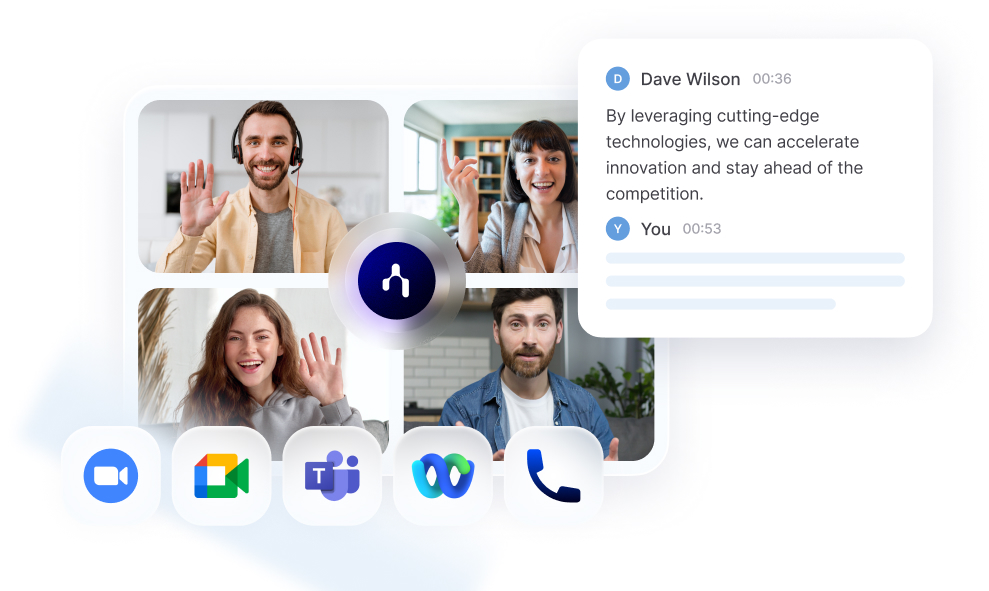
Noota is a sovereign AI meeting assistant that records, transcribes, and summarizes meetings so you don’t have to take notes yourself. It especially enables to streamline all your meeting workflow.
Core features you’ll use.
- European data-hosting & GDPR compliance: Noota stores data in datacenters located in the EU (France, Belgium, Netherlands), and data is encrypted at rest and in transit. That helps meet regulatory requirements for many European businesses.
- Privacy-first approach — no external training on your data: Noota explicitly states that user data (recordings, transcripts) is not used to train external models. All data stays within the user’s control — a key point when confidentiality matters (for HR, legal, sales, sensitive projects).
- Live transcription and summaries: Noota transcribes spoken conversation automatically and delivers clear summaries with key takeaways, decisions, and actions.
- Multilingual support: It supports transcription in 50+ languages, which helps distributed or international teams capture everything accurately.
- Integration with your tools: The assistant plugs into CRMs and ATS systems like Salesforce, HubSpot, BullHorn, and productivity tools like Slack and Notion — so your meeting insights land where your work already lives.
- Searchable history: Past meetings become a searchable knowledge base, letting you retrieve any decision or snippet you need without digging through hours of audio.
- Structured, customizable reports: After every session you get a ready-to-use recap that you can tailor to your team’s format or process.
Otter.ai — A Reliable AI Meeting Assistant for Real-Time Transcription
When your priority is capturing what’s said as accurately and quickly as possible, Otter.ai is one of the most widely recognized meeting assistants out there. It’s built to record conversations in real time, turn them into text, and help you organize insights without juggling multiple tools.
What it is.
Otter.ai is an AI-powered meeting assistant focused on real-time transcription and AI-generated summaries. Whether you’re in a virtual meeting, a hybrid session, or reviewing an audio file later, it turns spoken words into searchable text and helps you extract meaning with ease. It integrates with major platforms like Zoom, Google Meet, and Microsoft Teams, so you can automate note capture across your key workflows.
Core features you’ll use.
Live transcription and summaries.
Otter’s strength lies in its ability to convert speech into text as it happens. This makes your meetings easier to follow in real time, and you get instant summaries and key takeaways once the call ends.
Searchable transcripts.
Instead of scanning long meeting notes, you can search your conversations by keyword — a huge time-saver when you need to find specific insights fast.
AI Chat & action items.
Otter’s AI tools don’t just transcribe — they let you ask questions about your meeting content and generate action items automatically, helping you move from listening to acting.
Seamless integrations.
The platform syncs with calendars, Google Docs, CRM tools, and more, so your transcripts and summaries show up where you already work every day.
Fireflies.ai — A Versatile AI Meeting Assistant for Collaborative Teams
If you want an AI meeting tool that gets to work across platforms and captures your conversations automatically, Fireflies.ai is a widely used option worth considering. It’s built to help teams record, transcribe, and analyze meetings with minimal effort — so you can focus on your discussion instead of scrambling to take notes.
What it is.
Fireflies.ai is an AI-powered meeting assistant that automatically joins your meetings, records conversations, and turns them into searchable transcripts and summaries. It works with major video conferencing platforms like Zoom, Google Meet, and Microsoft Teams, and even lets you upload audio or video files for later processing.
That means every voice, decision, and action item can be captured without manual typing, giving you a reliable archive of your discussions regardless of whether they happen online or in person.
Core features you’ll use.
Automatic transcription & summaries.
With Fireflies.ai, meetings are transcribed in real time or after the fact, and AI-generated summaries highlight key moments and takeaways for easy review. You don’t have to juggle note-taking during your video calls — Fireflies handles that while you stay engaged.
Multi-platform support.
It integrates with Zoom, Google Meet, Microsoft Teams, Webex, and more, so your meetings are captured seamlessly no matter where your team connects.
Searchable transcript library.
Once your meetings are recorded, Fireflies stores them in a centralized library that’s searchable by keywords or speakers, helping you find what you need fast without replaying entire sessions.
AI assistant inside your transcripts.
Fireflies.ai includes an embedded AI assistant (“AskFred”) that lets you ask questions like “What were the action items?” or “Summarize this conversation,” right in your meeting notes.
Sembly AI — A Team-Focused Assistant for Smarter Meeting Insights
When your meetings involve complex conversations, decisions, and follow-ups, Sembly AI can be a powerful Copilot alternative. It’s an AI meeting assistant designed to automatically join your calls, capture what’s said, and generate structured notes and insights that help you and your team stay aligned — without the manual grunt work.
What it is.
Sembly AI is an AI-assisted meeting notetaker that transcribes meetings, summarizes key points, and extracts actionable items — giving you a clear record of what happened and what you need to do next. It works with major conferencing platforms like Zoom, Google Meet, Microsoft Teams and Cisco Webex, so you can keep your workflow consistent across tools.
Rather than just giving you raw text, Sembly organizes meeting content into searchable transcripts, highlighted summaries, and useful deliverables like reports — making it easier to revisit discussions and decisions later.
Core features you’ll rely on
Automated recording and transcription.
Sembly joins your scheduled meetings as an assistant, records the conversation, and produces accurate transcripts with speaker identification and timestamping. This saves you from scrambling to type notes during calls and ensures nothing important slips through the cracks.
Meaningful summaries and insights.
The platform goes beyond verbatim transcription. Sembly’s AI consolidates meeting discussions into concise summaries with highlighted takeaways — including decisions, risks, and next steps — so you can focus on outcomes rather than full transcripts.
Searchable meeting history.
Once meetings are processed, you can search across transcripts and summaries to find the details you need — even from past conversations. That means no more digging through recordings or long text files when you’re trying to remember who agreed to what.
AI-driven follow-up tools.
Some Sembly plans include an AI chat feature that lets you ask questions about your meeting content or generate follow-up outputs like task lists or draft documents based on what was discussed.
Meet the Writer

FAQ
Teams often switch due to data privacy concerns, compliance risks, and cost. Copilot's deep Microsoft 365 integration raises questions about data usage and model training transparency.
- Data access across emails, calendars, documents, and chats
- Unclear how your meeting content trains external models
- $30/user/month adds up quickly for larger teams
Sovereign AI means your data stays in your control, typically hosted in specific regions with strict compliance. Privacy-first means no external model training on your recordings or transcripts.
- EU data hosting in France, Belgium, or Netherlands
- GDPR-compliant encryption at rest and in transit
- Zero external training on user data or conversations
Noota wins on sovereignty, cost, and focus. It delivers live transcription in 80+ languages, GDPR compliance, and privacy-first architecture—without the $30/user/month premium or data exposure risks.
- Noota: EU-hosted, no external training, 4.9/5 G2 rating
- Copilot: Microsoft 365-dependent, opaque data processing
- 5000+ teams trust Noota for sensitive workflows
Noota is purpose-built for this use case. It transcribes 80+ languages, hosts data in EU datacenters, and guarantees zero external model training—saving teams 6.4 hours weekly on meeting admin.
- 80+ language support for distributed global teams
- GDPR compliance and sovereign data control
- Try Noota free — no credit card needed