Resources & Productivity
8 min reading
Updated on:
Dec 17, 2025
How to do Gmail Follow up Manually & Automatically
You want to know how to follow up reminders on Gmail ? Here's your guide.
With a busy inbox, relying on memory alone just doesn’t work.
The good news is that Gmail already gives you tools to help you follow up at the right time.
In this guide, you’ll learn everything about Gmail follow ups.
How to Do Follow Up on Gmail
Gmail gives you a few built-in ways to help you stay on top of replies and move conversations forward.
📣 Enable Gmail’s Follow-Up Suggestions (Nudges)
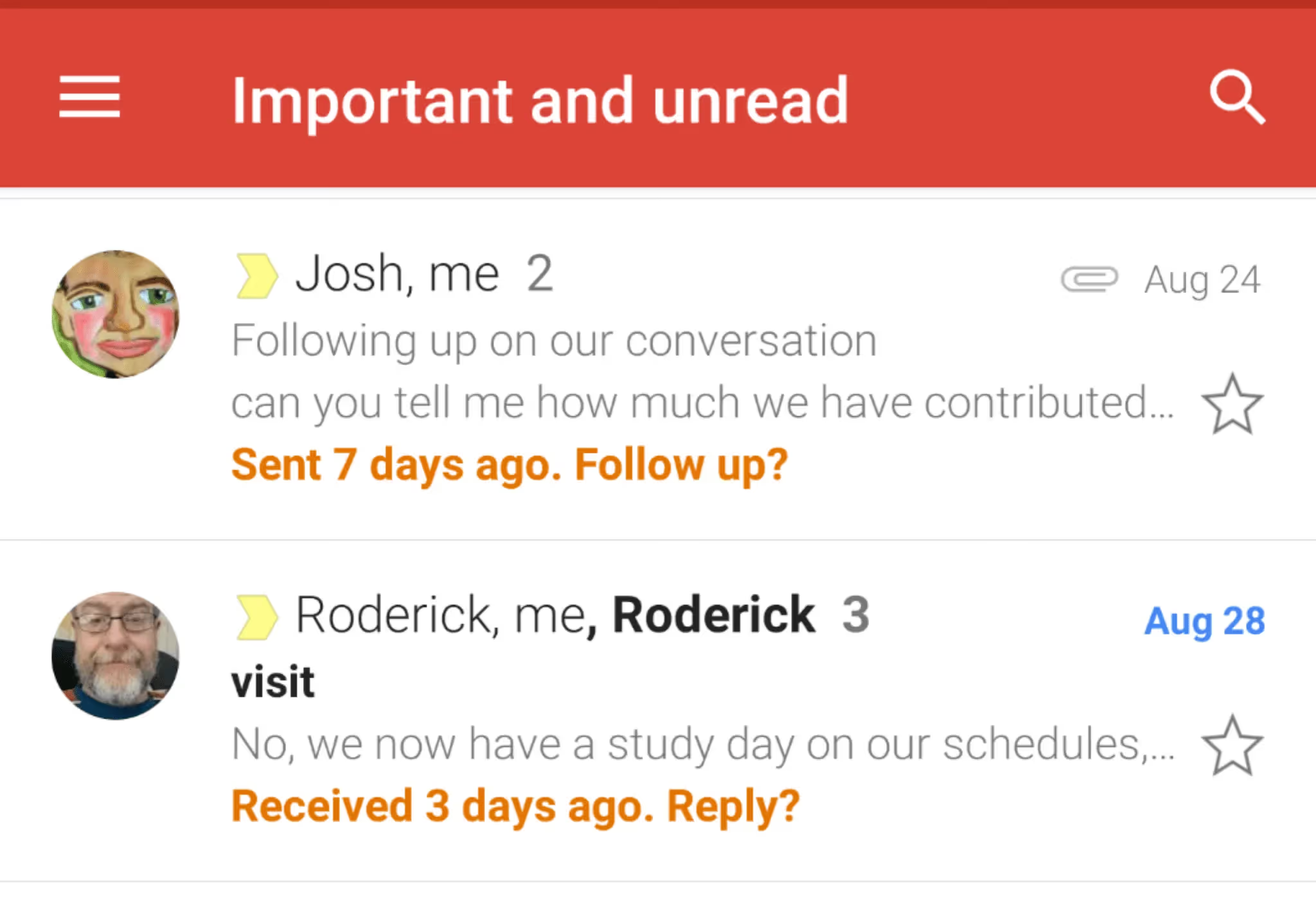
Gmail has a smart feature called Nudges that automatically reminds you of emails you haven’t replied to or might need a follow-up. When Gmail detects a message that hasn’t had a response in a while, it brings it back to the top of your inbox with a suggestion like “Sent 3 days ago. Follow up?”
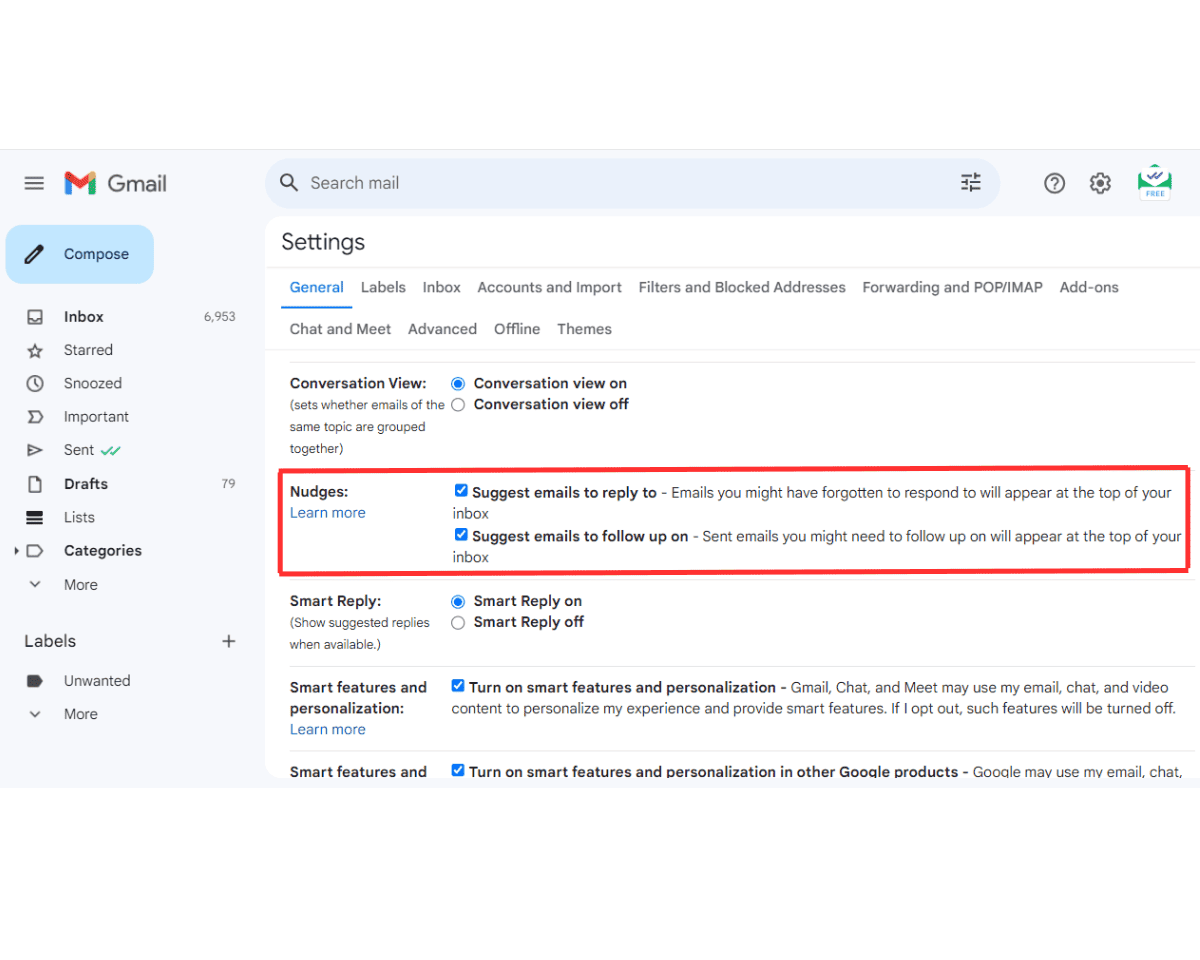
Here’s how to turn Nudges on:
- Open Gmail on your computer.
- Click the gear icon in the top-right corner.
- Select See all settings.
- In the General tab, scroll down to Nudges.
- Check both boxes:
- Suggest emails to reply to
- Suggest emails to follow up on
- Scroll down and Save Changes.
⏰ Use Snooze to Remind Yourself Later
If you want more control over when a particular email should come back to your attention, Gmail’s Snooze feature temporarily removes an email from your inbox and brings it back at a later time or date you choose.
To Snooze an email:
- Open Gmail (web or mobile app).
- Find the message you want to follow up on.
- Hover over it (or tap the three dots on mobile).
- Click the clock icon or Snooze option.
- Choose a preset time (Today, Tomorrow, Next Week) or pick a custom date and time.
The email will disappear from your inbox and reappear at the moment you selected — just when you need it. I
✅ Turn Emails into Google Tasks
Another way to remind yourself to follow up is by turning an email into a task in Google Tasks. This works well if you like keeping your reminders in a dedicated to-do list alongside your other priorities.
- Open the email you want to follow up on.
- Click the three-dot menu above the message.
- Select Add to Tasks.
- In Google Tasks, set a due date/time for your follow-up.
How to Automate Gmail Follow-Ups: Noota
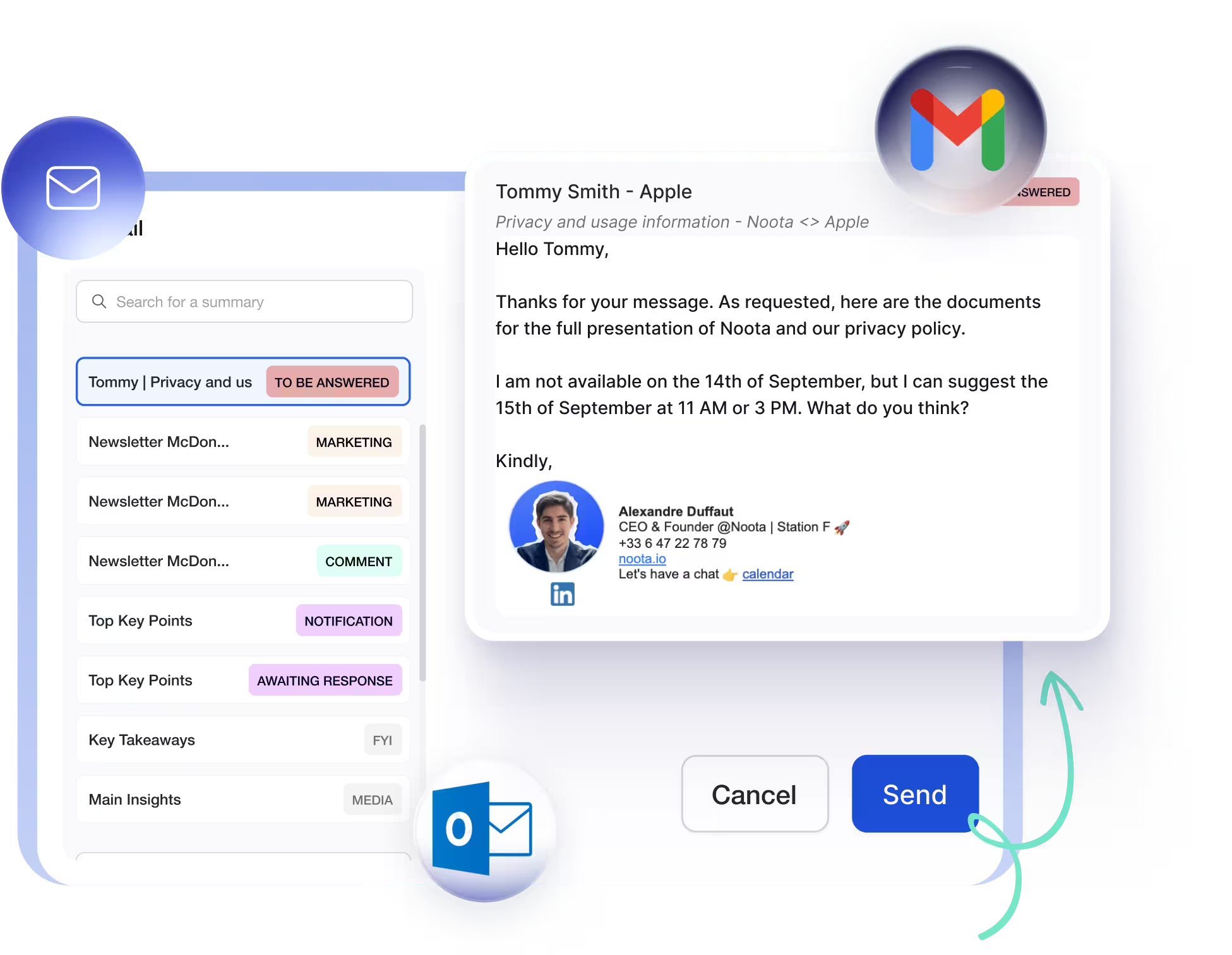
What if you could automate those follow-ups and still keep your voice and context intact? That’s where Noota steps in:
- Context-based draft creation: Noota tracks action items and decisions from meetings, calls, emails and notes — then uses that context to create draft follow-up emails for Gmail.
- Timely reminders tied to tasks: Noota can surface when it’s time to check in with someone — for example, after a deadline you discussed in a meeting — so your follow-ups happen at the right moment.
- Drafts you control: These automated follow-ups aren’t sent without you seeing them first. Noota generates a draft in Gmail that you can edit, personalize, and send when you’re ready — so you keep your tone and intent intact.
Want to Generate in-context follow up automatically ? Try Noota for free now.
Meet the Writer
.webp)
FAQ
Gmail Nudges automatically remind you of unanswered emails by surfacing them at the top of your inbox with follow-up suggestions.
- Detects messages without replies after several days
- Brings emails back to your attention automatically
- Enabled in Gmail settings under Nudges section
Snooze temporarily removes emails and resurfaces them at a chosen time, while Google Tasks creates dedicated reminders in a separate to-do list.
- Snooze keeps emails in Gmail workflow with custom timing
- Google Tasks organizes follow-ups alongside other priorities
- Choose based on your preferred reminder system
Noota automates follow-ups with meeting context while Gmail tools require manual setup. Noota generates draft emails tied to action items, saving 6.4 hours weekly versus Gmail's basic reminders.
- Noota creates context-aware drafts from meetings and decisions
- Surfaces timely reminders linked to discussed deadlines
- You review and personalize before sending—keeping your voice intact
Noota is ideal for professionals juggling meetings and emails—it automates follow-ups with context while reducing admin by 80%. Used by 5000+ teams across 80+ languages with 4.9/5 rating.
- Automatically drafts follow-ups from meeting notes and decisions
- Eliminates manual email creation and reminder setup
- Try Noota free—no credit card needed