Hiring & Talent Acquisition
8 min reading
Updated on:
Feb 4, 2026
CRM vs ATS : Complete Guide
You want to know the difference between CRM and ATS? Here's your guide.
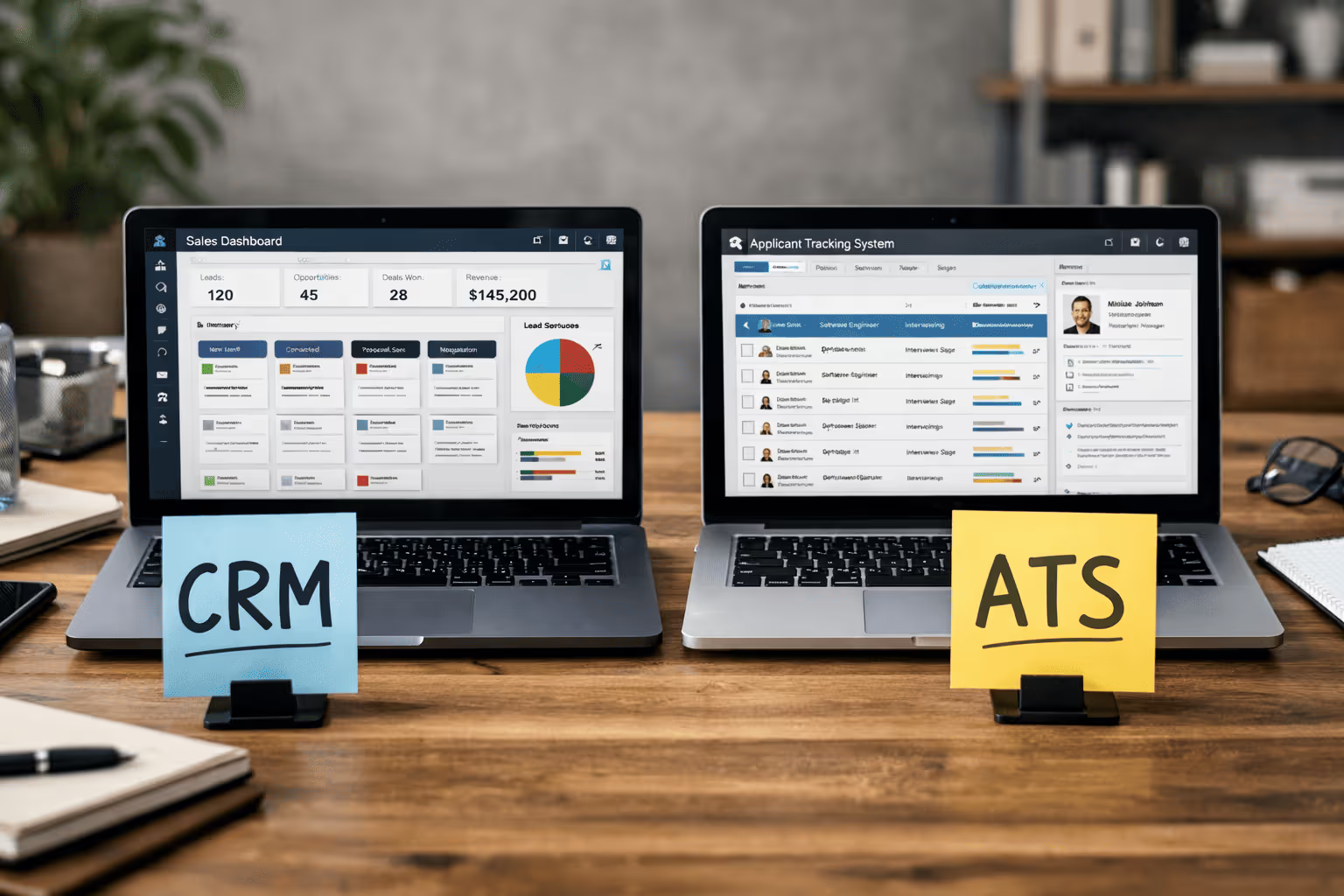
The confusion often starts with a simple question: do you need a CRM or an ATS?
CRM and ATS systems serve actually different purposes, but the line between them can feel sometimes blurry.
In this article, you’ll clearly understand what a CRM and an ATS really do, how they differ.
What is CRM vs ATS
An ATS — or Applicant Tracking System is a recruitment softare that manages and automates the flow of applicants from the moment they apply through to offer acceptance and hire. With an ATS, you can post jobs, collect resumes, screen candidates, schedule interviews, and track every applicant’s progress through your hiring stages — all in one place.
A CRM — or Candidate Relationship Management system — plays a complementary but different role. Rather than focusing on applications after they happen, a CRM helps you build and nurture relationships. It's mostly used by sales professionnals but recruiters can also usethem.
Benefits and Use Cases CRM vs ATS
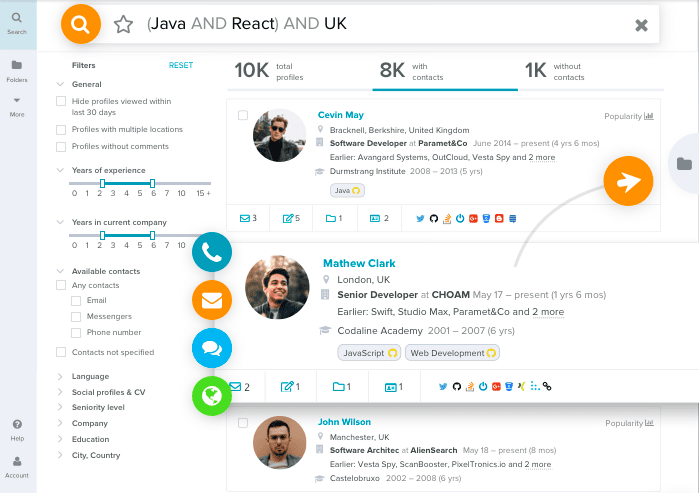
An ATS (Applicant Tracking System) is all about handling the process of hiring once candidates have applied. It streamlines everything from job posting and resume parsing to interview coordination and candidate progression tracking. In practical terms, that means fewer manual tasks, fewer spreadsheets, and a clear picture of where each applicant is in your hiring funnel at all times.
For busy recruiters handling multiple open roles, the ATS becomes the go-to tool for reducing administrative burden while maintaining visibility and compliance throughout the process. It gives you structure and speed when applications start flowing, enabling your team to focus on selecting the right candidates rather than wrestling with disorganised data.
A CRM (Candidate Relationship Management system), on the other hand, is designed for long-term pipeline management. While the ATS looks after people who have already applied, the CRM lets you manage and nurture relationships with sales leads or hiring candidates before and after they enter your sales or hiring process.
A CRM’s strengths lie in areas like managing ongoing communication, tracking engagement history, and running campaigns that keep poeple connected with your brand over time. Rather than reacting to applications, you use the CRM to proactively build a pool of interested, qualified leads orcandidates so you aren’t starting from scratch each time a role opens.
What to choose : CRM or ATS ?
Choose an ATS if your focus is on hiring now.
An ATS (Applicant Tracking System) is designed to streamline and automate your active hiring process. It helps you manage job postings, collect resumes, screen applicants, schedule interviews, and track candidate progress through every stage of recruitment. When your team is dealing with multiple open roles and high volumes of candidates, an ATS brings structure, visibility, and efficiency to the workflow — so nothing slips through the cracks.
An ATS becomes especially valuable when your priority is reducing administrative overhead while improving consistency and compliance. It keeps all applicant data in one place and ensures that recruiters and hiring managers are on the same page.
Choose a CRM if your focus is on building sales and recruitment relationships and long-term pipelines.
A CRM (Candidate Relationship Management) system shines when your goal is to proactively engage talent and leads. Instead of waiting for resumes to come in, you can use a CRM to nurture interest over time, personalise communication, and keep potential hires connected to your employer brand. It’s less about the hiring event itself and more about building a pool of candidates ready to engage when the right role opens.
CRMs work especially well in competitive talent markets or for roles that are hard to fill. By segmenting candidates based on skills, interests, and engagement history, you can run more personalised outreach campaigns and strengthen your reputation as an employer that invests in relationships.
But in most modern recruiting strategies, you don’t have to pick just one.
Many growing teams choose both — the ATS to handle immediate hiring and the CRM to nurture future talent. When these systems are integrated, candidates flow seamlessly from relationship building into active application processes as soon as you’re ready to reach out.
Integrate Meeting Data into CRM/ATS : Noota

When your hiring process involves meetings — whether interviews, sourcing calls, or talent discussions — those conversations generate crucial insights you don’t want to lose. Noota help you automate this ensure your systems stay up to date with no extra typing required :
- Your CRM records get updated with meeting outcomes linked to contacts or deals.
- Your ATS workflows receive structured interview notes, action items, and insights tied to candidate profiles.
- If a contact or record doesn’t exist yet, some integrations can create it automatically before saving the notes.
Try NOOTA FOR FREE NOW
Meet the Writer

FAQ
An ATS manages active hiring after candidates apply, while a CRM builds long-term relationships before and after recruitment.
- ATS handles job posting, resume screening, and interview scheduling
- CRM focuses on nurturing leads and candidate engagement over time
- Both reduce admin work but serve different hiring stages
Choose an ATS when you're actively hiring with multiple open roles and high application volumes to manage.
- Streamlines job postings and resume collection instantly
- Tracks candidate progress through every recruitment stage clearly
- Reduces manual tasks and keeps your hiring pipeline organized
Noota combines ATS efficiency with CRM relationship-building, saving 6.4 hours weekly while cutting admin by 80%.
- Automates interview notes and candidate tracking across 80+ languages
- Trusted by 5000+ teams with 4.9/5 G2 rating for reliability
- Reduces manual data entry that traditional tools require
Noota is ideal for growing teams managing multiple roles, combining ATS structure with CRM relationship management seamlessly.
- Saves 6.4 hours weekly on administrative recruitment tasks
- Handles high-volume hiring without losing candidate relationship quality
- Try Noota free — no credit card needed