Resources & Productivity
8 min reading
Updated on:
Feb 10, 2026
6 Best AI Note Takers for In-Person Meetings
You want to know the best AI note takers and voice recorders for face-to-face meetings ? Here's your guide.
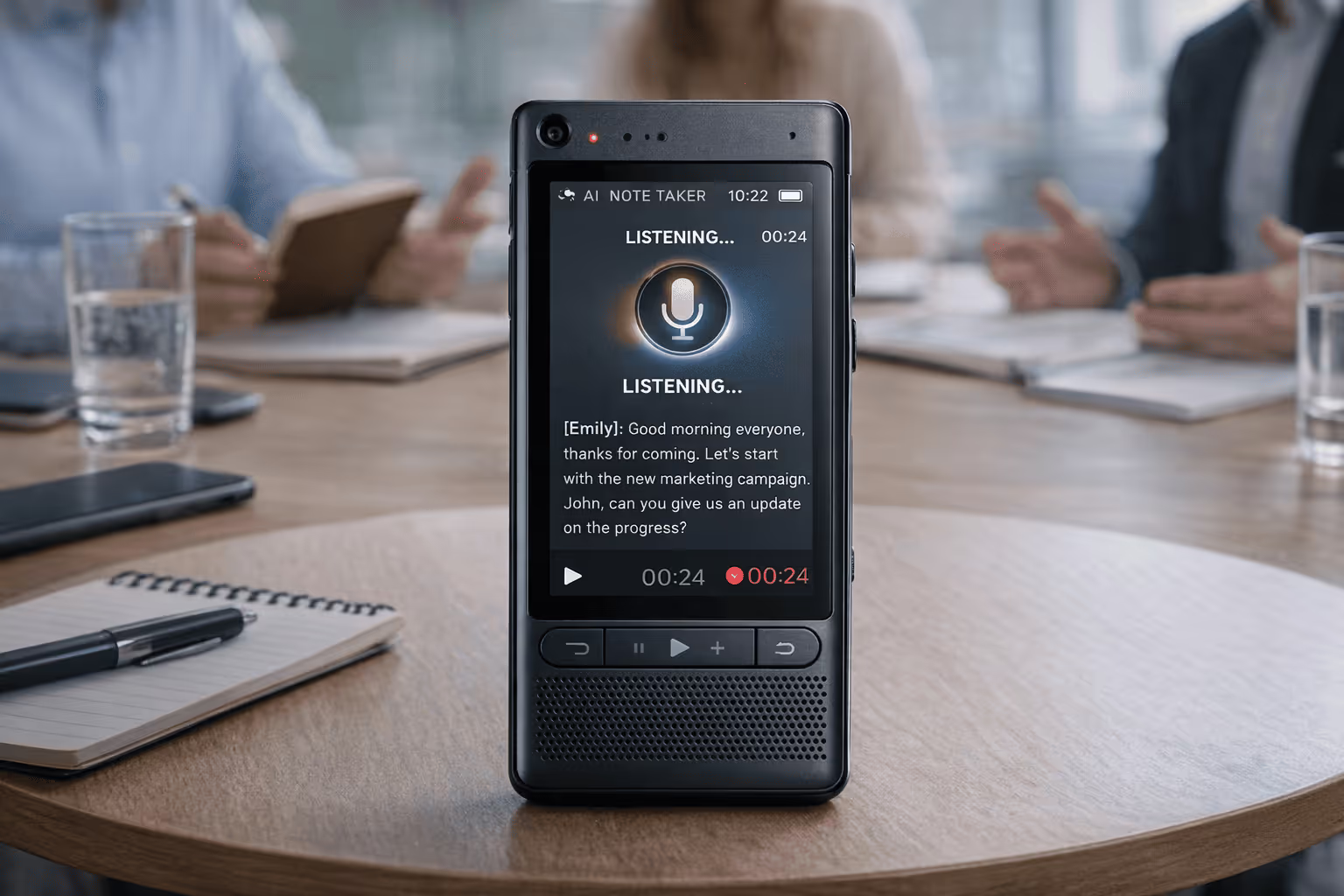
With Iin-person meetings, you can’t rely on meeting bots joining a call.You can’t always type while maintaining eye contact and contributing meaningfully.
That’s where AI note takers for in-person meetings come in.
In this guide, you’ll discover the best AI note takers for in-person meetings.
1. Noota
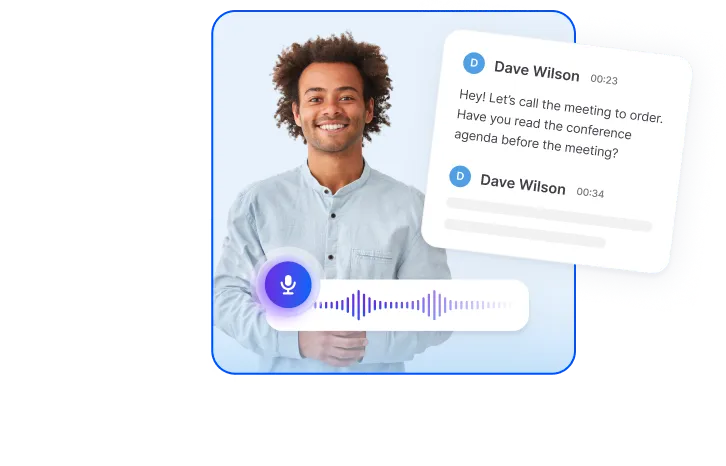
With Noota, you can capture in-person meetings using a mobile app or your computer' built-in microphone.
Once the audio is captured, Noota’s AI:
- Transcribes every spoken word with timestamps and speaker identification.
- Organizes the transcript into structured text you can search, revisit, or share.
- Generates summaries, key takeaways, and action items so you don’t have to sift through long recordings.
- Links insights back to your workflows, exporting notes straight into your CRM, ATS, or productivity tools.
Pros
✅ Handles in-person audio just as well as online calls — great for client meetings, interviews, sales calls, or team sessions.
✅ High transcription accuracy with support for 60+ languages, so you capture every detail even in multilingual settings.
✅ Instant summaries and action items save you hours after a meeting.
✅ Seamless integrations into tools you already use (AT, CRM, Slack, Notion, etc.), so meeting outputs become part of your workflow.
✅ Searchable, structured archive of all conversations — no more hunting for lost details.
Cons
⚠️ It still relies on audio quality — if your recording is muffled or distant, clarity can dip.
⚠️ Feature set may feel advanced initially, especially if you’re used to simple record-and-play solutions — a small learning phase helps.
⚠️ Price details vary based on plan and seat count, so evaluating what you truly need before subscribing helps avoid overpaying.
Price
Noota’s pricing is tiered to fit different professional needs:
- Free plan — great for testing, includes ~300 minutes of transcription per month, 50 AI reports, and basic summarization.
- Pro ($19/month/user) — increases minutes (~1,000) and adds standard integrations with productivity tools.
- Business ($39/month/user) — unlimited usage, custom summaries, expanded workspace options.
- Enterprise — custom pricing, dedicated support, advanced integrations and compliance features.
2. Plaud Note Pro
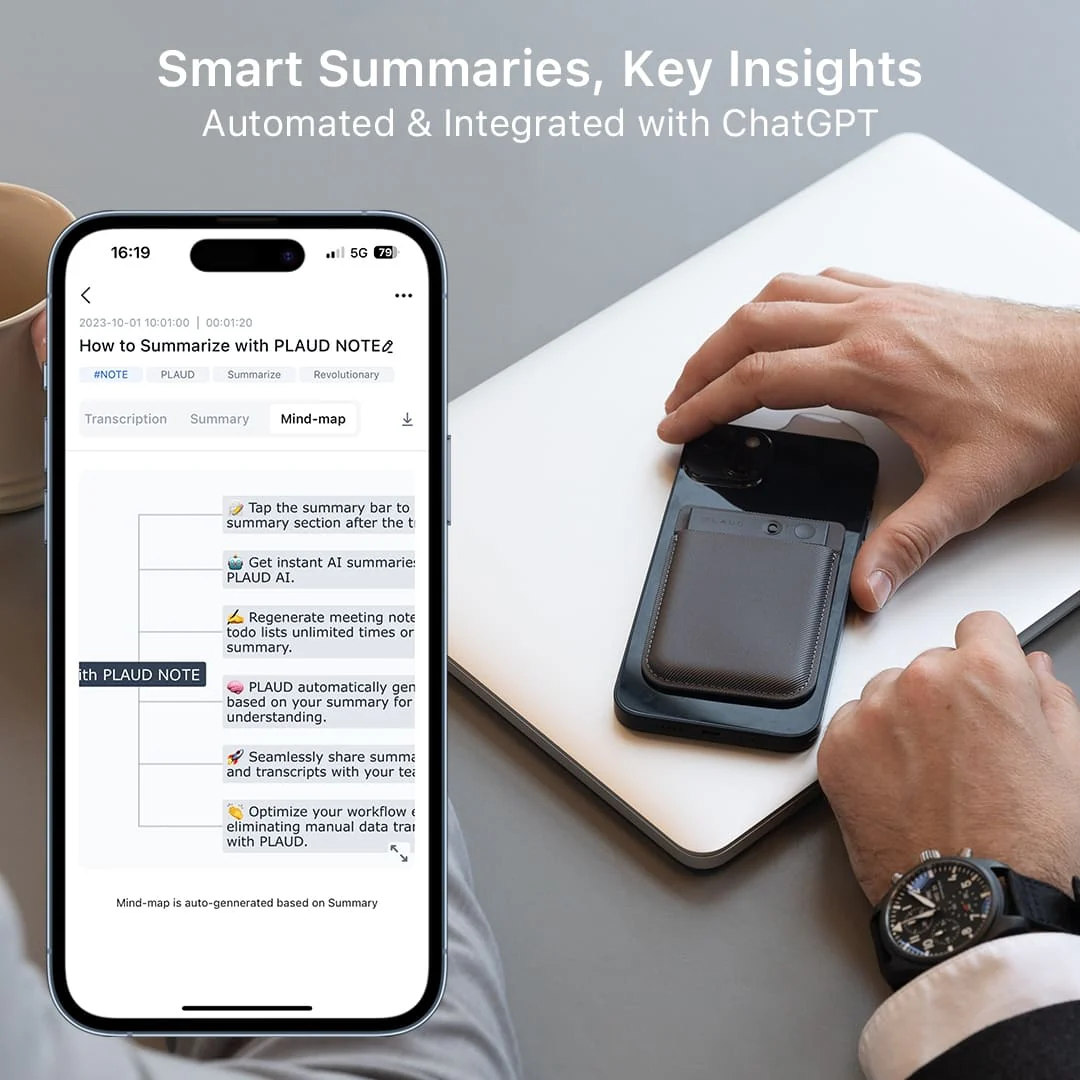
Plaud Note Pro is a credit-card-sized recording device you carry everywhere.
Once the recording is uploaded to your phone or cloud via the Plaud app, advanced AI models generate:
- Accurate transcripts in over 100 languages
- Multidimensional summaries tailored to your role or context
- Mind maps and structured schedules of key points
- Searchable audio plus text with speaker labels
Pros you’ll appreciate
✅ Studio-grade voice capture — Uses multiple precision microphones to record up to ~16 ft away, so you don’t have to crowd around a phone mic.
✅ Dedicated hardware equals reliability — With up to 50 hours of continuous recording and standalone onboard storage, you’re not limited by battery drain or phone constraints.
✅ Highlight important moments in real time — The button helps you flag key points as they happen, giving the AI a nudge on what to prioritize in summaries.
✅ Advanced AI summaries and templates — You get structured outputs like mind maps, action items, and professional summaries — not just raw transcripts.
✅ Searchable, contextual results — Speaker labels and transcription in many languages make it easy to revisit specific parts of meetings later.
Cons to consider
⚠️ Hardware + subscription costs — Unlike app-only tools, Plaud Note Pro requires a one-time purchase plus ongoing AI minutes or subscription for unlimited transcription.
⚠️ Relies on app/cloud for AI work — The device captures audio brilliantly, but the intelligence comes later when synced with the app.
⚠️ Overkill for occasional users — If you only take notes once in a while, such a specialized device might not feel worth it compared with simpler tools.
3. Granola
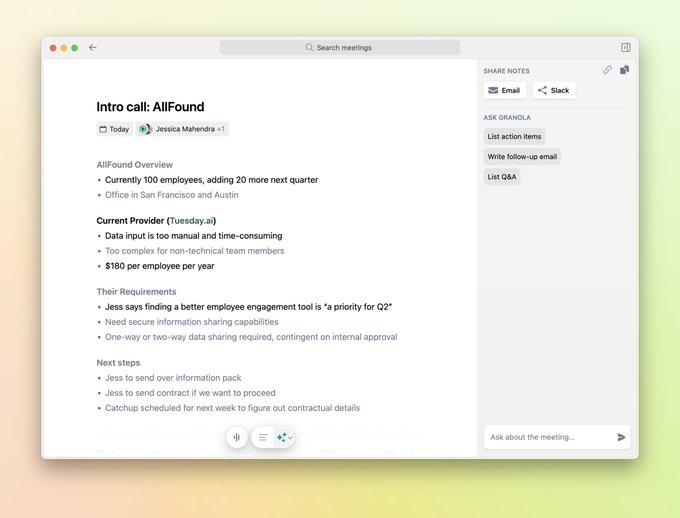
Granola is an AI-powered notepad that records conversations on your device, then turns them into structured notes, summaries, and action items — ideal when you’re sitting in a room and want to stay focused on the discussion.
Pros you’ll appreciate
✅ Bot-free audio capture: Because Granola listens through your device instead of joining as a participant, conversations stay natural and unobtrusive, which is ideal for in-person notes.
✅ Hybrid note workflow: You can jot down your own notes during the meeting, and Granola enhances them with context from the full transcript.
✅ Summaries and highlights: Afterward, you get structured summaries, key decisions, and action items — not just raw text.
✅ Cross-device support: There’s mobile support so you can capture in-person meetings anywhere, even outside a video call.
✅ Privacy once configured: Because it doesn’t automatically join meetings, some users feel more comfortable about meeting dynamics and data handling.
Cons to consider
⚠️ Limited playback and history on free plan: Some free tiers limit the number of meetings you can store or review, which means you may hit usage limits quickly if you take notes every day.
⚠️ Audio quality matters: As with any audio-based note taker, distant mics and background noise can make transcripts less accurate.
⚠️ Less collaborative than some competitors: Because it prioritizes mobile and personal capture, it may not have as many team-wide coordination features as some enterprise meeting assistants.
Price overview
Granola offers a few pricing options that are friendly to individuals and small teams alike. The free tier gives you a limited number of meetings and basic note capabilities, which makes it useful for testing in real meeting settings.
Paid plans generally fall around $14–$18 per user per month, giving you unlimited meeting notes, advanced AI summarization, and integration options with tools like Notion, Slack, and CRM platforms.
That pricing positions Granola as a budget-friendly choice that still delivers strong AI note-taking, especially if your priorities are simplicity, mobile capture, and contextual summaries.
4. Notta Memo
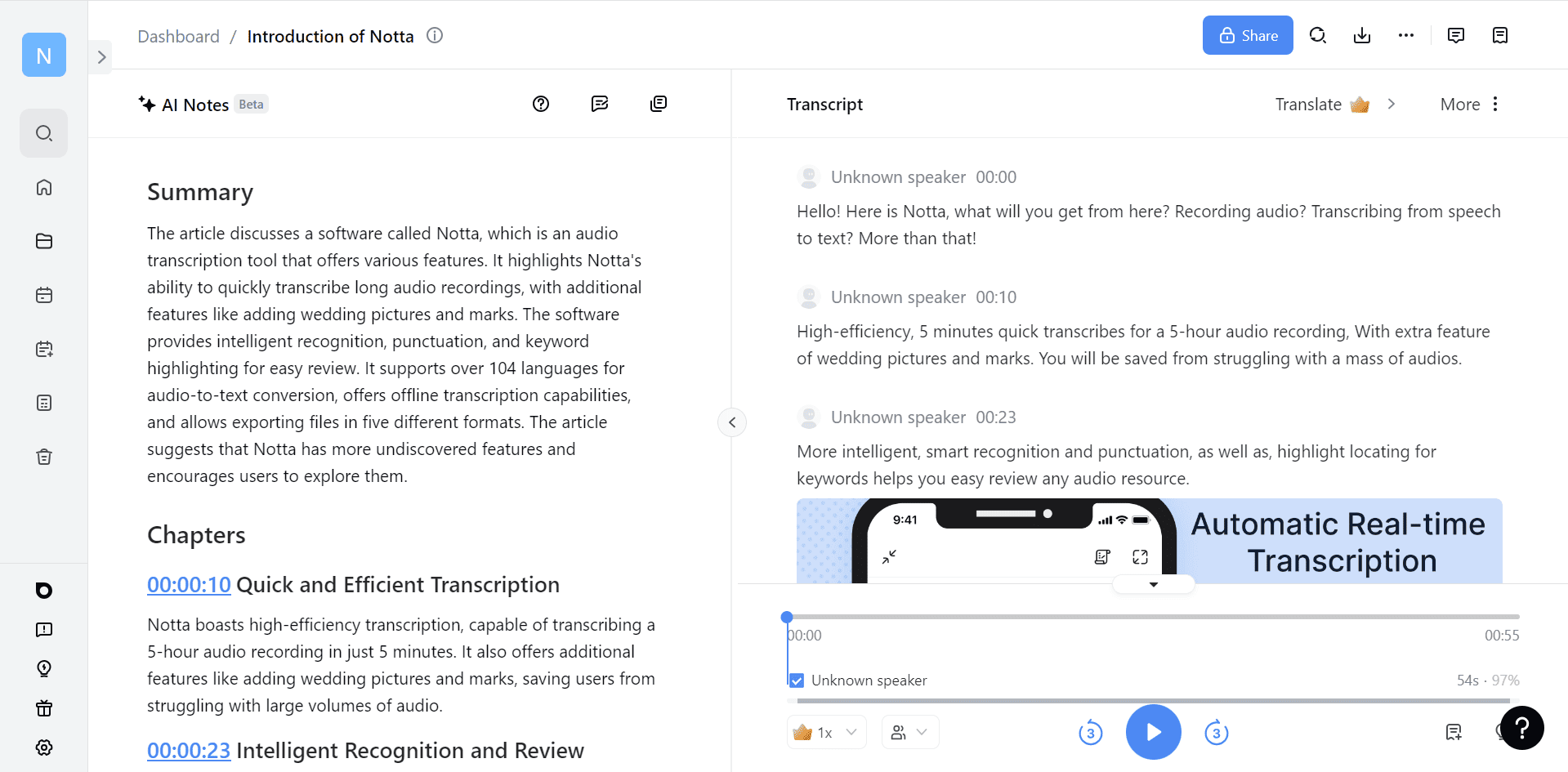
The Notta Memo is a pocket-sized voice recorder with built-in AI designed specifically for capturing spoken conversations in real time.
At about the size of a credit card, it’s easy to carry into meetings, attach to your phone via MagSafe or a magnetic adapter, and start recording with a single button press — no app open, no setup hassles.
Pros you’ll appreciate
✅ Hardware-first capture makes recording ultra-simple — no need to fiddle with a phone or laptop during a discussion.
✅ Accurate transcription and summaries once synced to the app, giving you reliable meeting notes without manual typing.
✅ Compact and portable — light enough to carry in a pocket or attach to your device, perfect for client meetings, interviews, or team sessions.
✅ Offline recording support means you can capture conversations even without internet, then sync later.
✅ Long battery life and storage — up to 30 hours of recording time and onboard memory so you’re never caught unprepared.
Cons to consider
⚠️ AI features require app/cloud processing — while the device records offline, advanced transcription and summaries happen in the app, which means an internet connection later.
⚠️ Extra cost compared to app-only tools — you’re paying for dedicated hardware, which may not make sense if you rarely record meetings.
⚠️ Physical gadget dependency — if you prefer all-software workflows or don’t like carrying extra devices, the Memo adds another item to your daily kit.
Price snapshot
The Notta Memo typically retails for around $149 USD / £139, positioning it as a premium portable recorder with AI features rather than an inexpensive app alternative.
That hardware price excludes AI subscription plans required for transcription and advanced features in the Notta app. Notta’s software pricing includes free basic minutes and paid tiers for extended usage, summaries, and collaboration — making this setup ideal if you’re capturing many meetings regularly.
5. Bluedot
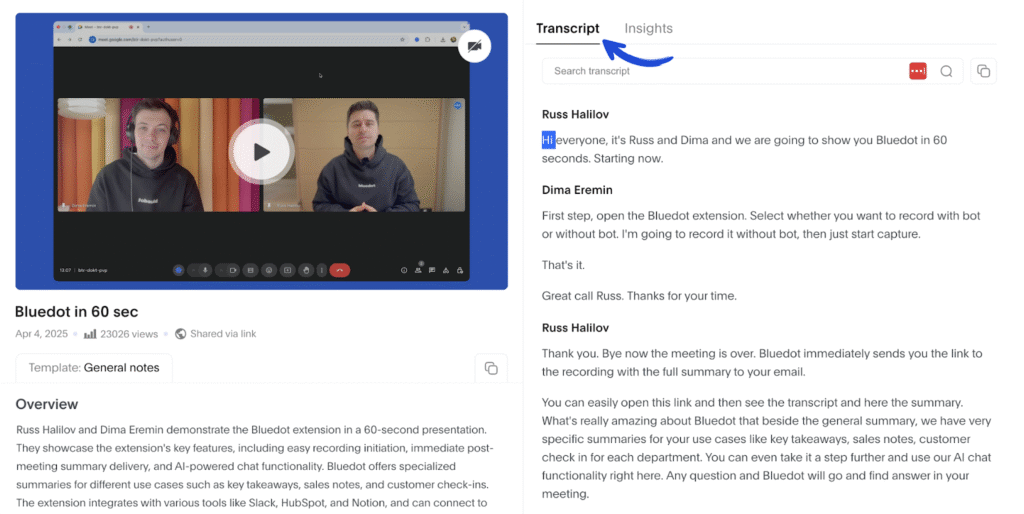
When you want to capture conversations without interrupting the flow of the discussion, Bluedot is a tool worth considering. It’s an AI note taker that records and transcribes audio directly from your device without bringing in a bot or joining a virtual meeting — a useful feature when you’re in a room with colleagues, clients, or candidates. It’s one of several applications that reviewers highlight for background recordings and automated note generation.
How it works
Bluedot works by listening to audio in the background on your mobile device.
Instead of joining your session as a participant (like many virtual meeting assistants do), it silently captures speech and passes it through AI transcription. That means your in-person meeting still feels like a conversation, not a tech demo.
Once the recording is complete, the app generates a searchable transcript, highlights key points, and surfaces actionable insights you can review right away.
This approach makes it easier to stay present in your discussions instead of multitasking between listening and note-taking.
You simply hit record, let Bluedot capture the meeting, and then use the transcript and summary features to process what was discussed afterward.
Pros you’ll appreciate
✅ Silent, unobtrusive capture — Because the app records in the background, participants aren’t distracted by AI join notifications or bots in the room.
✅ Works for any in-person meeting — You can record client calls, workshops, and team discussions without needing video conferencing tools.
✅ Searchable transcripts — After the meeting, you can search key phrases, names, or decisions instantly instead of scanning long text blocks.
✅ Highlights and summaries — The AI pulls out topics and summary points so you don’t have to sift through every word manually.
✅ Mobile-friendly — It’s designed to work on phones and tablets, giving you flexibility wherever meetings happen — in coffee shops, conference rooms, or hallways.
Compared to tools that only join online calls, Bluedot’s device-level capture makes it easier to document conversations that don’t happen over Zoom or Teams.
Cons to consider
⚠️ Depends on audio quality — Like all audio-based AI note takers, the clarity of transcripts depends on how well your device mic captures voices in the room. Background noise or multiple talkers close together can reduce accuracy.
⚠️ Limited real-time insight — Since it works in the background, you get summaries after the meeting, not live prompts or real-time highlight suggestions.
⚠️ Fewer advanced integrations — While great for capturing and summarizing conversations, Bluedot may not plug as deeply into calendars, CRM tools, or collaboration platforms as higher-end assistants.
6. Otter.ai
Otter.ai is one of the most widely recognized AI note takers that helps you capture in-person and digital meeting discussions in real time, so you can stay present while the tool transcribes and organizes the conversation for you.
Pros you’ll appreciate
✅ Live transcription during meetings — Otter captures spoken words in real time, so you see notes take shape as the discussion unfolds.
✅ Speaker identification and search — After the meeting, you can find who said what without scrambling through pages of text.
✅ AI-generated summaries and highlights — Instead of just raw text, Otter pulls out insights and action items so you don’t have to sift manually.
✅ Seamless collaboration — Share, edit, and export notes with your team directly from the app.
✅ Cross-platform support — Works on web, iOS, and Android, giving flexibility wherever you’re capturing moments.
Cons to consider
⚠️ Cloud-first storage means your recordings are uploaded and stored on Otter’s servers. If privacy is a priority, this may require extra consideration.
⚠️ Real-time accuracy depends on audio quality — in a noisy room or distant mic setup, transcription precision can dip.
⚠️ Feature tiers vary by plan — while a free version exists, advanced summaries and collaborative features often live behind paid plans.
Meet the Writer
.webp)
FAQ
AI note takers capture audio from in-person meetings via microphone, then transcribe, summarize, and organize insights automatically.
- Records audio using mobile app or computer microphone
- Transcribes speech with speaker identification and timestamps
- Generates summaries, action items, and key takeaways instantly
Top AI note takers support 60+ to 100+ languages, enabling accurate transcription in multilingual meeting environments.
- Noota handles 60+ languages with high accuracy
- Plaud Note Pro transcribes in over 100 languages
- Multilingual support captures every detail globally
Noota wins for workflow integration and accessibility, offering seamless CRM/ATS exports and free tier testing without hardware costs.
- Noota integrates directly into Slack, Notion, CRM tools
- Plaud requires dedicated hardware device purchase upfront
- Noota's free plan includes 300 minutes monthly transcription
Noota is ideal for sales and interviews, saving 6.4 hours weekly with instant summaries and CRM integration for 5000+ teams.
- Captures client meetings without joining as bot participant
- Exports action items directly into your sales CRM automatically
- Try Noota free — no credit card needed