Resources & Productivity
8 min reading
Updated on:
Dec 17, 2025
Gmail Draft : Guide & Troubleshoot
You want to know where Gmail drafts are and how to use them ? Here's your guide.
You may not know where to find Gmail draft on every device, how to collaborate on them properly, or what to do when something goes wrong.
In this guide, you’ll learn everything about Gmail drafts.
Where to Find Drafts in Gmail
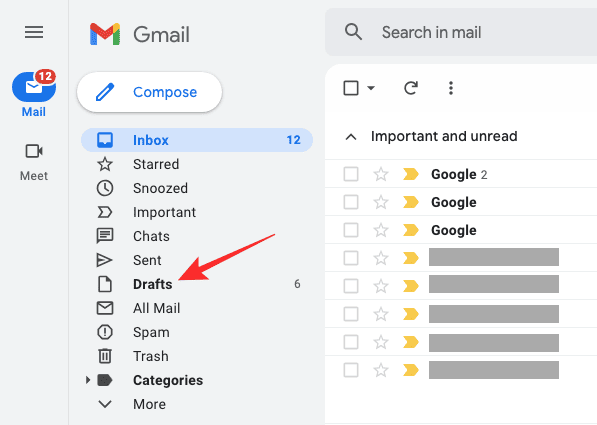
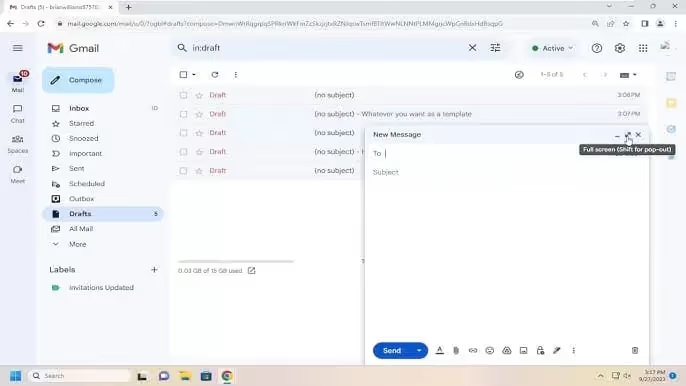
On the Gmail web interface, your drafts live in a dedicated place called the Drafts label. You’ll usually see it in the left sidebar of your inbox. If you don’t see “Drafts” right away, click “More” in the sidebar to expand your labels — Gmail sometimes hides less-used folders by default. Tapping or clicking Drafts will show all the saved emails you haven’t sent yet.
If you’re using the Gmail mobile app on your phone or tablet, the same idea applies: open the app, then tap the menu icon (three horizontal lines) in the upper left. Scroll down that list and you’ll find Drafts — that’s where Gmail keeps your in-progress messages.
Gmail’s draft system is designed to save as you type, so even if you close the compose window or switch devices, you should be able to find your draft later. However, the Drafts label can sometimes hide itself if Gmail’s label list is collapsed or if your screen size is small. Expanding the sidebar or scrolling through the label list usually brings it back into view.
There are a few situations that can make drafts harder to locate, so it helps to know a couple of additional tricks:
- Use the search bar: If you remember a word or phrase from your draft — maybe a subject line or a unique sentence — type it into Gmail’s search box. This can help surface your draft even if you can’t see it in the Drafts list.
- Check All Mail: Gmail doesn’t use traditional folders but rather labels. If your draft was accidentally labeled differently (for example by an email client you use), it might show up in All Mail — accessible via the More → All Mail option.
- Look in Trash: If you deleted a draft instead of just closing it, it could be in your Trash folder. Gmail keeps deleted emails in Trash for 30 days before they’re permanently removed.
How to Share Gmail Drafts?
Out of the box, Gmail doesn’t let you share an email draft with another account the way you might share a Google Doc or Drive file — at least not in the basic interface. There’s no built-in “share this draft” feature that posts it directly into another person’s draft folder.
That means your classic approach has usually been manual: you open the draft, copy the content, and then paste it into a new email that you send to a teammate for review — or save it into a shared document where collaborators can help you refine it.
📩 Use Gmail Extensions or Shared Inbox Tools
To truly share drafts for collaborative editing, many teams turn to Gmail extensions or shared inbox platforms that layer collaboration features on top of Gmail.
You can use Google Docs as a collaboration layer. Google Workspace recently added the ability to draft emails inside a Doc and then preview or send them from Gmail. Others can edit the document in real time, leave comments, and help refine your message before you send it.
Here’s how that works:
- Create the email draft in a Google Doc using the email block or type
@email draft. - Share that Doc with your teammates and collaborate on the content.
- When it’s ready, click Preview in Gmail and send it from your own account.
This approach is great if you need full editing rights, tracked changes, or multiple reviewers — but it’s a bit more indirect than editing within Gmail itself.
Gmail Draft Troubleshoot
Here’s how to diagnose and fix the most common Gmail draft issues you might encounter.
📍 1. Drafts Seem to Disappear or Go Missing
You open your Drafts folder and poof — the message you were sure you saved isn’t there. Before panic, check a few things:
- First, do a search with a keyword from your draft’s subject or body. Sometimes drafts are saved but labeled or synced oddly, so search helps you find it even when it doesn’t show up in the main Drafts folder.
- If you accidentally discarded the draft, Gmail briefly shows an “Undo” option at the bottom of your screen. If you catch it in time, clicking Undo brings your draft right back — but the window is short.
- In some cases, drafts disappear due to sync issues — especially if you created the draft on one device and then looked for it on another. Sync delays between Gmail’s server and your device can make drafts temporarily invisible.
If you still can’t find it, try checking All Mail or even Trash — sometimes a draft gets moved or deleted accidentally.
🛠️ 2. Drafts Open Blank or Don’t Load Properly
Imagine clicking a draft and all you see is a blank window. Frustrating, right? This often relates to browser problems:
- Try updating your browser to the latest version — Gmail’s dynamic interface depends on modern web standards.
- Clear your browser’s cache and cookies. A corrupted cache can interfere with Gmail’s ability to render your content correctly.
- Disable or remove any browser extensions that might be interfering. Some extensions (especially ad blockers or script managers) can prevent Gmail from functioning normally.
After doing this, log out of Gmail and then log back in — sometimes a fresh session resolves hidden rendering bugs.
📥 3. Gmail Fails to Save Drafts or Throws Errors
You type a long email and expect Gmail to auto-save, but instead you see an error like “Error saving draft.” This can happen for a few reasons:
- Account storage limits: If your Gmail storage (shared with Google Drive and Photos) is full, Gmail might fail to save new drafts. Clearing space often fixes this.
- Connectivity issues: Gmail needs a stable internet connection to sync your draft to the cloud. Weak or intermittent networks can break that autosave loop. Refresh your page, check your signal, and try again.
If autosave consistently fails, try composing in Gmail’s mobile app or a different browser — that can help pinpoint whether the issue is device-specific.
🔁 4. Emails Get Stuck in Drafts Instead of Sending
Sometimes you try to send the draft but it stays in the Drafts folder. That’s usually a sending problem, not a drafts problem:
- A poor connection can drop your send request and revert the message back into Drafts. Confirm your connection before clicking send.
- Browser glitches or conflicting extensions can also block Gmail from sending. Try in an incognito window or with extensions disabled.
- If you’re using an email client (like Outlook or Apple Mail) to access Gmail, synchronization settings might interfere with drafts and sending behavior. Checking IMAP sync settings can help.
Automated Gmail Drafts: Noota
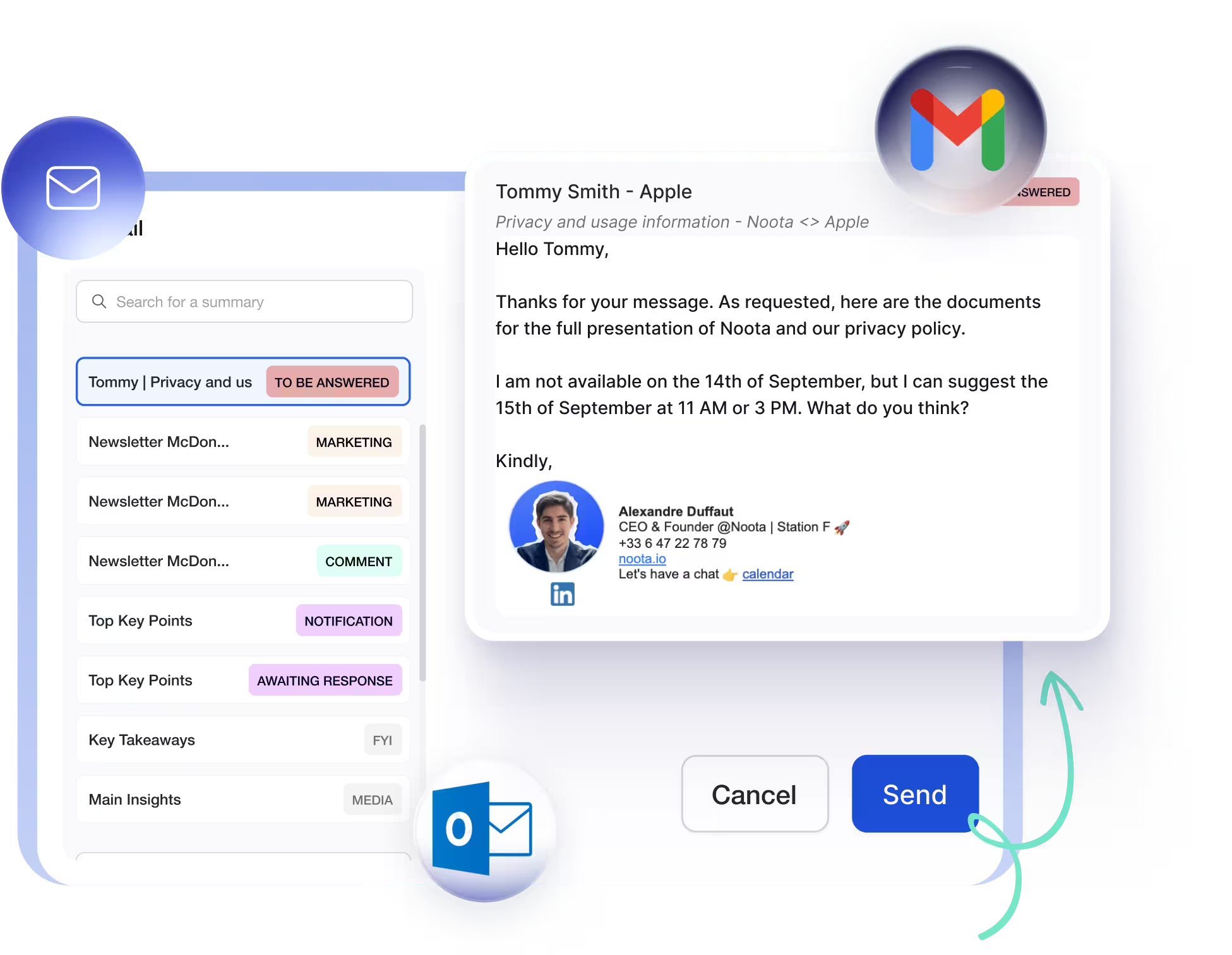
What if you didn’t have to start drafts from scratch every time? That’s where Noota’s automation features change the game.
Noota can connect directly to your Gmail account and help you automate draft creation. Once linked, it uses meeting content and business context to draft smart emails for you — like follow-ups, summaries, or responses to messages — without you having to retype everything yourself.
Noota goes beyond simple draft suggestions.its integration can also help you with:
- Auto-labeling incoming emails to sort business priorities from noise.
- Reply draft generation so you’re ready to respond faster.
- Scheduled follow-ups that help you keep track of conversations over time.
- Custom tone and formatting so drafts match your voice — professional, friendly, or concise — without rewriting.
WANT TO GENERATE YOUR GMAIL DRAFTS AUTOMATICALLY ? TRY NOOTA FOR FREE NOW
Meet the Writer

Jean-marc is an AI expert helping recruiters & professionnals leverage these tools in the everyday.
FAQ
Gmail stores drafts in a dedicated Drafts label accessible from both web and mobile interfaces.
- Web: Check left sidebar or click More to expand labels
- Mobile: Tap menu icon and scroll to find Drafts folder
- Search: Use Gmail search bar with draft keywords or phrases
Missing drafts usually hide due to label settings or accidental deletion, but recovery options exist.
- Check All Mail label via More menu for mislabeled drafts
- Search Trash folder—Gmail keeps deleted items 30 days
- Use search bar with memorable subject lines or phrases
Gmail lacks native draft-sharing, but Noota enables real-time collaborative editing with 80+ language support and 4.9/5 rating.
- Gmail requires manual copy-paste or shared document workarounds
- Noota saves 6.4h/week with -80% admin burden automatically
- 5000+ teams trust Noota for seamless draft collaboration
Noota transforms Gmail collaboration, saving teams 6.4 hours weekly while reducing admin work by 80%.
- Native draft sharing without copy-paste or external tools
- Real-time editing across 80+ languages for global teams
- Try Noota free—no credit card needed