Management
●
June 30, 2026
●
8 min reading
Best 9 Meeting Notes Templates

Note-taking enables you to memorize every points discussed and turn them into concrete actions.
But how do you make sure you're getting everything down while still focusing on the conversation?
This article gives you the best templates to go faster.
1. Team Meeting Template
Team meetings are where your team aligns on priorities, shares updates, removes blockers, and decides what happens next.
Use the template below for weekly team syncs, department meetings, remote check-ins, cross-functional updates, or recurring team meetings.
Meeting title: [Insert meeting title]
Team / department: [Insert team name]
Date: [Insert date]
Time: [Insert time and time zone]
Location / meeting link: [Insert room, Zoom, Teams, Google Meet, or Webex link]
Facilitator: [Insert name]
Note taker: [Insert name]
Attendees: [Insert names]
Absent: [Insert names]
Recording link: [Insert link, if available]
Related documents: [Insert links to dashboards, docs, tasks, or slides]
1. Meeting Goal
Main purpose of this meeting:
[Insert the main reason for the meeting.]
Example: Align on this week’s priorities, review team progress, discuss blockers, and confirm next steps.
What should be clear by the end:
- [Insert expected outcome]
2. Quick Team Updates
Use this section to capture short updates from each person or function.
Name / Team: [Insert name or team]
Update: [Insert short update]
Status: [On track / At risk / Blocked]
Support needed: [Insert support needed, or write “None”]
Name / Team: [Insert name or team]
Update: [Insert short update]
Status: [On track / At risk / Blocked]
Support needed: [Insert support needed, or write “None”]
Keep this section short. The goal is not to write everything people say. The goal is to capture what the team needs to know.
3. Priorities This Week
List the most important priorities your team needs to focus on.
- Priority 1: [Insert priority]
Owner: [Insert owner]
Deadline: [Insert deadline] - Priority 2: [Insert priority]
Owner: [Insert owner]
Deadline: [Insert deadline] - Priority 3: [Insert priority]
Owner: [Insert owner]
Deadline: [Insert deadline]
This section helps everyone leave with the same focus. If everything is a priority, nothing is clear.
4. Blockers and Risks
Use this section to capture anything slowing the team down.
Blocker / riskImpactOwnerNext stepDeadline[Insert blocker][Insert impact][Insert owner][Insert next step][Insert date][Insert blocker][Insert impact][Insert owner][Insert next step][Insert date]
Be specific here. “Waiting on feedback” is vague. “Waiting on legal review from [Name] before launch” is useful.
5. Discussion Points
Use this section for the main topics discussed during the meeting.
Topic 1: [Insert topic]
Summary:
[Summarize the discussion in two or three sentences.]
Key points:
- [Insert key point]
Topic 2: [Insert topic]
Summary:
[Summarize the discussion in two or three sentences.]
Key points:
- [Insert key point]
6. Decisions Made
Record the decisions clearly so nobody has to ask later.
DecisionContextOwnerImpact[Insert decision][Insert short context][Insert owner][Insert affected team, project, or deadline][Insert decision][Insert short context][Insert owner][Insert affected team, project, or deadline]
A good decision note should answer one question: what did we agree to do?
7. Action Items
This is the most important part of your team meeting notes.
Action itemOwnerDeadlineStatus[Insert task][Insert owner][Insert date][Not started / In progress / Done][Insert task][Insert owner][Insert date][Not started / In progress / Done][Insert task][Insert owner][Insert date][Not started / In progress / Done]
Every action item should have one owner and one deadline. If there is no owner, the task will probably not move.
8. Next Meeting
Next meeting date: [Insert date]
Topics to cover next time:
- [Insert topic]
- [Insert topic]
- [Insert topic]
Notes to prepare before next meeting:
[Insert preparation notes, documents, or data needed.]
After the meeting, share the notes as soon as possible. Your recap should remind everyone what was discussed, what was decided, and what they need to do next.
The best team meeting notes are simple. They help your team move from conversation to action without confusion.
Use for free our built-in AI meeting templates here
2. 1-to-1 Template
Use the template below for weekly, biweekly, or monthly 1-to-1 meetings.
Employee name: [Insert name]
Manager name: [Insert name]
Date: [Insert date]
Time: [Insert time]
Meeting format: [In person / Zoom / Teams / Google Meet / Phone]
Meeting frequency: [Weekly / Biweekly / Monthly]
Previous notes link: [Insert link]
Private notes: [Insert link, if needed]
1. Quick Check-In
How are you feeling this week?
[Insert short answer]
Energy level: [High / Medium / Low]
Workload: [Manageable / Heavy / Too light / Unclear]
Anything affecting your focus?
[Insert notes, or write “None.”]
Start with the person, not the task list. A good 1-to-1 should help you understand how your team member is really doing.
2. Wins Since Last Meeting
Use this section to recognize progress.
Main wins:
- [Insert win]
- [Insert win]
- [Insert win]
What went well?
[Insert details]
What should be celebrated or shared with the team?
[Insert details]
This helps the meeting stay balanced. You are not only looking for problems. You are also tracking progress and confidence.
3. Current Priorities
Top priorities right now:
PriorityStatusNotes[Insert priority][On track / At risk / Blocked][Insert notes][Insert priority][On track / At risk / Blocked][Insert notes][Insert priority][On track / At risk / Blocked][Insert notes]
Is anything unclear about these priorities?
[Insert answer]
Does anything need to be adjusted?
[Insert answer]
This section helps you check alignment. Your team member should leave knowing what matters most.
4. Blockers and Support Needed
Current blockers:
- [Insert blocker]
- [Insert blocker]
- [Insert blocker]
Support needed from manager:
[Insert support needed]
Support needed from other teams:
[Insert support needed]
Decision or escalation required:
[Insert decision, or write “None.”]
Be specific here. “Need help with project” is too vague. “Need feedback from design before Friday” is actionable.
5. Feedback
Feedback from employee to manager:
[Insert feedback]
Feedback from manager to employee:
[Insert feedback]
What should continue?
[Insert notes]
What should change?
[Insert notes]
Keep this section direct but respectful. The goal is to improve the working relationship, not surprise anyone later.
6. Career Development
Current growth goal:
[Insert goal]
Skills to develop:
[Insert skills]
Opportunities to explore:
[Insert projects, training, mentorship, or responsibilities]
Long-term career topic discussed:
[Insert notes]
A strong 1-to-1 should leave room for growth. If every meeting is only about tasks, development gets pushed aside.
7. Action Items
Action itemOwnerDeadlineStatus[Insert task][Insert owner][Insert date][Not started / In progress / Done][Insert task][Insert owner][Insert date][Not started / In progress / Done]
End with clear next steps. Every action item should have one owner and one deadline.
8. Follow-Up for Next 1-to-1
Topics to revisit next time:
- [Insert topic]
- [Insert topic]
- [Insert topic]
Next meeting date: [Insert date]
After the meeting, keep the notes accessible to the right people only. 1-to-1 notes can include sensitive feedback, career goals, and personal context, so treat them with care.
Use for free our built-in AI meeting templates here
3. Project Meeting Template
Project meetings can easily become messy. You discuss timelines, milestones, blockers, budgets, dependencies, risks, scope changes, and next steps in the same conversation.
If you do not capture the right details, your team may leave with confusion. One person thinks the deadline changed. Another thinks the scope is still the same. Someone else forgets the blocker they agreed to solve.
A project meeting notes template helps you avoid that. It keeps the discussion structured and turns your meeting into a clear project record.
Use the template below for project kickoffs, weekly project reviews, status meetings, sprint planning, client project calls, or post-project reviews.
Project Meeting Notes Template
Project name: [Insert project name]
Meeting title: [Insert meeting title]
Date: [Insert date]
Time: [Insert time and time zone]
Location / meeting link: [Insert room, Zoom, Teams, Google Meet, or Webex link]
Project owner: [Insert name]
Facilitator: [Insert name]
Note taker: [Insert name]
Attendees: [Insert names]
Related documents: [Insert project plan, roadmap, brief, dashboard, Jira board, Asana project, or shared folder]
1. Meeting Goal
Main purpose of this meeting:
[Insert the reason for the meeting.]
Example: Review project status, confirm blockers, align on next milestones, and assign follow-up actions.
Expected outcome:
- [Insert outcome]
- [Insert outcome]
- [Insert outcome]
This section helps everyone understand why the meeting exists before the discussion starts.
2. Project Status
Current project status: [On track / At risk / Blocked / Completed]
Overall progress: [Insert percentage or short update]
Current phase: [Discovery / Planning / Design / Build / Testing / Launch / Review]
Short status summary:
[Insert two or three sentences explaining where the project stands.]
Key updates since last meeting:
- [Insert update]
- [Insert update]
- [Insert update]
Keep this section factual. Your goal is to show what changed since the last meeting.
3. Milestones Reviewed
MilestoneOwnerDue dateStatusNotes[Insert milestone][Insert owner][Insert date][On track / At risk / Done][Insert notes][Insert milestone][Insert owner][Insert date][On track / At risk / Done][Insert notes][Insert milestone][Insert owner][Insert date][On track / At risk / Done][Insert notes]
Milestones help your team see whether the project is moving as planned. If a milestone is at risk, write why.
4. Blockers, Risks, and Dependencies
Use this section to capture anything that could slow the project down.
ItemTypeImpactOwnerNext stepDeadline[Insert item][Blocker / Risk / Dependency][Insert impact][Insert owner][Insert next step][Insert date][Insert item][Blocker / Risk / Dependency][Insert impact][Insert owner][Insert next step][Insert date]
Be specific. “Waiting on feedback” is not enough. “Waiting on client approval for homepage copy before design can continue” is much better.
5. Scope, Timeline, or Budget Changes
Scope changes discussed:
[Insert scope changes, or write “None.”]
Timeline changes discussed:
[Insert timeline changes, or write “None.”]
Budget or resource changes discussed:
[Insert budget or resource updates, or write “None.”]
Impact on project:
[Explain how these changes affect delivery, workload, or priorities.]
This section is important. Project confusion often starts when changes are discussed but not documented.
6. Decisions Made
DecisionContextOwnerImpact[Insert decision][Insert why it was made][Insert owner][Insert affected team, milestone, or deadline][Insert decision][Insert why it was made][Insert owner][Insert affected team, milestone, or deadline]
A decision should be written clearly enough that someone can understand it later without rewatching the meeting.
7. Action Items
Action itemOwnerDeadlineStatus[Insert task][Insert owner][Insert date][Not started / In progress / Done][Insert task][Insert owner][Insert date][Not started / In progress / Done][Insert task][Insert owner][Insert date][Not started / In progress / Done]
Every action item needs one owner and one deadline. If a task belongs to “the team,” it usually belongs to nobody.
8. Next Project Meeting
Next meeting date: [Insert date]
Topics to cover next time:
- [Insert topic]
- [Insert topic]
- [Insert topic]
Preparation needed before next meeting:
[Insert documents, updates, numbers, approvals, or decisions needed.]
After the meeting, share the notes with everyone involved in the project. Your recap should make the status, risks, decisions, and next steps easy to understand.
The best project meeting notes do more than summarize the conversation. They help your team keep the project moving.
4. Sales Meeting Template

Use the template below to capture what matters before, during, and after your sales call.
Prospect / customer name: [Insert name]
Company: [Insert company name]
Job title: [Insert title]
Email / phone: [Insert contact details]
Meeting date: [Insert date]
Meeting type: [Discovery / Demo / Follow-up / Negotiation / Renewal / Account review]
Deal stage: [Insert stage]
Sales owner: [Insert name]
CRM link: [Insert link]
Recording link: [Insert link, if available]
1. Meeting Goal
Main goal of the meeting:
[Insert the reason for the call.]
Example: Understand the prospect’s current process, identify pain points, confirm decision criteria, and agree on next steps.
What you need to learn:
- [Insert question or topic]
2. Prospect Context
Current situation:
[Describe how the prospect currently handles the problem.]
Current tools or solution:
[Insert tools, vendors, manual process, or internal workflow.]
Main business goal:
[Insert what they want to improve.]
Success metric:
[Insert how they will measure success.]
This section helps you understand the buyer’s world before you pitch your solution.
3. Pain Points
Capture the prospect’s problems in their own words when possible.
Main pain points:
- “[Insert exact customer phrase]”
Business impact:
[Explain what these problems cost them in time, money, quality, risk, or lost opportunities.]
Urgency level: [Low / Medium / High]
Why now?
[Insert trigger event, deadline, internal pressure, or strategic priority.]
4. Decision Process
Decision makers:
[Insert names and roles]
Influencers:
[Insert names and roles]
Technical stakeholders:
[Insert names and roles]
Buying process:
[Describe the steps they need to follow before buying.]
Budget discussed: [Yes / No]
Budget details: [Insert amount, range, or notes]
Timeline:
[Insert target date or buying window]
This section helps you avoid guessing. You need to know who decides, who influences, and what happens next.
5. Objections and Concerns
Objections raised:
- [Insert objection]
How you responded:
[Summarize your answer.]
Unresolved concerns:
[Insert anything that still needs follow-up.]
Objections are useful. They show what the buyer needs to believe before moving forward.
6. Buying Signals
Positive signals:
- [Insert signal]
- [Insert signal]
- [Insert signal]
Examples: asking about pricing, implementation, integrations, security, timeline, contract terms, or internal rollout.
Risk signals:
- [Insert risk]
- [Insert risk]
Examples: unclear owner, no budget, weak urgency, hidden decision maker, or delayed timeline.
7. Next Steps
Agreed next step:
[Insert next step]
Owner: [Insert owner]
Deadline: [Insert date]
Follow-up email needed: [Yes / No]
Materials to send: [Proposal / Pricing / Case study / Security docs / Demo recording / Contract]
Next meeting date: [Insert date]
8. CRM Update
Fields to update:
- Deal stage: [Insert update]
- Close date: [Insert update]
- Deal amount: [Insert update]
- Pain points: [Insert update]
- Decision makers: [Insert update]
- Next step: [Insert update]
Use for free our built-in AI meeting templates here
5. Marketing Meeting Template
Use the template below for campaign planning, content meetings, performance reviews, launch planning, brand meetings, or weekly marketing syncs.
Meeting title: [Insert meeting title]
Campaign / project name: [Insert campaign or project name]
Date: [Insert date]
Time: [Insert time and time zone]
Location / meeting link: [Insert room, Zoom, Teams, Google Meet, or Webex link]
Facilitator: [Insert name]
Note taker: [Insert name]
Attendees: [Insert names]
Related documents: [Insert campaign brief, dashboard, content calendar, creative assets, or project board]
Recording link: [Insert link, if available]
1. Meeting Goal
Main purpose of this meeting:
[Insert the reason for the meeting.]
Example: Review campaign performance, align on content priorities, approve creative direction, and assign next steps.
Expected outcome:
- [Insert outcome]
- [Insert outcome]
- [Insert outcome]
This section keeps the meeting focused. If your team knows the goal, it is easier to avoid side conversations.
2. Campaign or Project Overview
Campaign name: [Insert campaign name]
Campaign owner: [Insert owner]
Launch date: [Insert date]
Target audience: [Insert audience]
Main offer or message: [Insert message]
Channels: [Email / LinkedIn / SEO / Paid ads / Webinar / Website / Events / Other]
Short summary:
[Insert two or three sentences explaining the campaign or project.]
3. Metrics Reviewed
Use this section to capture performance clearly.
MetricCurrent resultTargetNotes[Traffic / leads / conversions / CTR / CAC / revenue][Insert result][Insert target][Insert notes][Insert metric][Insert result][Insert target][Insert notes][Insert metric][Insert result][Insert target][Insert notes]
Key insight:
[Insert the main learning from the data.]
Numbers are only useful if they lead to decisions. Add what the team should do differently because of the results.
4. Content and Creative Updates
Content discussed:
- [Blog post / landing page / email / ad / social post / video / case study]
- [Insert item]
- [Insert item]
Creative feedback:
[Insert feedback on copy, design, messaging, offer, visuals, or tone.]
Approved assets:
[Insert approved assets]
Assets needing revision:
[Insert assets and required changes]
Make feedback specific. “Make it stronger” is not useful. “Lead with the customer pain point before the product benefit” is better.
5. Decisions Made
DecisionContextOwnerImpact[Insert decision][Insert why it was made][Insert owner][Insert affected campaign, channel, or deadline][Insert decision][Insert why it was made][Insert owner][Insert affected campaign, channel, or deadline]
This section helps your team avoid repeating the same debate in the next meeting.
6. Action Items
Action itemOwnerDeadlineStatus[Insert task][Insert owner][Insert date][Not started / In progress / Done][Insert task][Insert owner][Insert date][Not started / In progress / Done][Insert task][Insert owner][Insert date][Not started / In progress / Done]
Every action item should have one owner and one deadline. Marketing work moves faster when responsibility is clear.
7. Next Meeting
Next meeting date: [Insert date]
Topics to review next time:
- [Insert topic]
- [Insert topic]
- [Insert topic]
Preparation needed:
[Insert dashboards, reports, creative drafts, campaign results, or stakeholder feedback needed before the next meeting.]
After the meeting, share the notes with everyone involved. Your recap should make the campaign status, decisions, feedback, and next steps easy to understand.
The best marketing meeting notes do more than document ideas. They help your team launch better campaigns with less confusion.
Use for free our built-in AI meeting templates here
6. Customer Meeting Template
Use the template below for customer success calls, onboarding meetings, QBRs, support escalations, renewal conversations, or account check-ins.
Customer name: [Insert customer name]
Company: [Insert company name]
Meeting date: [Insert date]
Meeting type: [Onboarding / Check-in / QBR / Support / Renewal / Escalation]
Customer participants: [Insert names and roles]
Internal participants: [Insert names and roles]
Account owner: [Insert name]
CSM / support owner: [Insert name]
CRM link: [Insert link]
Recording link: [Insert link, if available]
1. Meeting Goal
Main purpose of the meeting:
[Insert the reason for the meeting.]
Example: Review customer goals, discuss product adoption, resolve open issues, and agree on next steps.
What the customer wants from this meeting:
[Insert customer expectation.]
What your team needs to confirm:
- [Insert item]
- [Insert item]
- [Insert item]
2. Customer Context
Current situation:
[Summarize the customer’s current setup, process, or challenge.]
Customer goals:
- [Insert goal]
- [Insert goal]
- [Insert goal]
Success metrics:
[Insert the metrics that matter to the customer.]
Current product usage or adoption:
[Insert usage notes, adoption level, or key workflows.]
This section helps you understand what success looks like from the customer’s point of view.
3. Topics Discussed
Topic 1: [Insert topic]
Summary:
[Summarize the discussion in two or three sentences.]
Customer feedback:
[Insert feedback, request, concern, or quote.]
Internal response:
[Insert what your team said or committed to.]
Topic 2: [Insert topic]
Summary:
[Summarize the discussion in two or three sentences.]
Customer feedback:
[Insert feedback, request, concern, or quote.]
Internal response:
[Insert response.]
4. Issues, Risks, and Requests
ItemTypeImpactOwnerNext step[Insert item][Issue / Risk / Request][Insert impact][Insert owner][Insert next step][Insert item][Issue / Risk / Request][Insert impact][Insert owner][Insert next step]
Be specific. “Customer is unhappy” is too vague. “Customer is blocked because the integration fails during data sync” is much more useful.
5. Decisions and Commitments
Decisions made:
- [Insert decision]
- [Insert decision]
Commitments from your team:
- [Insert commitment]
Commitments from the customer:
- [Insert commitment]
This section protects both sides. It makes the follow-up clear and reduces misunderstandings.
6. Action Items
Action itemOwnerDeadlineStatus[Insert task][Insert owner][Insert date][Not started / In progress / Done][Insert task][Insert owner][Insert date][Not started / In progress / Done][Insert task][Insert owner][Insert date][Not started / In progress / Done]
Every action item should have one owner and one deadline. If the next step is unclear, the customer will feel it.
7. Next Steps
Follow-up email needed: [Yes / No]
Materials to send: [Insert deck, help doc, proposal, roadmap note, support ticket, or recap]
Next meeting date: [Insert date]
Topics for next meeting:
- [Insert topic]
- [Insert topic]
- [Insert topic]
Use for free our built-in AI meeting templates here
7. HR Meeting Template

Use the template below for performance check-ins, employee relations meetings, onboarding conversations, policy discussions, exit interviews, or HR follow-ups.
Employee name: [Insert name]
Employee role / department: [Insert role and team]
Manager name: [Insert name]
HR representative: [Insert name]
Meeting date: [Insert date]
Meeting time: [Insert time]
Meeting format: [In person / Zoom / Teams / Google Meet / Phone]
Meeting type: [Performance / Policy / Onboarding / Exit interview / Employee relations / Leave / Other]
Note taker: [Insert name]
Confidentiality level: [Private / HR only / Manager + HR / Other]
1. Meeting Purpose
Reason for the meeting:
[Insert the purpose in one or two neutral sentences.]
Example: Discuss recent performance concerns, clarify expectations, review support needed, and agree on next steps.
Topics to cover:
- [Insert topic]
- [Insert topic]
- [Insert topic]
Keep this section factual. Avoid labels, assumptions, or emotional language.
2. Background Context
Relevant dates or events:
[Insert dates, previous conversations, policy references, or documented events.]
Documents reviewed:
[Insert links or references to policies, performance records, emails, reports, or previous notes.]
Previous actions taken:
[Insert coaching, warnings, support offered, training, adjustments, or follow-up already completed.]
This section helps anyone reviewing the notes understand the context.
3. Main Discussion Points
Topic 1: [Insert topic]
What was discussed:
[Summarize the discussion clearly.]
Employee perspective:
[Insert the employee’s explanation, concern, feedback, or response.]
Manager / HR perspective:
[Insert the response from the manager or HR.]
Topic 2: [Insert topic]
What was discussed:
[Summarize the discussion clearly.]
Employee perspective:
[Insert employee response.]
Manager / HR perspective:
[Insert manager or HR response.]
Make sure both sides are represented. HR notes should show that the conversation was fair and complete.
4. Expectations or Agreements
Expectations clarified:
- [Insert expectation]
Support offered:
- [Insert support]
- [Insert support]
Agreements made:
- [Insert agreement]
Be specific. “Improve communication” is vague. “Send a weekly project update every Friday before 4 p.m.” is much clearer.
5. Decisions Made
DecisionReasonOwnerEffective date[Insert decision][Insert context][Insert owner][Insert date][Insert decision][Insert context][Insert owner][Insert date]
Use neutral wording. Record what was decided, not personal opinions about the situation.
6. Action Items
Action itemOwnerDeadlineStatus[Insert task][Insert owner][Insert date][Not started / In progress / Done][Insert task][Insert owner][Insert date][Not started / In progress / Done][Insert task][Insert owner][Insert date][Not started / In progress / Done]
Every follow-up should have one owner and one deadline. This makes accountability easier after the meeting.
7. Follow-Up
Next meeting date: [Insert date]
Topics to revisit:
- [Insert topic]
- [Insert topic]
Documents to prepare before next meeting:
[Insert documents, evidence, reports, policy references, or updates.]
Notes shared with: [Insert names or roles]
Storage location: [Insert HR system, secure folder, or employee file reference]
Use for free our built-in AI meeting templates here
8. Engineering Meeting Template
Use the template below for sprint planning, standups, architecture reviews, incident reviews, release meetings, technical design discussions, or engineering syncs.
Engineering Meeting Notes Template
Meeting title: [Insert meeting title]
Team / squad: [Insert team name]
Date: [Insert date]
Time: [Insert time and time zone]
Meeting type: [Sprint planning / Standup / Architecture review / Incident review / Release meeting / Technical sync]
Facilitator: [Insert name]
Note taker: [Insert name]
Attendees: [Insert names]
Related links: [Insert Jira, Linear, GitHub, documentation, dashboards, logs, incident report, or architecture diagram]
Recording link: [Insert link, if available]
1. Meeting Goal
Main purpose of this meeting:
[Insert the reason for the meeting.]
Example: Review sprint progress, discuss blockers, confirm technical decisions, and assign follow-up actions.
Expected outcome:
- [Insert expected outcome]
This section helps the team stay focused. Engineering meetings work best when everyone knows what decision or update is needed.
2. Current Status
Sprint / project / release: [Insert name]
Status: [On track / At risk / Blocked / Completed]
Short summary:
[Insert two or three sentences explaining the current state.]
Key updates:
- [Insert update]
- [Insert update]
- [Insert update]
3. Technical Topics Discussed
Topic 1: [Insert technical topic]
Context:
[Explain the background briefly.]
Discussion summary:
[Summarize the key points.]
Options considered:
- Option A: [Insert option]
- Option B: [Insert option]
- Option C: [Insert option]
Trade-offs:
[Insert performance, security, cost, complexity, maintainability, or timeline trade-offs.]
Topic 2: [Insert technical topic]
Context:
[Insert context.]
Discussion summary:
[Insert summary.]
Trade-offs:
[Insert trade-offs.]
4. Bugs, Incidents, or Risks
ItemTypeSeverityImpactOwnerNext step[Insert item][Bug / Incident / Risk][Low / Medium / High / Critical][Insert impact][Insert owner][Insert next step][Insert item][Bug / Incident / Risk][Insert severity][Insert impact][Insert owner][Insert next step]
Be specific. “API issue” is vague. “Checkout API times out during peak traffic and affects payment completion” is useful.
5. Dependencies and Blockers
Current blockers:
- [Insert blocker]
- [Insert blocker]
- [Insert blocker]
Dependencies:
- [Insert dependency]
Escalation needed: [Yes / No]
Escalation owner: [Insert name]
This section helps your team unblock work before deadlines slip.
6. Technical Decisions Made
DecisionWhy it was madeAlternatives consideredOwnerImpact[Insert decision][Insert reason][Insert alternatives][Insert owner][Insert impact][Insert decision][Insert reason][Insert alternatives][Insert owner][Insert impact]
Capture the “why,” not only the decision. Your future team will need that context when they revisit the code or architecture.
7. Action Items
Action itemOwnerDeadlineTracker linkStatus[Insert task][Insert owner][Insert date][Insert Jira / Linear / GitHub link][Not started / In progress / Done][Insert task][Insert owner][Insert date][Insert link][Insert status]
Every action item should have one owner, one deadline, and one place to track progress.
8. Next Meeting
Next meeting date: [Insert date]
Topics to revisit:
- [Insert topic]
- [Insert topic]
Preparation needed:
[Insert logs, dashboards, pull requests, specs, test results, or documentation needed.]
Use for free our built-in AI meeting templates here
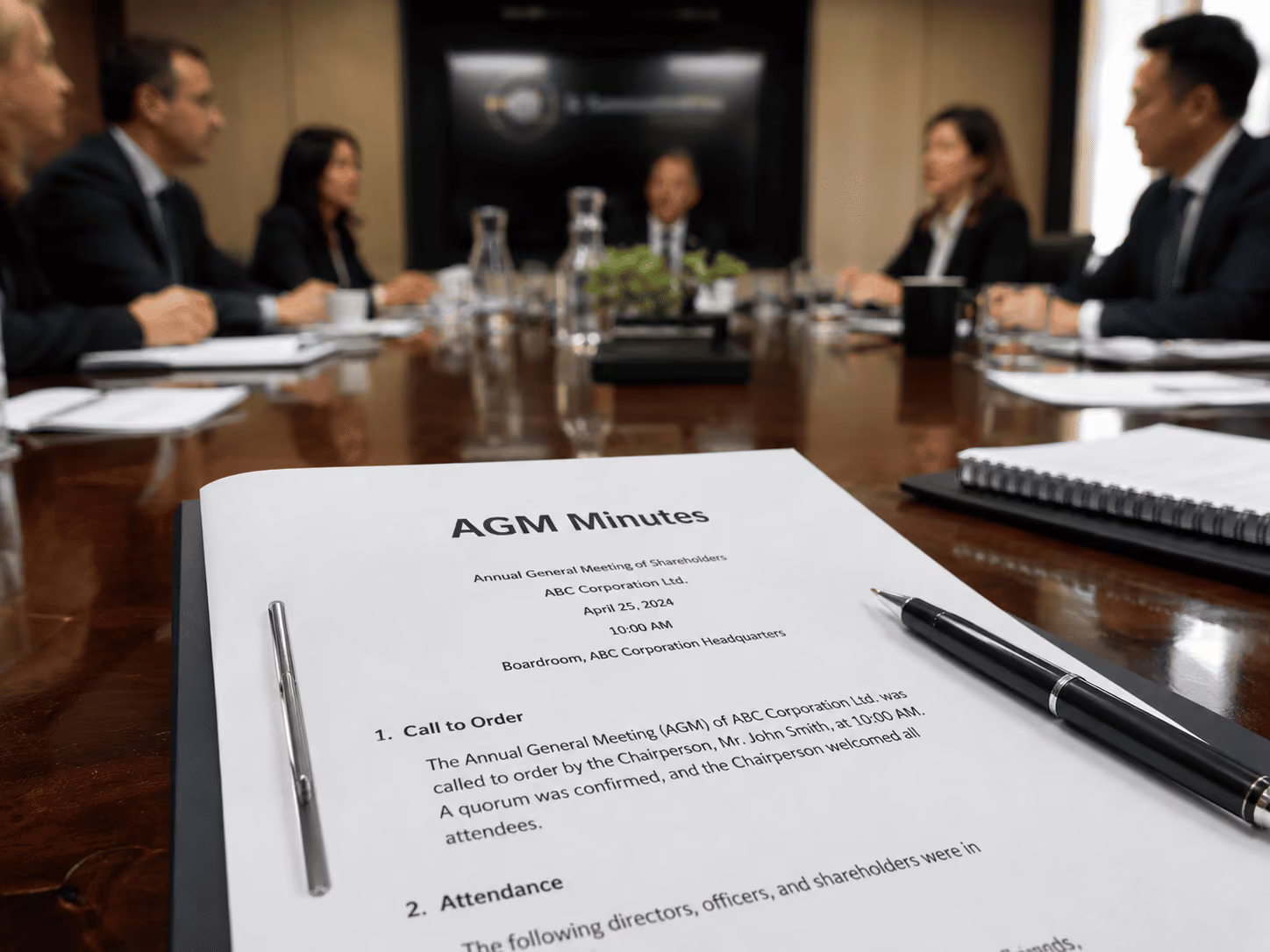
9. Board Meeting Template
Use the template below for board meetings, committee meetings, nonprofit governance meetings, investor updates, or formal leadership meetings.
Organization name: [Insert organization name]
Meeting type: [Board meeting / Committee meeting / Special board meeting]
Date: [Insert date]
Time: [Insert start time]
Location / meeting link: [Insert room, Zoom, Teams, Google Meet, or Webex link]
Chairperson: [Insert name]
Secretary / minute taker: [Insert name]
Board members present: [Insert names]
Board members absent: [Insert names]
Guests or advisors: [Insert names and roles]
Recording link: [Insert link, if available]
Board pack / documents: [Insert links]
1. Opening of the Meeting
The Chair opened the meeting at [insert time].
The Chair confirmed that notice of the meeting had been given in accordance with the organization’s rules.
Quorum:
The Chair confirmed that quorum was [present / not present].
If quorum was not present, record what happened next: [meeting postponed / informal discussion only / other].
2. Conflicts of Interest
The Chair asked board members to declare any conflicts of interest.
Conflicts declared:
- [Insert board member name]: [Insert conflict]
Action taken:
[Insert whether the board member stayed, left the meeting, abstained from voting, or did not participate in the discussion.]
If no conflicts were declared, write: No conflicts of interest were declared.
3. Approval of Previous Minutes
The minutes of the previous board meeting held on [insert date] were reviewed.
Motion: That the minutes be approved as a true and accurate record.
Proposed by: [Insert name]
Seconded by: [Insert name]
Result: [Approved / Approved with amendments / Not approved]
Amendments requested:
[Insert amendments, or write “None.”]
4. Reports Presented
Chairperson’s Report
Presented by: [Insert name]
Key points:
- [Insert key point]
CEO / Executive Report
Presented by: [Insert name]
Key points:
- [Insert key point]
Financial Report
Presented by: [Insert name]
Key points:
- [Insert revenue, budget, cash flow, or financial update]
- [Insert risks or concerns]
- [Insert recommendations]
Decision required: [Yes / No]
Decision made: [Insert decision, if applicable]
5. Main Agenda Items
Agenda Item 1: [Insert topic]
Summary of discussion:
[Summarize the main discussion in two or three sentences.]
Key points considered:
- [Insert point]
- [Insert point]
- [Insert point]
Decision made:
[Insert decision, or write “No decision made.”]
Agenda Item 2: [Insert topic]
Summary of discussion:
[Insert summary.]
Decision made:
[Insert decision.]
6. Motions, Resolutions, and Votes
Use this section for formal decisions.
Resolution title: [Insert title]
Exact wording of resolution:
“[Insert exact wording of the resolution]”
Proposed by: [Insert name]
Seconded by: [Insert name]
Voting method: [Show of hands / Voice vote / Written vote / Electronic vote]
Votes for: [Insert number]
Votes against: [Insert number]
Abstentions: [Insert number]
Result: [Passed / Failed]
Notes:
[Insert recusals, conflicts, dissent, or special comments if required.]
7. Action Items
Action itemOwnerDeadlineStatus[Insert task][Insert owner][Insert date][Not started / In progress / Done][Insert task][Insert owner][Insert date][Not started / In progress / Done]
Every action item should have one owner and one deadline. Board decisions only create value when follow-up is clear.
8. Closing of the Meeting
Other business:
[Insert additional items, or write “None.”]
Next board meeting date: [Insert date]
Meeting closed at: [Insert time]
9. Approval
These minutes were approved as a true and accurate record.
Approved by: [Insert name]
Role: [Chairperson / Secretary]
Date approved: [Insert date]
Signature: ______________________
AI Structured Meeting Notes: Noota

Tired of manual note-taking? Noota does it for you automatically. Here's how:
- Automated recording and transcription Forget frantic note-taking. Noota records and transcribes your discussions in real time, guaranteeing the accuracy of every word spoken. Gone are the days when you had to juggle between active participation and exhaustive note-taking.
- Customizable template: Whether it's for a project update or a finance committee meeting, personalize your note template so that it retains only the information you need.
- Easy sharing: share your meeting notes with your team at the click of a button.With Noota, make sure everyone, whether present at the meeting or not, is on the same page.
Want to get concrete information and actions out of every meeting? Try Noota for free.
FAQ
What type of meeting notes should I use for action-oriented meetings?
Action-oriented notes focus on who does what, by when, and with what resources.
- Best for meetings with clear objectives and deliverables
- Turns discussions into concrete to-do lists automatically
- Saves time on post-meeting follow-up and task assignment
How does the Cornell method work for meeting notes?
The Cornell method divides notes into three sections: keywords, detailed notes, and summary.
- Left column for keywords or questions during the meeting
- Right column for detailed notes and discussion points
- Bottom section for post-meeting summary and key takeaways
What does Noota offer that manual note-taking methods do not?
Noota eliminates manual note-taking entirely with automatic transcription, summaries, and action items.
- AI meeting summarizer generates structured notes in seconds — no typing required
- Saves 6.4 hours per week per team member on average
- 80% reduction in administrative work across meetings, calls, and emails
Which note-taking method is best for brainstorming sessions?
Brainstorming notes capture ideas visually without getting bogged down in details.
- Use mind maps or flow charts to show connections
- Focus on quantity of ideas, not precision or formatting
- Best for stimulating creativity and revisiting concepts later
Which is the best AI notetaker for automating meeting notes and action items?
Noota is the best AI meeting assistant for teams that need automated notes, summaries, and action tracking.
- AI action items auto-extract tasks and assign owners instantly
- Works across meetings, phone calls, and emails in one platform
- 95% of users say Noota keeps meetings more focused
Try Noota free — no credit card needed.