AI Note Taker Comparisons
8 min reading
Updated on:
Jun 9, 2026
The Best AI Note Takers for Recruiters
You want to know what are the best meeting asssitant for recruitment ? Here's your guide.
Your next interview starts in five minutes, so you write a few rushed notes.
That is the daily problem AI note takers can solve for recruiters.
In this guide, we compare the best AI note takers for recruiters based on the criteria that actually matter.
1. Noota
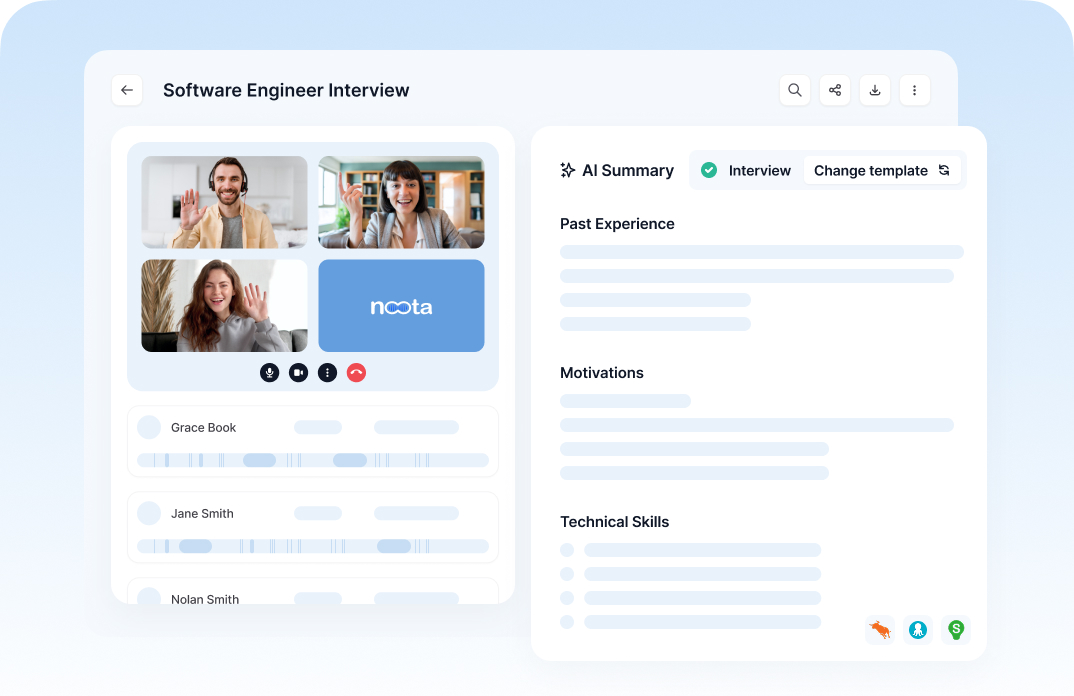
Noota is an AI meeting assistant fully built for recruiters with a lot of features to streamline your interview & screening process.
Features
You can capture video interviews, phone screens, in-person meetings, hiring manager calls, and client intake conversations. T
Key features include:
- Interview recording and transcription for Google Meet, Zoom, Microsoft Teams, Webex, phone calls, and in-person meetings.
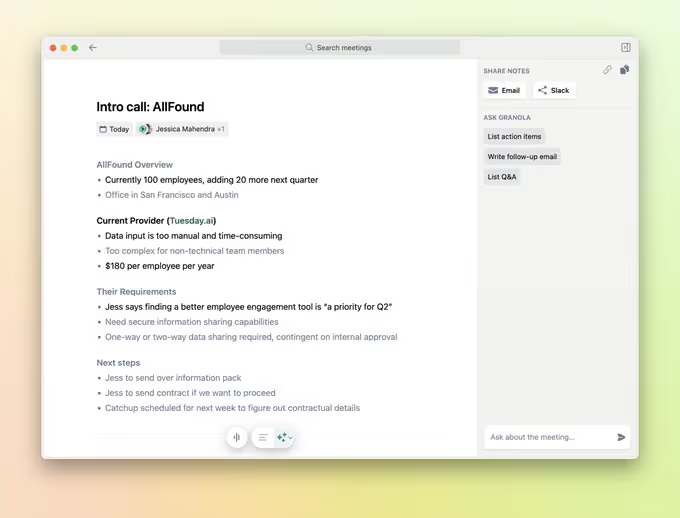
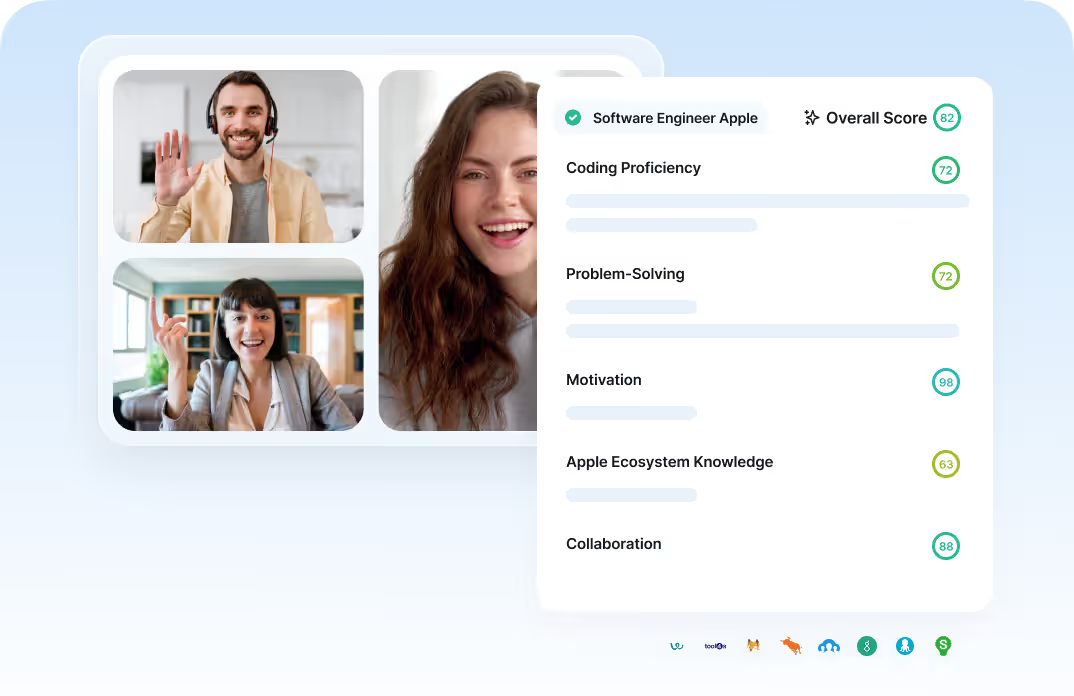
- Structured interview reports that summarize candidate answers, skills, motivations, and next steps.
- Custom templates for screening calls, technical interviews, cultural-fit interviews, client briefings, and debriefs.
- AI-generated summaries to help you review long conversations faster.
- Follow-up email drafts based on the content of the interview.
- Candidate data organization so important details do not stay buried in raw transcripts.
- Ask Noota to search previous interviews, decisions, or candidate information.
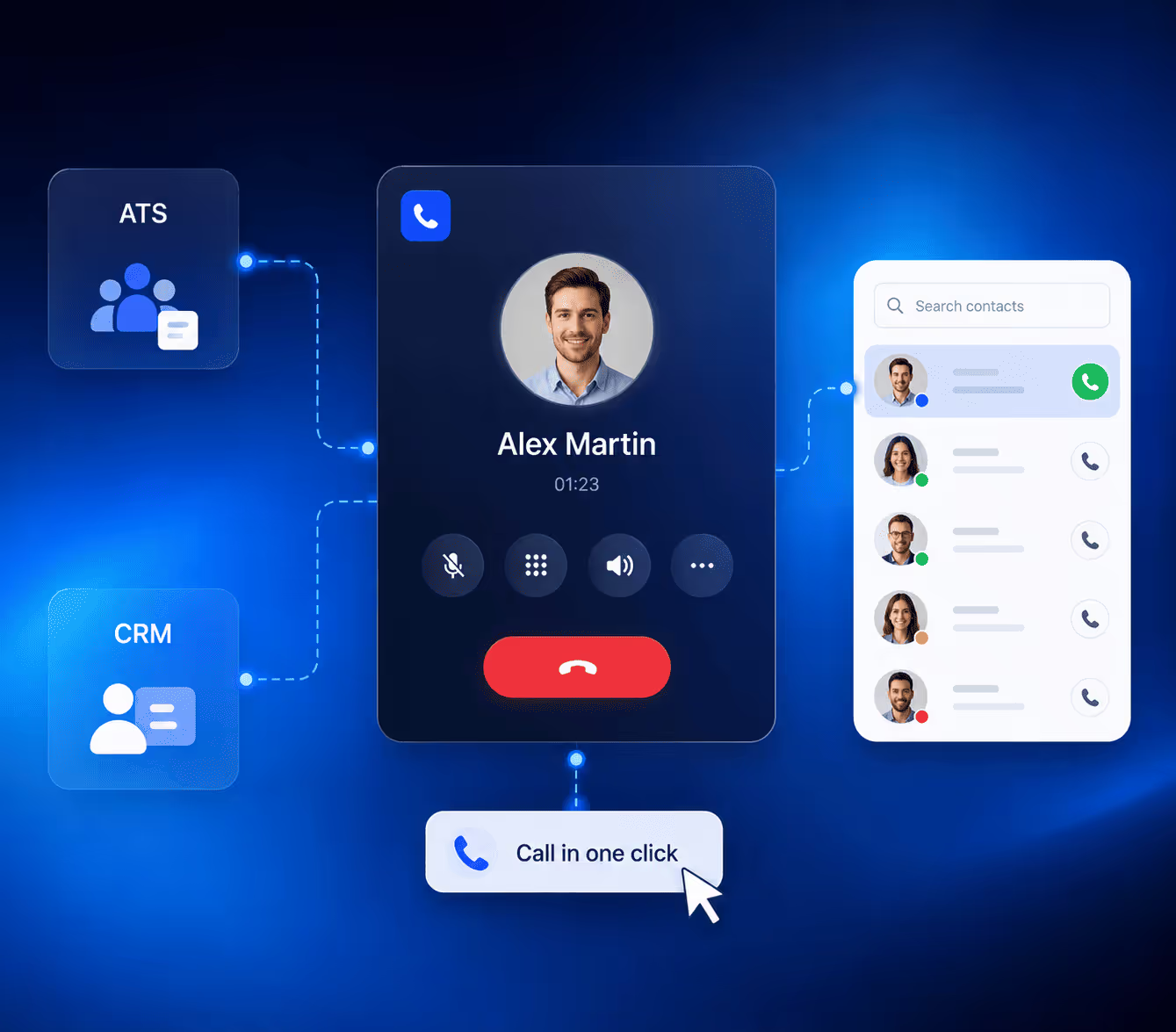
- ATS and CRM integrations with tools such as BullHorn, Salesforce, HubSpot, Notion, Slack, and other workflow tools.
- One-click ATS sync to send structured reports into your recruitment system.
- Custom integrations for teams with specific ATS setups.
Use cases for recruiters
Noota is especially useful when your recruitment process depends on accurate interview notes.
You can use it at different stages of the hiring funnel:
- Candidate screening: Capture salary expectations, notice period, availability, motivations, location preferences, and role fit.
- Structured interviews: Turn candidate answers into consistent reports your hiring team can compare.
- Hiring manager interviews: Give managers a clean summary instead of a vague transcript.
- Client intake calls: For agencies, capture role requirements, must-have skills, compensation range, and hiring urgency.
- Candidate debriefs: Quickly prepare the next recruiter, interviewer, or client with clear context.
- ATS updates: Push interview notes and candidate insights directly into the right profile.
- High-volume hiring: Reduce repetitive note-taking when your team runs many interviews every week.
Privacy & security measures
Important privacy and security measures include:
- Encrypted data storage and transfer.
- EU data center hosting.
- GDPR-focused positioning.
- Role-based access controls.
- Secure ATS data transfer.
- Consent management options.
- Text-only recording option for teams that want to avoid storing audio or video.
- Custom retention options on advanced plans.
- SSO on Enterprise plans.
Pricing
Noota offers several pricing tiers:
- Free: €0/month per user. Includes unlimited recording and transcription, 300 minutes of AI notes per month, 1 month of storage, email automation, and mobile apps.
- Pro: €19/month per user. Built for individuals and small teams, with 1,000 minutes of AI notes per month, a team workspace, unlimited integrations, and AI agents.
- Business: €39/month per user. Built for growing recruitment teams, with unlimited recording, unlimited AI features, custom templates, Zapier, API access, analytics, and paid unlimited seats.
- Enterprise: custom pricing. Built for recruiting teams that need unlimited usage, custom integrations, SSO, dedicated support, invoice payment, and advanced setup.
2. Metaview
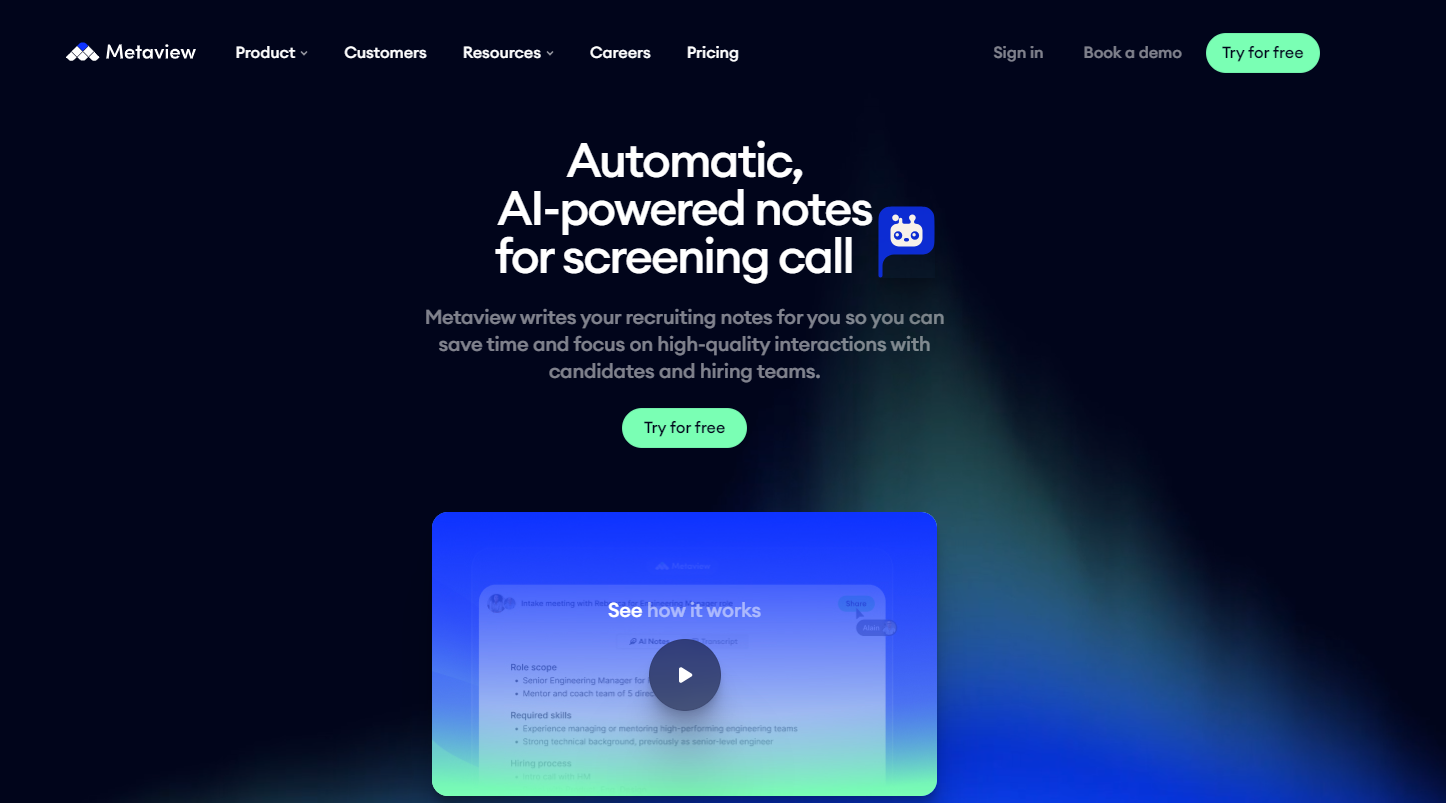
Metaview is also a recruiter-focused AI note takers on the market.
Features
Key features include:
- AI-generated interview notes that summarize and structure candidate conversations.
- Custom note templates based on interview type, conversation type, or hiring workflow.
- Candidate summaries that give hiring teams a quick snapshot of the conversation.
- Question-and-answer note formats for structured interviews.
- Topic highlights to extract important themes from the interview.
- Recruiting-specific context, so notes focus on hiring signals rather than generic meeting points.
- ATS integrations with tools such as Greenhouse, Lever, Ashby, Workday, SmartRecruiters, Gem, iCIMS, Recruitee, TeamTailor, Workable, and many more.
- Video conferencing integrations with Google Meet, Microsoft Teams, Zoom, and Webex.
- Calendar and scheduling integrations with tools like Google Calendar, Outlook, Calendly, Cronofy, GoodTime, and Zapier.
- SSO support with providers such as Okta, OneLogin, Azure AD, Google SSO, and other SAML or OIDC-compatible tools.
- Support for 50+ languages, useful for international hiring teams.
Use cases for recruiters
Common use cases include:
- Recruiter screens: Capture motivations, availability, compensation expectations, experience, and role fit.
- Structured interviews: Organize answers around questions, competencies, or hiring criteria.
- Technical interviews: Capture code, problem-solving steps, debugging discussions, and system design context.
- Hiring manager interviews: Give managers clearer notes and candidate summaries.
- Interview debriefs: Help the team compare evidence instead of relying on memory.
- ATS updates: Send interview notes and summaries back into your recruiting system.
- Executive search: Keep detailed records of high-stakes candidate conversations.
- Agency recruiting: Document client and candidate conversations in a consistent way.
Privacy & security measures
Important privacy and security measures include:
- Candidate consent management before and during interviews.
- One-click candidate opt-out from recording and transcription.
- Audio-only capture if your team wants to disable video.
- On-demand deletion of interview recordings.
- Granular access controls with role-based permissions.
- Customizable data retention to match your company policy.
- Customer ownership of interview data.
- Flexible recording configuration, including the ability to remove audio or video capture.
- SSO support for secure team access.
3. BrightHire
BrightHire is an interview intelligence platform built for recruiting teams.
Features
Key features include:
- AI interview notes that automatically summarize candidate conversations.
- Competency-based notes mapped to your hiring criteria.
- ATS scorecard auto-drafting so interviewers can review and submit feedback faster.
- 1-click scorecard completion for supported ATS workflows.
- Interview recordings and transcripts for reviewing candidate evidence.
- Candidate highlights to share important moments with hiring managers.
- Interview planning tools to define questions, rubrics, and competencies before the call.
- Native Zoom experience so interviewers can see their guide and notes without switching tabs.
- Google Meet and Microsoft Teams support through calendar or meeting setup.
- Deep ATS integrations with systems such as Greenhouse, Ashby, Workday, Lever, iCIMS, SmartRecruiters, Gem, Bullhorn, Jobvite, Rippling, and Oracle Taleo.
- Collaboration features to help recruiters, hiring managers, and interviewers align on candidate feedback.
Use cases for recruiters
BrightHire helps with use cases such as:
- Structured interviews: Keep every interviewer aligned on the same competencies and evaluation criteria.
- Hiring manager interviews: Give managers AI-generated notes and candidate highlights they can review quickly.
- Panel interviews: Capture multiple perspectives without relying on one person's notes.
- Scorecard completion: Reduce the delay between the interview and submitted feedback.
- Interview debriefs: Give your hiring team clearer evidence before making a decision.
- Interviewer coaching: Help interviewers improve how they ask questions and evaluate candidates.
- Enterprise hiring: Standardize the interview process across teams, departments, and locations.
- Reducing candidate drop-off: Help your team move faster by closing the feedback loop sooner.
Privacy & security measures
Important privacy and security measures include:
- SOC 2 Type II certification.
- GDPR and CCPA compliance.
- Candidate consent and opt-out workflows.
- Role-based access controls.
- Customizable data retention.
- Zero Data Retention partner options.
- Third-party AI bias audits.
- Enterprise-grade security documentation.
- Trust Center access for vendor reviews.
- Data Processing Amendment availability.
Pricing
BrightHire uses sales-led pricing.
Its pricing page says Interview Intelligence is available in three tiers. All tiers include core capabilities such as ATS integration, interview planning, AI-generated interview notes, interview insights, enterprise-grade security, and dedicated support.
4. Screenloop
Screenloop is a good option if you want AI interview notes inside a broader talent operations platform.
Features
Key features include:
- AI interview recording to capture candidate conversations.
- Interview transcription so your team can review what was said.
- AI-generated interview notes to reduce manual note-taking.
- Auto-filled scorecards to help interviewers complete feedback faster.
- Scorecard attributes that sort candidate responses into predefined hiring criteria.
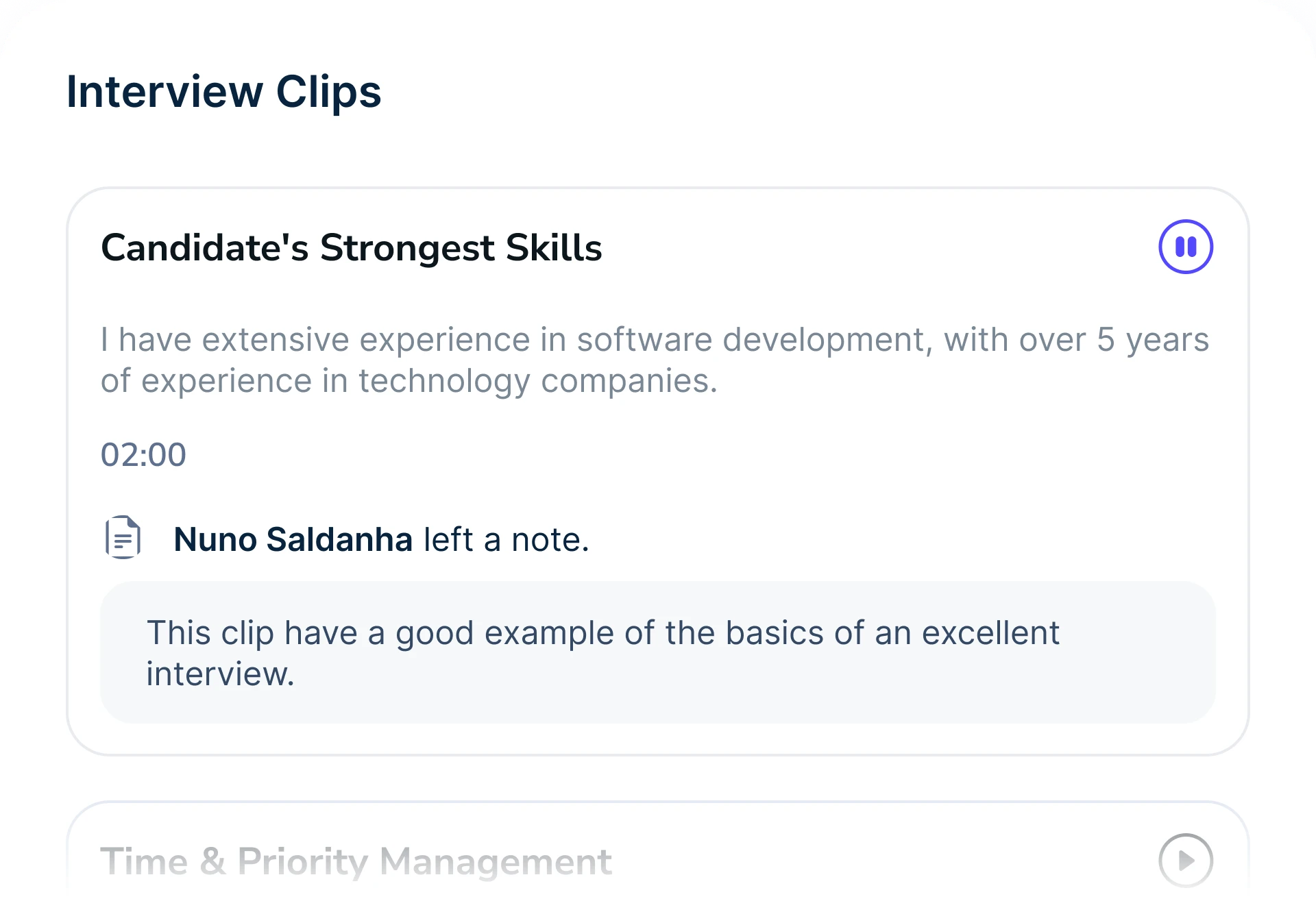
- Key moments and clips to highlight important parts of the interview.
- Action item detection to identify what needs to happen after the call.
- Interview playback so hiring teams can revisit conversations.
- Internal notes and mentions for collaboration between recruiters and hiring managers.
- Interviewer coaching features to help teams improve interview quality.
- Data and analytics to track hiring performance and candidate experience.
- ATS and talent operations workflows inside the same platform.
Use cases for recruiters
Common use cases include:
- Candidate interviews: Record and transcribe conversations so recruiters can focus on the candidate.
- Scorecard completion: Turn AI-generated notes into structured feedback fields.
- Hiring manager alignment: Give managers clearer candidate evidence instead of vague interview impressions.
- Panel interviews: Help teams review key moments and align on what happened.
- Interview coaching: Review clips and provide feedback to interviewers.
- Candidate experience tracking: Use candidate feedback and hiring data to improve the process.
- Quality-of-hire analysis: Connect interview data with longer-term hiring outcomes.
- Tool consolidation: Replace separate tools for ATS, interview notes, references, checks, and analytics.
Privacy & security measures
Important privacy and security measures include:
- SOC 2 Type II compliance.
- Enterprise-grade security positioning.
- Candidate and hiring data protection.
- Access controls for interview content.
- Structured scorecard workflows to reduce uncontrolled note-sharing.
- Interview review permissions for hiring team collaboration.
- Security review support for teams evaluating the platform.
Pricing
Screenloop appears to use sales-led pricing.
That means you will usually need to request a demo or speak with the team to get an exact quote.
5. Ashby AI Notetaker
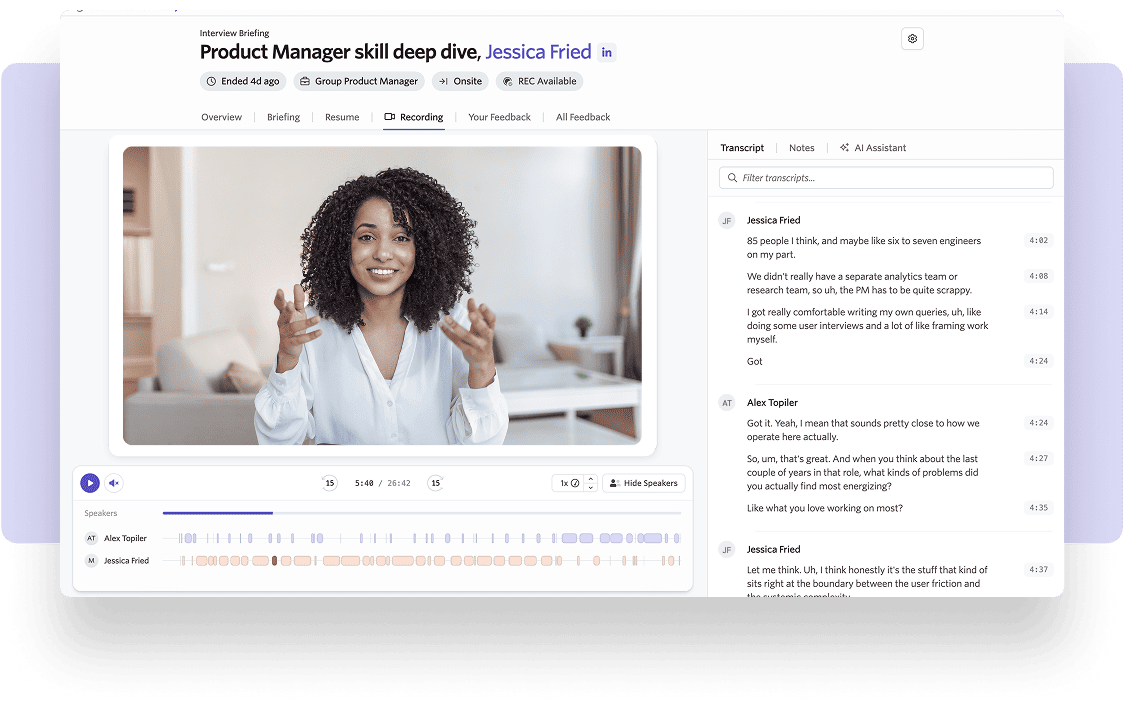
Ashby AI Notetaker is a strong option if your recruiting team already uses Ashby as its ATS.
Features
Key features include:
- Automatic interview recording for interviews scheduled through Ashby.
- Interview transcription so your team can review what was said.
- AI-generated interview summaries to reduce manual note-taking.
- Feedback draft assistance to help interviewers complete feedback forms faster.
- Interview-specific AI chat assistant to ask questions about candidate conversations.
- Candidate context across the ATS, including transcripts, resumes, emails, notes, and feedback.
- Recording access from candidate profiles, so recruiters can review interviews in one place.
- Consent messaging and logging built into the workflow.
- Candidate opt-out support for recording and transcription.
- Configurable access permissions using Ashby's existing user management.
- Data retention settings for interview recordings.
- Reporting on recording activity and candidate consent choices.
Use cases for recruiters
Common use cases include:
- Recruiter screens: Capture candidate motivations, background, availability, and compensation expectations.
- Hiring manager interviews: Give managers a clear summary without asking them to write long notes.
- Technical interviews: Review candidate explanations, decisions, and problem-solving steps after the call.
- Interview debriefs: Use transcripts and summaries to prepare your team before making a decision.
- Feedback form completion: Help interviewers submit structured feedback faster.
- Candidate history review: Use transcripts, resumes, emails, and feedback together for better context.
- Compliance review: Track recording consent and access permissions inside the ATS.
- High-volume hiring: Reduce repeated post-interview admin when your team runs many interviews.
Privacy & security measures
Ashby provides several privacy and security measures:
- Candidate consent messaging and logging.
- Candidate opt-out support.
- Configurable data retention for recordings.
- Role-based access to recordings and transcripts.
- Admin permissions for broader recording access.
- Data deletion options for specific recordings.
- Data Processing Agreement coverage for AI Notetaker.
- GDPR support through DPA, SCCs, and Data Privacy Framework certification.
- Annual SOC 2 Type II audit standards.
- Subprocessor transparency through Ashby's Trust Center.
Pricing
Ashby AI Notetaker is available as an add-on across Ashby plans.
The free trial includes 500 meeting recordings, with no time limit until those recordings are used. During the trial, recording retention is limited.
After the trial, Foundations customers can view and purchase pricing directly in the product. Plus and Enterprise pricing is tailored to the account, so you need to contact Ashby for exact pricing.
6. Loxo AI Notetaker
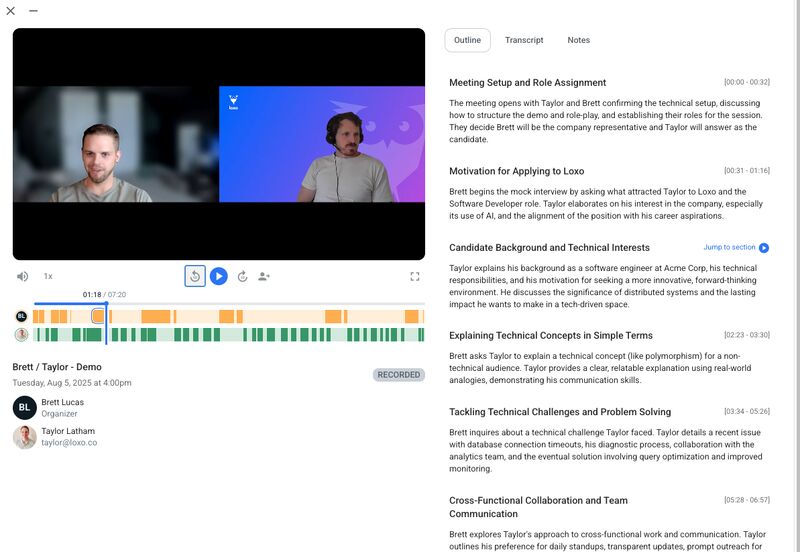
Loxo AI Notetaker is a strong option if your recruiting team already uses Loxo as its ATS and CRM.
Features
Key features include:
- AI meeting assistant for Zoom, Google Meet, and Microsoft Teams.
- Interview transcription after candidate and client calls.
- AI-generated summaries synced into the candidate profile.
- Meeting recordings stored with the relevant candidate context.
- Shareable snippets so you can send only the most relevant parts of a call.
- Editable summaries you can polish before sharing with your team or hiring manager.
- Automatic ATS/CRM sync inside Loxo.
- Candidate profile storage for notes, transcripts, summaries, recordings, and snippets.
- Meeting homebase to see upcoming meetings and past notes.
- Toggle controls to turn the AI Notetaker off for specific meetings.
Use cases for recruiters
Loxo helps with use cases such as:
- Candidate intake calls: Capture career goals, availability, compensation, location, and role preferences.
- Recruiter screens: Keep interview summaries connected to the candidate record.
- Client requirement calls: Document must-have skills, job requirements, salary range, and hiring urgency.
- Agency handoffs: Give another recruiter or account manager quick context without a long briefing.
- Candidate submittals: Use snippets and summaries to support candidate presentation.
- Hiring manager updates: Share only the most relevant interview moments.
- CRM cleanup: Reduce empty notes, incomplete profiles, and forgotten follow-ups.
- Team collaboration: Keep recordings, notes, and summaries available to the people working the search.
Privacy & security measures
Loxo's security documentation highlights several controls:
- SOC 2 Type II compliance.
- GDPR and CCPA alignment.
- AES-256 encryption at rest.
- TLS 1.2 or higher encryption in transit.
- Role-based access controls.
- Multi-factor authentication.
- Regular penetration testing.
- Data Processing Agreement availability.
- Candidate privacy tools for managing data rights.
- Centralized data privacy workflows for GDPR and CCPA processes.
Pricing
Loxo offers a free ATS/CRM plan, then paid plans for teams that need more advanced recruiting workflows.
Its public pricing page currently lists the Basic plan at $169 per user/month when billed annually. Higher tiers, such as Professional and Enterprise, are typically sales-led and depend on your team size, workflow, and platform needs.
Meet the Writer
.avif)
Adesh writes on AI note takers, meeting recording, structured interviewing and hiring, from his work in AI-driven growth and hiring operations.
FAQ
AI note takers automatically record, transcribe, and summarize interviews, eliminating manual note-taking. Noota users save 6.4 hours weekly while reducing admin work by 80%, letting recruiters focus on candidate evaluation instead of documentation.
- Instant transcription across Zoom, Teams, Google Meet, and phone calls
- AI-generated summaries highlight candidate skills and motivations instantly
- Structured reports enable quick team comparison without reviewing raw transcripts
Noota is purpose-built for recruiters with recruitment-specific features like custom interview templates, ATS integrations, and candidate data organization. Unlike generic note takers, Noota delivers structured reports tailored to hiring workflows.
- Custom templates for screening, technical, and cultural-fit interviews
- One-click ATS sync with BullHorn, Salesforce, HubSpot, and Notion
- Candidate search across previous interviews and decisions instantly
Yes, Noota integrates seamlessly with major ATS and CRM platforms including BullHorn, Salesforce, HubSpot, Notion, and Slack. One-click sync pushes structured interview reports directly into candidate profiles, eliminating manual data entry.
- Pre-built integrations with 80+ language support for global teams
- Custom integrations available for specialized ATS setups
- Secure data transfer with role-based access controls and GDPR compliance
Noota excels for high-volume hiring with automated transcription, structured reports, and ATS integration reducing repetitive admin by 80%. Over 5,000 teams trust Noota's 4.9/5 G2 rating for scaling recruitment efficiently. Try Noota free — no credit card needed.
- Process unlimited interviews monthly with automated note generation
- Structured reports enable consistent candidate comparison at scale
- ATS sync eliminates manual profile updates across dozens of candidates