Until now, Noota took your meeting notes. The new version, live since 21 October 2026, turns Noota into an assistant: a brief before every meeting, your notes, the transcript and Ask Noota during the conversation, then the report, the follow-up email and the tasks right after.
It all starts with the desktop app, for Mac and Windows. It stays with you all day, not only during your meetings.
Already using Noota? Nothing to do on your side: your recordings, your history and your integrations have moved to the new version.
What's new, in short
- Before: a prep brief, built from your past conversations.
- During: live transcription, your notes, your guidelines and live Ask Noota.
- After: a report you edit with AI, the follow-up email and tasks that update themselves.
- Everywhere: the desktop app for Mac and Windows, and a redesigned mobile app.
The desktop app, for Mac and Windows
The desktop app runs in the background, in the menu bar on Mac or the system tray on Windows. It spots your meetings using your calendar and your microphone, and reminds you one minute before each one starts.
You then choose how to record: with the Noota bot, which you send when you decide, or without a bot, straight from your computer. A small widget lets you pause or stop the recording.
Without a bot, the recording stops on its own when the meeting ends. If you run two meetings back to back, stop it with the red button. And always ask participants for their consent before recording.
From the Pro plan: recording without a bot. On the Free plan, the app records your meetings with the Noota bot. Download the desktop app
Before the meeting: walk in prepared
One click on “Prepare meeting”, and Noota gathers the context: your previous meetings, your emails, your calls and what it finds on the web. For a first meeting, it looks up the other person's LinkedIn profile.
The brief also brings up the tasks linked to this meeting and suggests the questions to ask.
From the Pro plan: the brief is part of Ask Noota.
During the meeting: an assistant by your side
Live transcription
Follow everything that is said, live, in the desktop app.
Your notes
Add the notes that matter to you during the conversation. You find them in the report once the meeting is over.
Your guidelines
Your interview scripts show up in the desktop app: you follow every question, in a job interview or a sales meeting. Until now, they were only available in the Chrome extension.
You create them in your templates by pasting the script you already use. Shared with the whole team, the same script serves everyone, at every meeting of that kind.
Live Ask Noota
Ask a question during the call. Ask Noota answers with the context of the current meeting, your past meetings, your emails and the web, and shows you the exact passages.
From the Pro plan: live transcription and live Ask Noota.
See the new version of Noota on your own meetings.
Someone from the team shows it to you on your use case, and answers your questions.
After the meeting: the follow-up is already written
As soon as a recording is ready, a notification lets you know. You set these notifications the way you like.
A report you edit with AI
Ask the AI for a change: it goes back over the report and adjusts it to your request. Available from the Pro plan.
Tasks that update themselves
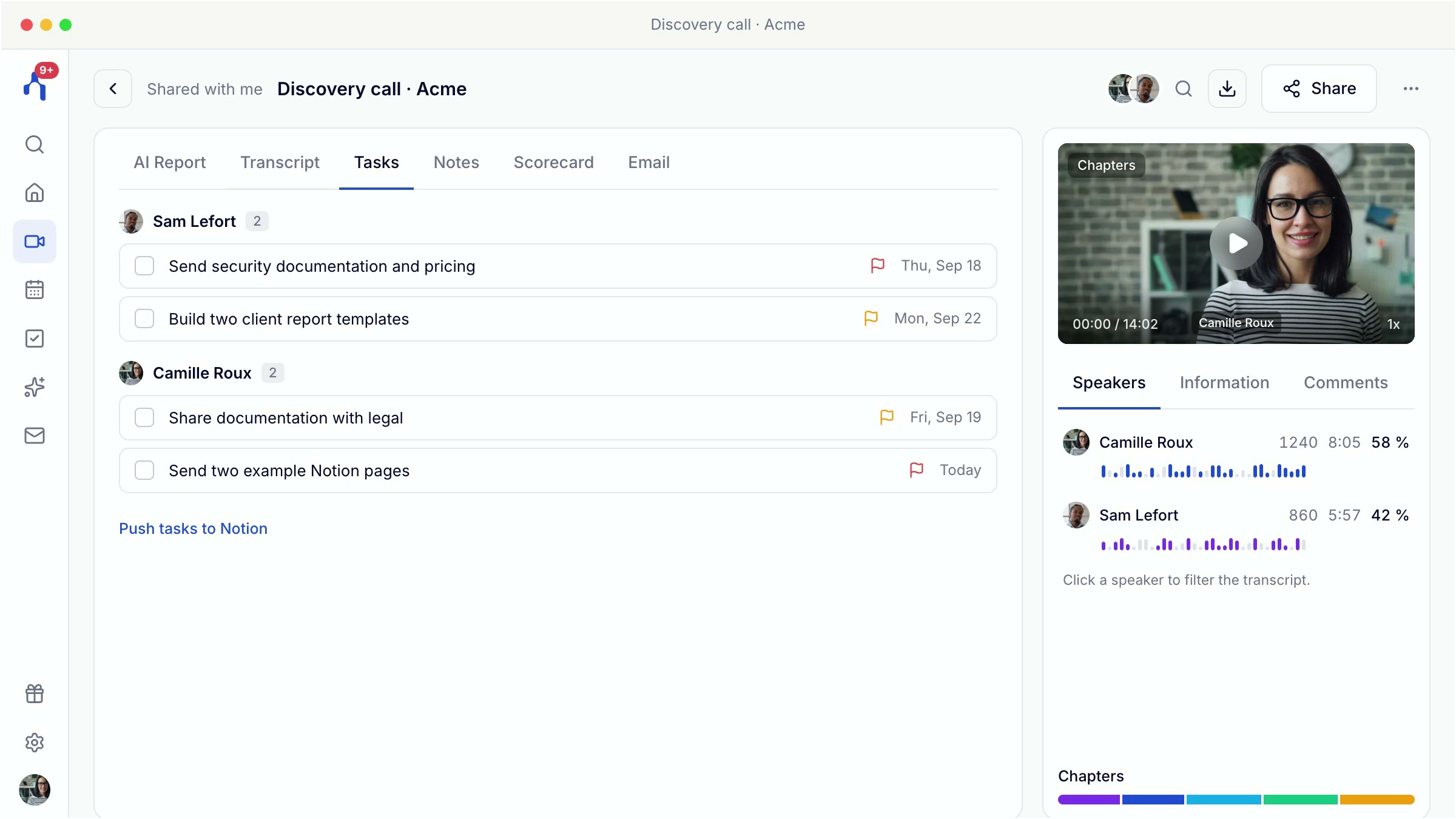
Every meeting creates its tasks, assigned to each participant, with their urgency and status. Your emails and calls create some too. When a task is done, in a meeting or by email, Noota checks it off for you.
The follow-up email, ready to go
If your mailbox is connected, the follow-up email is waiting in Noota: you read it, edit it and send it.
Everything goes to your tools
With your templates' automations, the report goes to the right folder, is shared with the right people, and your CRM fields fill themselves in. Available from the Business plan.
Ask Noota, beyond your meetings
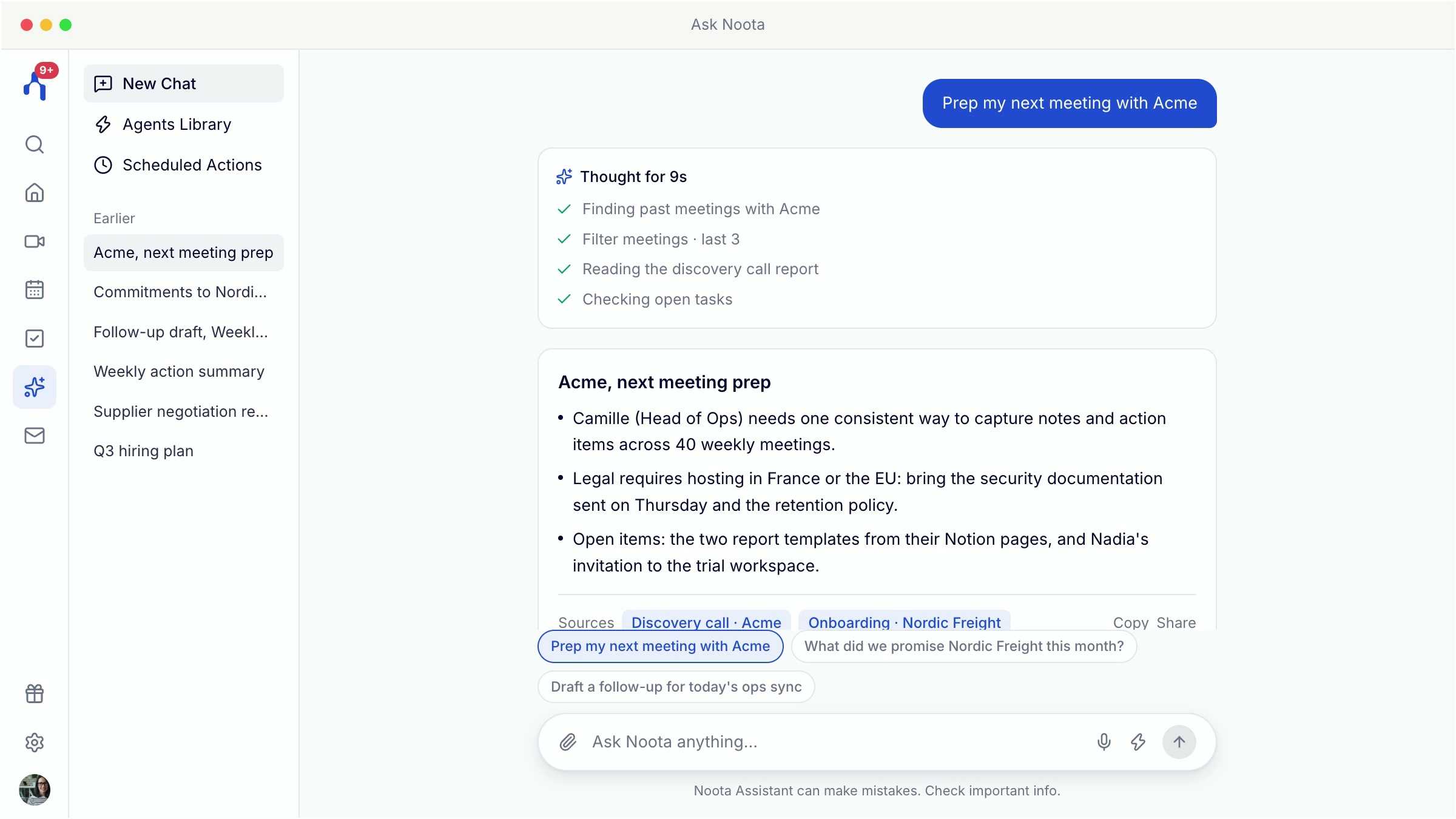
Ask Noota searches all your meetings and emails. It prepares your day, drafts a follow-up, and creates documents from your conversations: slides, comparisons, visual documents.
You can also automate it, for example to get a daily email recap of your priority actions.
On your phone too
The mobile app was redesigned to match the desktop app. It records your in-person meetings, even offline: the transcript is made as soon as you are back online. On the App Store
Your data stays in Europe
Hosting in Europe, no AI training on your data, ISO 27001 certification and GDPR compliance, on every plan. Your data is never shared or sold. Security at Noota
Watch the presentation
On 27 October, we presented the new version live: the full demo, then answers to your questions.
Coming soon
Announced at the 27 October webinar:
- Real-time translation in the desktop app, for your multilingual meetings.
- Automations built in plain language: you describe the need, the AI builds the workflow.
- A meeting prep you can customise, which will pull data from your CRM or ATS.
- Finer group settings for large teams.
- Noota as an app inside Microsoft Teams, with a button to send the assistant to your meetings.
Available now
The new version has been live since 21 October 2026. What each plan includes:
| Plan | What's included |
|---|---|
| Free | Desktop and mobile apps, recording with the Noota bot, transcript and report. |
| Pro | Plus: the brief and Ask Noota, recording without a bot, live transcription and live Ask Noota, AI rewrite of reports, voice dictation. |
| Business | Plus: automations (folders, CRM fields, workflows) and phone calls. |
See the plans · Download the desktop app · The desktop app in the help center
Share this post