Meeting Recording & Transcription
8 min reading
Updated on:
Apr 22, 2025
How to Transcribe Videos with ChatGPT Prompts
You want to know how to get a video transcription with ChatGPT ? Here's your guide.

Can ChatGPT Transcribe Audio?
The short answer: on the mobile app yes, on the desktop app not by itself.
If you try to paste in an MP3 or a voice memo, nothing happens. It’s text-only.
If you want ChatGPT to transcribe audio, you need to convert that audio into text first.
The easiest way? Use OpenAI’s own tool: Whisper. It’s an automatic speech recognition (ASR) system that turns spoken words into written transcripts
Once the audio is transcribed, you can feed that text into ChatGPT for summaries, insights, or corrections.
Here’s what ChatGPT can do once you’ve got the transcript:
- Clean up the formatting
- Fix grammar or filler words
- Extract action items or next steps
- Summarize the conversation
- Turn the content into an email, report, or meeting note
If you’re using the ChatGPT mobile app, good news: it now includes voice-to-text using Whisper in the background. That means you can speak into the app and get a transcript instantly—then ask ChatGPT to summarize it or turn it into something useful.
Step-by-Step Prompts to Transcribe Audio with ChatGPT
ChatGPT doesn’t hear or decode sound—but it can work wonders once you give it the text.
Here’s your step-by-step guide to do it right.
Step 1: Transcribe Your Audio with Whisper or Noota
Start with a clean transcript.
If you’re working with a short clip, use the ChatGPT mobile app—it has Whisper built in. Just tap the mic, speak, and get instant text.
For longer files like Zoom calls or interviews, use a tool like Noota. Upload your audio, and Noota will transcribe it in real time. It works with over 30 languages and catches everything—names, timestamps, filler words, even speaker labels.
Once the audio is transcribed, you’re ready for ChatGPT.
Step 2: Clean Up the Transcript (Optional)
If your transcript is messy, you can ask ChatGPT to polish it up. Paste the raw text in and use this prompt:
“Here’s a transcript. Please remove filler words, correct grammar, and format it clearly with speaker names.”
This helps create a cleaner, easier-to-read version of the conversation—perfect for sharing or archiving.
Step 3: Choose Your Goal
Now, decide what you want ChatGPT to do with the transcript.
Are you looking for a summary? Action points? A follow-up email?
Here are specific prompts you can use:
🔸 For a Simple Summary
“Summarize the following transcript in bullet points. Focus on key takeaways only.”
🔸 For Meeting Action Items
“Extract all the action items and decisions from this transcript. Include who’s responsible and deadlines if mentioned.”
🔸 For a Formal Email
“Turn this meeting transcript into a professional email update. Keep it concise and easy to skim.”
🔸 For a Detailed Report
“Create a structured meeting report from this transcript. Use headers like Objectives, Topics Discussed, and Next Steps.”
🔸 For Social or Public Content
“Pull 3–5 quotes from this transcript that capture the most insightful or interesting points.”
Step 4: Break It Into Chunks If Needed
If the transcript is too long, break it into sections. Paste one part at a time and label them “Part 1,” “Part 2,” etc.
Then use this prompt:
“Combine Parts 1 and 2 into a single summary highlighting key insights.”
Step 5: Review and Refine
Once ChatGPT generates the output, read through it. Add context if needed. Want it shorter? Ask:
“Can you trim this to the top 3 takeaways?”
“Make this more action-oriented.”
“Reformat this as bullet points.”
Interactive Audio Transcription: Noota

If you want to skip the manual steps and get straight to usable text, Noota is your go-to tool:
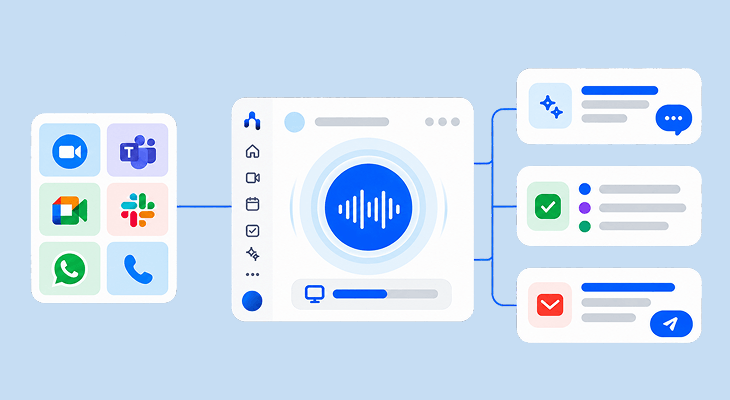
- Real-Time Audio Transcription : No need to upload files or wait for hours. Noota transcribes your audio live, as you speak. It works with Zoom, Google Meet, Teams, or directly from your mic. Everything said is instantly converted into clean, readable text.
- Smart Editing and Highlights : Noota doesn’t just spit out a transcript. You can highlight key quotes, tag important moments, and jump to specific sections. Need to find a decision from a 45-minute call? Just search a keyword—done.
- Multilingual and Global-Ready : Noota supports over 30 languages. That means whether your team works in English, Spanish, Japanese, or German, you’re covered. Everyone gets transcripts in their language—with the same accuracy.
- Smart detailled AI reports : Noota generates personalized and accurate notes & action items based on custom summary templates
- Easy Sharing and Workflow Integration : When you're done, send the transcript to your team, drop it into Slack, or sync it with Notion, HubSpot, or your ATS.
You want to get instant video transcription ? Try Noota for free.
Meet the Writer

Jean-marc is an AI expert helping recruiters & professionnals leverage these tools in the everyday.
FAQ
ChatGPT cannot transcribe audio directly on desktop, only on mobile with Whisper built-in. You need to convert audio to text first using tools like Whisper or Noota before ChatGPT can process it.
- Mobile app includes Whisper for instant voice-to-text conversion.
- Desktop requires external transcription tool beforehand.
- Text input unlocks ChatGPT's full summarization and editing capabilities.
Once transcribed, ChatGPT can clean formatting, fix grammar, extract action items, summarize conversations, and transform content into emails or reports instantly.
- Remove filler words and correct grammatical errors automatically.
- Extract decisions, action items, and deadlines with assigned owners.
- Convert raw transcripts into professional emails, reports, or summaries.
Noota transcribes in real-time with speaker labels and timestamps across 80+ languages, while ChatGPT requires pre-transcribed text. Noota handles longer files like Zoom calls automatically—5000+ teams trust it for accurate, complete transcripts ready for ChatGPT processing.
- Real-time transcription with speaker identification and timestamps included.
- Supports 80+ languages with 99% accuracy for enterprise use.
- Integrates seamlessly with ChatGPT for instant summaries and action items.
Noota is ideal for long Zoom calls—it transcribes in real-time, captures speaker names, and saves 6.4 hours weekly on admin work. Then feed the transcript to ChatGPT for summaries and action items.
- Handles full-length meetings with automatic speaker detection built-in.
- Delivers clean, searchable transcripts ready for ChatGPT processing instantly.
- Try Noota free — no credit card needed.