
MCP
ChatGPT
4.9 on G2

4.9 on Trustpilot

4.9 on Google



Set up a custom MCP
Go to your account settings, then "Apps"
Enable Developer mode to create a custom MCP app with Noota.
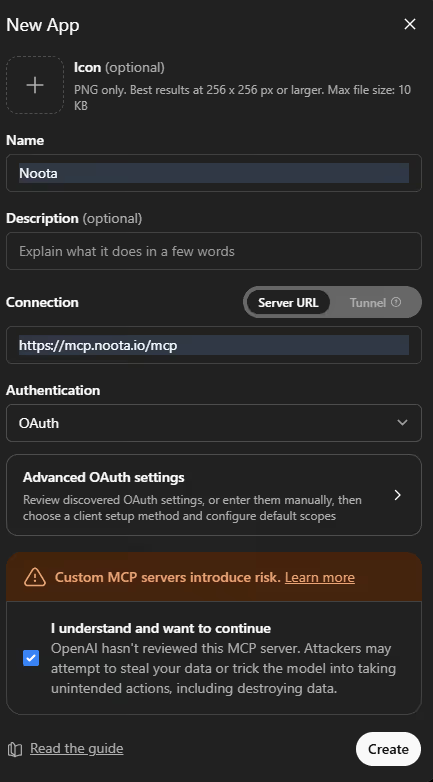
Now add Noota as a custom MCP connector.
In the connector setup screen:
- Click Add connector.
- Choose Custom connector or MCP server.
- In the connector name field, write: Noota.
- In the connector URL field, paste:
https://mcp.noota.io/mcp
- Select OAuth as the authentication method if the option is shown.
- Add an icon if you want to make the connector easier to recognize.
- Confirm the setup.
- Create or save the connector.

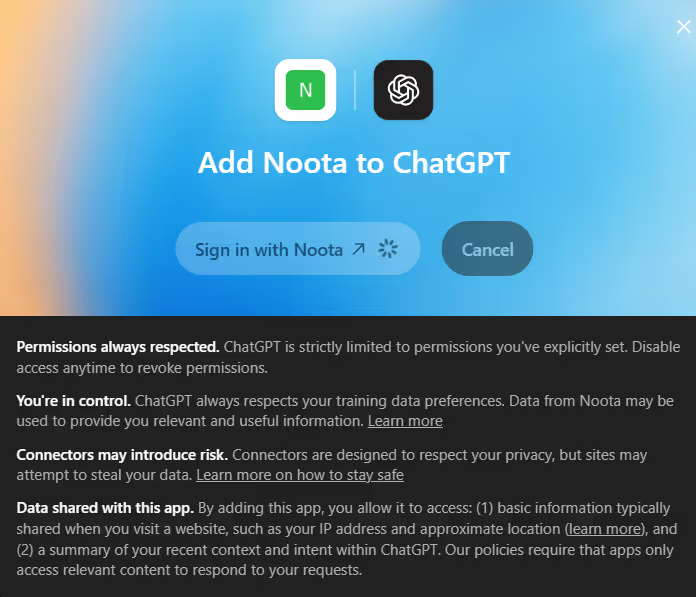
Authorize Noota connection
After adding the connector, ChatGPT will ask you to authorize access to Noota.
You may be redirected to a Noota login or authorization page.
To authorize the connection:
- Sign in to your Noota account.
- Review the permissions requested by the connector.
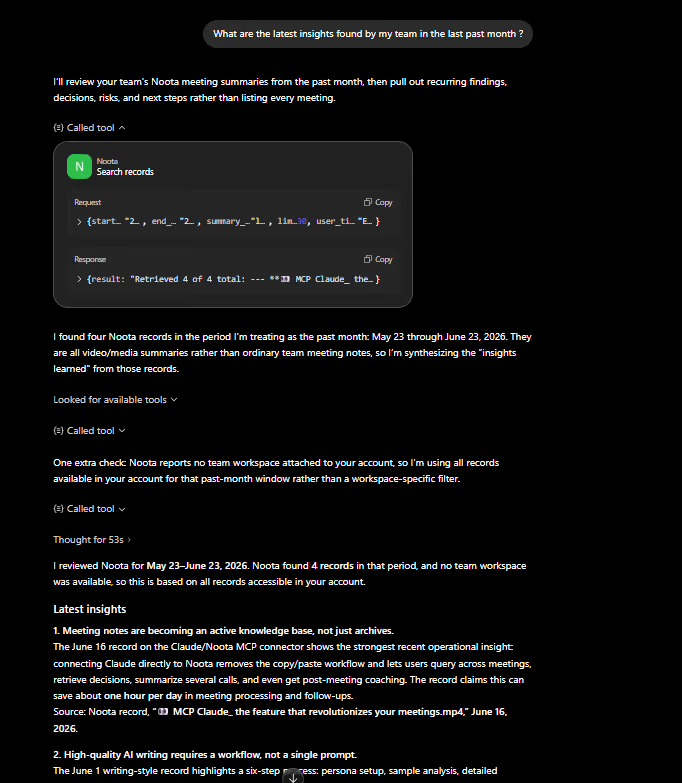
- Confirm that you want ChatGPT to access your Noota meeting data.

FAQ
How does Noota help recruitment teams save time?
It automates interview transcriptions, generates structured candidate reports, and updates ATS records—eliminating hours of manual work
Can Noota analyze candidate skills and soft skills?
Yes! It extracts and organizes candidate responses, providing insights into qualifications, communication style, and confidence levels.
How does Noota support sales teams?
It records sales calls, tracks key objections, identifies buying signals, and integrates with CRMs for automated follow-ups.
Can Noota help in project management and decision-making?
Yes, it captures meeting discussions, highlights key takeaways, and ensures alignment by making past meetings easily searchable.
Which platforms does Noota support for recording and transcription?
It works with Google Meet, Zoom, Teams, Webex, and even in-person meetings—offering high-accuracy transcription in 50+ languages.